
Sanplex Premium 4.0 Rebuilds Gantt Around Conversational AI
2 hours ago
 Kelsea Zhang
 2026-09-17 08:38:00
 0
0Sanplex today announced the general availability of Sanplex Premium 4.0, a major new release that introduces a fully rebuilt Gantt chart with automatic scheduling and version control, a rewritten workflow engine, an OpenAPI-ready interface library, stronger review and deliverable governance, and the deepest AI capabilities in the Sanplex line-up.
Availability: Sanplex Premium 4.0 applies to the self-hosted edition only. The Sanplex cloud edition remains on its current version, and cloud availability will be announced separately.
Download link:
AI that works with your data, not just alongside it
The AI layer is where Premium 4.0 goes furthest.
Sanplex AI can read and act on Sanplex data in real time during a conversation. A conversation can be started from the AI bubble on any page, or from Conversation under Agent navigation, so answers reflect the live state of projects and products rather than generic guidance. Teams no longer have to copy context out of the platform before they can ask a question of it.
Skills become reusable assets. Sanplex AI adds skill management, letting a capability be authored once, maintained centrally, and invoked from both agents and conversations — turning individual expertise into something the whole organization can call on.
Agents are far easier to configure, and they live where the work is. Agent design steps were streamlined, input fields can draw on custom workflow fields, create and edit forms can be configured with a Sanplex Agent, and custom workflow objects can create agents directly. Automation can therefore be attached to the exact object and the exact form where the work happens.
External assistants are supported as well. The AI service configuration can register OpenClaw as an intelligent assistant inside Sanplex, and the Sanplex Agent panel can hold a conversation with it directly.
Note: OpenClaw integration is still at an early stage of development. It should not be used in production environments or with sensitive data while enhanced security isolation and permission controls are being rolled out.
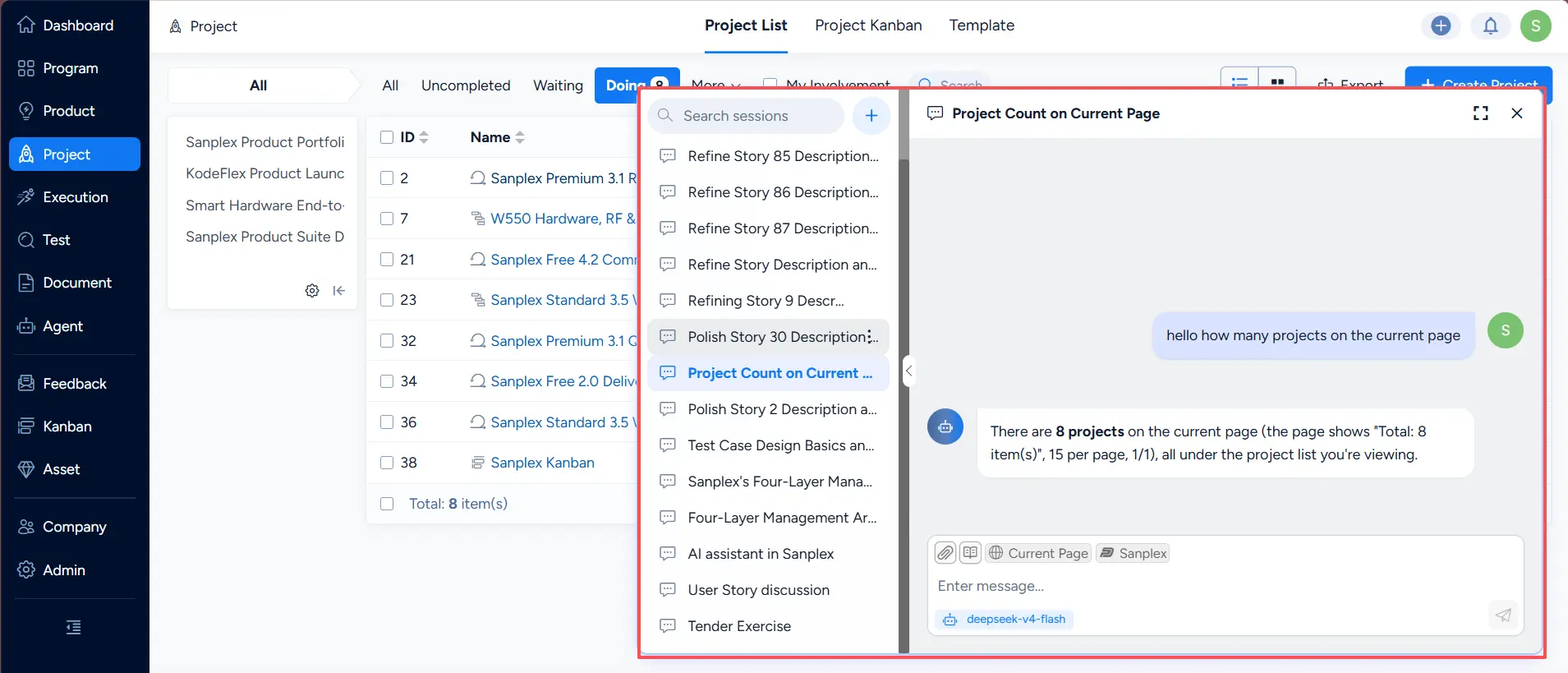
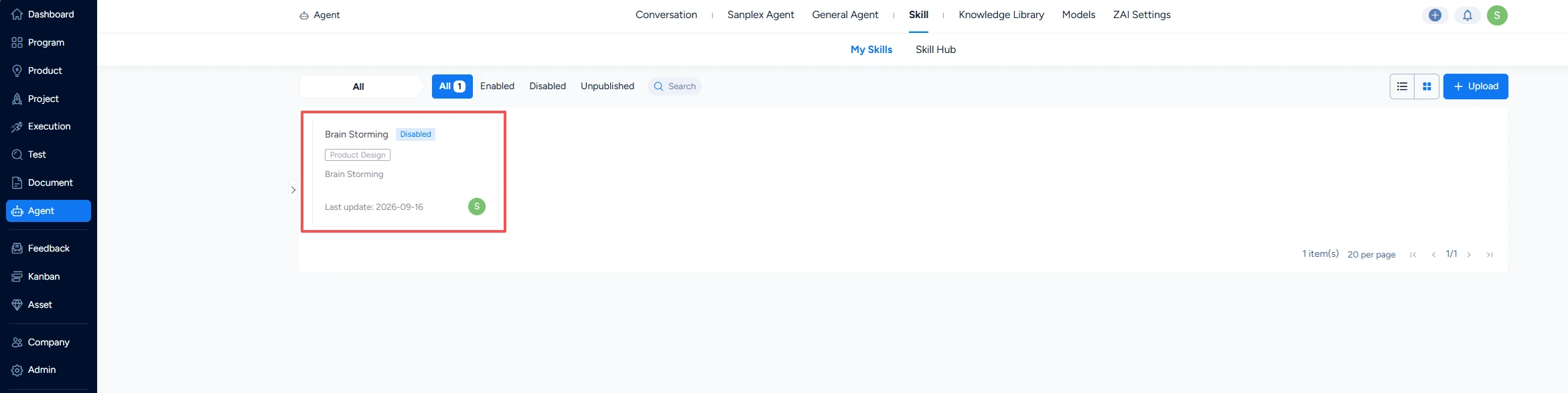
AI skill management, with skills invoked from an agent and from a conversation
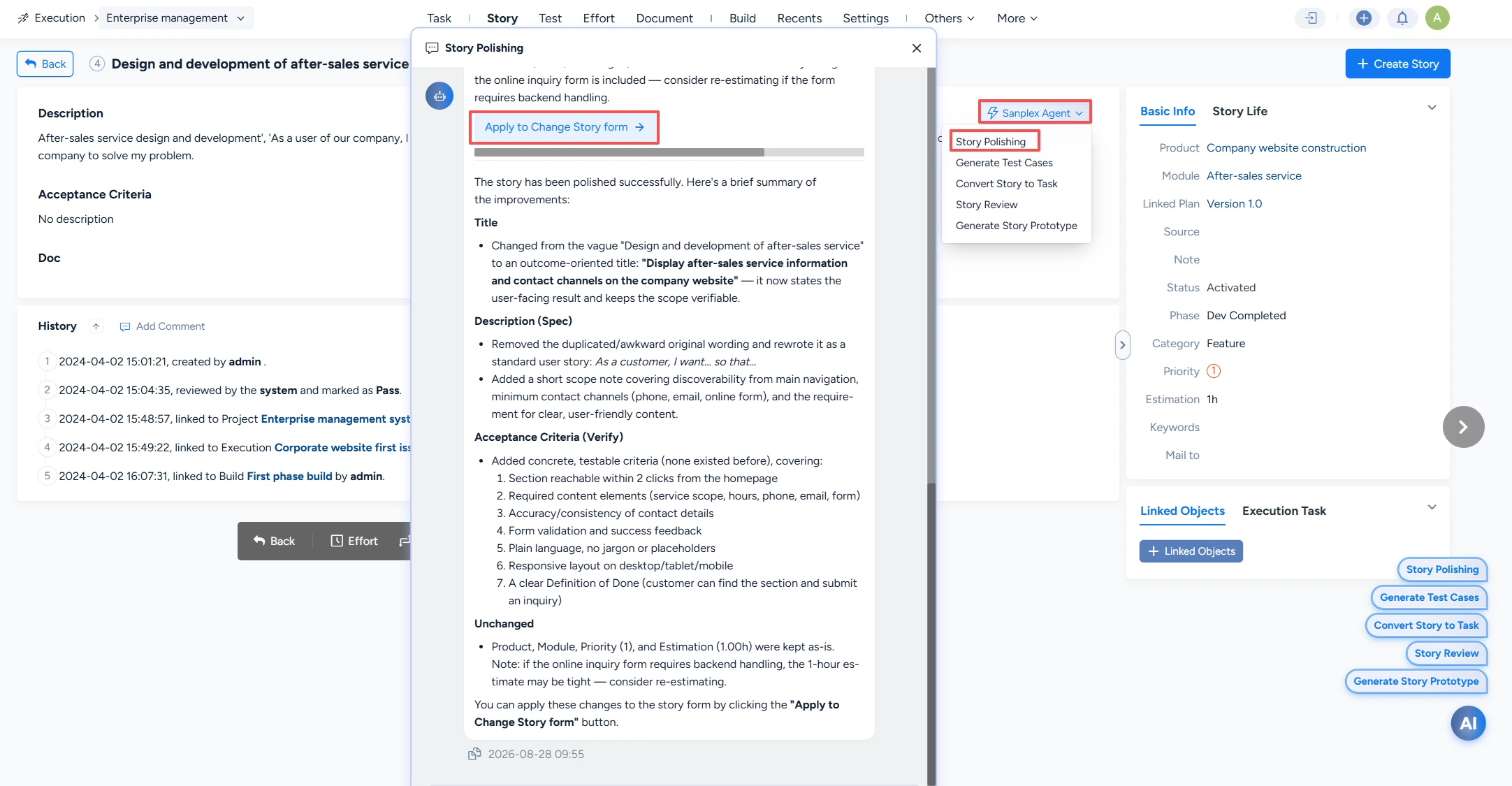
Run a Sanplex Agent on a detail page
A Gantt chart rebuilt from the ground up
The Gantt chart was re-engineered for teams running complex, multi-phase programs, and the change is structural rather than cosmetic.
- Automatic scheduling across phases. When upstream work moves, downstream work is rescheduled automatically, and task owners are notified the moment a predecessor starts or finishes — so a slipped date propagates to the people it affects instead of being discovered at a status meeting.
- Version management for the plan itself, covering delivery versions and baseline versions. Teams can compare versions side by side to see exactly what changed, and roll a plan back to an earlier state when a replanning decision needs to be undone.
- Schedule visibility that matches reality, including greying out non-working days, a jump-to-today control, and progress-bar positioning.
- Finding things in a large plan is faster, with task search, filtering by product, additional list grouping conditions, custom display fields, and optimized multi-level sorting.
- Expand and collapse state is remembered between visits, and the toolbar has been reorganized.
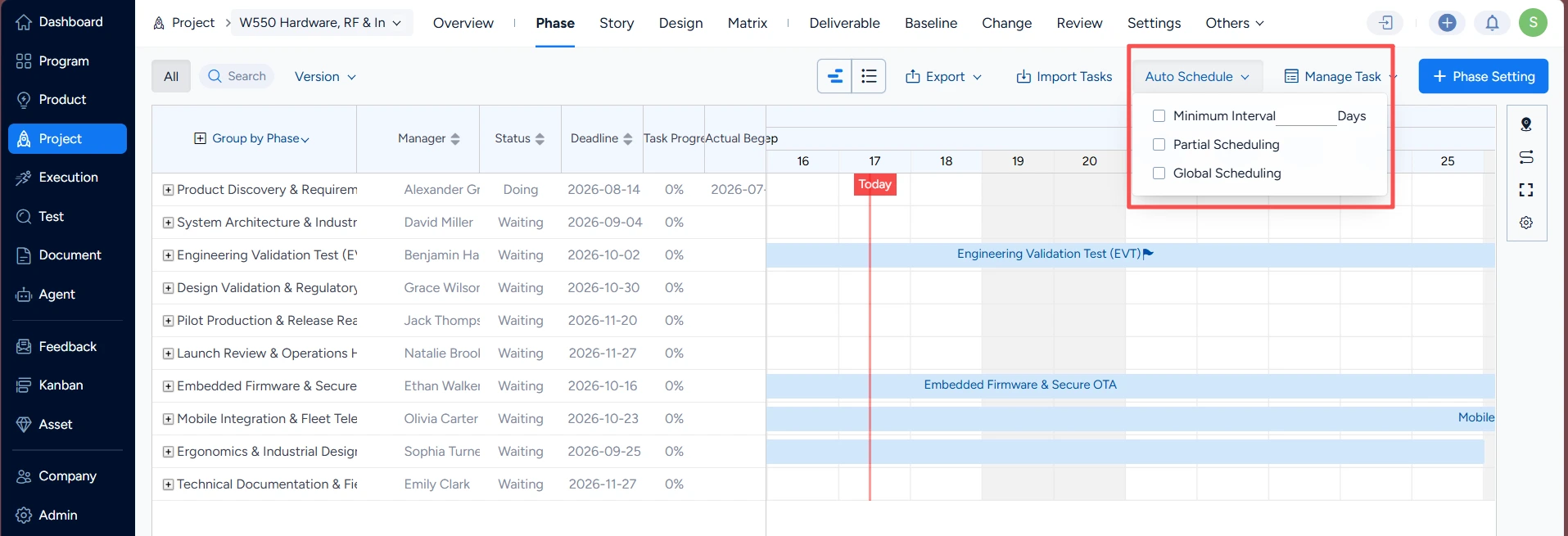
Gantt chart with automatic scheduling across phases
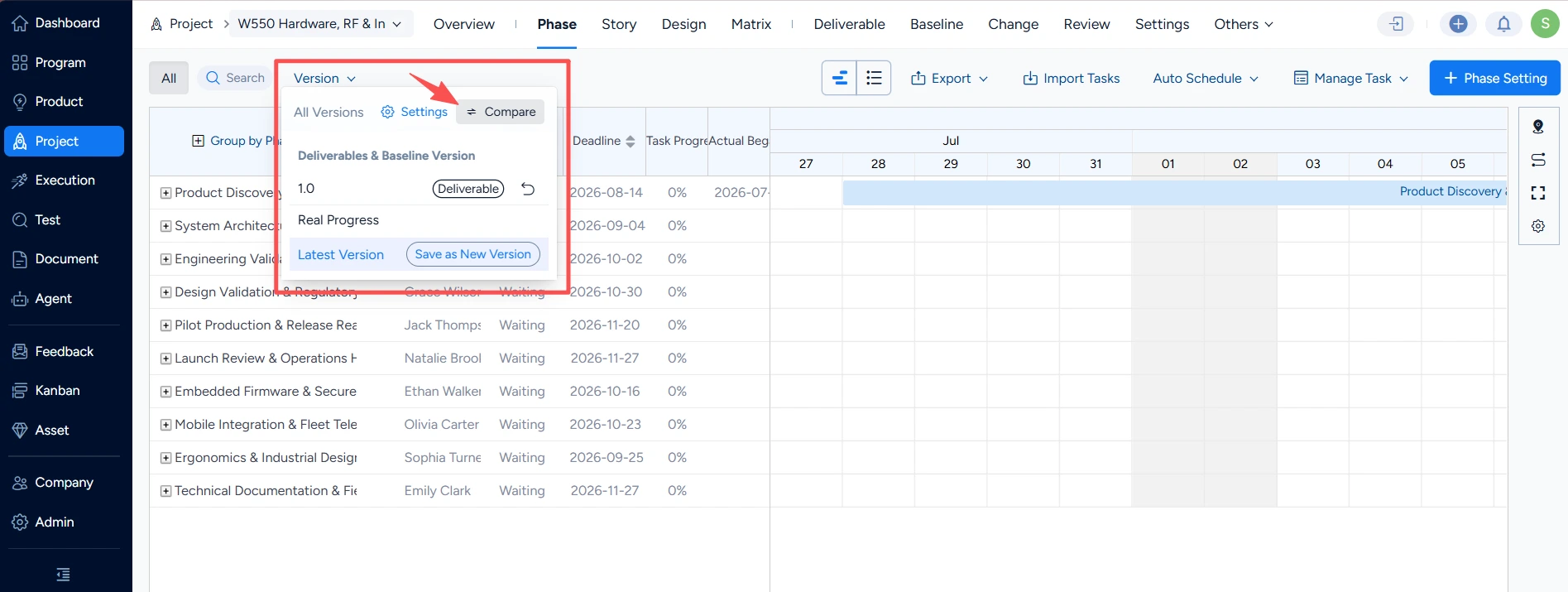
Gantt chart version comparison
Stricter reviews and more capable deliverables
Governance features were tightened alongside planning:
- Review details now carry checklists and issue lists, giving reviewers a structured place to record what they checked rather than burying it in a comment.
- The next-stage approver supports multiple selections, and conditional approvals are clearly flagged so a "yes, if…" decision is never mistaken for a clean pass.
- Review issues gained real workflow fields — resolution date, assignee, attachment, notes, and history components — and the available resolution options are configurable per project.
- Deliverables scale better: bulk enable/disable and bulk delete on deliverable types, object relationship support, and a direct jump from the check list into a deliverable.
- Deliverable submission is more flexible, including dynamically creating a link-type document during submission, removing or hiding already-selected documents, and defaulting deliverable types to the simplest approval flow.
- Closure is safer. Closing a project or execution validates whether submitted deliverables have passed review, activity details show related deliverables, and the project deliverable list now includes its activity and check-step fields.
- Built-in deliverables behave predictably. Ones that have produced no data appear in the to-submit and check lists with no misleading submitted data, turning off the process capability also turns off quality assurance, and disabling deliverables disables the deliverable QA check.
- Bulk housekeeping is available across process, activity, and quality assurance lists, and reviewers return to the previous page after a deliverable, baseline, or change review.
- Baselining is stricter: once project requirements are baselined, a phase may only relate to existing project requirements.
- Phase configuration is more flexible, supporting custom phase types and keeping process overview ordering consistent with the category order in the process definition.
[Image placeholder 4 — Review checklist and issue list on the review detail page] Insert screenshot here.
[Image placeholder 5 — Deliverable submission with validation on project closure] Insert screenshot here.
A rebuilt workflow engine and document flowcharts
Built-in workflow objects now support batch operations, custom objects gain a copy action, and batch-create forms inherit a "same as above" setting. Workflow-assigned items surface in My Work, approval workflows gain a My Reviews tab, extended action assignee options gained a closed value, and the built-in action sets were extended across release, plan, test case, and test case library workflows.
Documents gained flowcharts — insertable in the editor, printable from the toolbar, and viewable full screen in both the editor and document detail views — alongside document copy, online attachment preview, link-type documents, remembered pagination per data list, automatic outline highlighting, and heading sizes that vary by level.
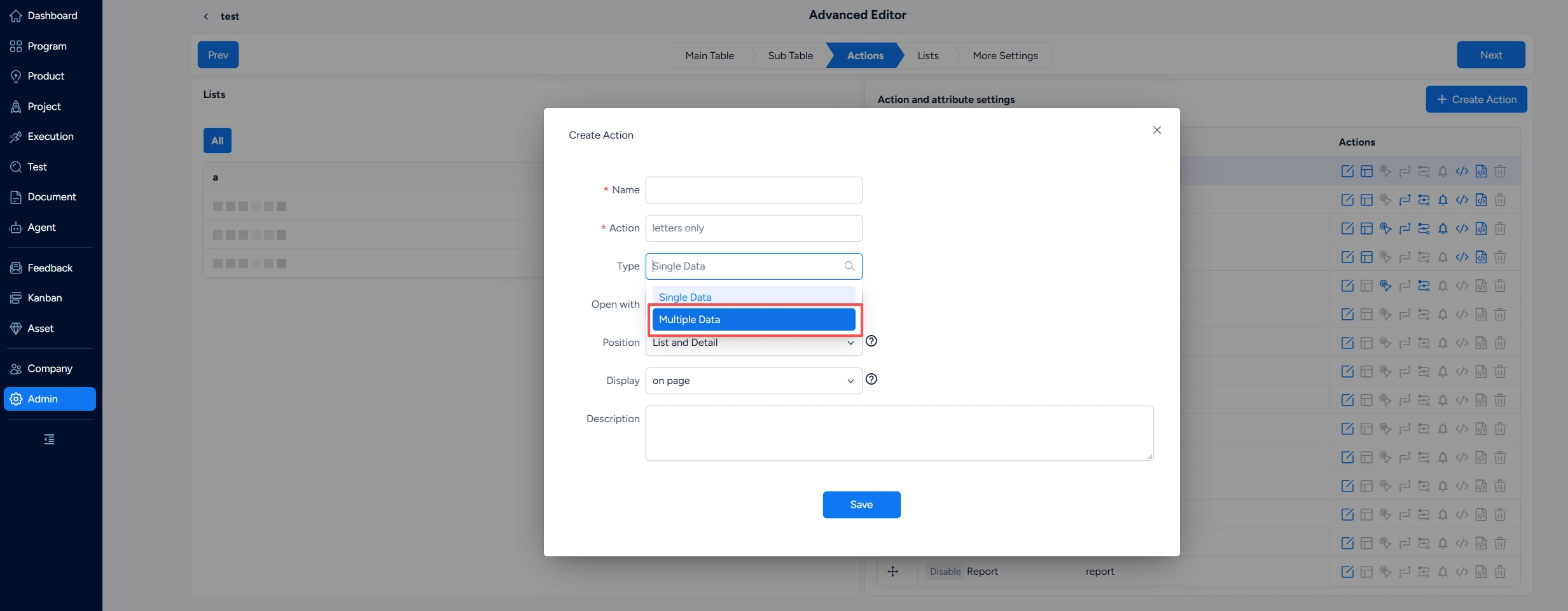
Built-in workflow objects now support batch operations
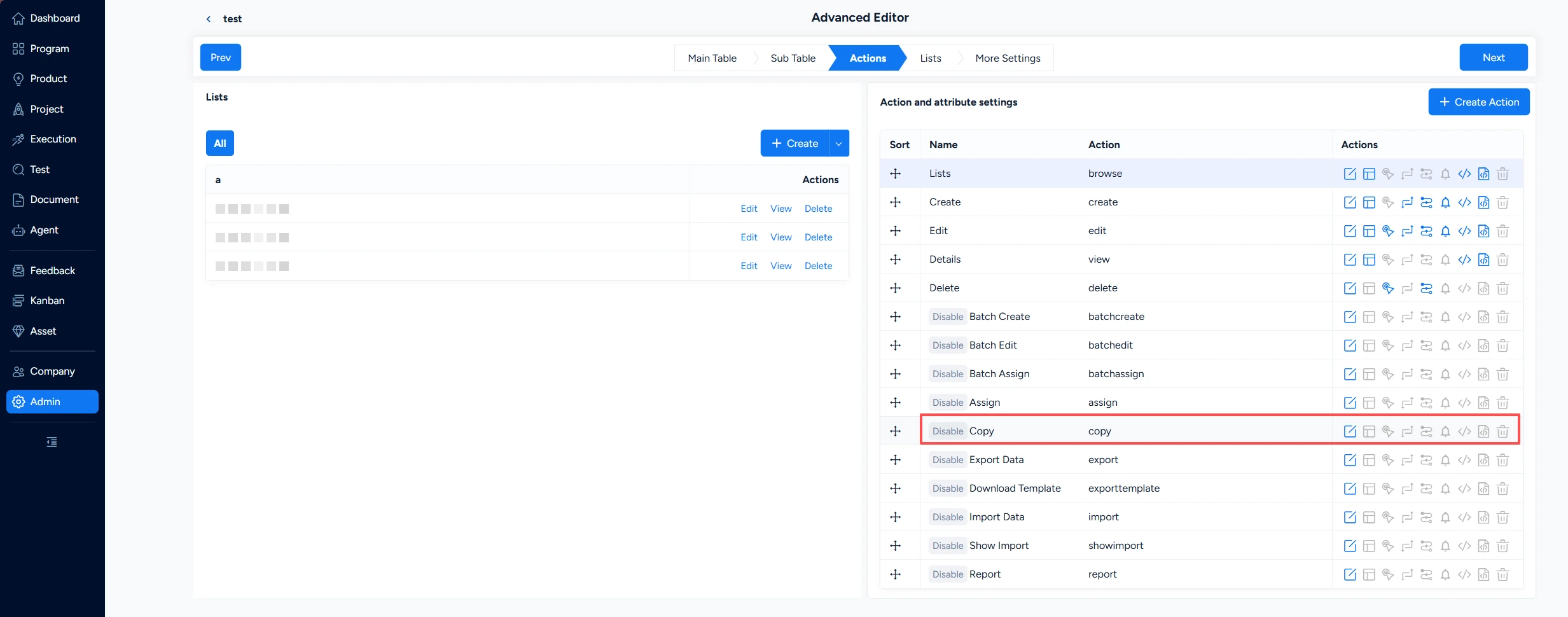
Custom workflow objects gain a copy action
Migration and everyday refinements
Jira data can be imported through an API-driven flow. The retrieval layer behind that import has been reworked: project, build, issue, issue type, issue link, user, priority, resolution, status, custom field, custom field option, workflow action, sprint, and project member data are now fetched into temporary storage first, and the import runs from that local snapshot rather than from live API calls throughout. The import flow was reordered so that all data is retrieved before the import begins, making large migrations steadier and easier to retry.
The planning improvements landed with a long list of supporting refinements:
- Gantt version handling matured. Duplicate versions are merged in the version dropdown, versions are grouped by type, a temporary version is saved automatically when scheduling runs, and rollback is covered by its own history, activity records, and permission control.
- Testing and quality: case version syncing prompts for confirmation, case changes can be batch confirmed or ignored across test tasks, suites, and case lists, and search was added to test reports and test task lists in the organization, project, execution, and personal views.
- Bug analysis deepens, adding injection-stage and detection-stage fields to batch bug creation and statistics by both stages in test bug reports.
- Products and requirements: new products automatically create a same-named application, escaped bugs are visible on releases, requirements can be submitted for review directly from the list including in bulk, parent requirement information can be synced to child requirements, and closing a parent surfaces what is still open.
- Notifications and workspace: @ mentions trigger notifications once the editor saves, @ notification behavior is configurable, administrators can list external users and assign them wherever people are referenced, restricted pages keep the top-level navigation visible, and the execution navigation dropdown supports searching by project.
- Reporting and risk: project phase statistics now include estimated hours, and the risk and opportunity pages carry rule hints for impact, probability, coefficient, and priority so entries are consistent across a program.
[Image placeholder 9 — Notification triggered after an @ mention is saved] Insert screenshot here.