
Sanplex Standard 4.0 Adds Conversation-Driven AI and a Rebuilt Workflow Engine
4 hours ago
 Kelsea Zhang
 2026-09-16 14:38:00
 0
0Sanplex today announced the general availability of Sanplex Standard 4.0, a major new release for growing teams that pairs a rebuilt workflow engine with a substantially deeper AI layer, an OpenAPI-ready interface library, and a richer document workspace.
Availability: Sanplex Standard 4.0 applies to the self-hosted edition only. The Sanplex cloud edition remains on its current version, and cloud availability will be announced separately.
AI that works with your data, not just alongside it
The headline change in Sanplex Standard 4.0 is how far the AI layer reaches into everyday work.
Sanplex AI can read and act on Sanplex data in real time during a conversation. A conversation can be started from the AI bubble on any page, or from Conversation under Agent navigation, and the answers are grounded in the actual state of a team's projects and products rather than generic guidance. For teams that have grown used to copying context into a separate chat window, this removes an entire manual step from the loop.
Skills become reusable assets. Sanplex AI adds skill management, so a capability can be authored once, maintained in one place, and then invoked from both agents and conversations. Individual clever prompts stop being tribal knowledge and start behaving like infrastructure the whole organization can rely on.
Agents are far easier to configure, and they live where the work is. The agent design steps have been streamlined, input fields can draw on custom workflow fields, create and edit forms can be configured with a Sanplex Agent, and custom workflow objects can create agents directly. Rather than being bolted onto a form as an afterthought, an agent can be attached to the exact business object and the exact form where a team needs it.
External assistants are supported as well. The AI service configuration can register OpenClaw as an intelligent assistant inside Sanplex, and the Sanplex AI panel can hold a conversation with it directly.
Note: OpenClaw integration is still at an early stage of development. It should not be used in production environments or with sensitive data while enhanced security isolation and permission controls are being rolled out.
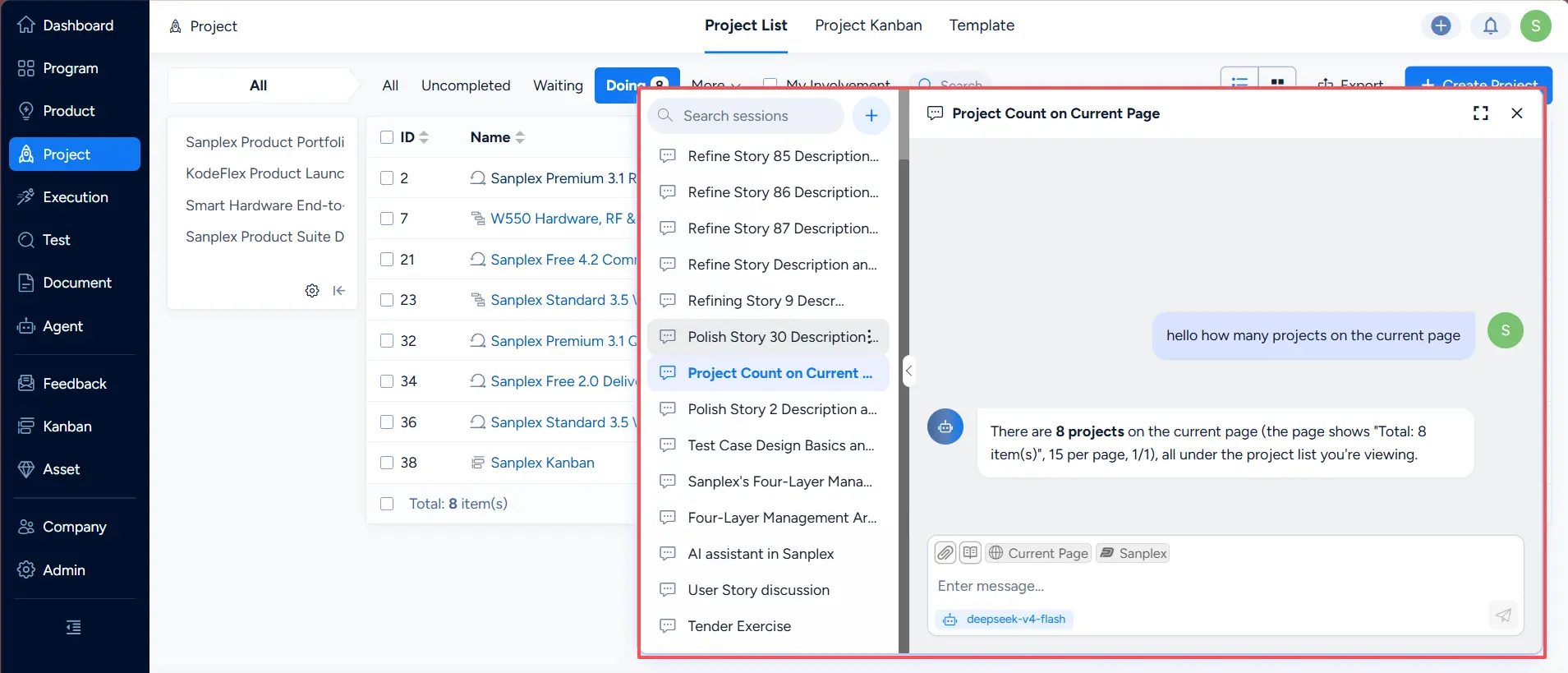
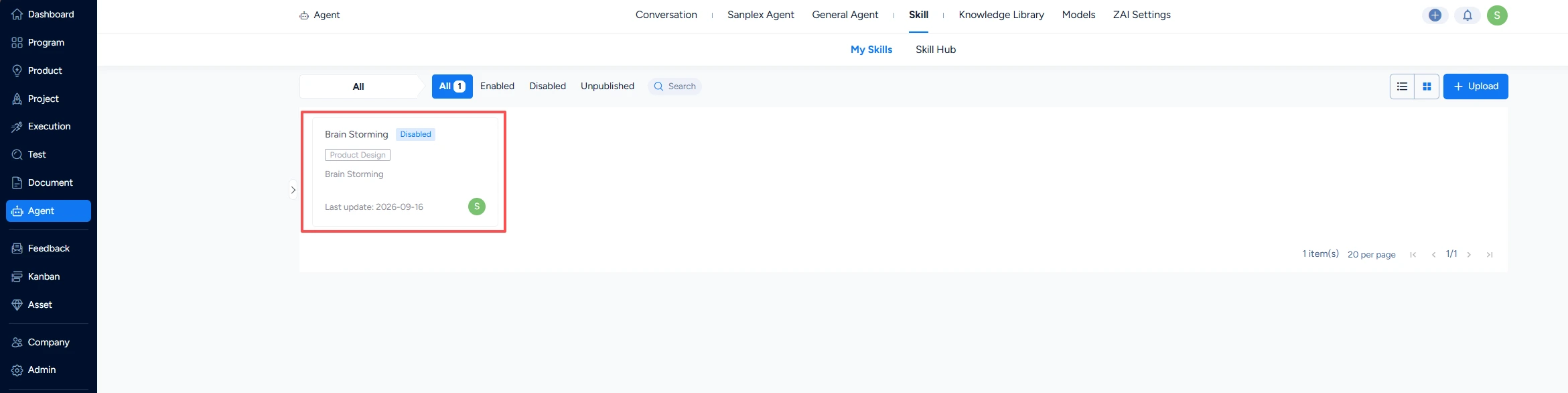
AI skill management, with skills invoked from an agent and from a conversation
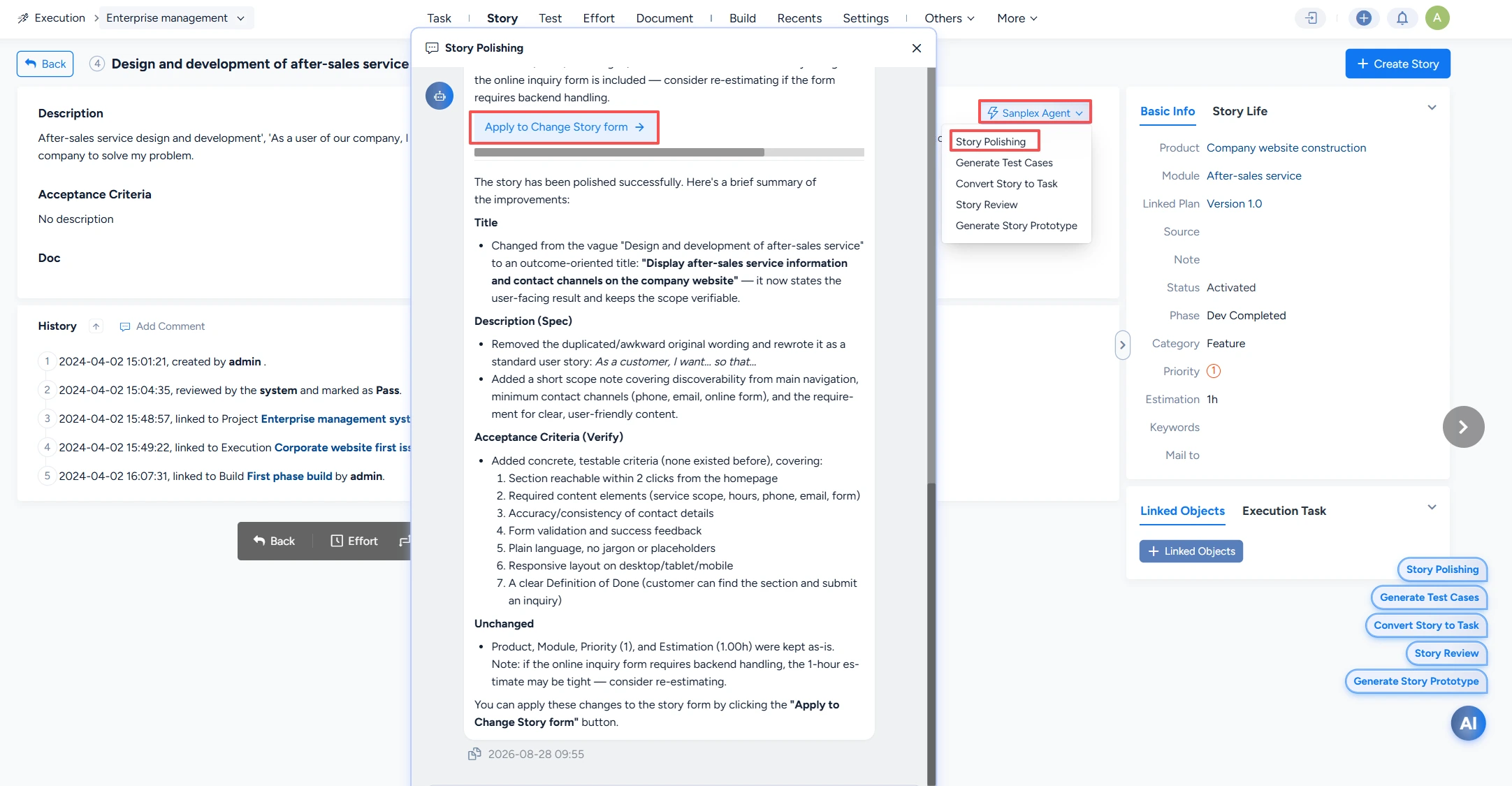
Run a Sanplex Agent on a detail page
A rebuilt workflow engine
Workflow is where the Standard edition earns its keep, and in 4.0 the engine has been effectively rewritten.
Built-in workflow objects now support batch operations, so a change that used to be applied one record at a time can be applied to a whole selection. Custom workflow objects gain a copy action, making it practical to clone a working configuration and adapt it rather than rebuild it. Batch-create action pages inherit a "Same as Above" setting, which collapses repetitive data entry into a single pass.
Workflow data also reaches further into the product. Items assigned to the current user through a workflow now appear in My Work, and the built-in action sets have been extended across several workflows: releases gain a release action, plans gain start, finish, and close actions, test cases gain an execute action, and test case libraries gain case detail and case list actions. Search configuration for cases in a test case library now follows the test case search configuration, keeping behavior consistent between the two. Extended action assignee options also gained a closed value.
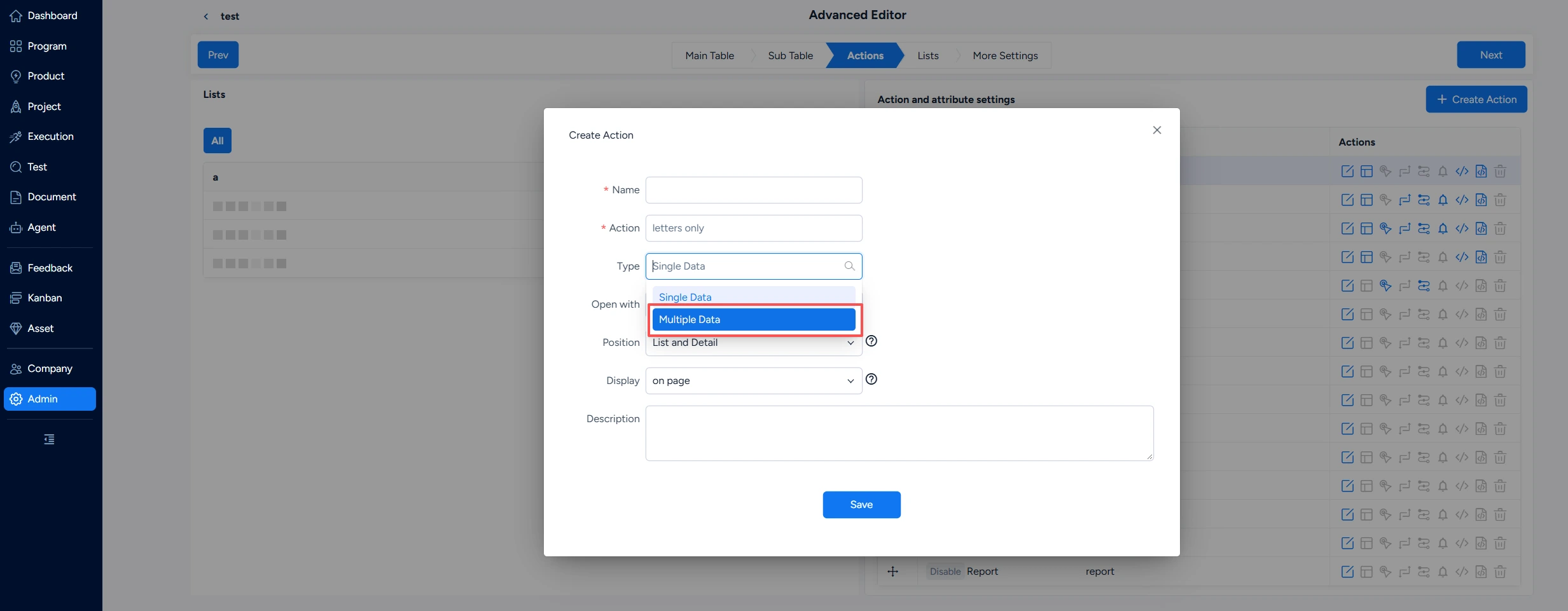
Built-in workflow objects now support batch operations
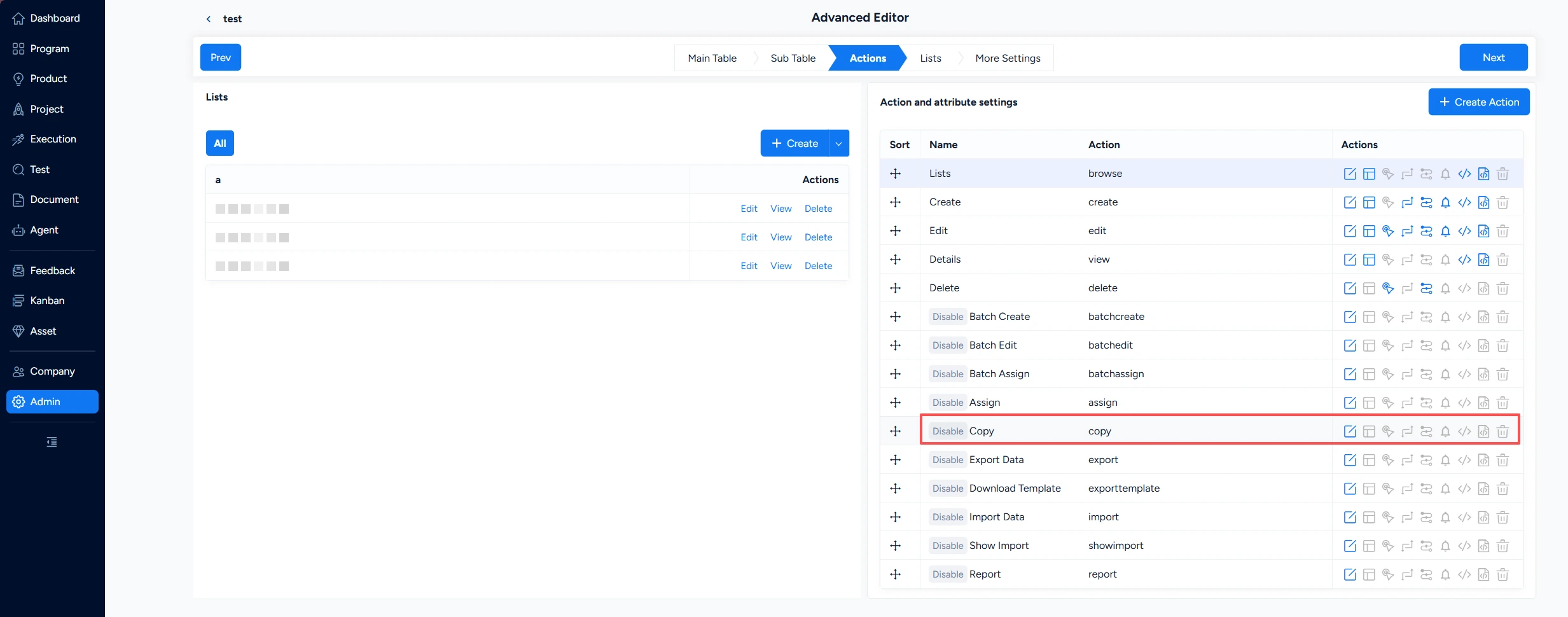
Custom workflow objects gain a copy action
Documents, flowcharts, and an OpenAPI-ready interface library
Document collaboration received a broad set of upgrades:
- Copy documents to reuse an existing structure and its content.
- Preview common attachment types online without downloading them first.
- Create link-type documents that reference external resources.
- Per-list pagination is remembered for each data list inside a document.
- The outline panel is easier to resize, and opening a document through a link auto-locates and highlights it in the outline.
- Multi-level headings now vary in size by level, making long documents easier to scan.
- Flowcharts can be inserted directly into the document editor, printed from the toolbar, viewed full screen in the editor, and displayed and viewed full screen again in the document detail view.
The interface library became substantially more useful to API-first teams. API documentation in OpenAPI format can now be imported into both the API library and API spaces, and the API library can export back out to OpenAPI format — so an interface specification can move between Sanplex and the rest of a toolchain without being rewritten by hand.
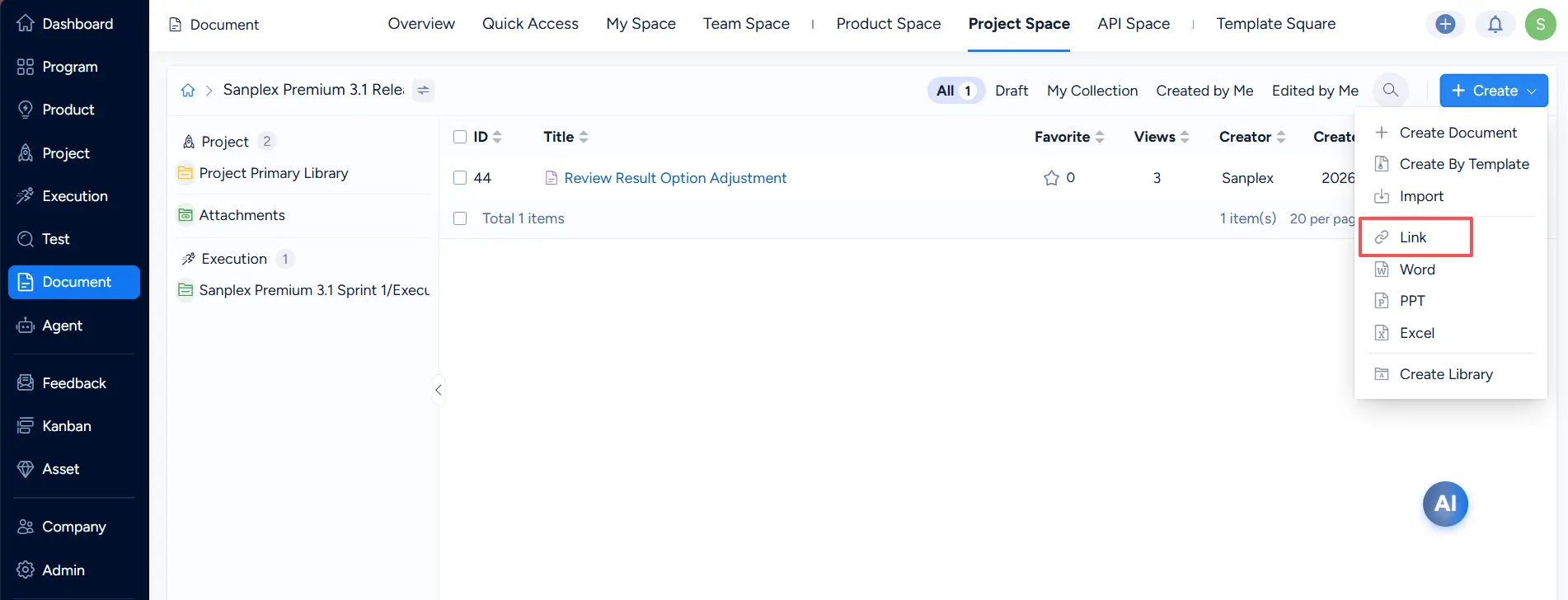
Create a link-type document
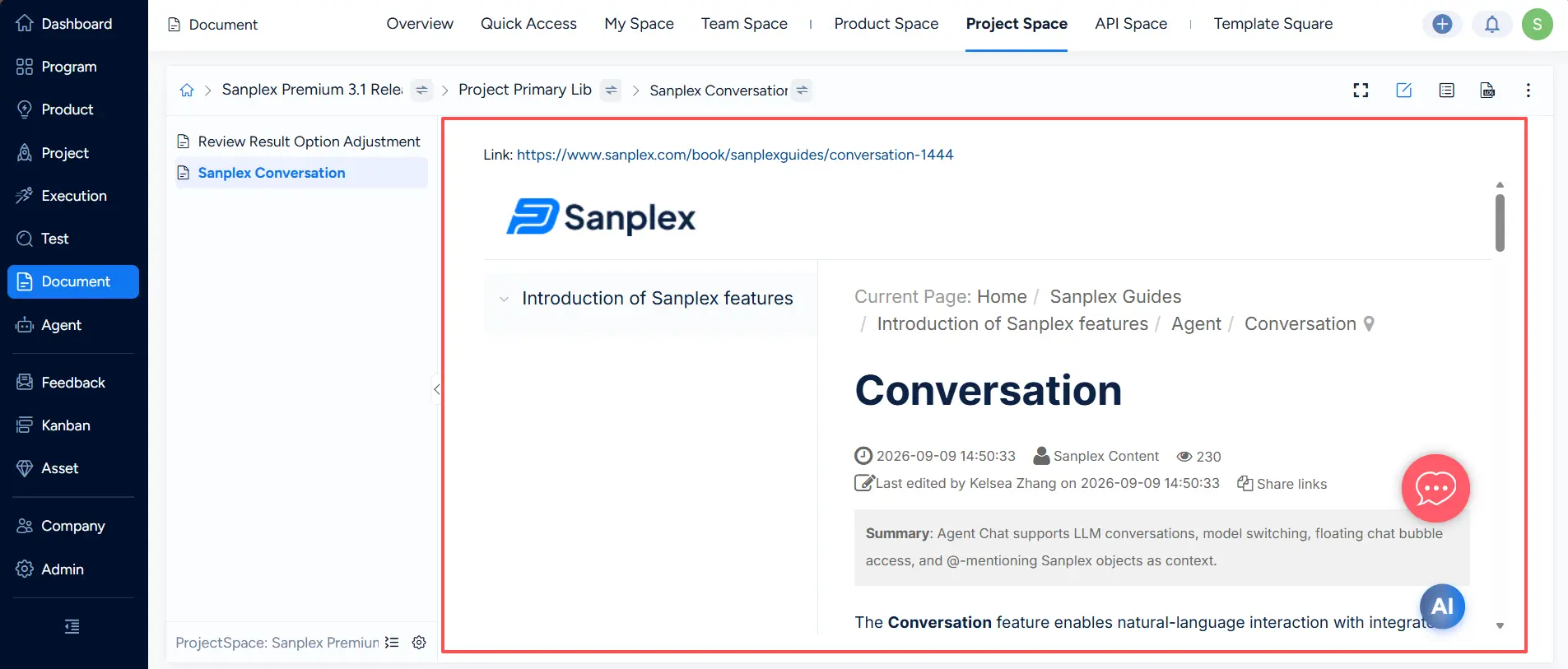
Final presentation of a link-type document
A more reliable path from Jira
Jira data can be imported through an API-driven flow. The retrieval layer behind that import has been reworked: project, build, issue, issue type, issue link, user, priority, resolution, status, custom field, custom field option, workflow action, sprint, and project member data are now fetched into temporary storage first, and the import runs from that local snapshot rather than from live API calls throughout. The import flow was also reordered so that all data is retrieved before the import begins, which makes large migrations steadier and easier to retry.
A long list of everyday improvements
Testing and quality
- Case version syncing is safer, with confirmation prompts added wherever a sync is triggered — in cases, in test tasks, and in suites.
- Case changes can be handled in bulk, with batch confirm and batch ignore available from test tasks, suites, and test case lists.
- Search arrives where it was missing: test reports, test task lists in the organization, project, and execution views, and pending test tasks in My Work.
- Pending case lists in My Work support batch execution, reducing a repetitive routine to a single action.
- Viewing by suite shows each case's version within its own case list, and the old "Suite" label was renamed to make the view self-explanatory.
- Bug reporting is tighter, with a cleaner field arrangement on the simplified creation page and a source case field available in batch creation and editing.
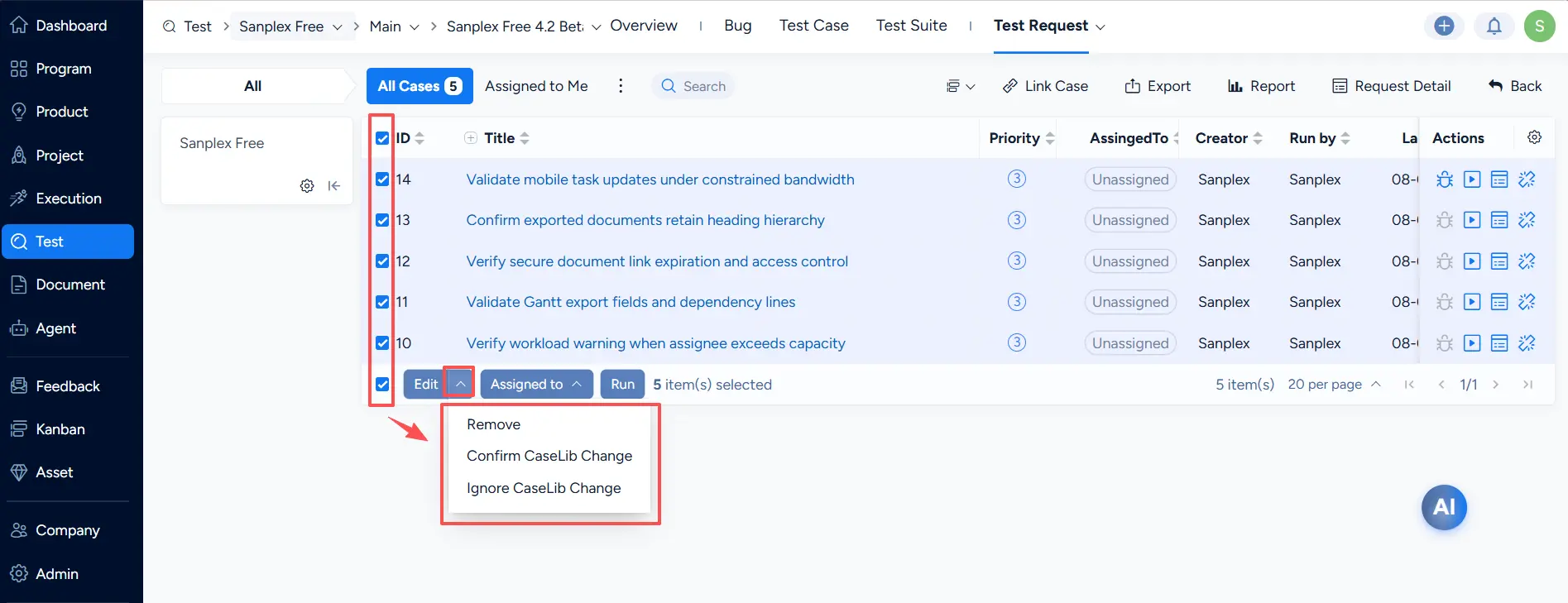
Test case changes can be handled in bulk
Products and stories
- New products automatically create a same-named application.
- Escaped bugs are visible on releases, putting a quality signal next to what is being shipped.
- Stories can be submitted for review directly from the requirement list, including batch submission.
- Parent story information can be synced to child stories, so changes propagate without retyping.
- Prompts surface what is still open when a parent task or parent requirement is closed.
- Batch conversion to tasks has clearer messaging, and greyed-out create-task buttons explain themselves.
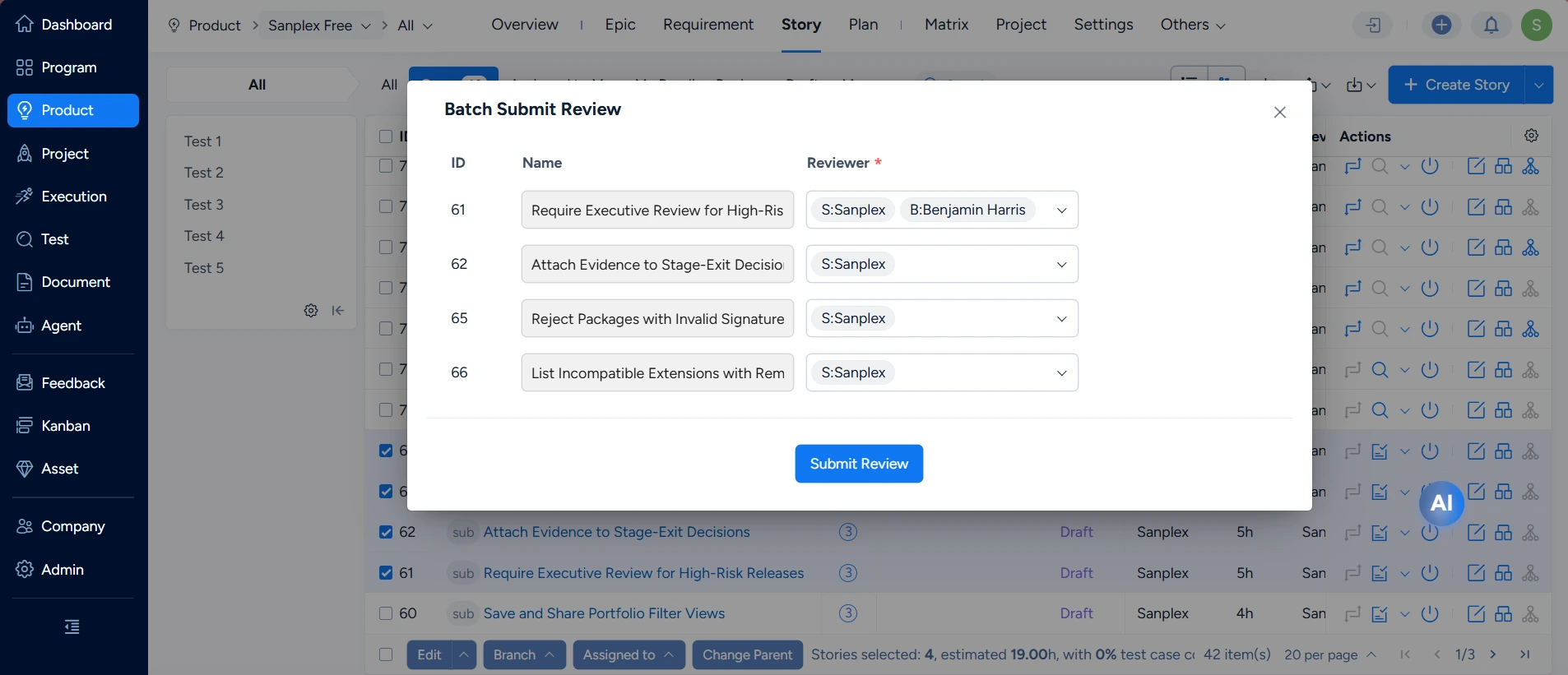
Batch submit stories for review
Notifications and personal workspace
- @ mentions trigger notifications once the editor saves, so mentioned colleagues are alerted immediately.
- @ notification behavior is configurable from the notification settings.
- External users can be listed by administrators and assigned wherever people are referenced.
- Restricted pages still show the top-level navigation, and the execution navigation dropdown supports searching by project.
- Recently viewed documents and documents I edited default to the most recent activity first.
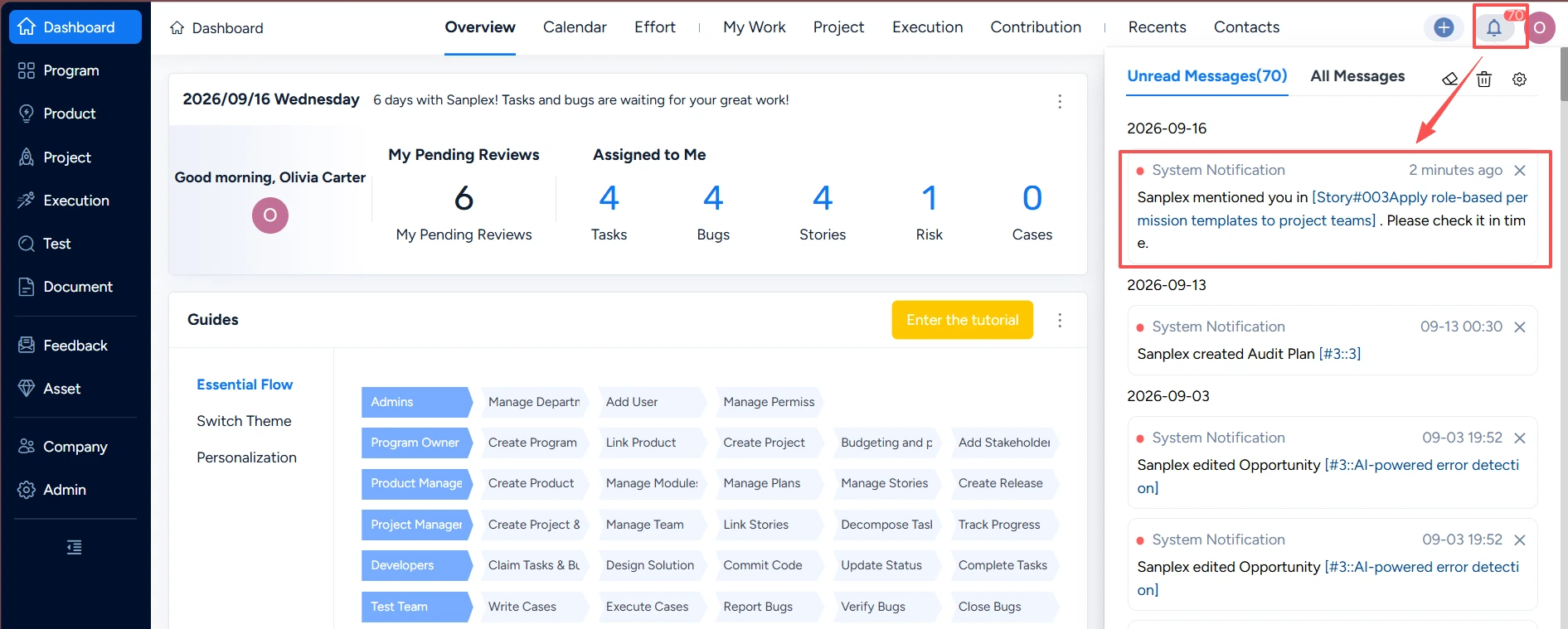
Mention someone in the system
Download
| Install Pack | PHP7.0 PHP 7.1 PHP 7.2-7.4 PHP 8.1 |
| One-Click Installs for Windows (Recommended) |
(Note: The Windows pack has to unzip to root directory such as c:\ or d:\) |
| One-Click Installs for Linux (Recommended) |
|
| Gogs Pack | MacOS amd64 Linux amd64 Windows amd64 MacOS arm64 Linux arm64 |
Once Sanplex is installed successfully, you can log in Sanplex with the default account admin and password 123456.
Docker: click here
Help