Agile Glossary Part 3: Iteration Velocity, User Story, and More
December 30, 2020PUBLISHED INAgile
 Sanplex Content
 2020-12-30 16:00:00
 0
0
In this article, the remaining 11 of the 19 key Agile terms will be introduced.
Check out the other two articles in this series:
- Agile Glossary Part 1: Scrum, Kanban, and Extreme Programming (XP)
- Agile Glossary Part 2: Backlog, Iteration, and More
Key Terms to Cover:
- Iteration Planning
- Iteration Velocity
- Kanban Board
- Release Planning
- Task Board
- Test-Driven Development
- User Story
- Workflow
- Work-in-Progress (WIP)
11. Iteration Planning
The goal of Iteration Planning is to define a set of user stories that will be developed in the next iteration. The customer should participate in Iteration Planning and provide a set of desired features. Developers break down user stories into tasks and provide estimates. The team then commits to several user stories (based on their previous Iteration Velocity) that will be completed in the upcoming iteration.
12. Iteration Velocity
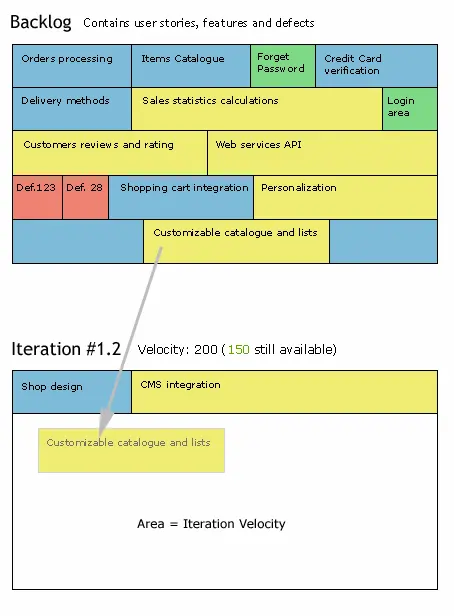
The total effort of all completed user stories assigned to an iteration. For example, if in Iteration 2 you have several user stories with a total effort of 50 points, and all user stories are completed, your Iteration 2 Velocity is 50 points. Velocity uses the same effort units as user stories. The most important point regarding the velocity concept is that you should only measure team velocity; you should not measure individual velocity.
13. Kanban Board
A visual organization of traditional Kanban cards. The simplest Kanban board consists of three columns: "To-Do", "In Progress", and "Done". Cards move rightward from column to column as the work items they represent progress through the process.
14. Release Planning
The goal of the release planning meeting is to create a release plan. During release planning, all user stories are estimated, prioritized, and likely assigned to a specific release. In many cases, just a few releases are planned ahead, and the remaining user stories are put into the backlog.
15. Task Board
A board that shows all user stories with their associated tasks for the current iteration. Usually, each user story/task is represented by cards stuck to a wall (or a digital board). A typical Task Board has several columns: To Do, In Progress, To Verify, and Done.
16. Test-Driven Development (TDD)
Test-Driven Development (TDD) is a software development approach in which test cases are developed to specify and validate what the code will do. In simple terms, test cases for each functionality are created and tested first. If the test fails, then new code is written in order to pass the test, making the resulting code simple and bug-free.
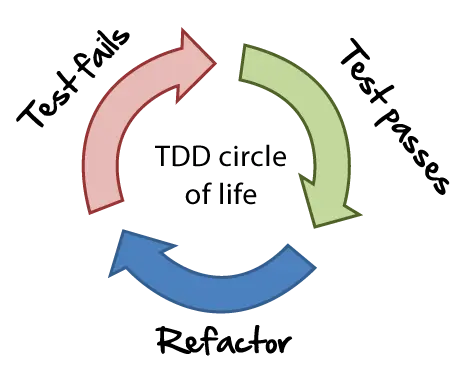
TDD starts with designing and developing tests for every small functionality of an application. It instructs developers to write new code only if an automated test has failed, which avoids the duplication of code.
17. User Story
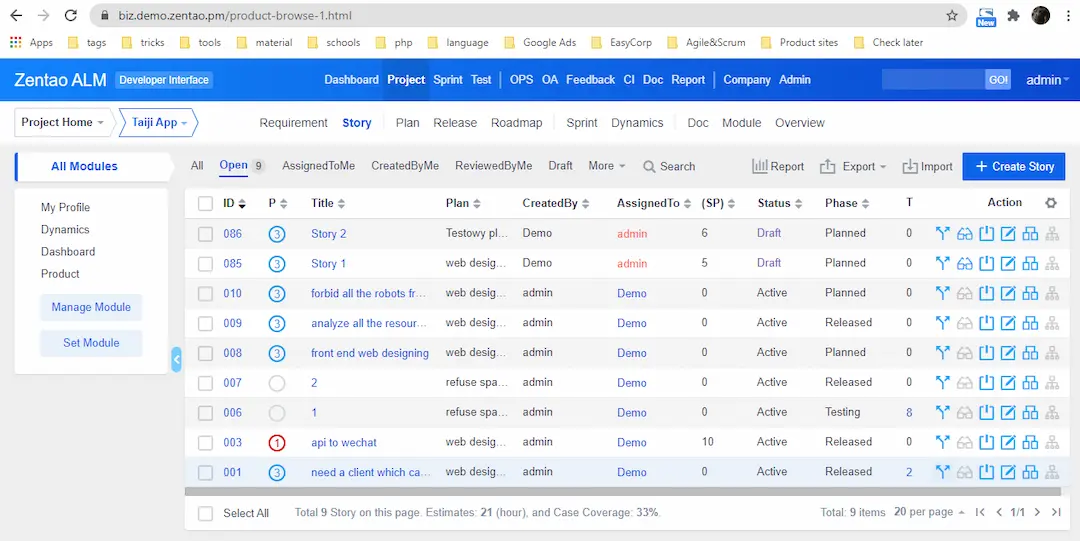
A user story is a description of a software system requirement from the perspective of an end-user. Usually, they are short and consist of just a few sentences. User stories are a quick way of handling customer requirements without having to deal with large, formal requirement documents and the tedious tasks related to maintaining them. The intention is to be able to respond faster and with less overhead to rapidly changing real-world requirements.
18. Workflow
Workflow is the automation of a business process, either in whole or in part. During a workflow, information or tasks are passed from one participant to another for action, according to a set of procedural rules. From a more abstract or higher-level perspective, a workflow may be considered a view or representation of real work.
19. Work-in-Progress (WIP)
Work-in-Progress is any work that has been started but has not yet been completed.
A Work-in-Progress (WIP) limit is a strategy for preventing bottlenecks in software development. WIP limits are often visualized with Kanban cards. The cards, which are often just post-it notes, represent work in progress. To visualize the workflow, Kanban cards are placed on a board in queues representing the status of the work. A Kanban board makes it easy for team members to visualize the exact point at which a WIP limit has been reached, because the queue will visibly hold an unacceptable number of Kanban cards.
Related Blogs
Agile Glossary Part 2: Backlog, Iteration, and More