12 Cheap Jira Alternatives Compared (2026 Pricing)
11 hours agoPUBLISHED INWeekly Sharing
 ali
ali 2026-07-16 17:46:00
 0
0
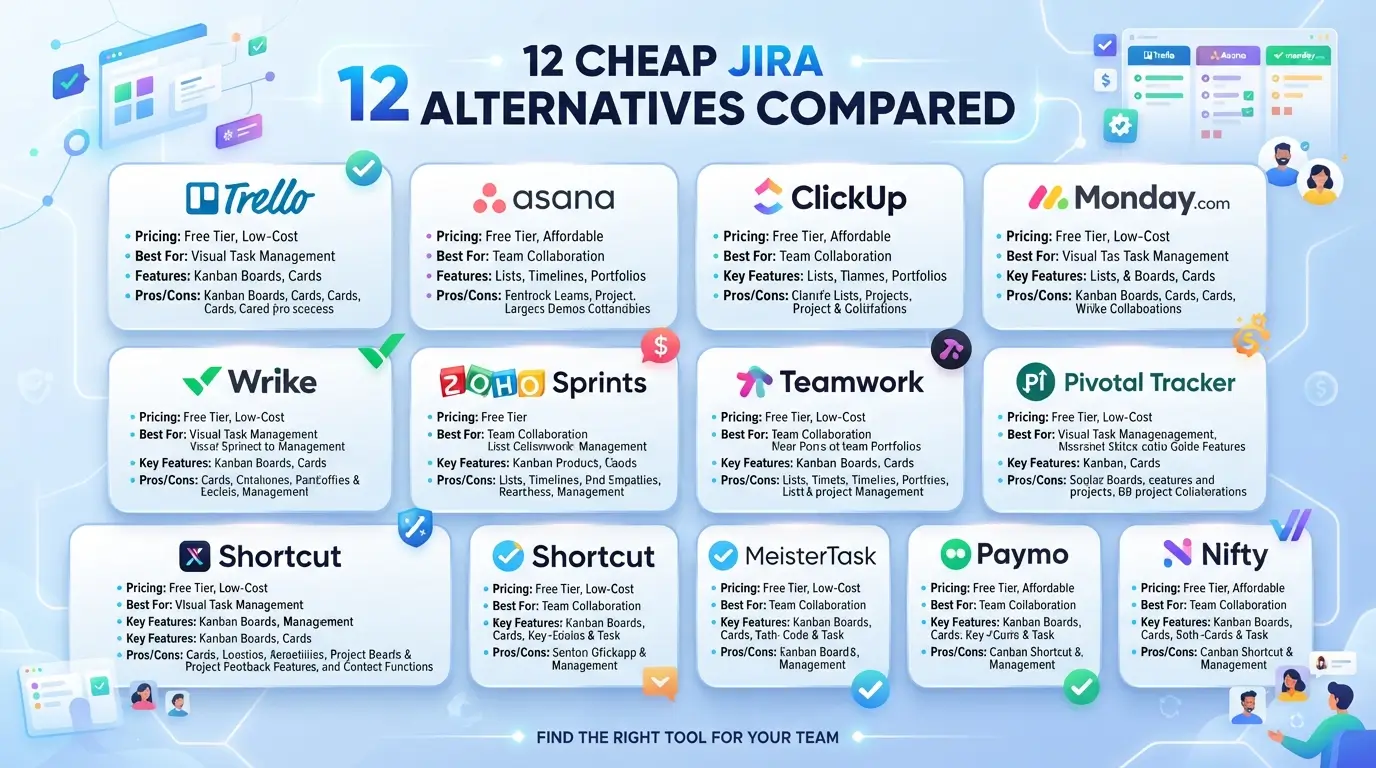
If you're searching for a cheap Jira alternative, you've probably just discovered that Jira's advertised price is not what you actually pay. Between mandatory add-ons, storage overages, and 2026's steep Data Center price hikes, most teams pay two to three times Jira's sticker price once the full stack is priced out. This guide breaks down the real, all-in cost of Jira versus 12 genuinely cheaper alternatives — including several with generous free tiers — so you can pick a tool based on total cost, not a headline number.
Why "Cheap Jira Alternative" Searches Are Spiking in 2026
Two 2026 events are driving teams to look for a cheap Jira alternative right now. First, Atlassian stopped selling new Jira Data Center licenses to new customers as of March 30, 2026; existing customers can renew only until March 30, 2028, after which Data Center environments go read-only on March 28, 2029. Second, Atlassian's Maximum Quantity Billing policy, rolled out through late 2025, now charges Cloud customers for their peak user count each billing cycle with no refunds for mid-cycle removals — a change that has pushed reported enterprise renewal increases of over 100% for some organizations.
Combined with Atlassian's continued double-digit revenue growth, the message for budget-conscious teams is clear: Jira's pricing is heading up, not down, and it's worth comparing real alternatives now.
What Jira Actually Costs (The Hidden Math)
Jira's headline pricing looks affordable, but it's rarely the number teams end up paying.
| Plan | Advertised Price | What It Actually Includes |
|---|---|---|
| Free | $0 | Up to 10 users, basic Scrum/Kanban boards, 2GB storage |
| Standard | ~$7.91–$9.05/user/mo | Unlimited users, 250GB storage, audit logs |
| Premium | ~$14.54–$18.30/user/mo | Advanced roadmaps, Atlassian Intelligence (AI), 99.9% SLA |
| Data Center | $51,000+/year (500 users) | Legacy self-hosted licensing — now sunsetting |
The real cost driver isn't the license — it's the stack. Most teams also need Confluence (~$5.75/user), Jira Service Management (~$17.65/user), and Atlassian Guard (~$4/user), plus 5–15 third-party marketplace apps for time tracking, test management, and reporting at roughly $3–10/user/month. Add it up and a full Jira stack commonly runs $35+/user/month, not the $7–9 headline figure. One pricing analysis found the median organization now pays $85,618 per year on Jira, with true total cost of ownership reaching two to three times the base license price.
How to Choose a Cheap Jira Alternative (Checklist)
Before comparing tools, answer these five questions — they'll narrow the field fast:
- [ ] Team composition — All developers, all non-technical, or mixed? Developer-heavy teams tolerate more complexity than mixed teams.
- [ ] Budget ceiling — Under $50/month, $50–200/month, or $200+/month total?
- [ ] Technical skill on hand — Do you have someone who can run a self-hosted tool, or do you need pure SaaS?
- [ ] Must-have features — Sprint ceremonies and story points, Gantt charts, or just Kanban and task tracking?
- [ ] Growth plan — Will you be at 10 users next year, or 100? Per-user pricing that looks cheap at 10 seats can get expensive fast at 100.
Pro tip: Calculate your "growth tax" — how much your monthly cost jumps when you go from 10 users to 50. Flat-rate tools can be more expensive at small team sizes but dramatically cheaper as you scale, while pure per-user pricing does the opposite.
Cheap Jira Alternatives Compared: Pricing Table
| Tool | Starting Price | Free Tier | Best For |
|---|---|---|---|
| GitHub Projects | $0 (Free with GitHub); $4/user (Teams) | Yes — unlimited for GitHub users | Dev teams already living in GitHub |
| YouTrack | Free up to 10 users; then ~$4.50/user/mo | Yes — full feature set, up to 10 users | Developer-centric teams wanting Jira-like depth cheaply |
| Redmine | $0 (self-hosted, open source) | Yes — fully free | Technical teams with sysadmin capacity |
| ClickUp | Free forever; paid from ~$7/user/mo | Yes — generous free tier | Teams that want an all-in-one tool to replace several apps |
| Linear | Free (250 issues); paid from ~$8–10/user/mo | Yes — capped free tier | Engineering teams under 50 people wanting speed |
| Trello | Free; paid from ~$5–10/user/mo | Yes — simple boards | Small teams wanting the simplest possible Kanban |
| Azure DevOps | Free for 5 users; then ~$6/user/mo | Yes — 5 users free | Microsoft/.NET-stack teams |
| Notion | Free; paid from ~$8–10/user/mo | Yes | Small teams that want docs + tasks in one flexible tool |
| Shortcut | ~$8.50/user/mo | Limited trial only | Teams between Linear's simplicity and Jira's depth |
| GitLab (self-managed CE) | $0 | Yes — free Community Edition | Teams already using GitLab for code and CI/CD |
| Plane (self-hosted) | $0 (Community Edition) | Yes — unlimited users | Teams wanting Jira-level features without per-seat cost |
| OpenProject | $0 (Community Edition) | Yes — unlimited users | Teams needing Gantt charts and formal reporting for free |
Tool-by-Tool Breakdown
GitHub Projects — Best Free Option for Dev Teams
If your team already uses GitHub for source control, GitHub Projects is effectively free project management layered directly on your existing repos. It's not as feature-rich as Jira for complex sprint planning, but it eliminates the need for a separate tool entirely, since issues, pull requests, and project boards live in the same place.
Best for: Teams already on GitHub who don't want to pay for or maintain a separate PM tool.
YouTrack — Best Free Jira-Like Tool for Developers
YouTrack, from JetBrains, is free for teams of up to 10 users with the full feature set, support, and AI assistance included — no feature-gating on the free tier. Paid annual plans start around $4.50/user/month and decrease at larger seat counts.
Best for: Engineering managers who want Jira-level seriousness without Jira-level cost, especially teams already using IntelliJ or other JetBrains tools. Watch out for: It's a developer's tool first — broad, company-wide, non-technical adoption isn't its strength.
Redmine — Best Truly Free, Self-Hosted Option
Redmine is entirely open-source with no commercial license fee at all. You pay only for hosting and your own maintenance time, making it one of the cheapest possible long-term options if you have the technical capacity to run it.
Best for: Technical teams with sysadmin skills who want zero licensing cost and don't mind a dated interface in exchange.
ClickUp — Best Free-Forever All-in-One
ClickUp's free plan is genuinely usable long-term, not just a trial, with unlimited tasks. Paid plans start around $7/user/month. One documented case: a 25-person startup paying $500/month for Jira, Confluence, and a separate time-tracking tool switched to ClickUp Business at $300/month, consolidating three tools into one.
Best for: Teams that want to replace Jira, Confluence, and a time-tracking app with a single subscription.
Linear — Best for Speed-Focused Engineering Teams
Linear's free tier covers up to 250 issues; paid plans start around $8–10/user/month, still undercutting Jira Standard. Teams report meaningfully faster navigation than Jira, and migration from Jira typically takes just a few hours using Linear's built-in CSV importer that preserves issue history and comments.
Best for: Software teams under 50 people who are frustrated with Jira's speed and configuration overhead. Trade-off: Missing Jira's deeper ecosystem (Confluence-style docs, Marketplace apps).
Trello — Best for Dead-Simple Kanban
Trello strips project management down to boards and cards. It's dramatically simpler than Jira and correspondingly cheaper, but it lacks sprint planning and velocity tracking, so it suits simple workflows better than complex agile teams.
Best for: Small teams or non-technical departments that just need a visual task board.
Azure DevOps — Best for Microsoft-Stack Teams
Free for up to 5 users, then roughly $6/user/month. It bundles boards, repos, pipelines, and test plans in one platform, making it a natural fit for teams already invested in the Azure/.NET ecosystem.
Best for: .NET-heavy teams that want Git, CI/CD, and project tracking under one Microsoft-native roof.
Notion — Best for Flexible, Non-Technical Teams
Notion's free tier and roughly $8–10/user/month paid plans are dramatically cheaper than Jira's tiering for teams that don't need rigid sprint ceremonies. Its flexible databases can model tasks, docs, and roadmaps in one connected workspace.
Best for: Small, mixed teams that want tasks and documentation together without Jira's software-development-specific rigidity.
GitLab Community Edition — Best for Teams Already on GitLab
If your team already runs GitLab for source control and CI/CD, its free, self-managed Community Edition includes issues, milestones, boards, and labels at no license cost. Advanced features like roadmaps and epics require the paid Premium tier.
Best for: Dev teams that want project tracking tied directly to their existing code and pipeline tooling.
Plane and OpenProject — Best Free Self-Hosted, Jira-Level Alternatives
Both offer free, unlimited-user Community Editions you host yourself. Plane specifically markets itself as achieving full feature parity with Jira Standard and roughly 80% parity with Jira Professional, with over 50,000 teams reportedly running it on their own infrastructure. OpenProject instead focuses on classic Gantt-chart and budget-tracking depth.
Best for: Teams with the technical capacity to self-host who want to eliminate per-seat licensing entirely.
Free Jira Alternatives (Genuinely $0)
Not every "free" plan is actually usable long-term. These four hold up:
- GitHub Projects — Free and unlimited if you're already using GitHub.
- YouTrack — Full feature set free for up to 10 users, no artificial feature-gating.
- Redmine — Fully free forever; only cost is your own server and time.
- Plane / OpenProject (self-hosted) — Free, unlimited users, no seat cap — the trade-off is hosting and maintenance responsibility rather than a subscription fee.
Total Cost of Ownership Calculator
Use this simple framework instead of comparing sticker prices alone:
Total Monthly Cost = (Per-user price × active users) + Required add-ons + Third-party app costs + Storage overages
| Team Size | Jira Full Stack (est.) | ClickUp Business | Linear | YouTrack |
|---|---|---|---|---|
| 10 users | ~$350/mo | ~$70–90/mo | ~$80–100/mo | Free |
| 25 users | ~$875/mo | ~$175–225/mo | ~$200–250/mo | ~$110/mo |
| 50 users | ~$1,750/mo | ~$350–450/mo | ~$400–500/mo | ~$225/mo |
Figures are directional estimates based on published 2026 pricing and typical add-on stacks; always verify current pricing on the vendor's site before budgeting, since SaaS pricing changes frequently.
Common Mistakes When Switching
- Comparing headline prices only. Jira Standard at $7.91/user looks cheap until you add Confluence, JSM, and Marketplace apps — always compare fully-loaded stack cost.
- Ignoring the "growth tax." A flat-rate or generous free-tier tool that looks pricier at 10 users can be dramatically cheaper at 50 or 100.
- Migrating without testing adoption first. A tool that's cheap but that your non-technical teammates won't use isn't actually saving you money — it just means you're paying for two tools during a slow, informal migration back to spreadsheets.
- Underestimating migration time for custom fields. CSV importers handle issues and comments well, but custom workflows and fields rarely map 1:1 — budget real time to rebuild them.
- Assuming self-hosted is automatically cheaper. Free software still costs server hosting and admin time — factor that in before assuming self-hosting beats a $5/user SaaS plan.
Migration Guide: Moving Off Jira
- Export your data first. Use Jira's CSV or REST API export before committing to a new tool.
- Match the tool to your workflow, not just the price. A dev-heavy team moving to a non-technical tool like Trello will lose sprint and story-point functionality it may actually need.
- Run a real pilot. Import one active project and run it for two weeks before migrating everything else.
- Rebuild custom fields and workflows manually. Most importers (Linear, ClickUp, Shortcut all have Jira importers) preserve issues and comments but not complex custom workflow logic.
- Set a hard cutover date. Running Jira and a new tool in parallel indefinitely just doubles your cost during the transition.
Pros and Cons of Leaving Jira
Pros
- Meaningful cost savings, often 50–80% of a fully-loaded Jira stack
- Faster onboarding — most alternatives take hours to learn, not the 2–3 weeks Jira commonly requires
- Several alternatives (Linear, ClickUp) report faster day-to-day performance than Jira
- No exposure to Atlassian's Maximum Quantity Billing or continued price increases
Cons
- Migration takes real time, especially for custom fields and historical data
- You may lose Jira's deep Marketplace app ecosystem
- Teams heavily invested in Confluence and Jira Service Management may find a full Atlassian-stack replacement harder than swapping Jira alone
- Self-hosted "free" options shift cost from a subscription line to your own hosting and maintenance time
Frequently Asked Questions
What is the cheapest Jira alternative overall?
For teams already on GitHub, GitHub Projects is effectively free. For a standalone tool with a genuinely generous free tier, YouTrack (free up to 10 users with full features) and ClickUp (free forever with unlimited tasks) are the strongest starting points.
Is there a truly free, unlimited-user Jira alternative?
Yes, if you're willing to self-host. Redmine, Plane Community Edition, and OpenProject Community Edition are all free with no user limits — the trade-off is that you handle hosting and maintenance yourself.
Why does Jira feel more expensive than its advertised price?
Because the advertised per-user price only covers the base Jira license. Most teams also need Confluence, Jira Service Management, and several Marketplace apps for time tracking or reporting, which together commonly push the real cost to $35+/user/month.
Is Jira Data Center still an option in 2026?
Not for new customers. Atlassian stopped selling new Data Center licenses on March 30, 2026. Existing customers can renew until March 30, 2028, after which Data Center environments go fully read-only on March 28, 2029.
Which cheap Jira alternative is best for developers specifically?
Linear and YouTrack are the strongest developer-focused options, both built around keyboard-first speed and tight Git integration, at a fraction of a fully-loaded Jira stack's cost.
Which cheap Jira alternative is best for non-technical teams?
Trello and Notion are the easiest for non-technical staff to pick up, since neither requires learning Jira-specific concepts like sprints, story points, or backlog grooming.
How long does migrating from Jira actually take?
For straightforward moves using a built-in importer (Linear, ClickUp, and Shortcut all offer one), teams commonly complete the basic data migration in 2–3 hours. Rebuilding complex custom workflows and fields takes longer and should be budgeted separately.
Can I negotiate Jira's price instead of switching?
Some organizations do negotiate Enterprise or Data Center renewal terms, but reported outcomes vary widely, and Atlassian's Maximum Quantity Billing policy limits flexibility around fluctuating team sizes regardless of the negotiated per-seat rate.
Do cheap Jira alternatives support Agile/Scrum workflows?
Yes — Linear, YouTrack, ClickUp, and self-hosted options like Plane and Taiga all support sprints, backlogs, and story points, so moving to a cheaper tool doesn't necessarily mean giving up Agile ceremonies.
Will switching away from Jira hurt my team's productivity short-term?
Typically there's a short adjustment period, but several documented migrations report faster adoption than expected — one case saw 38 of 40 team members actively using a new tool within two weeks of switching from Jira.
Conclusion
The cheapest Jira alternative for your team depends less on the sticker price and more on your team's size, technical skill, and how heavily you're relying on Jira's broader ecosystem today. Developer-heavy teams get the most value from YouTrack, Linear, or GitHub Projects. Mixed or non-technical teams tend to do better on ClickUp, Trello, or Notion. And teams with the technical capacity to self-host can eliminate per-seat costs entirely with Redmine, Plane, or OpenProject.
Related Blogs

Sanplex vs OpenProject: On-Premises PM Compared