
Can I assign a task to multiple people?
Yes. This feature is available in Sanplex Free, Standard and Premium. Sanplex provides three ways to involve multiple people in a task: Multi-user Tasks, split subtasks and Transaction tasks. Choose the model that matches whether people work sequentially, on separate pieces of the same task, or on independently managed tasks.
Availability: Available in Free, Standard and Premium
In this article
Choose the right model
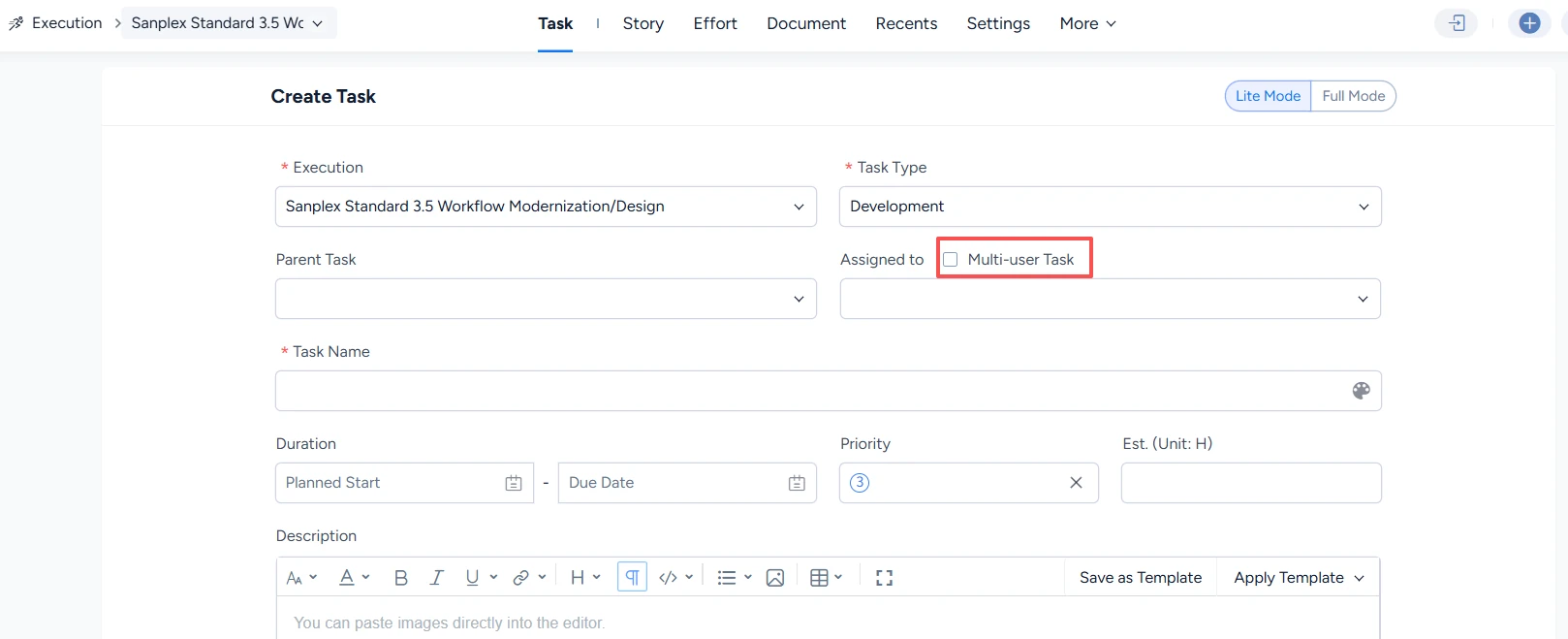
1. Multi-user Task
Select Multi-user Task when creating a task. People work on the same task sequentially.
2. Split subtasks
Split an existing task into subtasks and assign one person to each. The subtasks can run in parallel.

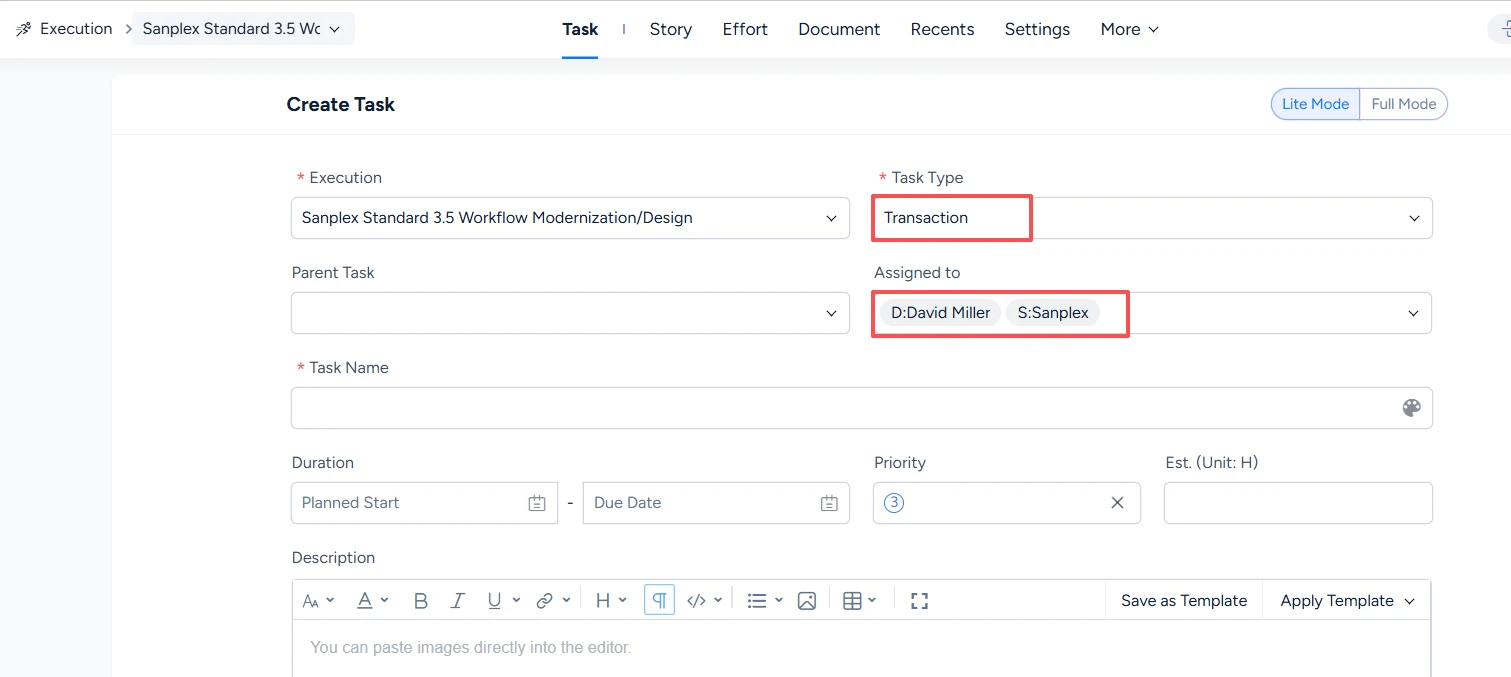
3. Transaction task
Set the task type to Transaction and select multiple assignees. Each person receives an independently managed task that can run in parallel.
Note: A task can use either the multi-person model or the parent-subtask model, but not both at the same time. Choose the option that reflects how work should be handed off and tracked.


