
Import & export
How do I import and export data with Excel?
Short answer
Yes. The import and export features are available in Sanplex Standard and Premium. Sanplex lets you import and export stories, tasks, bugs and test cases with Excel.
Availability: Available in Standard and Premium
In this article
When to use Excel import or export
Use Excel when you need to add or update a large set of records, prepare data outside Sanplex or export project information for review and reporting.
How to import or export
- Open the relevant Stories, Tasks, Bugs or Test Cases page.
- Use the import or export button in the top-right corner.
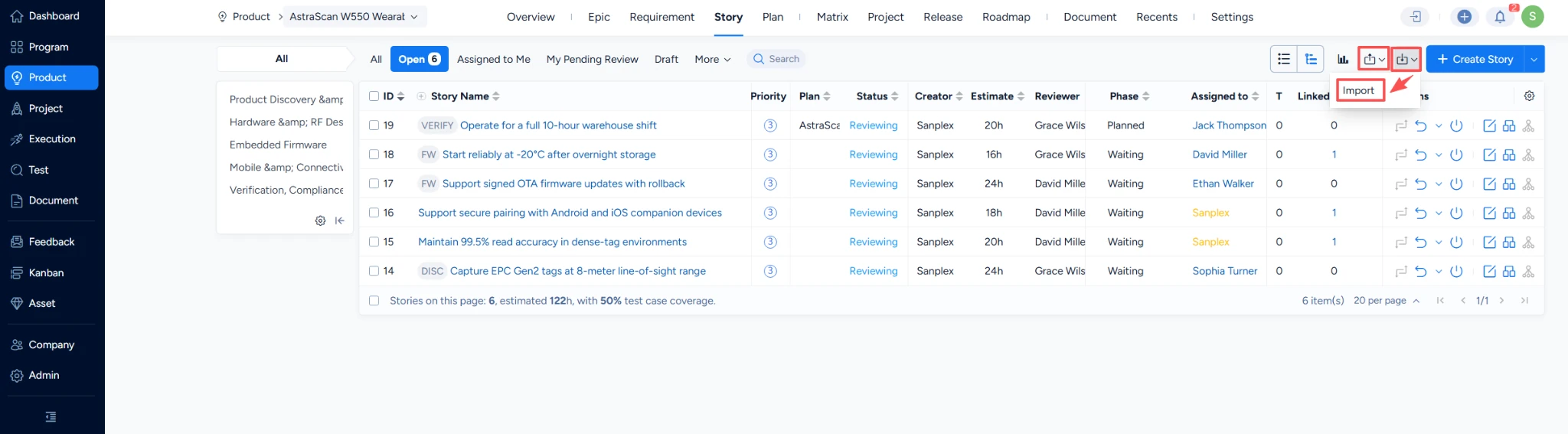
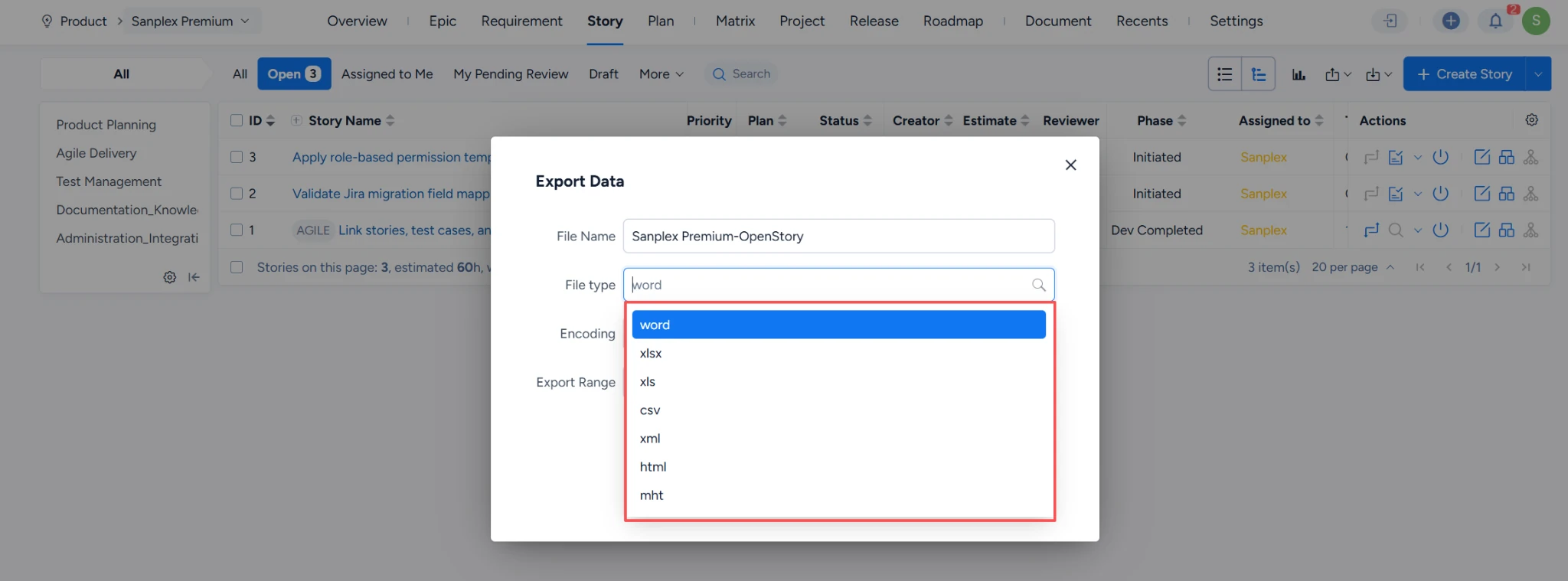
- Review the imported records or the exported file before using the data elsewhere.
The same workflow is used for each supported work item type. Start with the page whose records you want to move.
Important: Before a large import, review the Excel field values and verify a small data set. An import can create many records at once.


