How to Migrate from Monday.com to Sanplex
August 29, 2026PUBLISHED INAgile
 ali
ali 2026-08-29 20:10:54
 0
0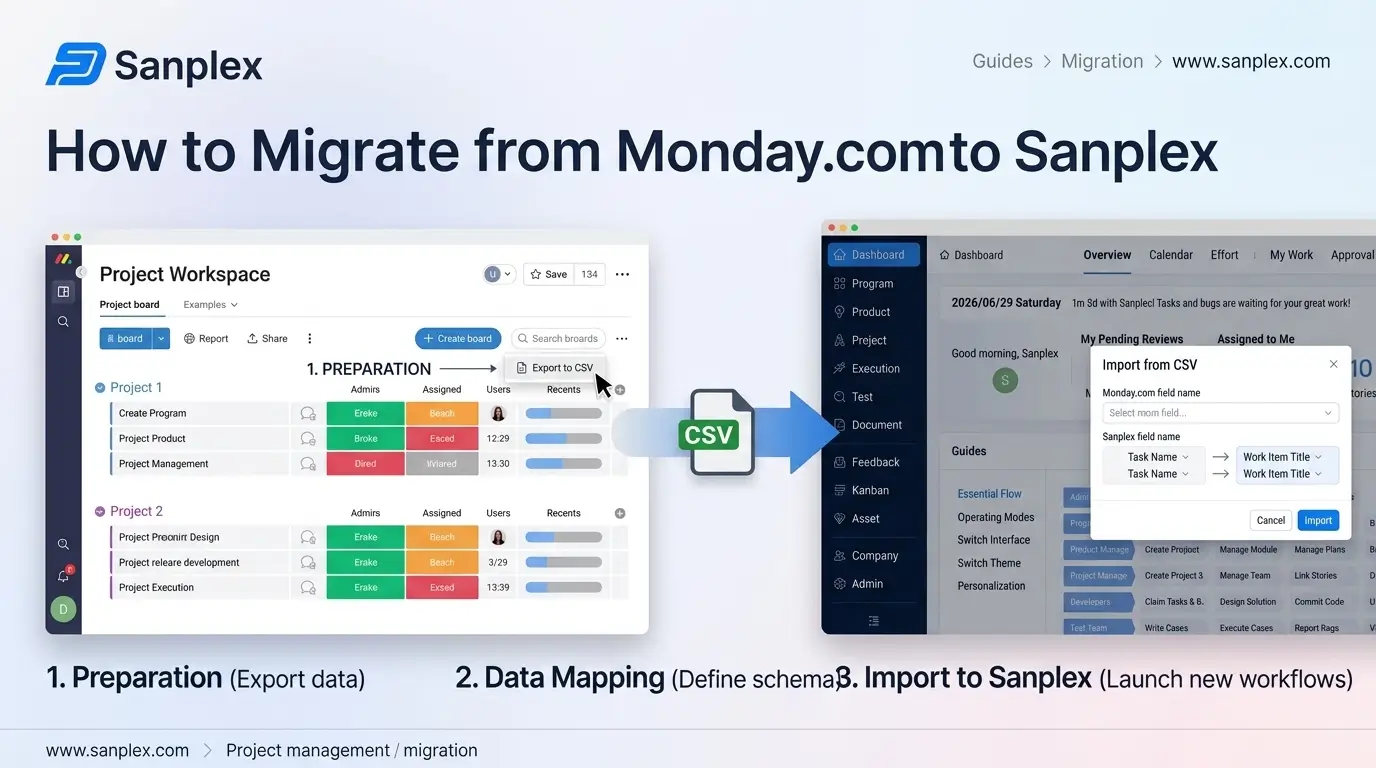
Monday.com's spreadsheet-like board structure, rows as items, columns as customizable data types, is flexible enough that teams often build fairly elaborate setups on top of it: automations, formula columns, connected boards referencing each other. That flexibility is exactly what makes migration worth planning carefully. A straight export-and-import captures the raw data but loses the automation logic and cross-board relationships that made the original setup actually work.
Export Your Boards
Monday.com supports Excel export per board, which captures items, column values, and basic structure. Once exported, map the columns to Sanplex's import template before bringing the file in, Monday.com doesn't have a direct API connection into Sanplex, so this Excel-to-template step is the actual import path, not an automatic sync. This export won't include automations, board relationships (Connect Boards columns), or dashboard configurations, those need to be documented separately before migration, since they exist as logic and settings rather than exportable row data.
Document Your Automations Before You Migrate Anything
This is the step teams most often skip, and it's the one that causes the most post-migration frustration. List out every automation currently running, status changes triggering notifications, due date reminders, item creation rules, and note what each one is actually supposed to accomplish. You'll need to recreate the underlying logic manually rather than expecting it to transfer, since automation logic isn't part of any standard board export.
Map Column Types to Sanplex Fields
Monday.com's column types, status, people, timeline, formula, dropdown, each need a corresponding field type on the Sanplex side. Status and people columns map fairly directly. Formula columns need more thought, since the underlying calculation logic needs to be recreated explicitly rather than assumed to carry over, formulas are computed values, not raw data, and most exports only capture the last computed result, not the formula itself.
Rebuild Connected Board Relationships Deliberately
If your Monday.com setup uses Connect Boards columns to link items across different boards, this relational structure needs explicit rebuilding. Sanplex's Program, Project, Product, and Execution structure is actually built to represent these kinds of hierarchical relationships more natively than Monday's board-to-board linking, worth treating as an opportunity to build the relationship properly rather than replicating the old pattern.
Recreate Dashboards Based on What People Actually Checked
Monday.com dashboards aggregating data across boards are a common feature to lean on heavily, and also one of the easiest to over-recreate out of habit. Before rebuilding every dashboard, check with the team about which ones were actually opened regularly versus set up once and rarely revisited, and prioritize rebuilding those first.
Run Both Systems in Parallel, Then Cut Over on a Set Date
Keep Monday.com accessible in read-only mode for historical reference during a short transition window, with a firm date to fully retire the old boards. An open-ended parallel period tends to mean automations nobody rebuilt yet keep pulling people back to check the old system.
What Transfers vs What Needs Manual Rebuild, At a Glance
Use this as a quick reference while planning your own migration checklist:
|
Monday.com Feature |
Transfers via Export, or Needs Manual Rebuild? |
|
Items, column values, basic structure |
Transfers via Excel export. |
|
Automations |
Manual rebuild required, not part of any export. |
|
Formula columns |
Only the last computed value exports; formula logic must be manually recreated. |
|
Connect Boards relationships |
Manual rebuild required; Sanplex's structure often represents this better anyway. |
|
Dashboards |
Manual rebuild, only for ones the team actually used. |
The single most costly assumption is expecting automations and formulas to transfer with the data export, they don't, and discovering this after cutover means scrambling to rebuild critical logic under pressure, often with real business processes stalled in the meantime. Document everything before you export, not after.
Want help planning your specific migration from Monday.com?
Book a demo and bring your current boards and automations to the conversation.
Related Blogs
How to Migrate from Trello to Sanplex