How to Migrate from Trello to Sanplex
August 25, 2026PUBLISHED INAgile
 ali
ali 2026-08-25 19:17:10
 0
0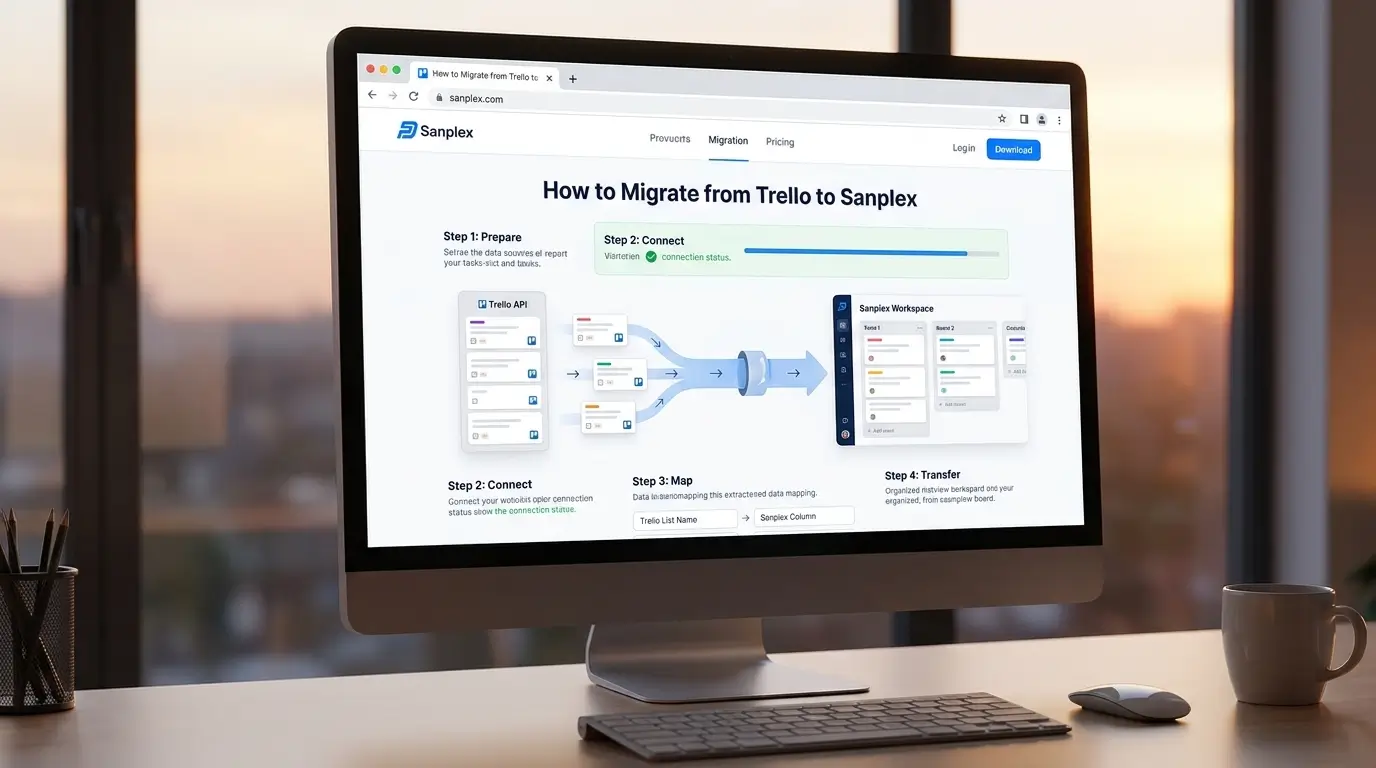
Moving off Trello usually happens for one of two reasons: the team has outgrown a simple kanban board and needs real requirements traceability and testing built in, or Trello's board-only structure can't represent the more complex, multi-level work the team actually does. Either way, the migration itself is fairly mechanical if you plan it properly rather than trying to move everything at once.
Step 1: Export Your Trello Data
Start from each board's menu and use Trello's built-in export to JSON, which captures cards, lists, labels, checklists, comments, and members in a structured format. Sanplex doesn't accept this JSON format directly — since Trello doesn't have a direct API connection into Sanplex, the practical path is to convert your exported data into an Excel file (.xlsx), map the fields using Sanplex's import template, and then import that spreadsheet into Sanplex. For a lighter, more human-readable option, Trello also supports CSV export of card-level data, which can be easier to convert to Excel, though it loses some of the nested detail (checklist items, comment history) that JSON preserves. If you're migrating several boards, export each one separately rather than trying to combine them beforehand.
Step 2: Decide What Actually Needs to Move
Not everything in an old Trello board is worth carrying forward. Archived cards from finished work, stale lists nobody's touched in months, and cards that were really just personal notes rather than tracked work are usually better left behind than migrated and immediately ignored in the new system. Sort what's actively relevant from what's historical before mapping anything, migrating clutter just recreates the mess in a new tool.
Step 3: Map Trello's Structure to Sanplex's
Trello boards and lists map reasonably well onto Sanplex's structure, but not one-to-one. A Trello board focused on a single initiative typically maps to a Sanplex Project, while lists (To Do, In Progress, Done) map to status stages within that project's execution tracking. If your Trello setup used one board per team rather than one board per initiative, this is a good moment to reconsider that structure rather than replicating it, since Sanplex's Program, Project, Product, and Execution structure is built to represent work at multiple levels, not just a flat board.
Step 4: Bring Over Cards With Their Context Intact
Card titles and descriptions transfer directly, but checklists, comments, and attachments need more care. Checklist items don't convert automatically into Sanplex subtasks during migration — subtasks need to be added manually inside Sanplex (using the Add Subtask action on each task), so budget time to recreate your more important checklists this way rather than expecting a direct transfer. Comments are worth preserving for cards with active discussion history, particularly anything documenting a decision, but older resolved cards often don't need every comment recreated. Attachments should be re-uploaded rather than linked, since Trello attachment URLs aren't guaranteed to stay valid indefinitely.
Step 5: Rebuild Labels as Meaningful Categories
Trello labels are often used loosely, color-coding without a consistent system behind it. Migration is a natural point to clean this up, deciding what labels actually represent (priority, work type, department) and rebuilding them with that intent, rather than recreating an inconsistent color scheme nobody remembers the logic behind.
Step 6: Run Both Systems in Parallel Briefly, Then Cut Over
Rather than a hard cutover on a single day, keep Trello in read-only reference mode for a short window while the team actively works in Sanplex, so anyone who needs to check historical context isn't stuck. Set a firm date to fully retire the old Trello boards, an indefinite parallel-running period tends to mean half the team drifts back to old habits.
Common Migration Mistakes to Avoid
Migrating everything indiscriminately, including stale or archived cards, is the most common mistake, it just moves clutter into a new system. A close second is skipping the structural mapping step and recreating a flat board-of-lists layout inside a platform built for multi-level project structure, which wastes the actual advantage of switching. And underestimating the parallel-running transition period tends to leave people confused about where the current source of truth actually is.
Frequently Asked Questions
Will all my Trello data transfer automatically?
Not automatically, Trello's export gives you the raw data, but mapping it into Sanplex's structure is a manual step worth doing thoughtfully rather than a one-click import.
Should I migrate archived Trello cards?
Generally no, unless there's a specific reason to keep them actively referenced. Archived, finished work is usually better left in an export file than recreated in the new system.
How long should the parallel-running period last?
Long enough for the team to get comfortable in the new system, typically a few weeks, but with a firm end date so it doesn't drag on indefinitely.
Can Trello checklists become Sanplex subtasks?
Not automatically. There's no direct conversion during migration — checklist items need to be recreated as subtasks manually inside Sanplex after import, so plan time for this if your checklists are detailed.
What's the biggest structural difference to plan for?
Trello is a flat board of lists. Sanplex supports multiple levels, Program, Project, Product, Execution, so migration is a good opportunity to organize work more deliberately rather than replicating a flat structure.
Want help planning your specific migration from Trello?
Book a demo and bring your current board structure to the conversation.
Related Blogs
How to Switch Project Management Tools Without Losing Data