
Configuration & content
Can I customize fields, workflows, and approvals?
Short answer
Yes. This feature is available in Sanplex Standard and Premium. Sanplex includes built-in workflows and approval flows that can be customized for your team. You can add fields to the relevant workflow and define approval steps where your process requires review.
Availability: Available in Standard and Premium
When to customize
Customization is useful when a team needs different fields, statuses or approval checkpoints from the default process. Keep the design focused on the information and decisions people actually need.
Customize workflows and fields
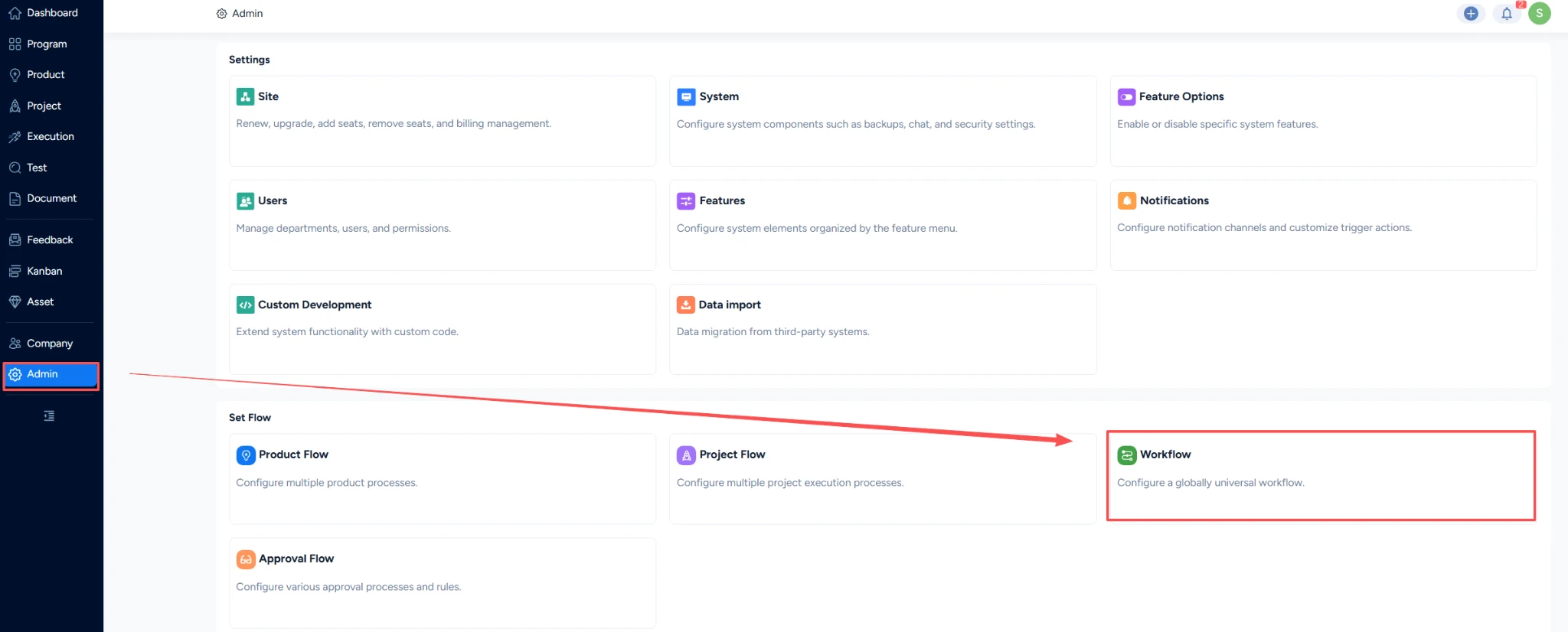
- Go to Admin > Workflow to create or edit a workflow.
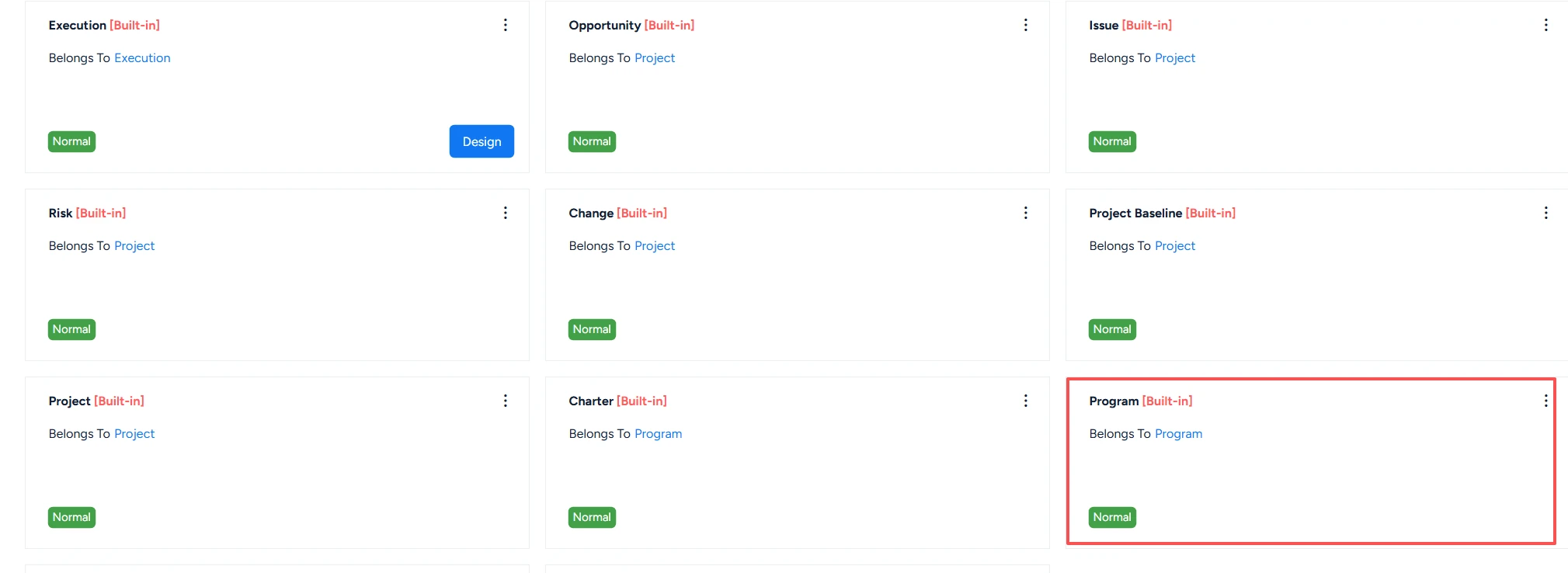
- Open the workflow for the module you want to change, such as Program.
- Choose Design, then select Create Field to add a field when the existing fields do not capture the information you need.
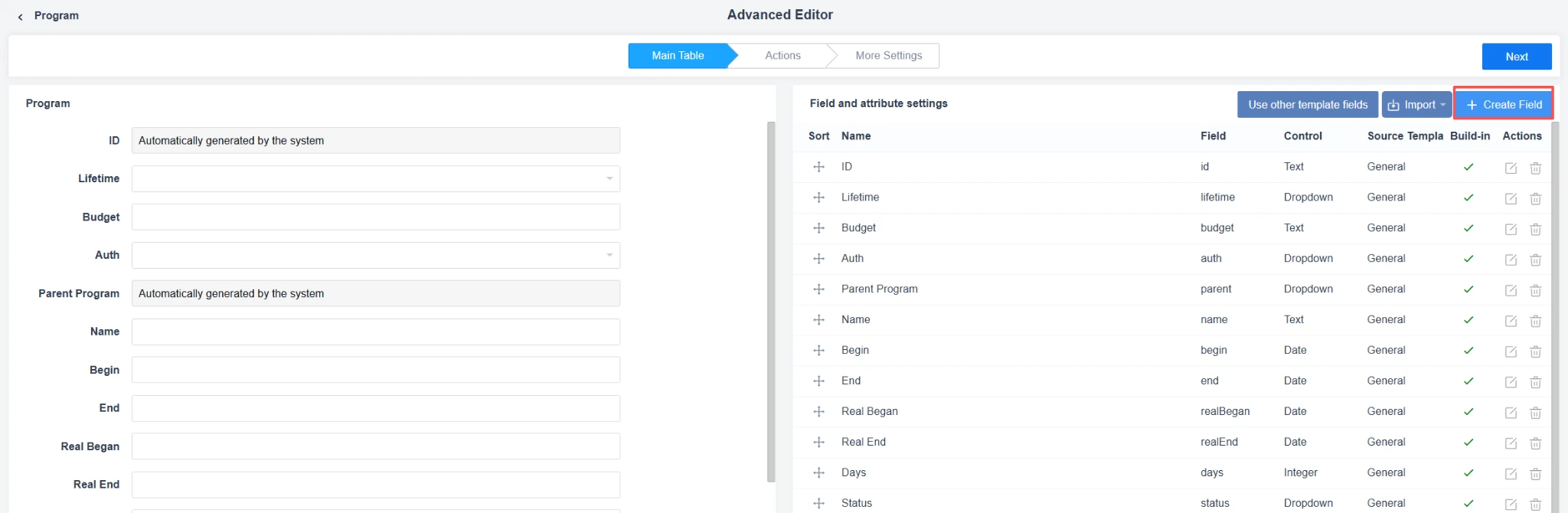
- Configure field details and place the field where users will encounter it in the workflow.
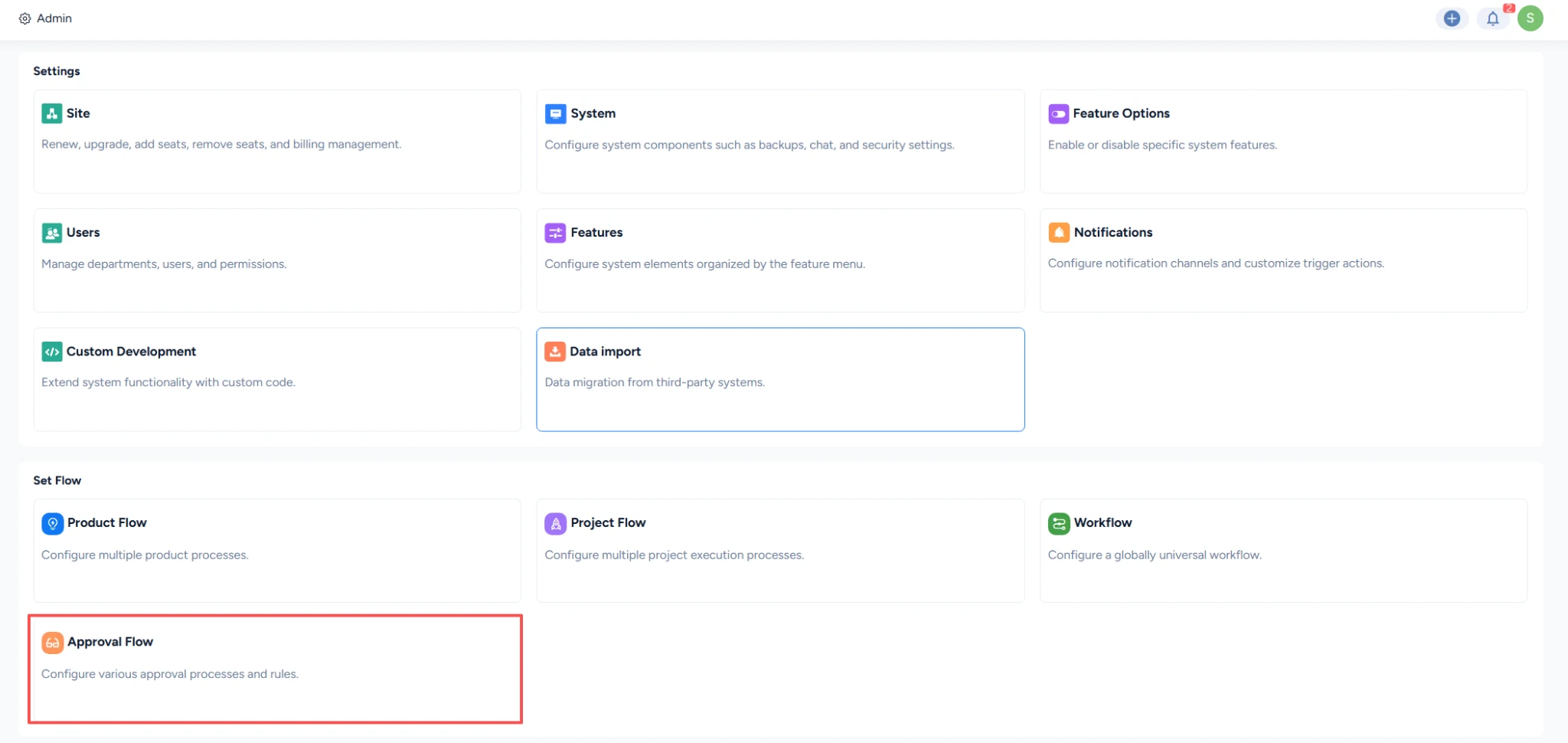
Create or update approval flows
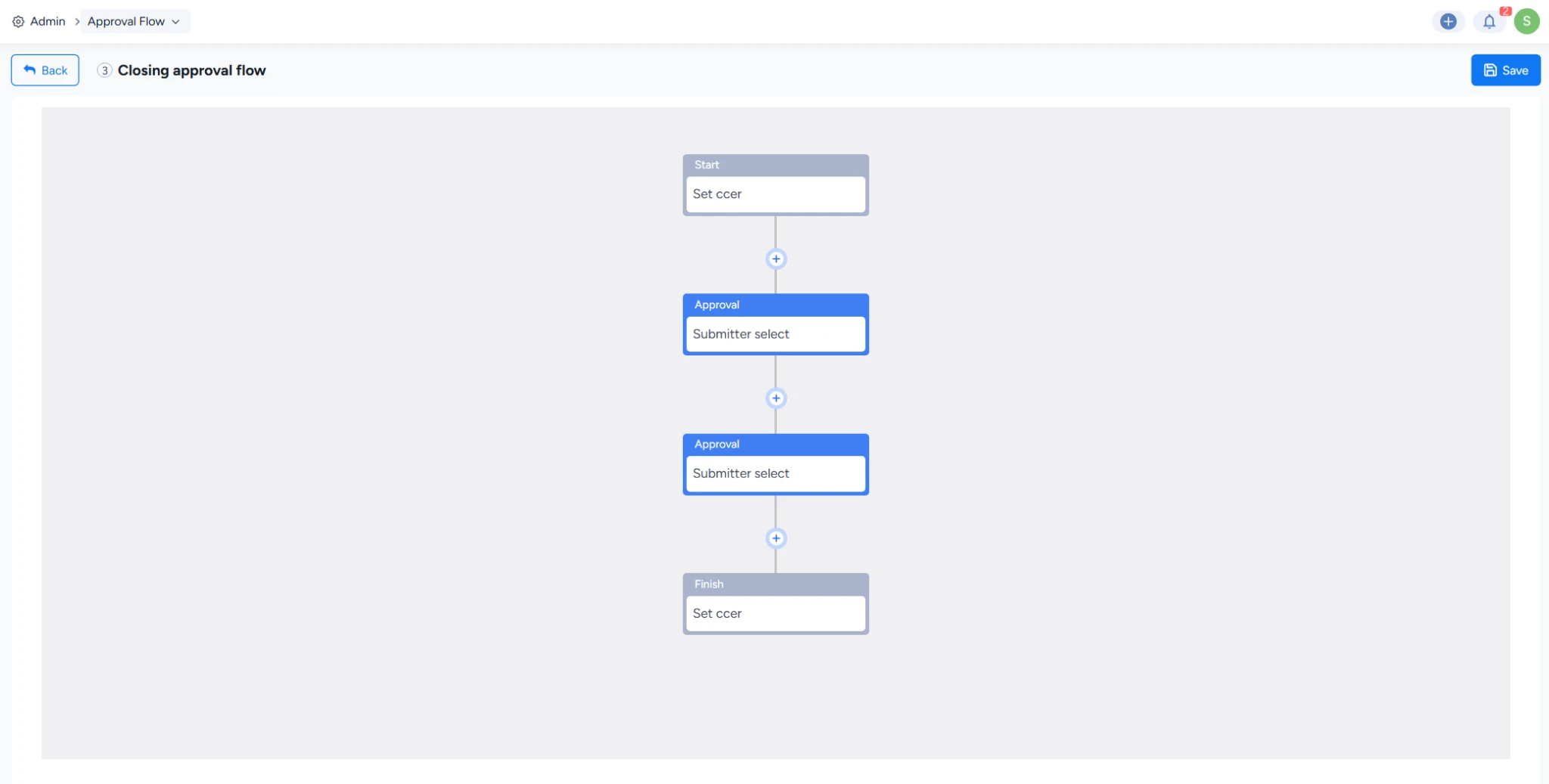
- Go to Admin > Approval Flow.
- Create a new approval flow or open the flow you want to update.
- Define the approval checkpoints and apply the flow to the relevant work process.
Note: Introduce changes in small steps and test them with a representative project. Review the fields and approval steps after rollout so the process does not become heavier than the decision it supports.


