
Configuration & content
How do I set up estimation units?
Short answer
A Sanplex administrator can choose the estimation unit used across project work. Supported units include man-hours, story points and function points. This feature is available in Sanplex Premium.
Availability: Available in Premium
Set the estimation unit
- Go to Admin > Features > Project > Estimate.
- Select the estimation unit that matches how your team plans and measures work.
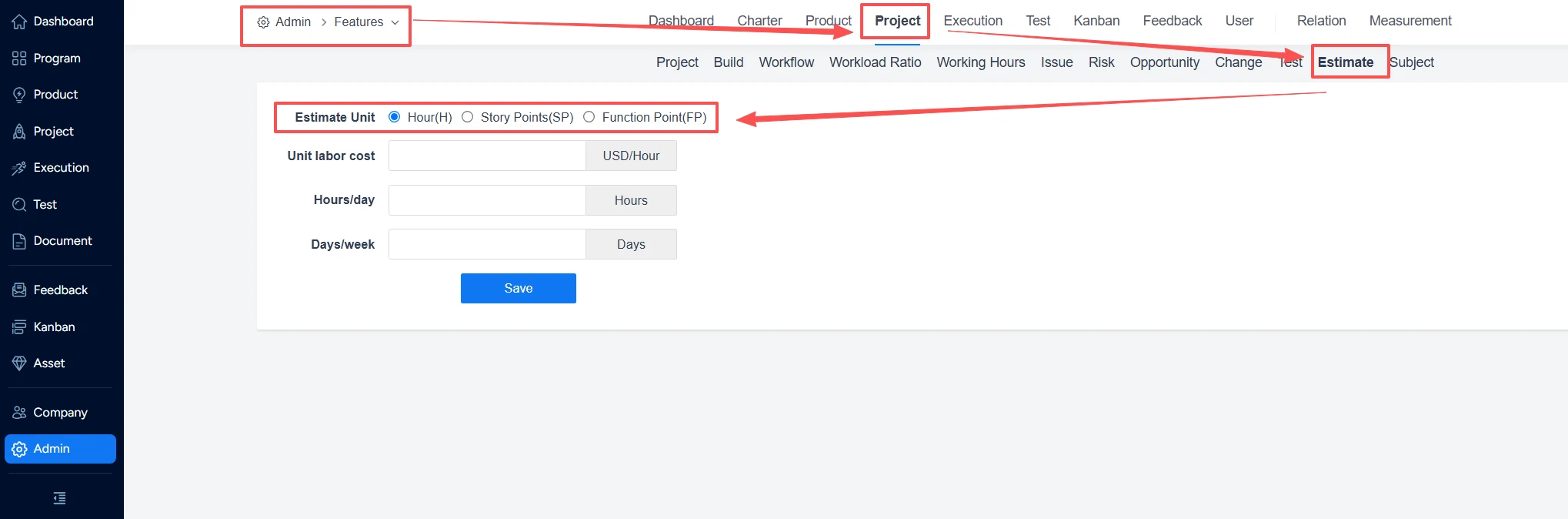
- Apply the setting so estimate fields across the team workflow use the chosen unit.
Choose the unit that matches your planning method
- Man-hours suit teams that estimate and schedule effort in time.
- Story points suit teams that estimate relative size or complexity.
- Function points suit environments that measure functional scope with a formal counting method.
Note: Keep the unit consistent with the way your team reviews progress and reports capacity. A unit change affects the meaning of estimates, so explain the convention before teams begin entering values.


