
Plans, licensing & security
Does guest access use a licence seat?
Short answer
Yes. This feature is available in Sanplex Free, Standard and Premium. Guests can view permitted content without signing in and do not require a license seat. Their access is limited to the projects and content configured for the Guest group.
Availability: Available in Free, Standard and Premium
In this article
When to use guest access
Use guest access when external stakeholders or occasional viewers need to read selected project content without becoming licensed team members.
Enable guest access
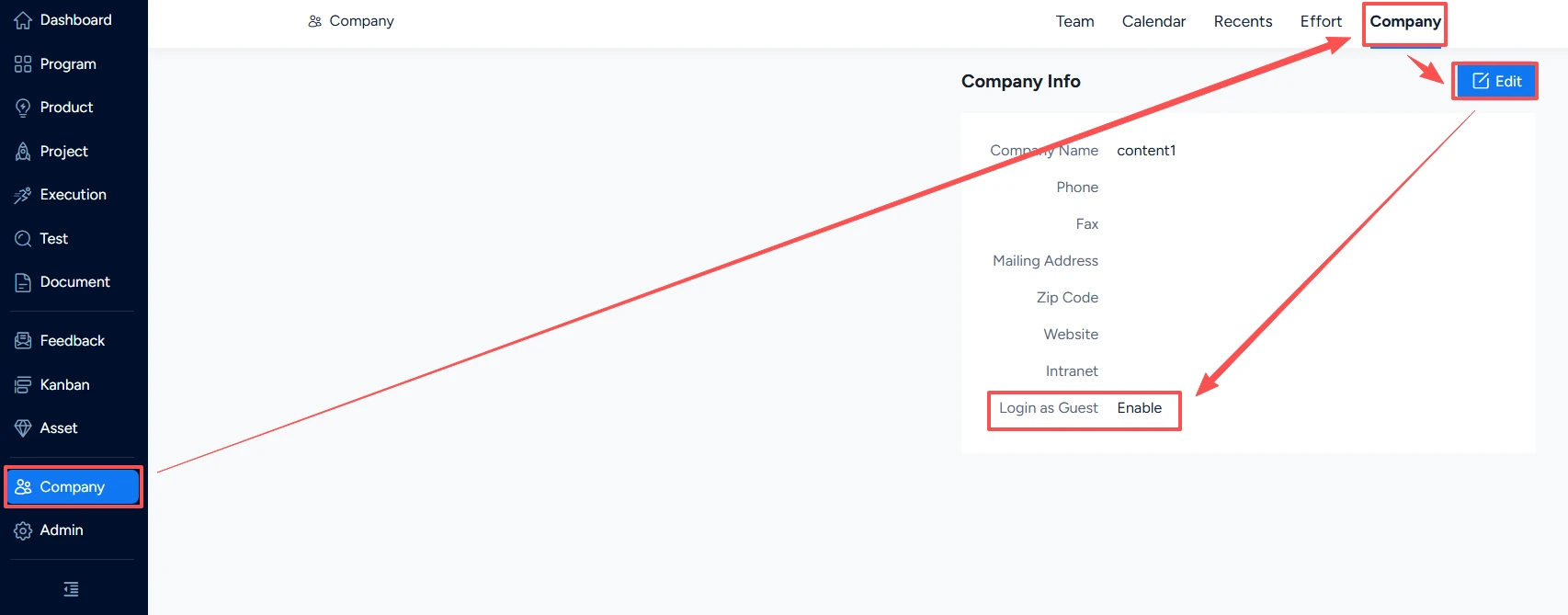
- Go to Company in the left sidebar.
- Select Company, then click Edit.
- Enable Login as Guest.
- Go to Admin > Users > Permissions and open the Guest group.
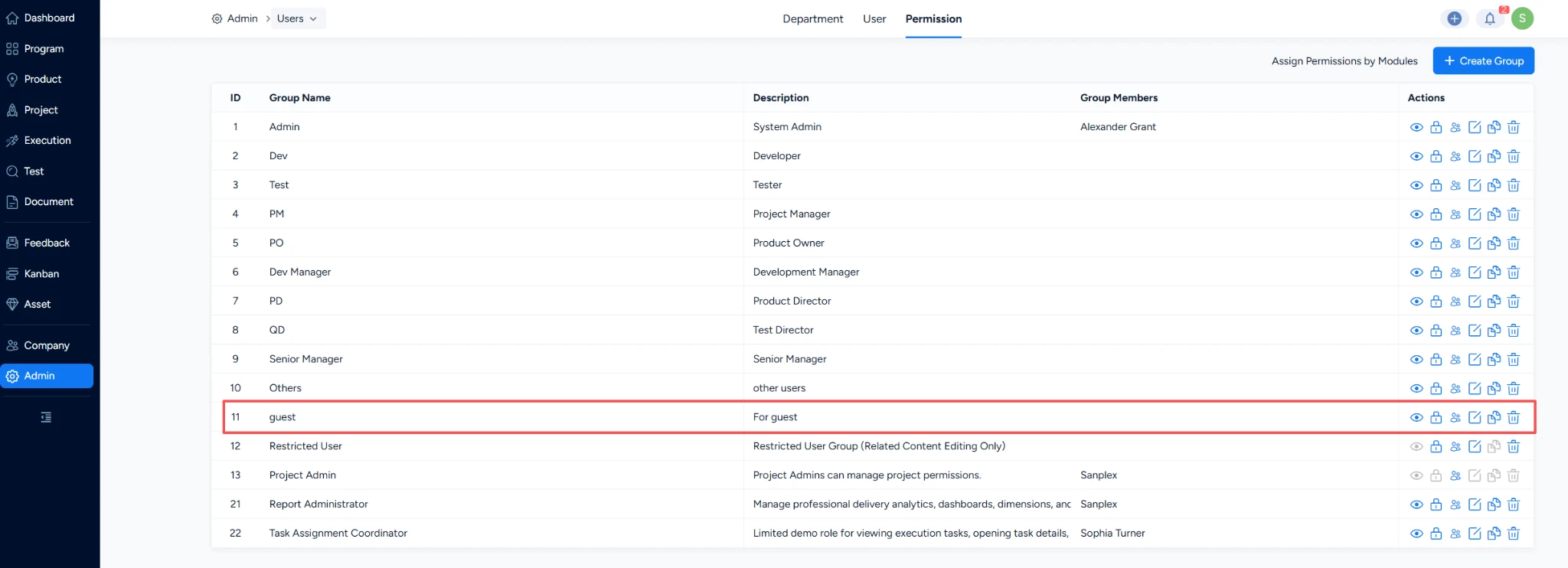
- Assign access to the projects guests should be able to view (View Only permission is recommended for guests).
Important: Use View Only permissions for guests unless a documented workflow requires otherwise. Review guest access periodically so links and project scopes remain appropriate.


