
Plans, licensing & security
Does Sanplex support LDAP and Active Directory?
Short answer
Yes. This feature is available in Sanplex Standard and Premium. Sanplex supports both LDAP and Active Directory for centralized authentication. You can configure the directory connection, then import directory users into Sanplex.
Availability: Available in Standard and Premium
In this article
Before you begin
Prepare the LDAP server address and directory details. Make sure the Base DN matches your real directory structure, because an incorrect Base DN can prevent Sanplex from finding users.
Configure LDAP
- Go to Admin > System > LDAP.
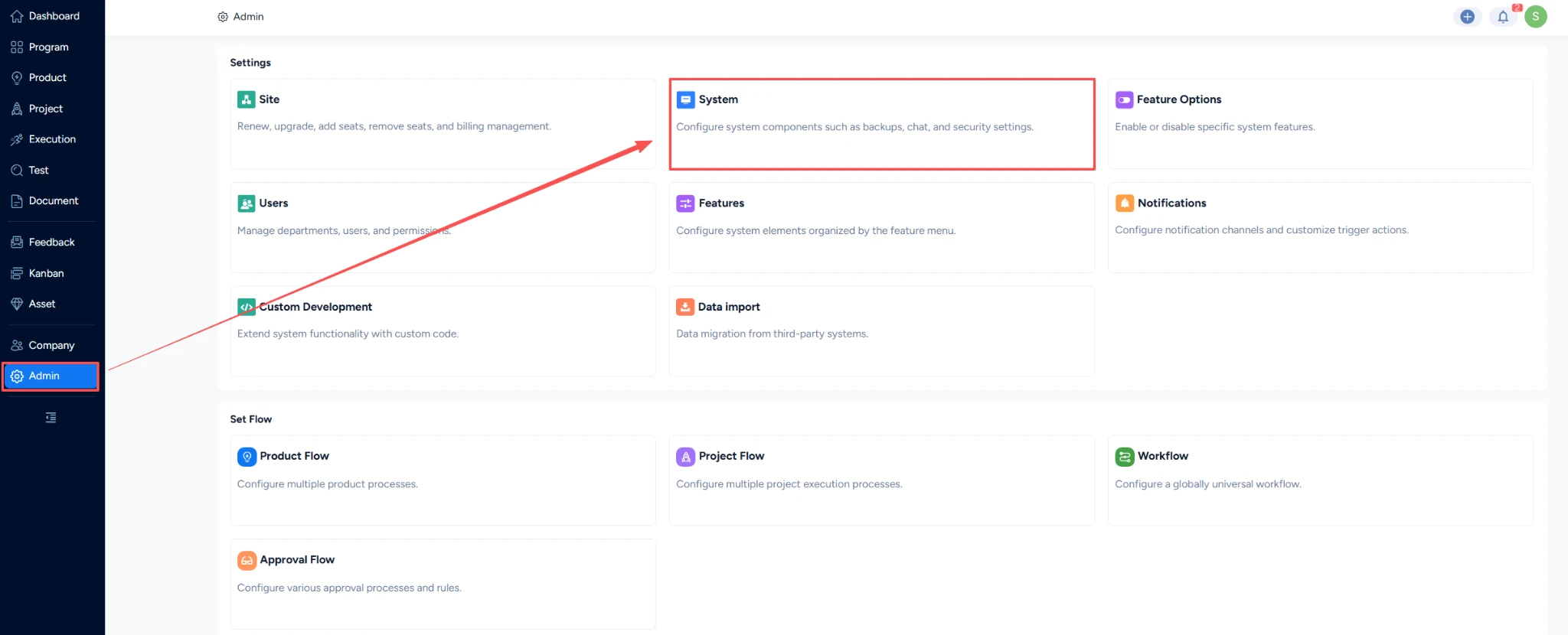
- Select LDAP as the server type and enter your directory connection details.
- Save the configuration and confirm that Sanplex can connect to the directory.
Configure Active Directory
- Select Active Directory as the server type.
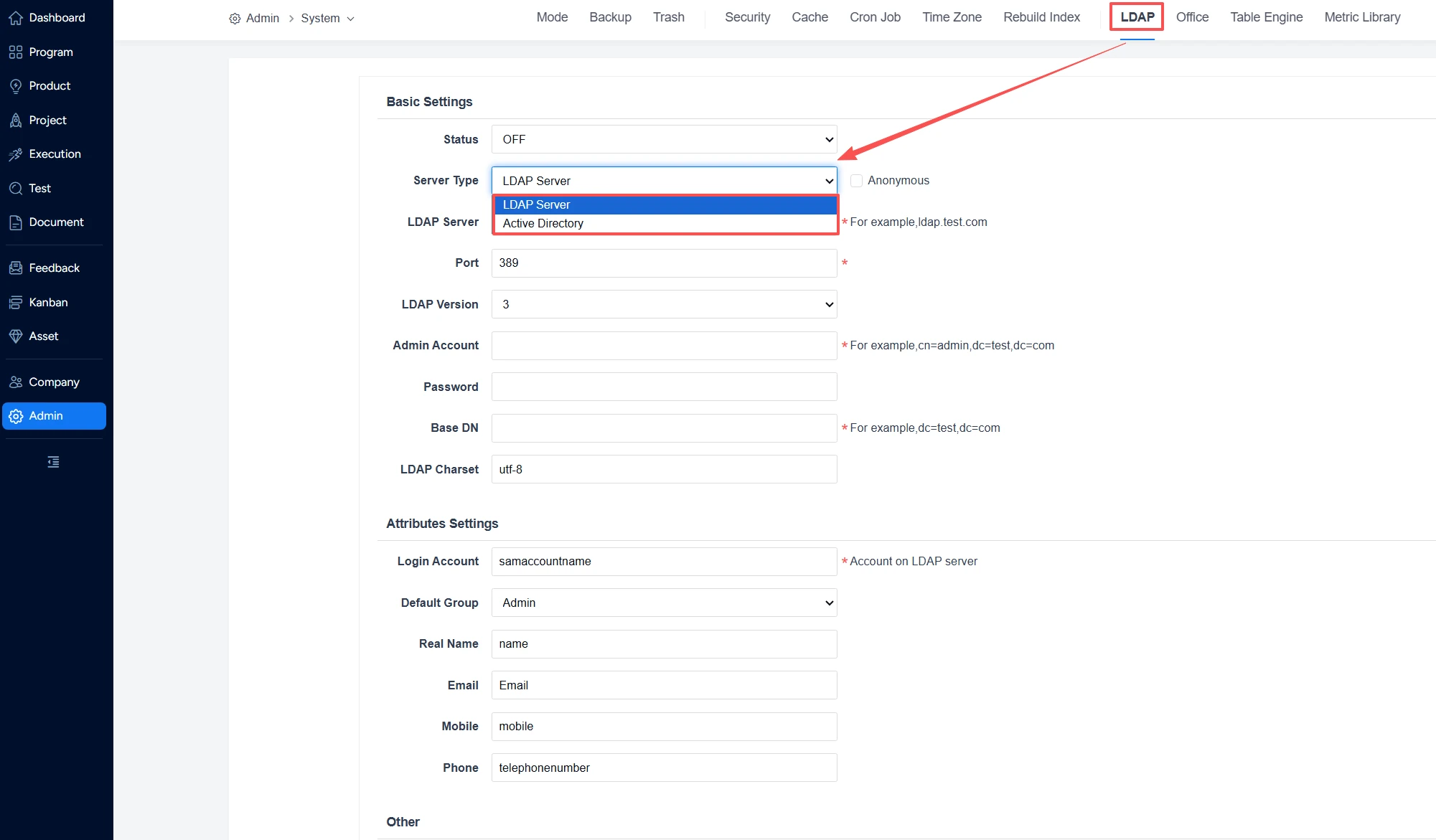
- Enter an administrator username and password. Active Directory usually does not allow anonymous login, so these credentials are required.
- Use an account with the required domain administration or directory-query permissions.
- Confirm that Active Directory permits Sanplex to access the directory.
Import users
- After the directory connection succeeds, choose Import Users from LDAP.
- Select the users who should be available in Sanplex.
- Ask a test user to sign in and confirm that the directory connection works.
Note: If user retrieval fails, check the Base DN and administrator permissions first. If imported users cannot sign in, verify that the directory allows Sanplex to access it.


