
Work items & collaboration
How do I view Stories across all products?
Short answer
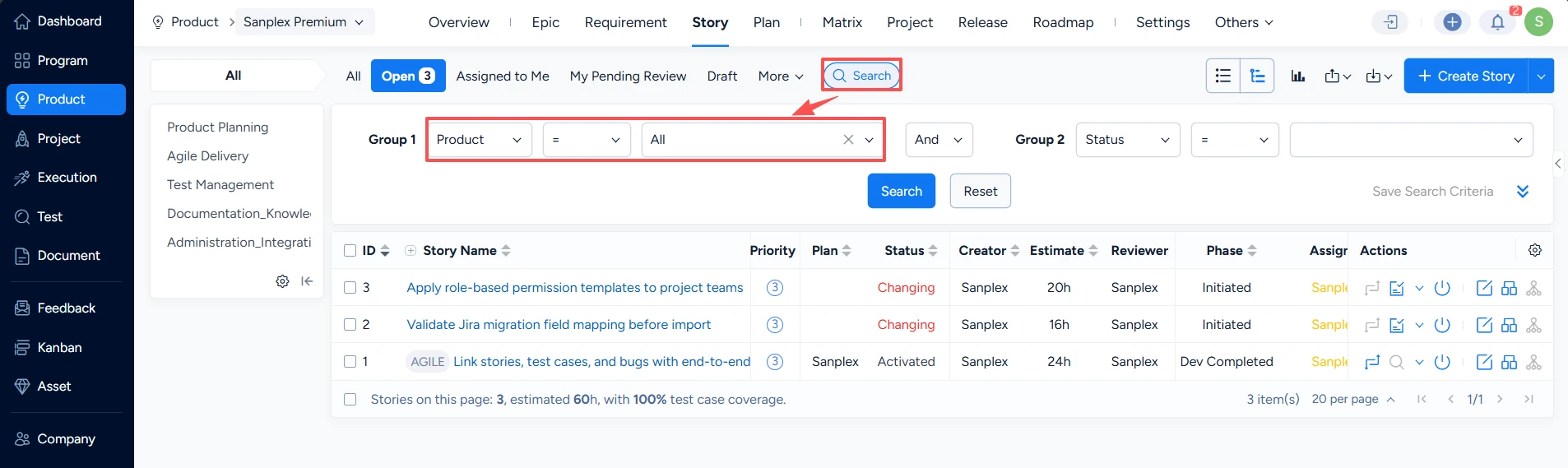
This feature is available in Sanplex Free, Standard and Premium. Set Product to All in the Story page search filters to view stories across every product. This is useful when you need a cross-product view or are not sure which product contains a story.
Availability: Available in Free, Standard and Premium
In this article
View all product stories
- Open the Product > Story page.
- Open the search filters.
- Set Product to All.
- Click Search to load stories across products.
When to use the All filter
- Reviewing work across several products.
- Locating a story when you do not know its product.
- Preparing a broader delivery or reporting view.
Note: The results still follow your permissions. A user sees only the products and stories they are allowed to access.


