How to Set Up a Product Backlog
August 11, 2026PUBLISHED INAgile
 ali
ali 2026-08-11 17:46:00
 0
0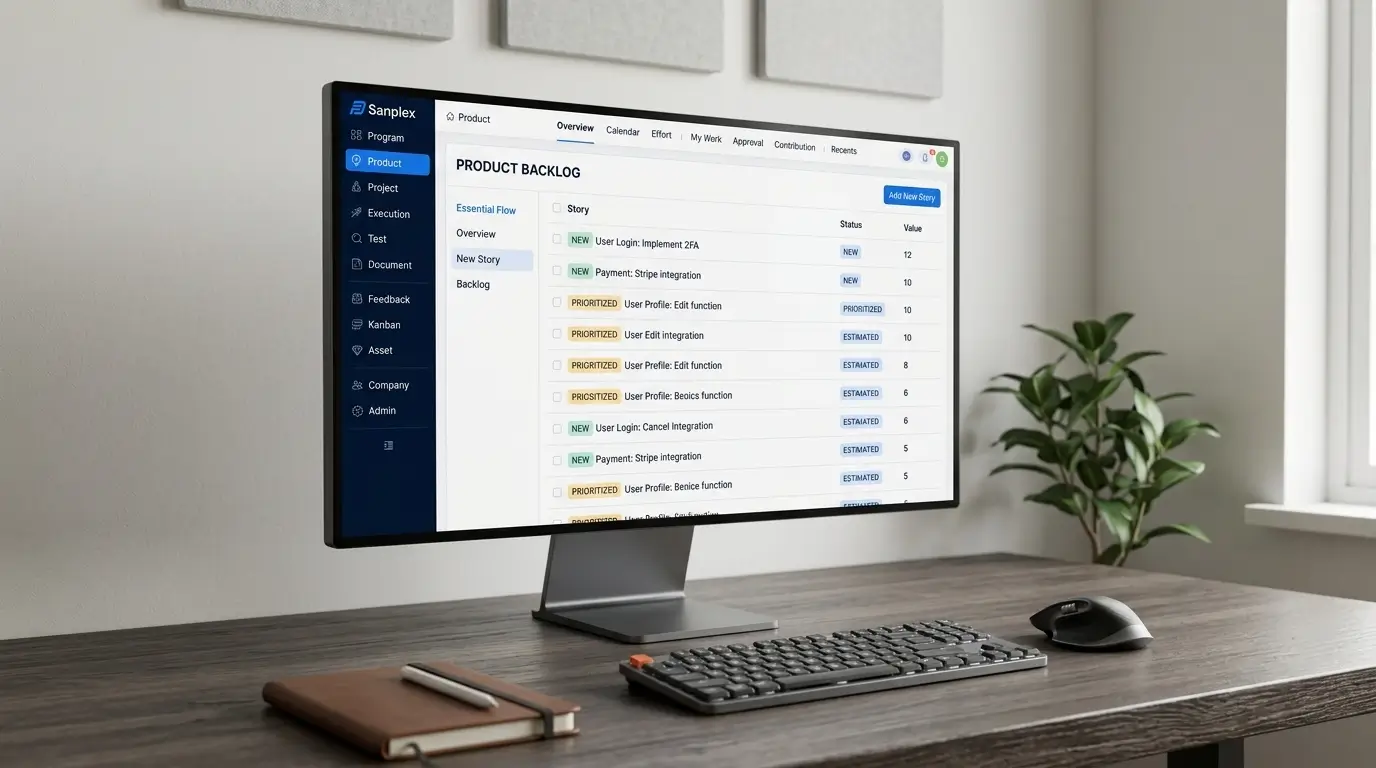
A product backlog is easy to start and surprisingly easy to ruin. Most teams begin with good intentions, a clean list of what needs building, and within a few months it's a thousand-item graveyard where old tickets sit untouched next to this week's priorities with no clear way to tell them apart. Setting one up properly from the start avoids most of that.
Here's how to actually structure it, and the habits that keep it useful instead of just growing.
Start With a Single Source of Truth
Before anything else, decide where the backlog actually lives, one tool, one list, not a combination of a spreadsheet, a Slack thread, and someone's personal notes that occasionally get transcribed. A backlog split across multiple places isn't really a backlog, it's several partial ones, and prioritization decisions made against an incomplete picture tend to be wrong in ways that only show up later.
Separate Ideas From Committed Work
Not everything that gets written down needs to be treated the same way. A rough idea from a stakeholder meeting and a fully scoped, estimated ticket ready for the next sprint are different things, even if they both technically live in the backlog. Many teams use a simple staging structure, something like Idea, Ready for Refinement, Ready for Sprint, so it's immediately clear what's actually actionable versus what's still just a thought worth revisiting.
Write Items at the Right Level of Detail for Their Stage
Items far down the backlog don't need full acceptance criteria, a one-line description of the problem or opportunity is enough. Writing detailed specs for things that might not get built for six months is wasted effort, and worse, that detail tends to go stale before it's ever used. Save the detailed writing for items close enough to actually enter a sprint.
Prioritize Ruthlessly, and Revisit That Priority Regularly
A backlog ordered top to bottom by priority is far more useful than one where everything sits at a vague "important" tier. Whatever framework you use, RICE scoring, MoSCoW, simple gut-check ranking, the point is having an actual order, not just a pile. And that order needs revisiting regularly, priorities that made sense two months ago often don't anymore, and a backlog that's never reordered slowly drifts out of sync with what the team actually needs to build.
Groom Before It Becomes a Problem, Not After
Regular backlog grooming, ideally weekly or biweekly, is where the top of the backlog gets refined, ambiguous items get clarified or removed, and stale items get reconsidered or archived. Skipping grooming doesn't make the backlog smaller, it just means the mess accumulates until someone eventually has to spend a painful afternoon cleaning out hundreds of items nobody remembers the context for.
Connect the Backlog to What It's Actually Feeding Into
A backlog that exists in isolation from sprint planning, requirements, and release tracking tends to drift from reality faster than one that's structurally connected to them. Platforms like Sanplex tie the backlog directly into the same system used for sprint planning and requirements traceability, so a backlog item's priority, its requirements, and its eventual sprint assignment stay linked rather than living in separate tools that quietly fall out of sync with each other over time.
Frequently Asked Questions
How big should a product backlog be?
There's no fixed number, but if most of it hasn't been touched in months, that's usually a sign it needs pruning rather than growing further.
Who should be responsible for backlog prioritization?
Typically a product owner or product manager owns final prioritization, though input from engineering and other stakeholders usually shapes that decision.
How often should the backlog be groomed?
Weekly or biweekly is common, timed so the top of the backlog stays ready ahead of the next sprint planning session.
Should old, unaddressed backlog items ever be deleted?
Yes. Items that have sat untouched for a long time and no longer reflect current priorities are usually better archived or removed than left cluttering the list indefinitely.
What's the difference between a product backlog and a sprint backlog?
The product backlog holds everything under consideration, prioritized but not yet committed. The sprint backlog is the specific subset pulled into the current sprint for active work.
Want to see how Sanplex keeps your backlog connected to requirements and sprints?
Book a demo and bring your current backlog to the conversation.
Related Blogs
Sprint Planning Best Practices for Agile Teams