Gantt Chart vs Kanban Board: Which Should You Use?
2 hours agoPUBLISHED INAgile
 ali
ali 2026-10-16 03:01:00
 0
0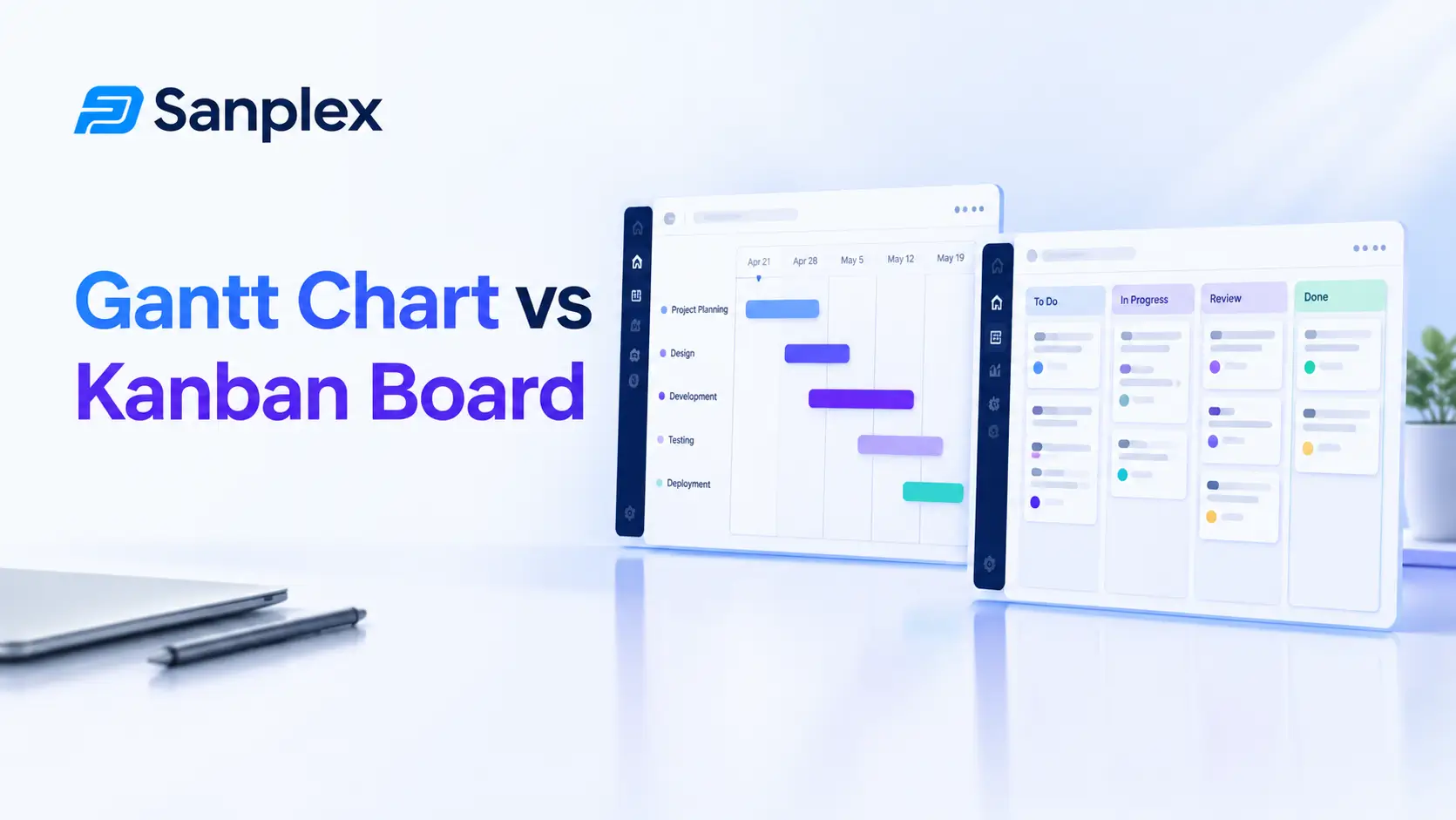
The gantt chart vs kanban board debate usually starts with someone saying "we should be more agile" and someone else saying "but we have a deadline." Both people are right. They're also looking at different problems, and each tool answers a different question.
A Gantt chart answers "when?" A Kanban board answers "what's happening right now?" Below we'll look at how each works, when each one wins, and how to use them together without making a mess.
What is a Gantt chart?
A Gantt chart is a bar chart that lays tasks out along a timeline. Each bar shows when a task starts and finishes, and lines between bars show dependencies, meaning which task has to finish before the next can begin. It's named after Henry Gantt, an American engineer who popularized the format in the early twentieth century.
Its strength is the big picture over time. You can see the whole schedule at once, spot the tasks that would delay everything if they slipped, and see how a late task pushes the end date.
What is a Kanban board?
A Kanban board shows work as cards moving through columns, usually something like To do, In progress, In review and Done. The idea comes from Toyota's manufacturing system. Its main rule is to limit how much work is in progress at once, so things get finished instead of just started.
Its strength is flow. You can see at a glance where work is piling up, and a stuck card is hard to ignore.
Gantt chart vs Kanban board side by side
|
Gantt chart |
Kanban board |
|
|---|---|---|
|
Main question |
When will things happen? |
What's in progress and what's stuck? |
|
View |
Timeline of bars |
Columns of cards |
|
Shows dependencies |
Clearly |
Not by default |
|
Handles change |
Needs rescheduling |
Easy, just add or reorder cards |
|
Best for |
Fixed scope and dates |
Continuous, changing work |
|
Typical users |
Project managers, sponsors |
Delivery teams, support teams |
|
Main risk |
Looks precise but goes stale |
No view of the end date |
When a Gantt chart wins
-
The project has a fixed deadline, like a product launch or an event
-
Tasks depend on each other in a clear order
-
You need to share a schedule with stakeholders or clients
-
Resources are limited and you must avoid overloading people
-
You need to find the critical path, the chain of tasks that decides the end date
Building a new office, planning a conference, or running a data migration all fit well. If you want to see how timelines work with modern teams, read about Gantt chart software for agile teams.
When a Kanban board wins
-
Work arrives continuously and priorities change often
-
You want to limit work in progress and speed up flow
-
The team is small and moves quickly
-
There's no fixed end date, as with support or maintenance
-
You want something people understand in a minute
Support desks, maintenance teams and small product teams usually thrive on Kanban. If you're picking between Kanban and a sprint based approach, our guide to Kanban vs Scrum: which fits your team helps you decide. And if you'd like to start without paying anything, here are the best free kanban tools.
Two quick examples
A website redesign with a launch date
The team has eight weeks, a design phase that must finish before development, and a launch event on a set day. Here a Gantt chart shows the sequence and warns early if design runs late. A Kanban board would show daily activity, but not whether the launch is in danger.
A customer support team
Requests arrive all day and nobody knows tomorrow's list. A Gantt chart would be out of date by lunchtime. A Kanban board shows what's waiting, who's on it and where things get stuck.
Using both together
Plenty of teams don't choose. They use a Gantt chart for the overall plan and milestones, and Kanban boards for the day to day work inside each phase. The Gantt tells stakeholders when things will land. The board tells the team what to pick up next.
For sprint based teams, a burndown chart can sit alongside both. Our burndown chart guide explains how it shows progress inside a sprint.
How each one handles change
Change is where the two tools differ most. On a Gantt chart, moving one task can push a whole chain of dependent tasks, and you need to reschedule carefully. That's useful, because it shows the real impact of a delay. It's also tiring if the plan changes weekly.
On a Kanban board, change is cheap. A new priority is just a new card at the top of the column. The catch is that the board doesn't tell you how that card affects the end date, because it never really had one. Neither is wrong. They just put the cost of change in different places.
What to look for in a tool
-
Both views on the same set of tasks, so nothing needs copying
-
Dependencies you can set without a fight
-
Work in progress limits on the board
-
Easy sharing of a read only timeline with stakeholders
-
Filters, so a big project doesn't turn into a wall of bars
A hybrid example
Take a team shipping a mobile app in four months. The project manager keeps a Gantt chart with five milestones, such as design complete, beta and store submission. The developers work from a Kanban board for each phase. When a card slips, the project manager checks the Gantt to see whether a milestone is in danger. It takes two minutes a day and avoids most surprises.
How to decide in five questions
-
Is there a fixed end date?
-
Do tasks depend on each other in a strict order?
-
Does the list of work change daily?
-
Who needs to see the plan, and what do they want to know?
-
Are we trying to speed up flow or hit a date?
If the first two answers are yes, start with a Gantt chart. If the third and fifth lean the other way, start with a Kanban board. If it's mixed, use both.
What stakeholders usually want to see
Here's a pattern that shows up again and again. Sponsors and clients usually ask for a timeline, because they think in dates. Developers usually prefer a board, because they think in work. Neither group is wrong, and trying to force one view on both is how meetings get tense.
Give each audience the view that answers their question. A simple Gantt chart for the people who ask "when," and a board for the people who ask "what next." If both views come from the same tasks, you only update one place, and nobody can argue that the numbers don't match, which saves more arguments than you'd expect.
Common mistakes
Treating a Gantt chart as truth
It's a plan, and plans change. If you never update it, it becomes decoration.
A Kanban board without limits
Without work in progress limits, a board is just a to do list with columns.
Too much detail
A Gantt chart with four hundred bars is unreadable. A board with sixty cards in progress is not a board. Keep both at a level people can take in.
Gantt and Kanban in Sanplex
Sanplex offers both Kanban boards and Gantt charts, so you can plan the timeline and run the daily work using the same tasks, instead of keeping two lists in sync by hand.
Frequently asked questions
What is the difference between a Gantt chart and a Kanban board?
A Gantt chart shows tasks on a timeline with dependencies, helping you plan schedules. A Kanban board shows work moving through columns, helping you manage flow and limit work in progress.
Is Kanban better than a Gantt chart?
Neither is better in general. Gantt charts suit fixed dates and sequenced work, while Kanban suits continuous, changing work. The right choice depends on the project.
Can I use Gantt and Kanban together?
Yes, and many teams do. A Gantt chart can cover the overall plan and milestones while Kanban boards manage daily work within each phase.
Does Kanban work for projects with deadlines?
It can, but a Kanban board doesn't show the end date on its own. Teams often pair it with a timeline or milestones to keep an eye on dates.
Do agile teams use Gantt charts?
Some do, especially when they need to coordinate with fixed dates or other teams. A light timeline on top of sprints or Kanban can be useful for stakeholders.
|
Plan the timeline and run the daily work in one place Use Gantt charts and Kanban boards on the same tasks in Sanplex. Start free. Start with Sanplex |
Related Blogs
Project Deliverables: Definition, Examples and Tracking