Catalog
1. Best Practices of Storys management in Sanplex and Jira
In Jira
Successful software development actually starts long before the team starts coding. The first phase of the process should be gathering storys, as most defects result from misunderstandings in the beginning of the project.
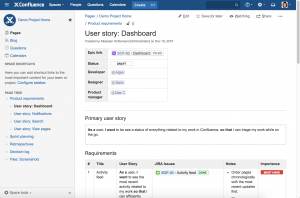
Jira itself doesn't have the function of storys management, so to achieve storys management, you can only use other tools. With the Confluence and Jira integration, you can create development issues directly from these storys pages.
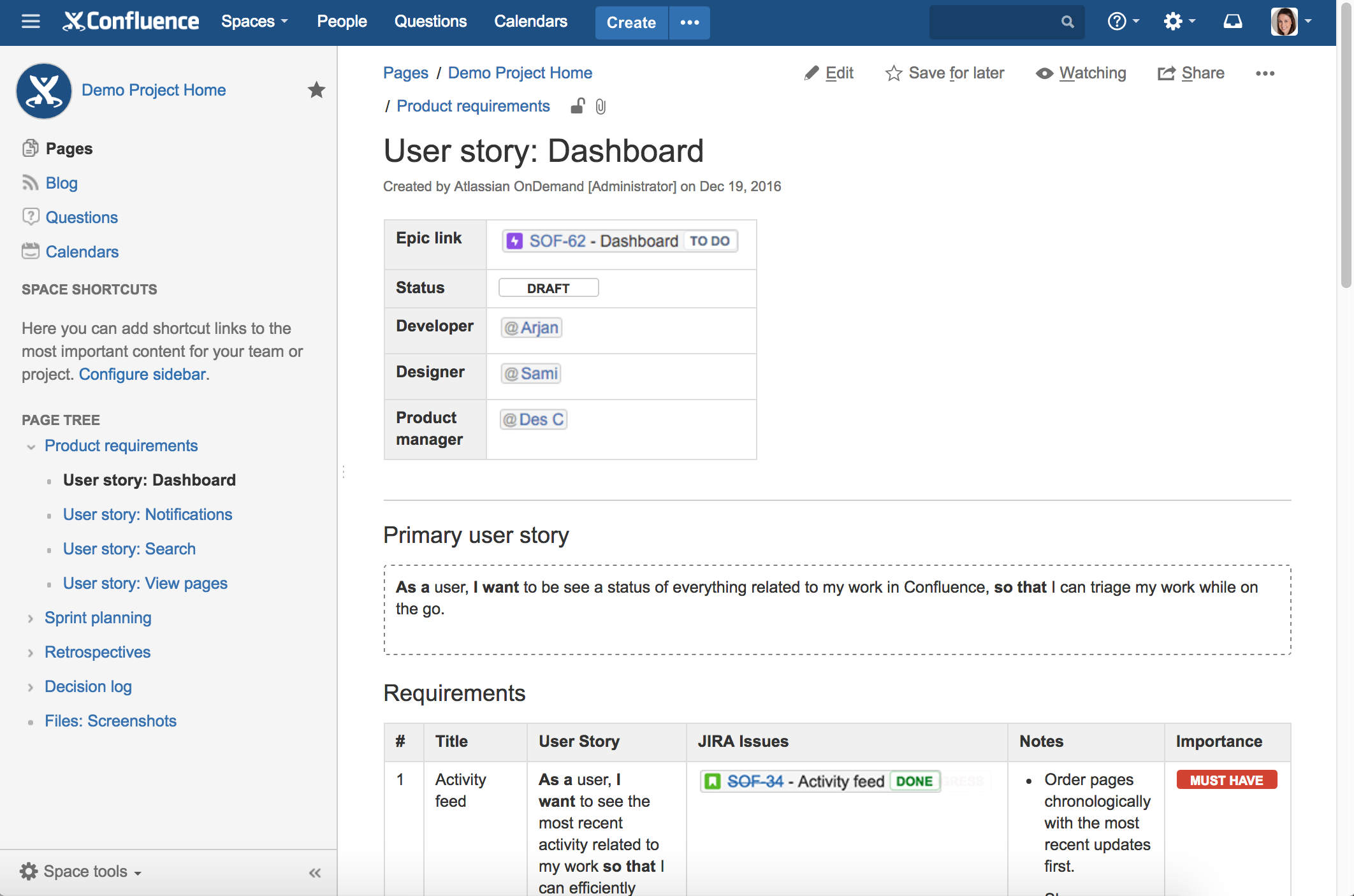
Image Sources: Integrating with Confluence
In Sanplex
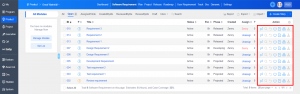
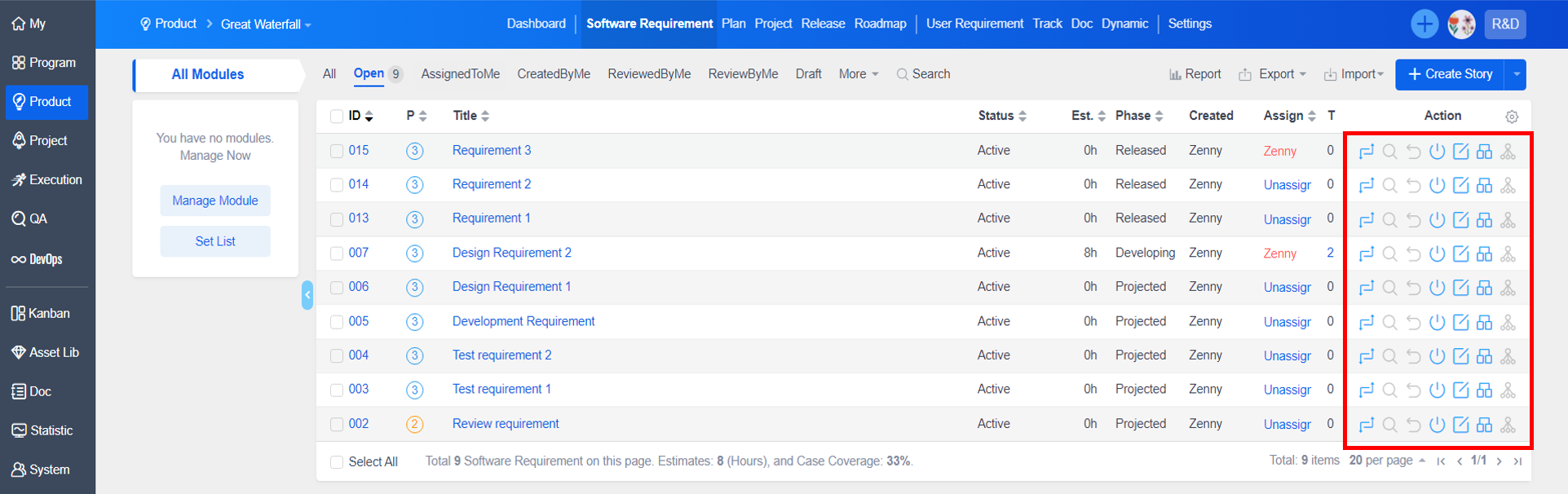
However, Sanplex can directly implement storys management. In the project module, the product team assigns "story tasks" to carry out storys collection, sorting, input and review, etc., to produce the "user stories" of the product, and to record user stories and decompose them into “software storys", Define the detailed functionality of the product. Besides, you can control over changes and visualize the scope of impact of story changes. Remind the person responsible for the affected task, scope of impact, bug, and use case.
2. Best Practices of test management in Sanplex and Jira
In Jira
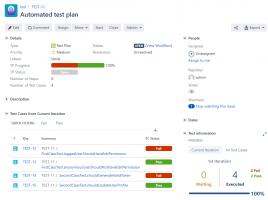
Jira also doesn't have the function of test management, so he also uses third-party test management tools such as: TestFLO. It is a fully-customizable test management solution. You can decide on executing the whole testing process inside one Jira project or store storys separately, if it fits your needs best. The app allows to easily create test case repositories for cross-project testing as well.
There are other tools such as Zephyr Squad, xray, TestFlo, etc.
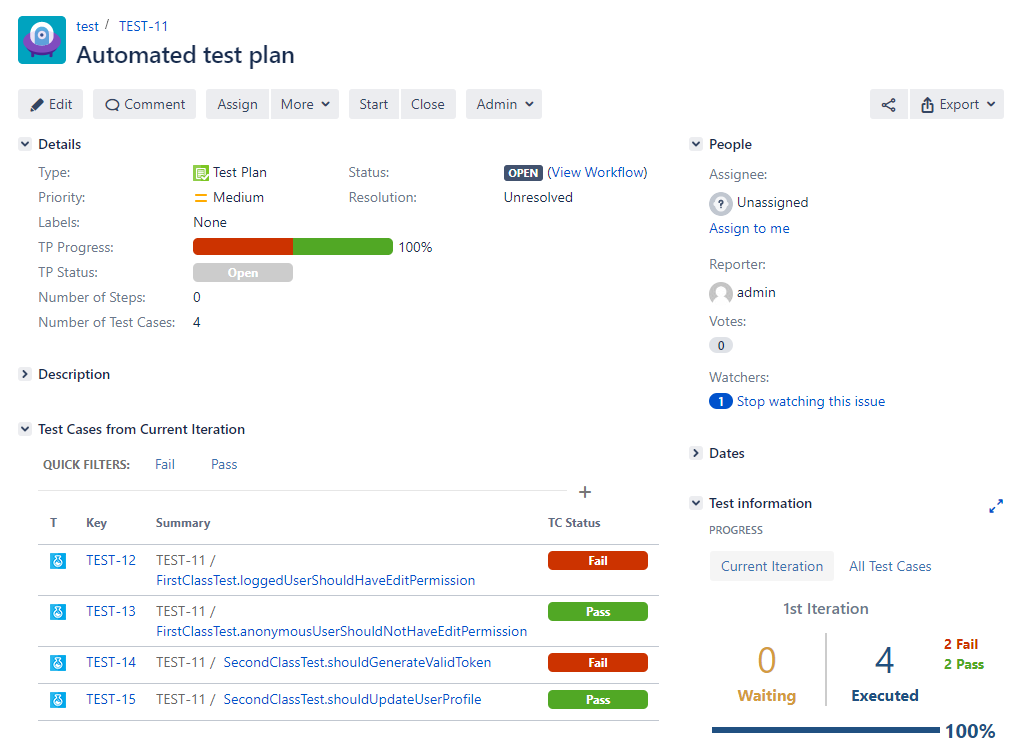
Image Sources: TestFLO - Test Management for Jira
In Sanplex
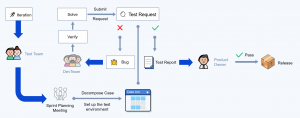
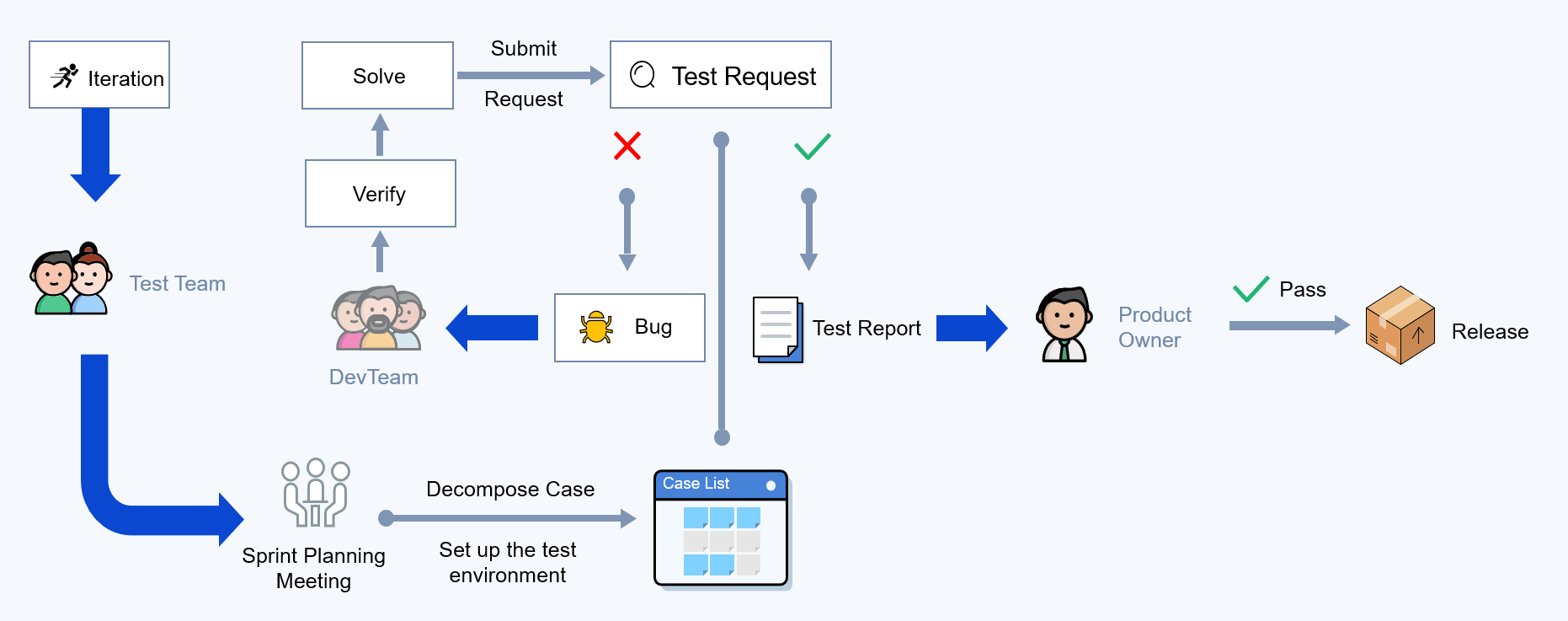
Sanplex has some basic test workflow.
- Case Management
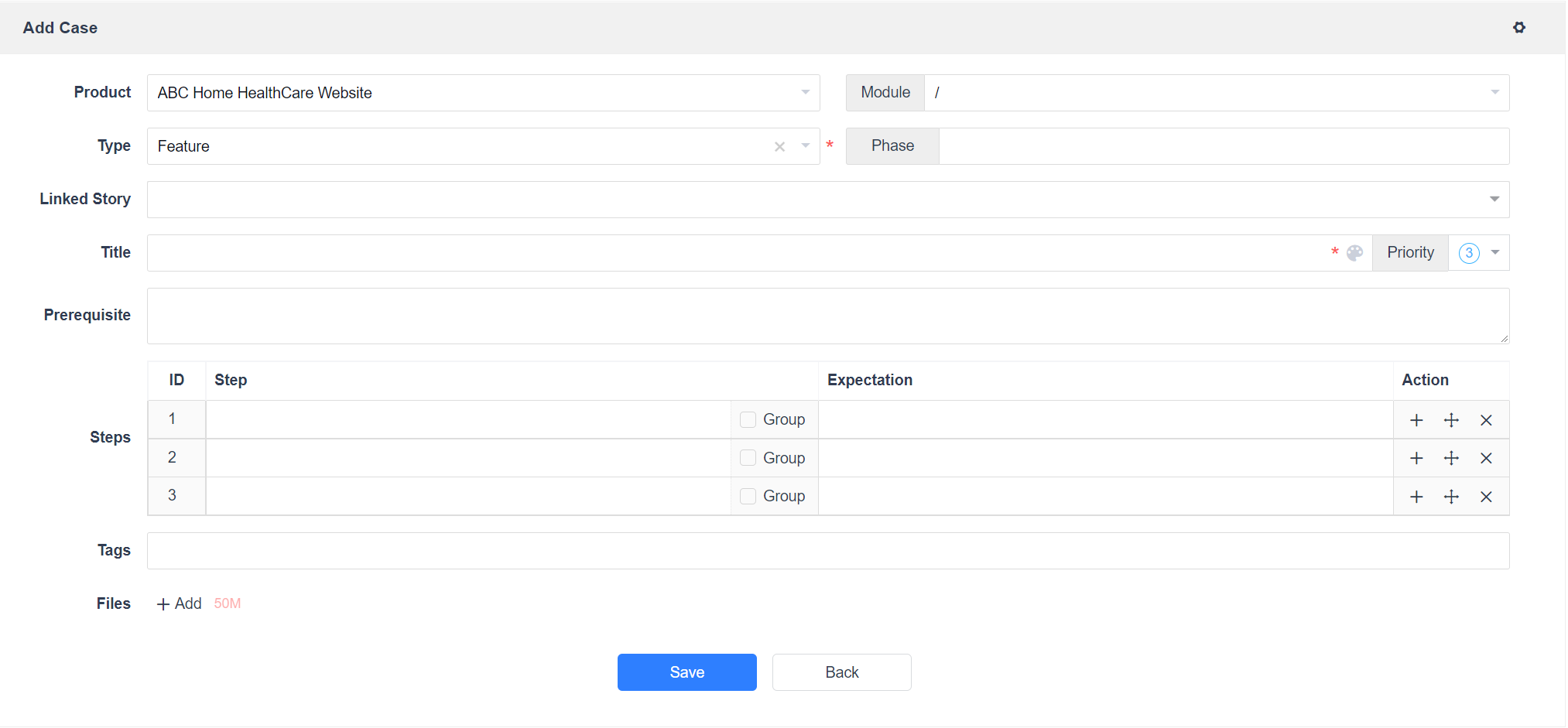
Like the development team, the test team listens to the product manager to explain the storys to ensure that there is no deviation in their understanding of the storys, so as to write corresponding use cases. While the development team is developing tasks, the test team can build a test environment and write use cases.
- Receive Request
After the developers request a test, the test team receives the corresponding request list. Based on the request list information, resources are coordinated to conduct the test.
- Related Case
On the “QA" - “Request" page, click the request waiting to be tested, and relate the corresponding cases according to the test scope.
- Execute case
Test owners can assign cases directly in the “QA- Case” page. Testers execute use cases in the use case list to test whether the required functions are completed and verify whether the bugs are fixed.
- Report Bug
Use case execution failure can generate bugs directly, and operation steps can be optionally synchronized to bugs.
- Verify Bug
For bugs generated during testing, assign them to the development team to confirm and fix. For the fixed bugs, the testing team needs to verify them. If there is no problem with the verification, the bug will be closed; if the verification is not completed, the bug needs to be reactivated.
- Test Report
After the test team finished testing, generate test report and feedback to the development team.