Guest login can be set in ZenTao. Other users from the company or clients can have access to ZenTao without login to track projects. Now, let’s how to set guest login.
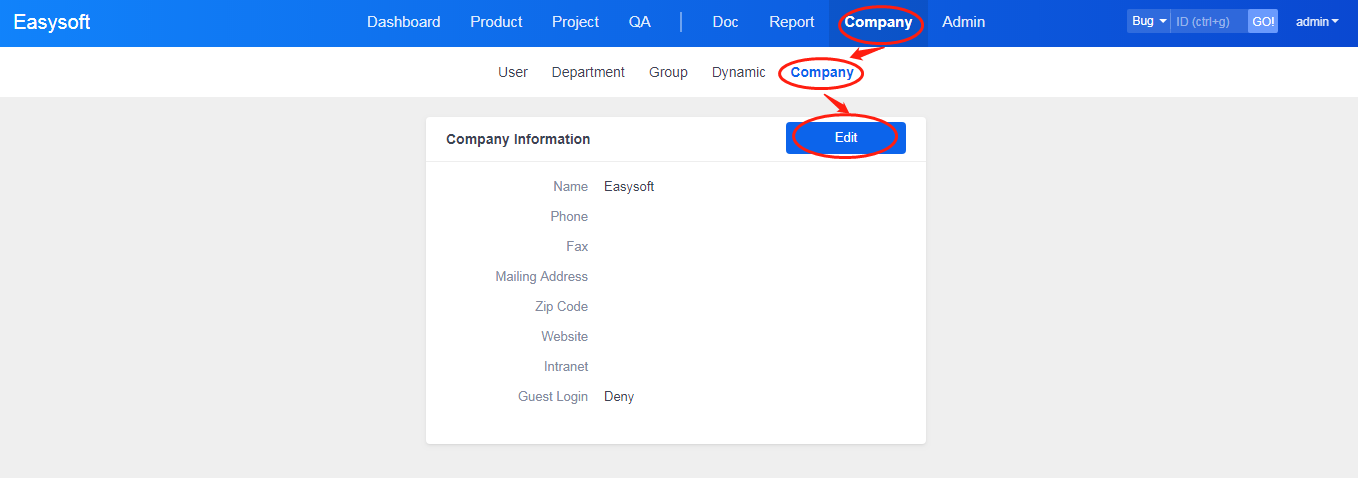
1. Go to Company->Company and click Edit.
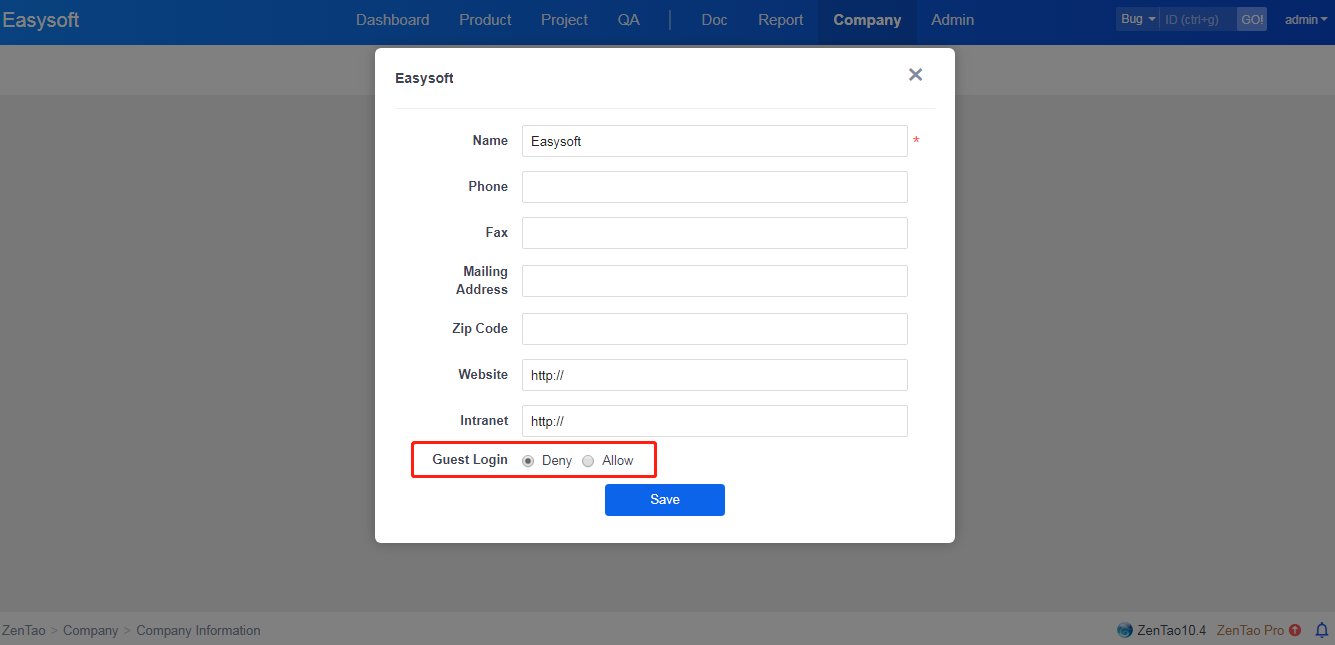
2. Check On to turn on Guest Login.
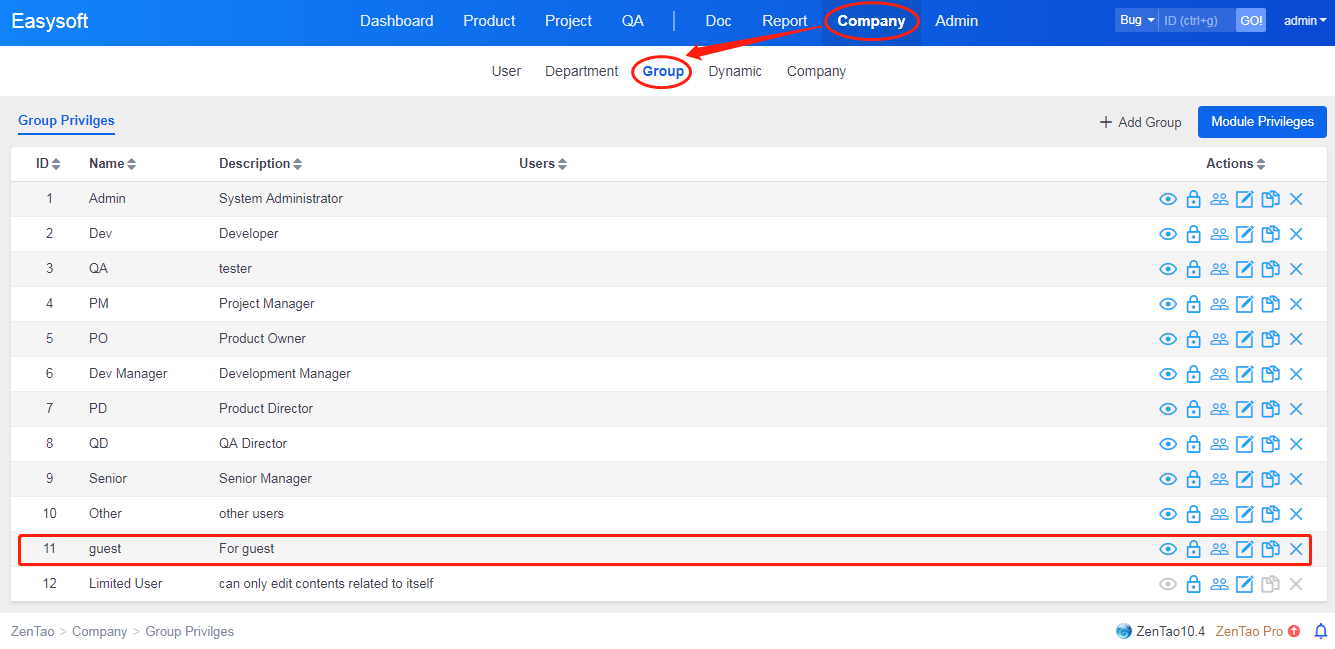
3. Go to Company->Group and you will see a group of guests has been created. Assign privilege as Read Only.