Catalog
The Document Dashboard provides an overview of document activity and commonly used document information. The dashboard includes blocks such as Statistics, Recents, My Collection, Created by Me, Recently Updated, Project Document, Most Viewed, and Top Collection.
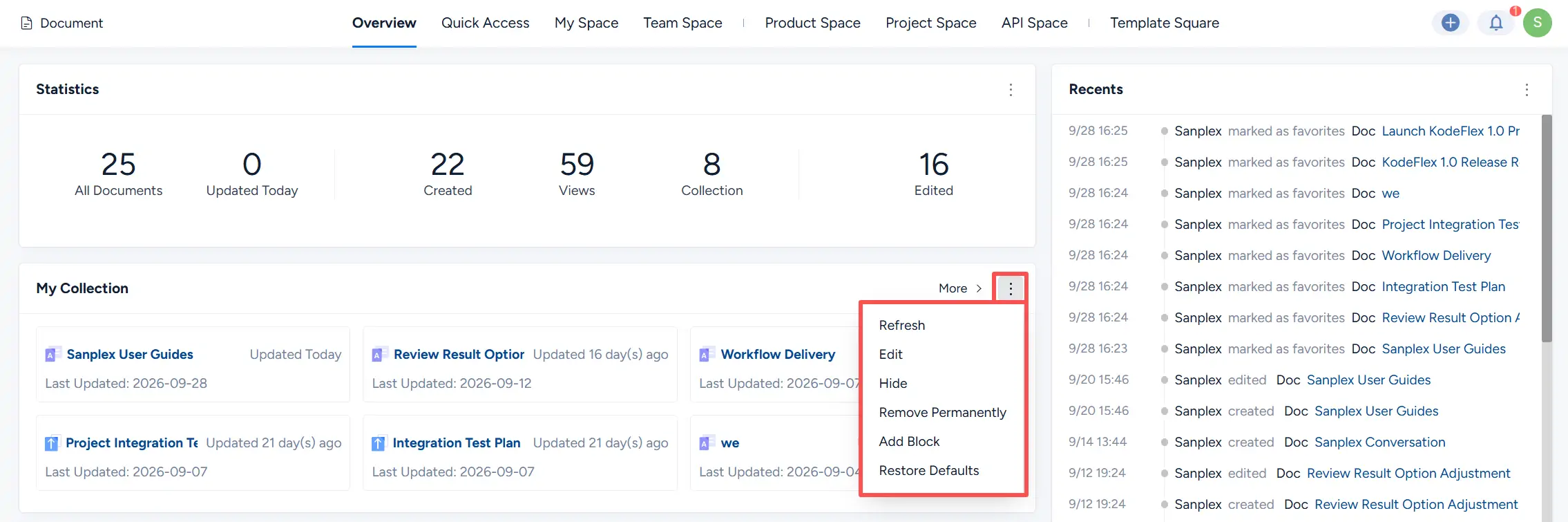
You can also customize the dashboard by refreshing, editing, hiding, adding, or restoring blocks.
I. Assign Permissions
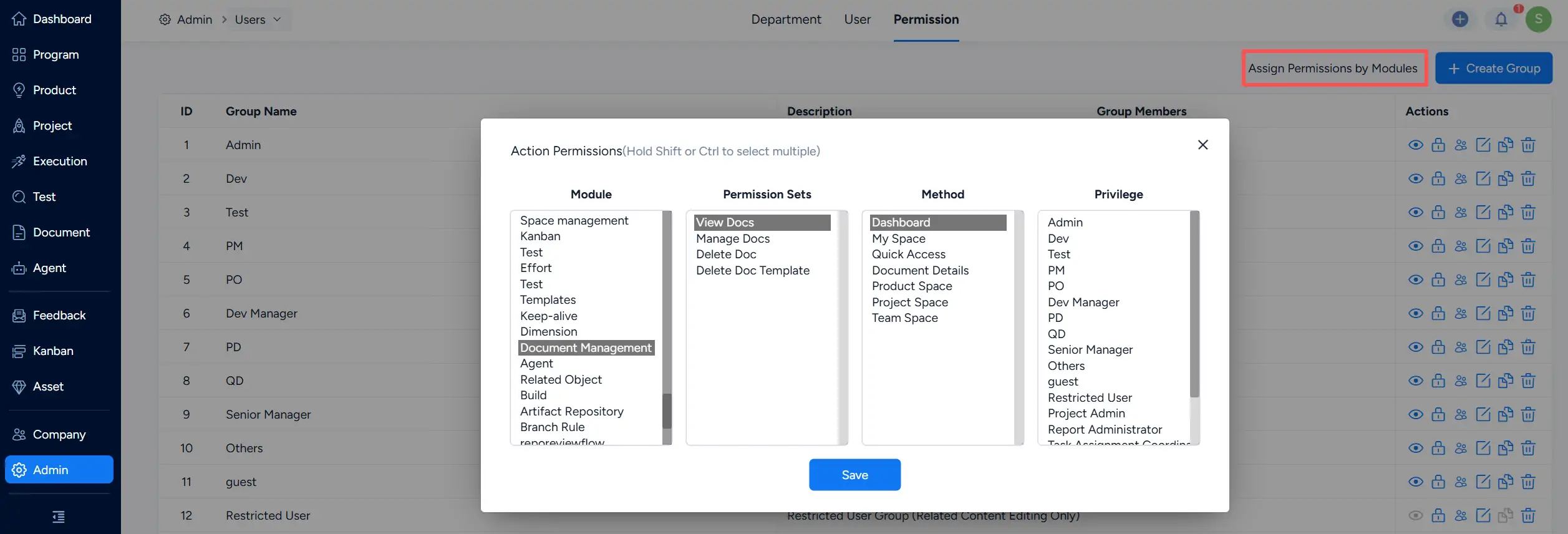
Dashboard-related permissions can be configured under Admin > Users > Permission.
Click Assign Permissions by Modules, select Document Management, and configure the applicable permission sets, methods, and privileges based on your organization’s needs. Click Save to apply the settings.
II. Dashboard Blocks
1. Statistics
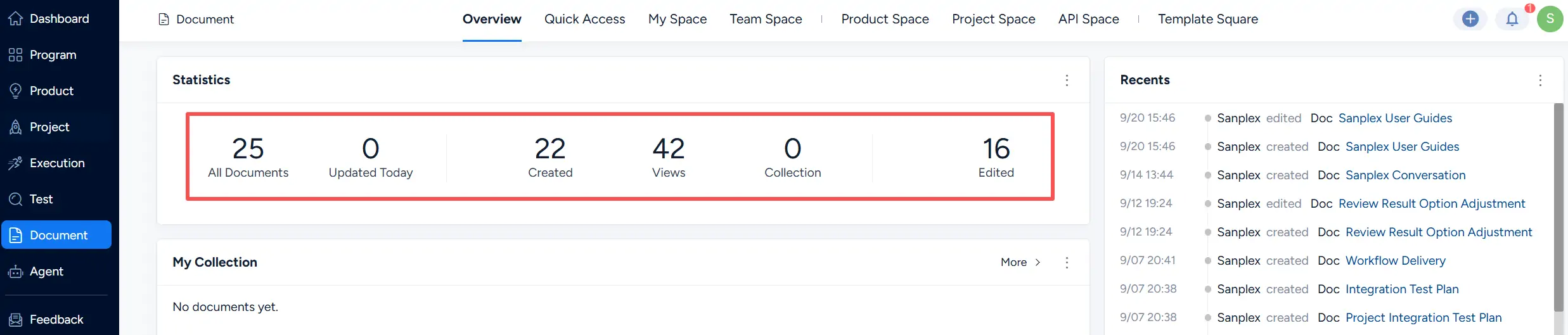
The Statistics block displays key document metrics, including:
- All Documents
- Updated Today
- Created
- Views
- Collection
- Edited
These metrics provide a quick overview of document volume and activity.
2. Recents
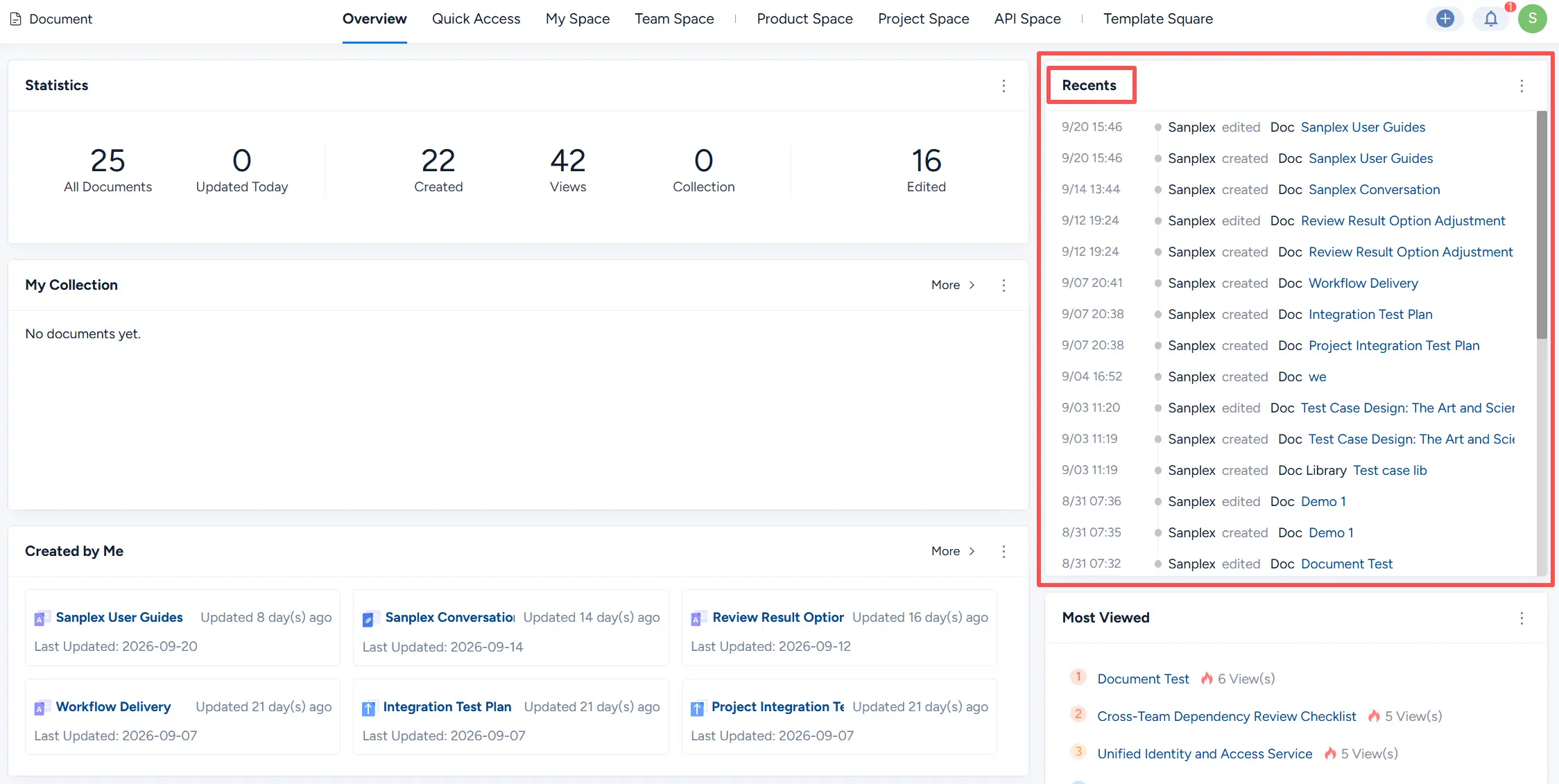
The Recents block displays recent document activity in chronological order. Each entry shows the activity time, user, action, and document name.
The activity list can include actions such as creating, editing, and marking documents as favorites.
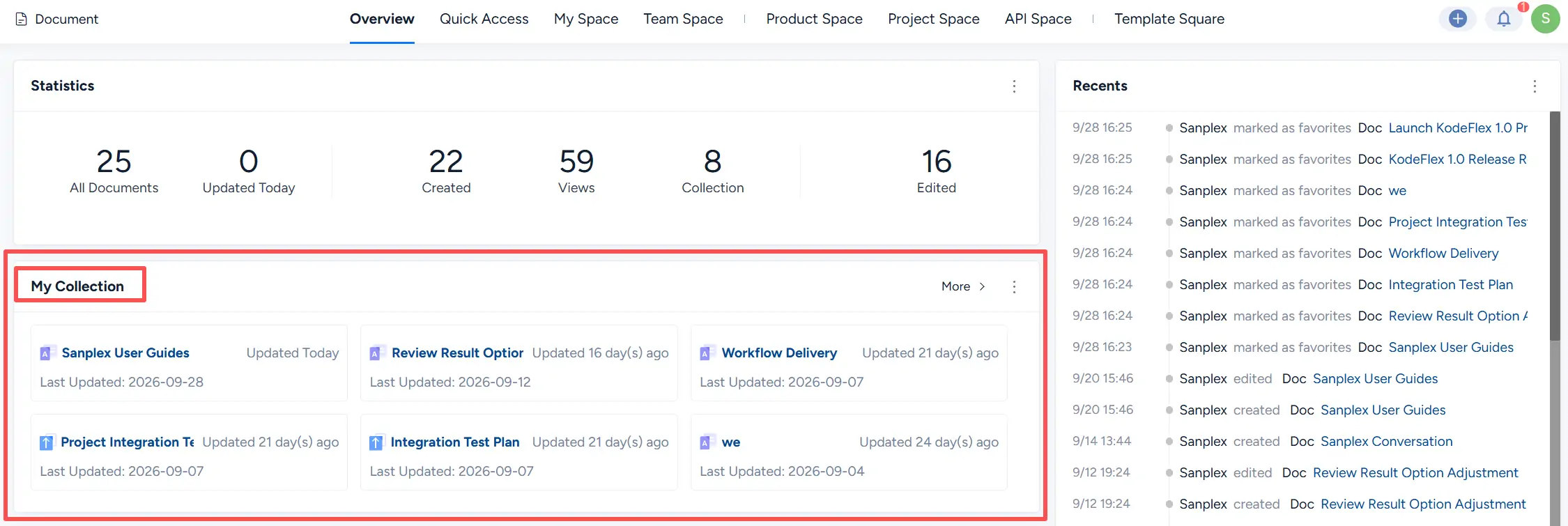
3. My Collection
The My Collection block displays documents that you have marked as favorites. Each card shows the document title and its latest update information.
Click More to view additional collected documents.
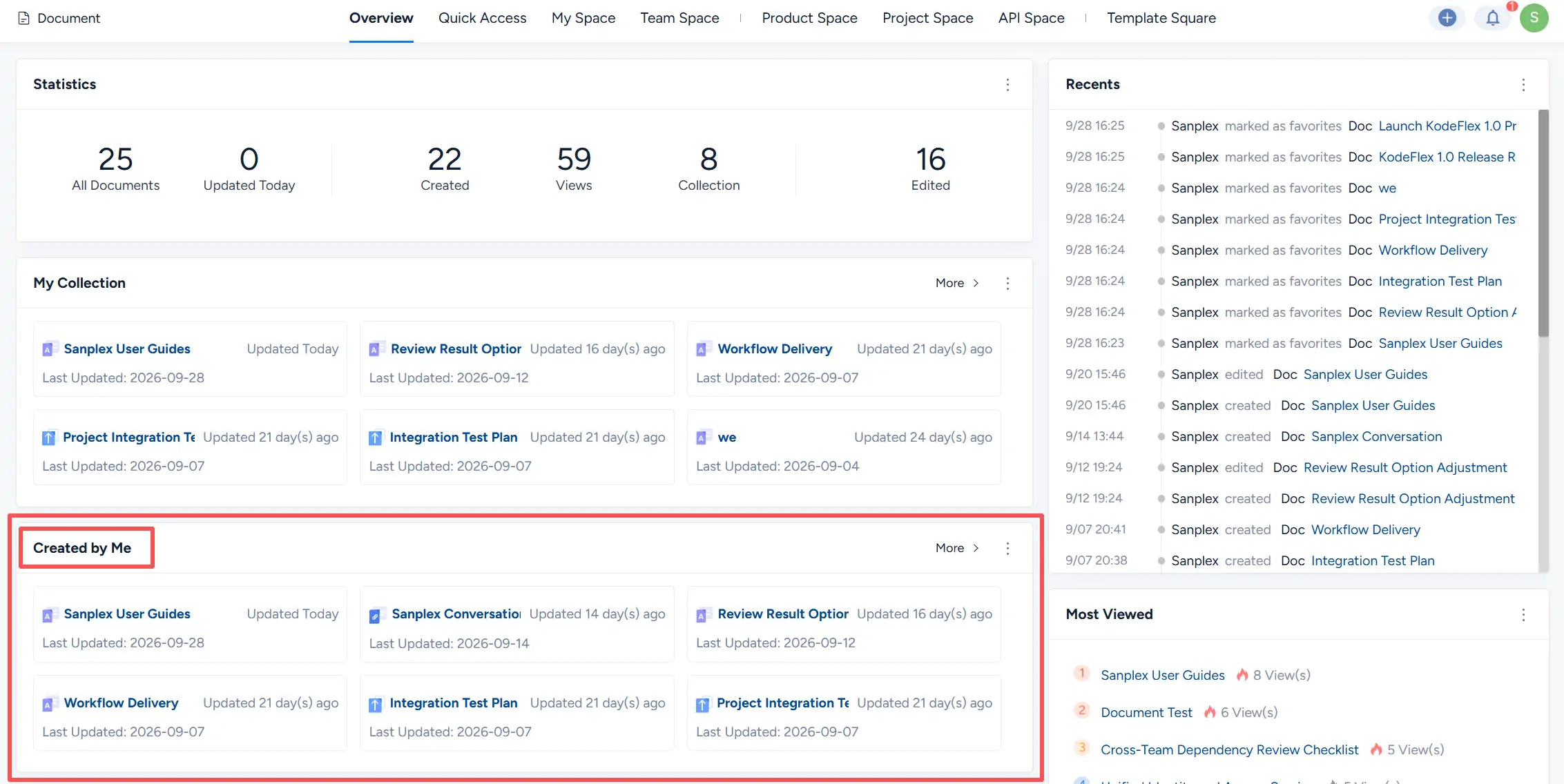
4. Created by Me
The Created by Me block displays documents created by the current user. Each document card shows the document title and latest update information.
This block provides quick access to documents you have created.
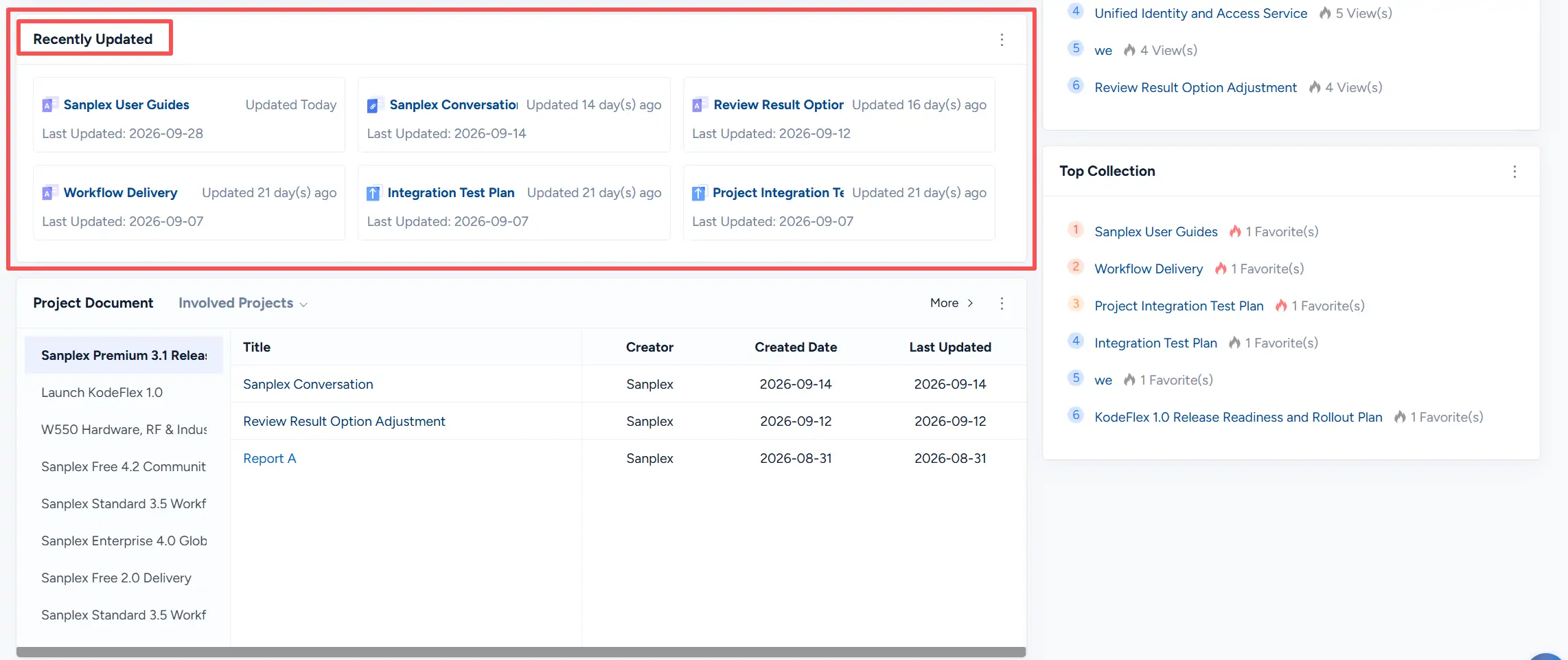
5. Recently Updated
The Recently Updated block displays recently modified documents and their latest update dates.
This block helps you quickly identify documents with recent changes.
6. Project Documents
The Project Document block displays documents associated with projects in which you are involved.
Select a project from the list on the left to view its documents. The document list displays information such as Title, Creator, Created Date, and Last Updated.
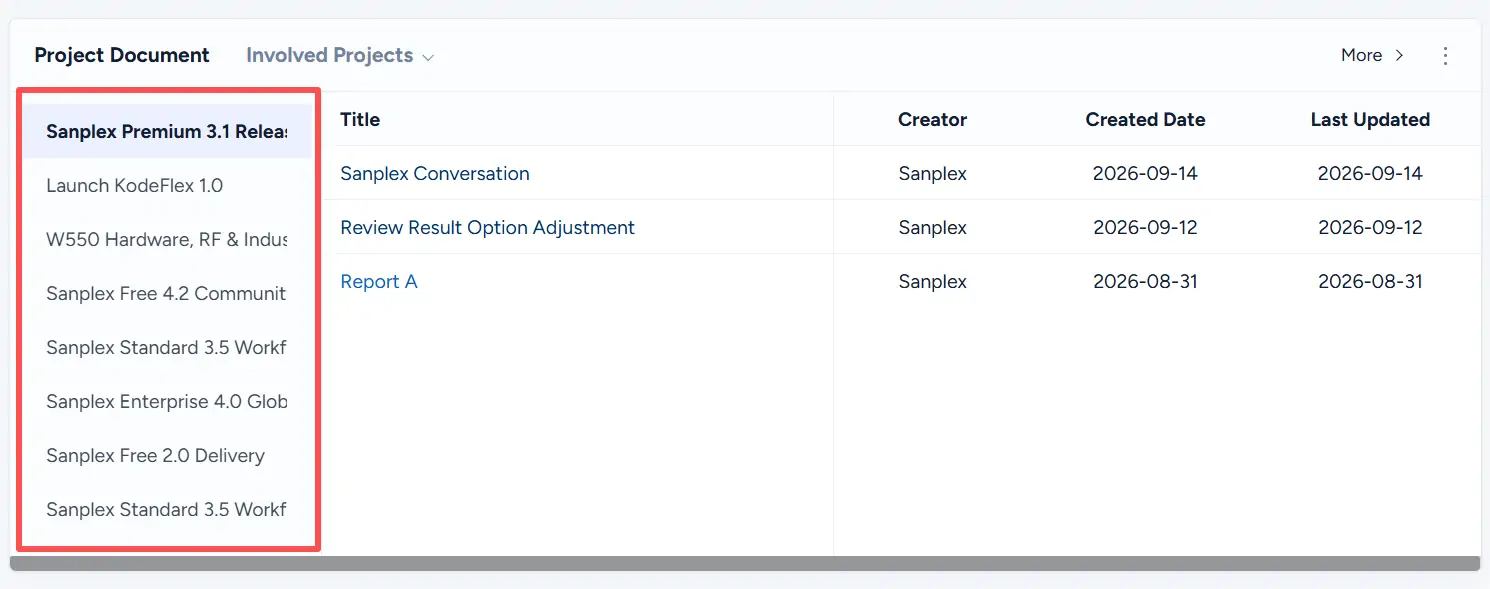
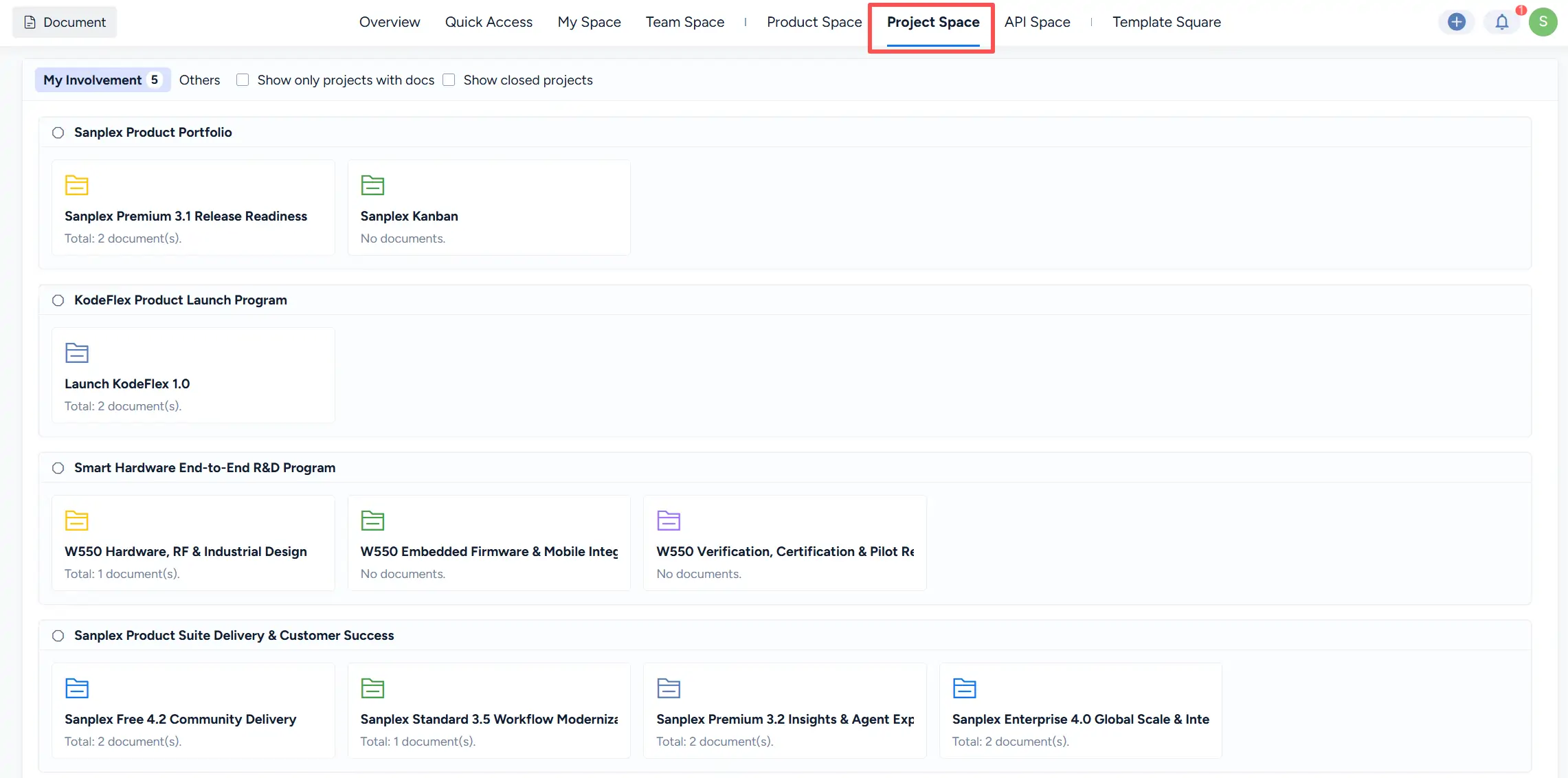
Click More to open Project Space, where projects and their document counts are displayed by project group.
7. Most Viewed
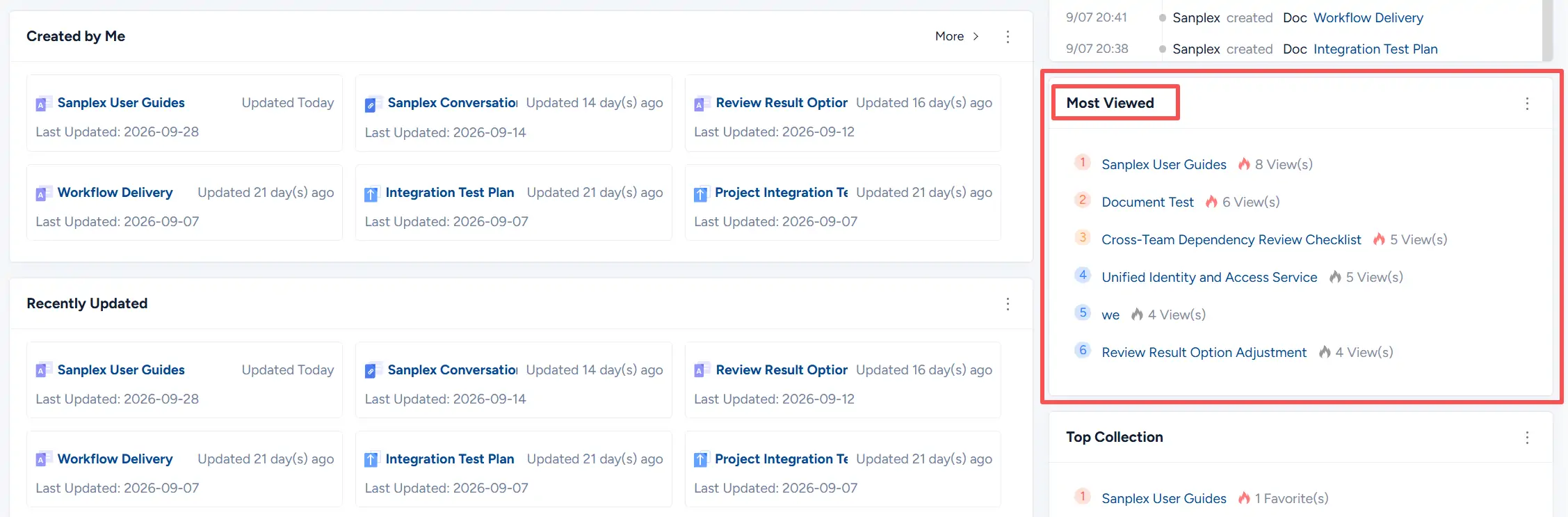
The Most Viewed block ranks documents by view count. It displays up to six documents together with the number of views for each document.
8. Top Collection
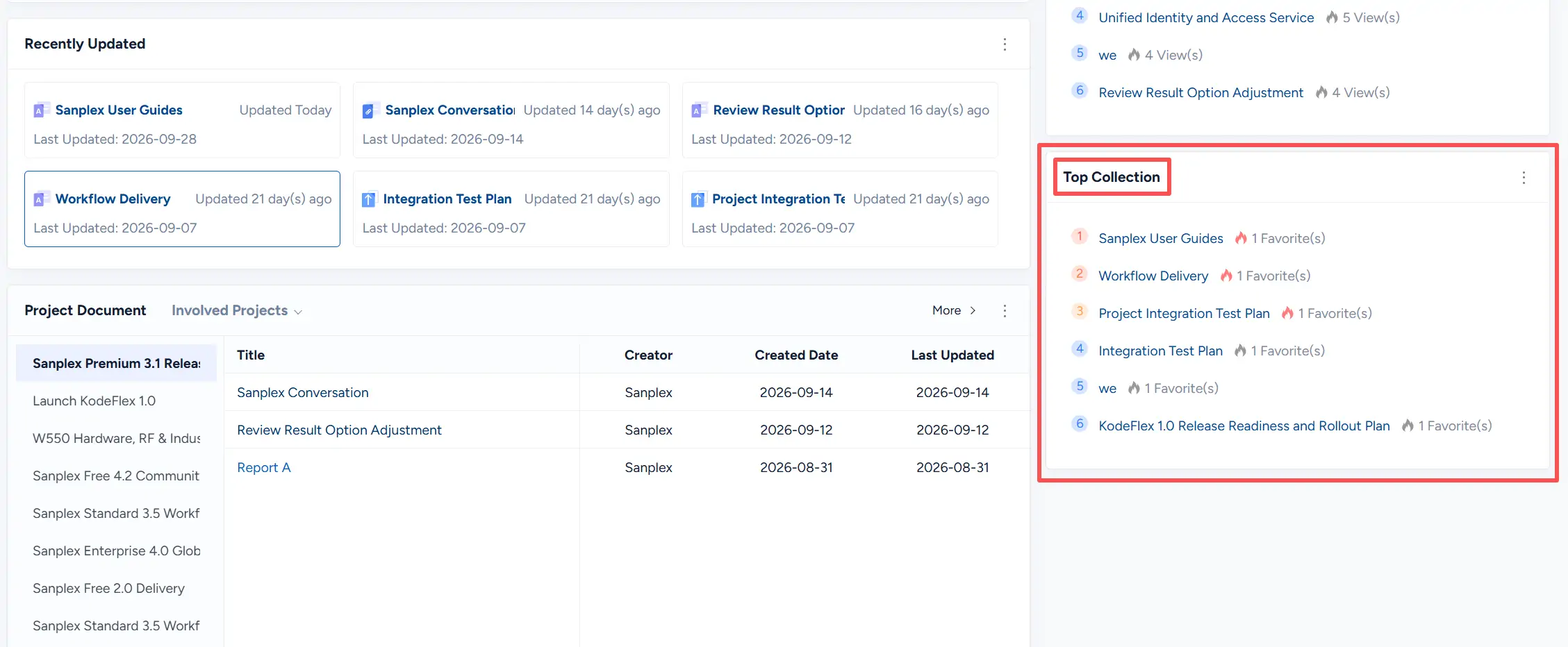
The Top Collection block ranks documents by the number of times they have been marked as favorites.
Each entry displays the document title and its number of favorites.
9. Common Block Actions
Open the More (⋯) menu in a dashboard block to manage the block.
Available actions include:
- Refresh
- Edit
- Hide
- Remove Permanently
- Add Block
- Restore Defaults
These actions allow you to customize the Document Dashboard based on your working preferences.