
Catalog
Story reviews help teams verify new or changed Stories before they move forward in the product lifecycle.
Stories can be saved as Drafts while they are still being refined and submitted for review when they are ready. Reviews are especially useful in the following situations:
- Early ideas can be saved as Drafts and reviewed after the details have been refined.
- Stories identified during development, testing, or customer support can be submitted for review before being incorporated into subsequent work.
- Changes to important Story information, such as the title, description, acceptance criteria, or attachments, can go through the change and review process before becoming effective.
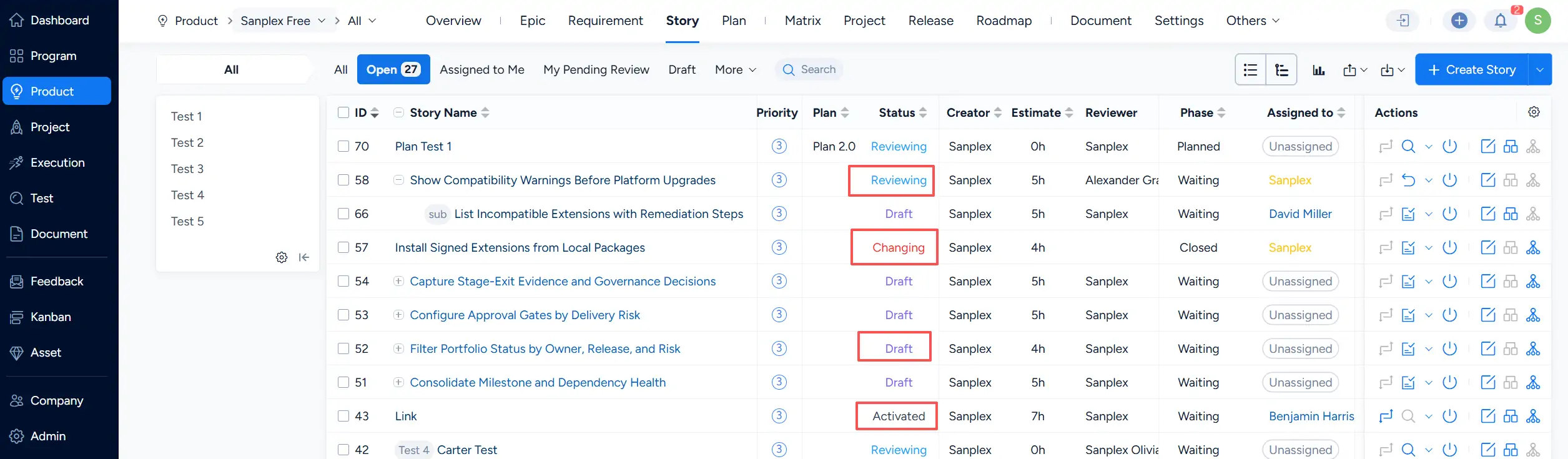
When a Story change is being prepared, its status can be Changing. After the change is submitted for review, the Story enters Reviewing status. The subsequent status is determined by the review result and the configured review rules.
This section explains how to configure and use Story reviews in Sanplex, including review rules, reviewers, Super Reviewers, multi-reviewer workflows, and review recall.
I. Configure Review Rules, Processes, and Results
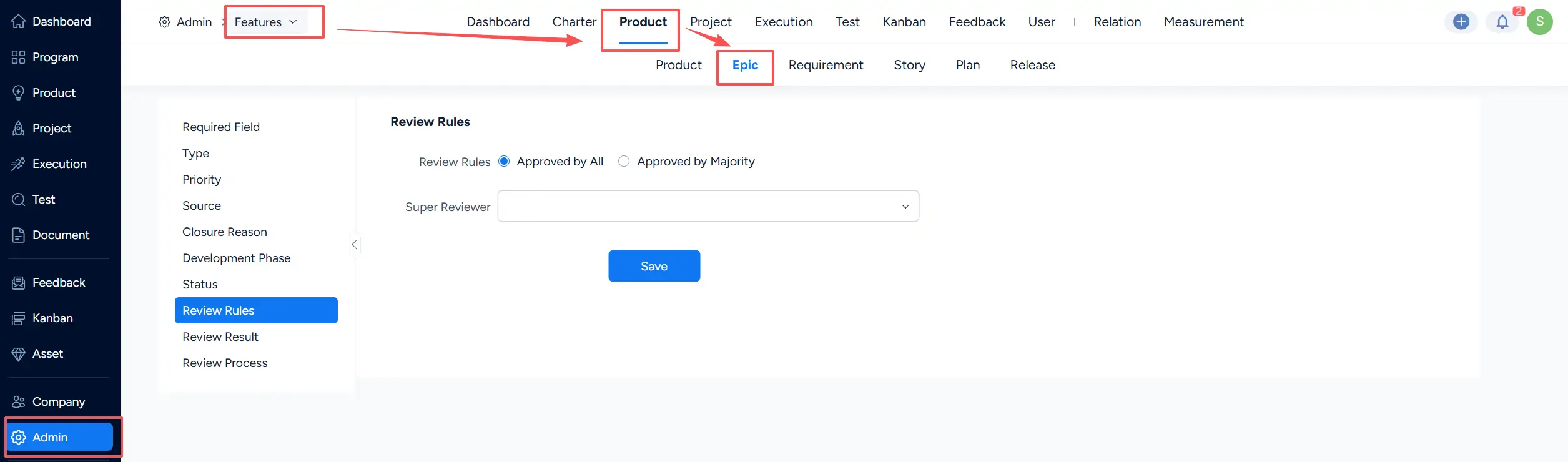
Review settings are maintained under Admin > Features > Product. Sanplex provides separate configuration areas for Epic, Feature, and Story, allowing review behavior to be configured for the corresponding story level.
Select the required level and use Review Rules, Review Result, and Review Process to configure its review behavior.
1. Review Rules
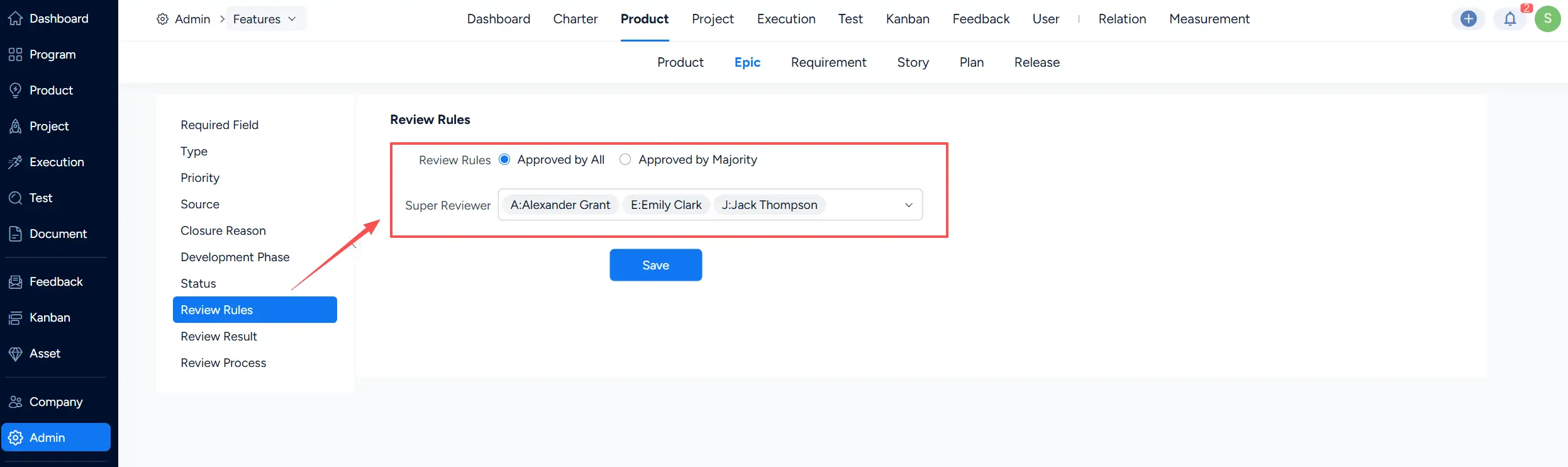
Under Review Rules, you can select the rule used to determine whether a multi-reviewer review passes. You can also configure one or more Super Reviewers.
2. Review Results
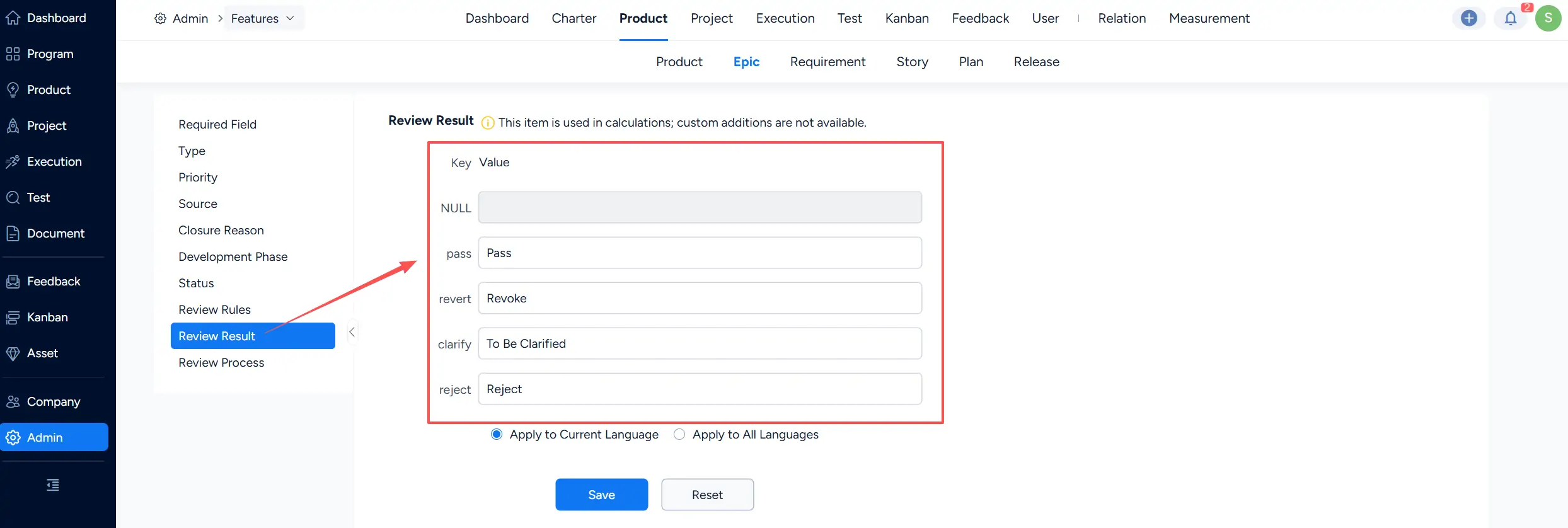
Under Review Result, you can maintain the displayed values for the predefined review results used by Sanplex.
These results include Pass, Revoke, To Be Clarified, and Reject. Because the corresponding keys are used in system calculations, the existing result values can be adjusted while their underlying result types remain fixed.
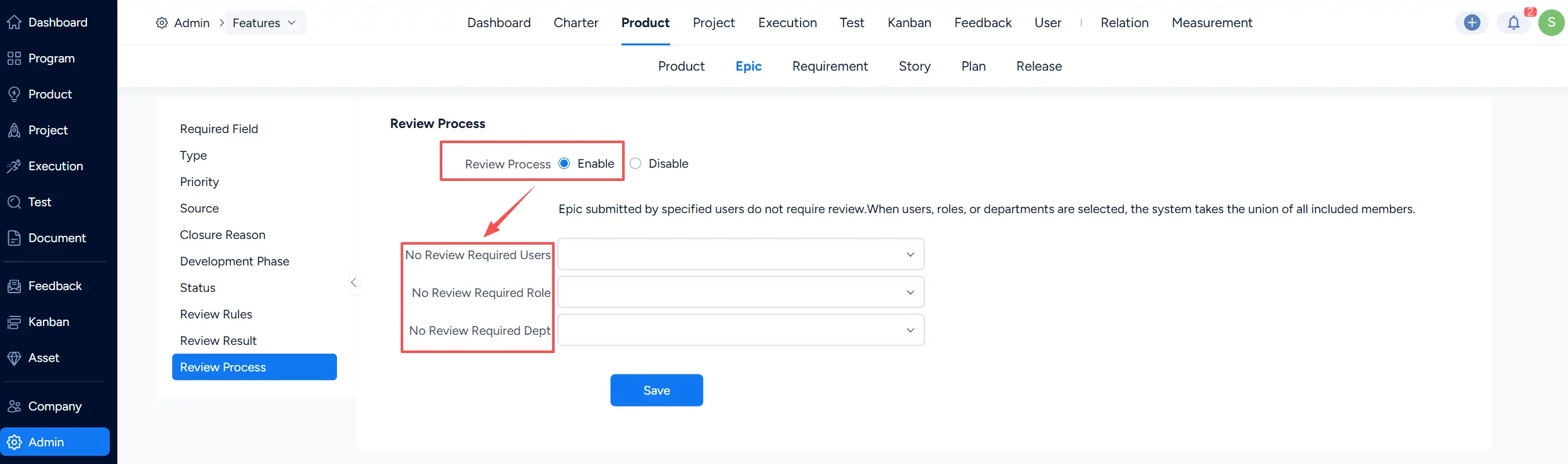
3. Review Process
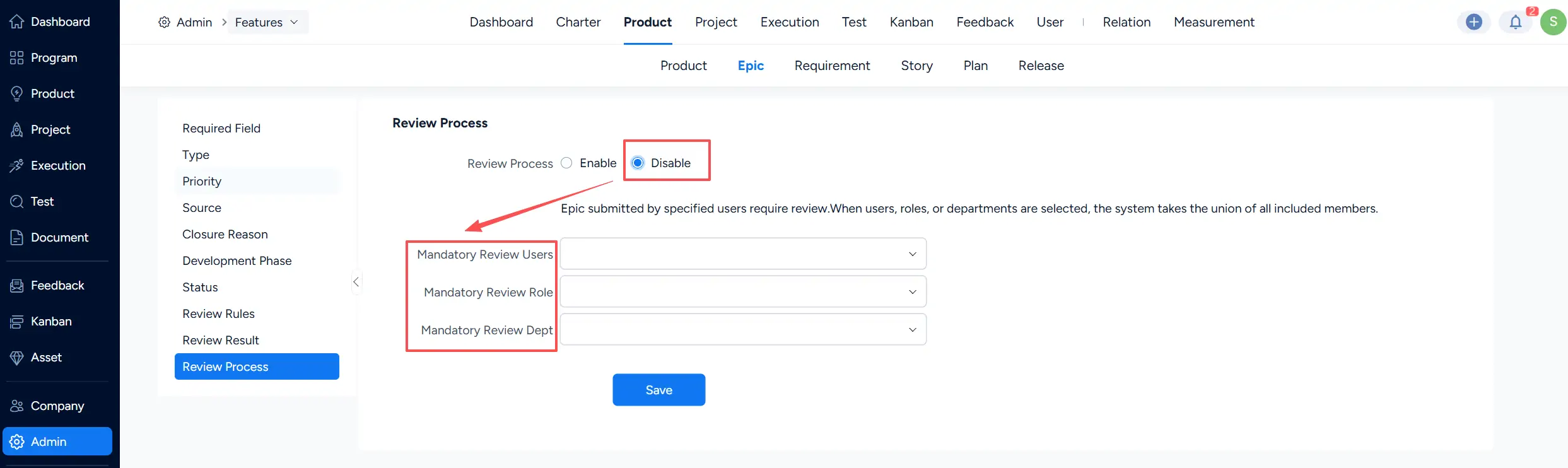
The Review Process setting determines how review requirements are applied.
When the Review Process is enabled, you can specify No Review Required Users, No Review Required Roles, and No Review Required Departments. Stories submitted by the specified users are not required to enter the standard review workflow.
When the Review Process is disabled, you can specify Mandatory Review Users, Mandatory Review Roles, and Mandatory Review Departments. Stories submitted by members included in these settings still require review.
II. Story Reviewers
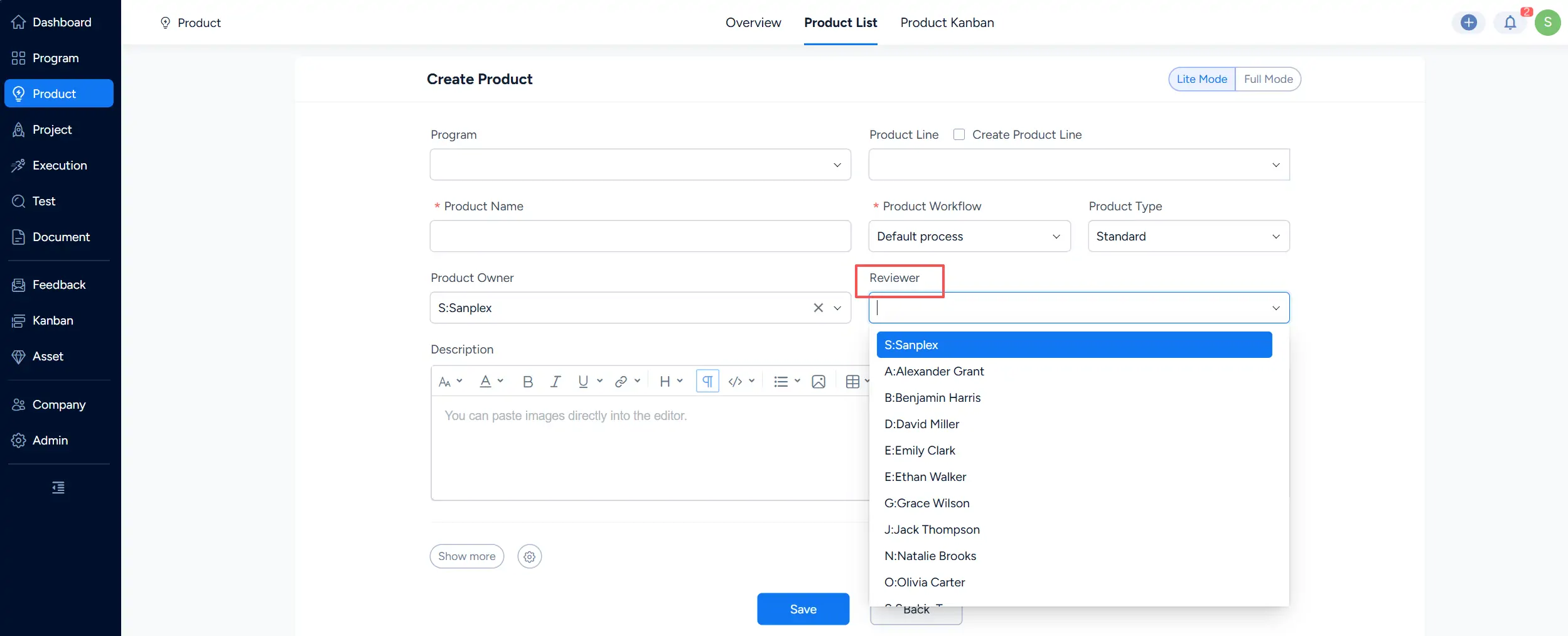
When creating or editing a Product, you can configure one or more default Reviewers for that Product.
These reviewers are used as the default reviewer options when Stories under the Product are created or changed and require review.
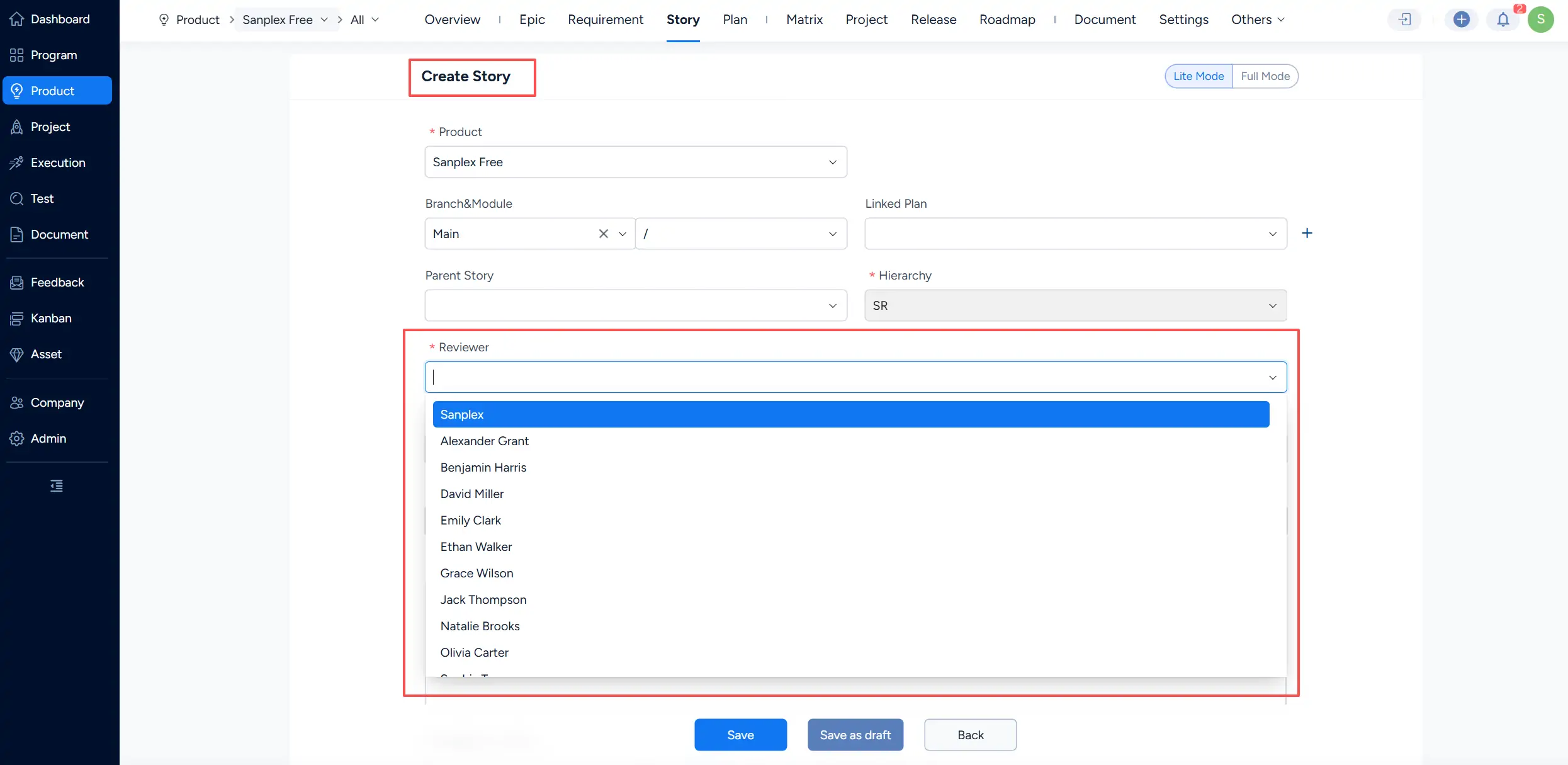
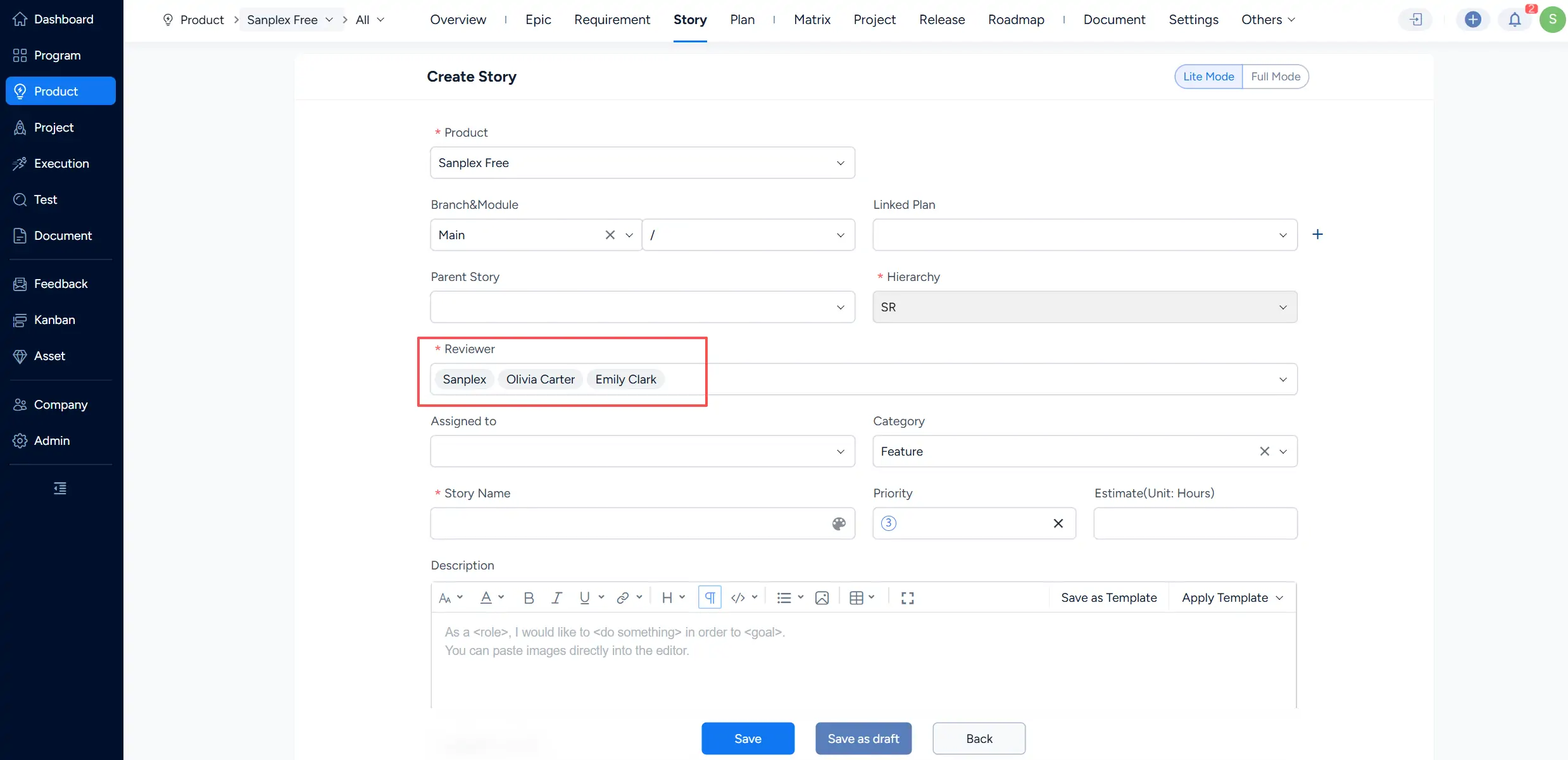
When creating a Story, the Reviewer field allows the applicable reviewers to be selected. Multiple reviewers can be assigned to the same Story.
When Product reviewers have been configured, they are used as the reviewer options for Stories under that Product. If no default Product reviewers are specified, reviewers can be selected from the available users who have access to the Product.
III. Super Reviewers for Stories
Super Reviewers can be configured under Admin > Features > Product > Epic / Feature / Story > Review Rules.
Multiple Super Reviewers can be selected.
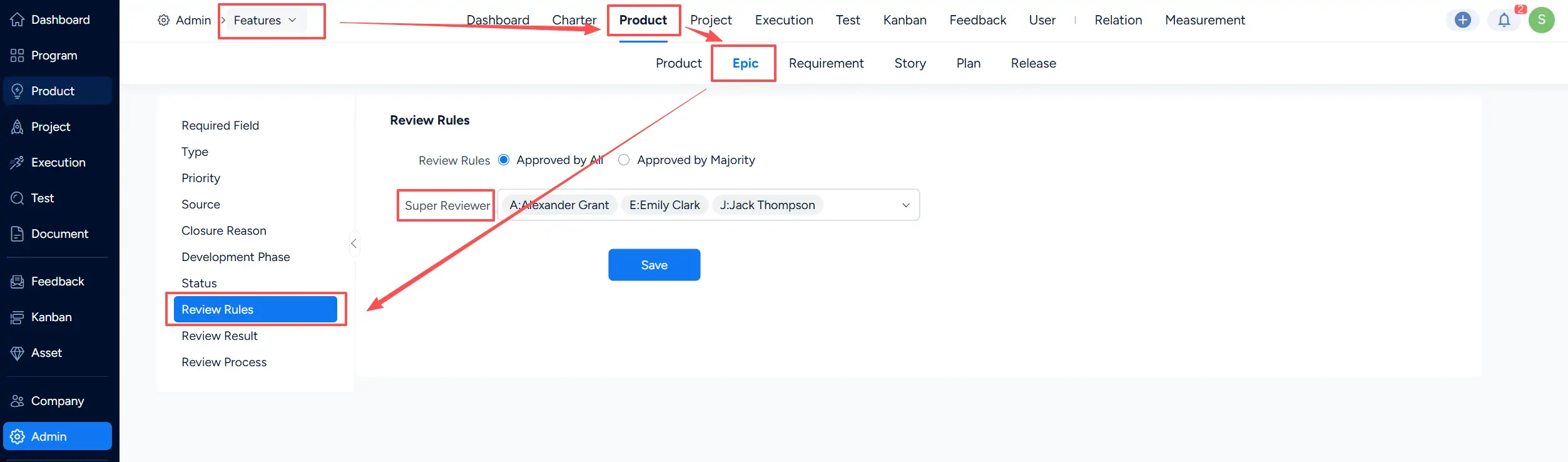
A Super Reviewer can provide a decisive result for the current review round independently of the standard multi-reviewer approval rule.
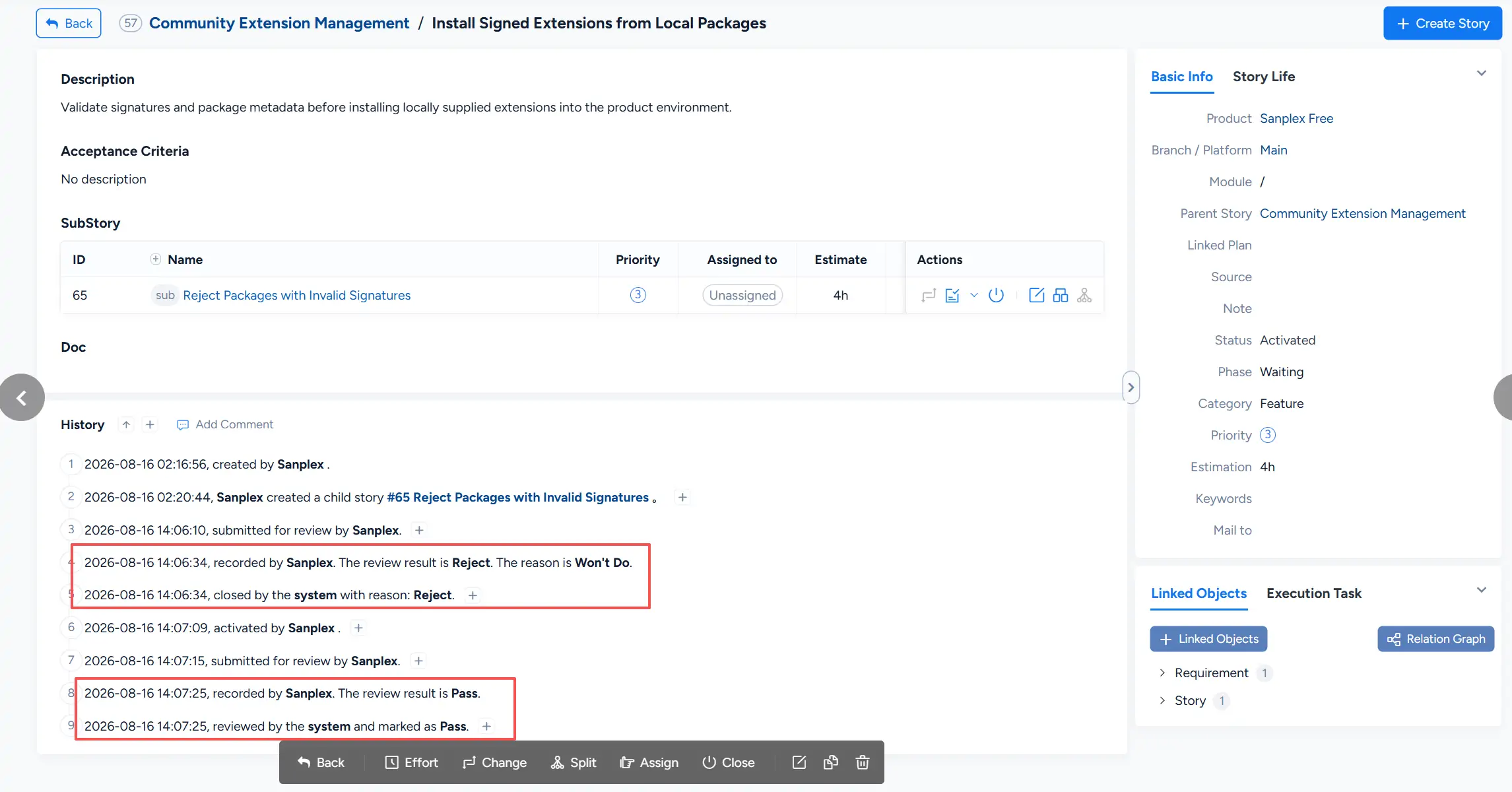
For example, a Story may first receive a Reject result and later receive a Pass result from an authorized Super Reviewer. The final review result for the current round is updated accordingly.
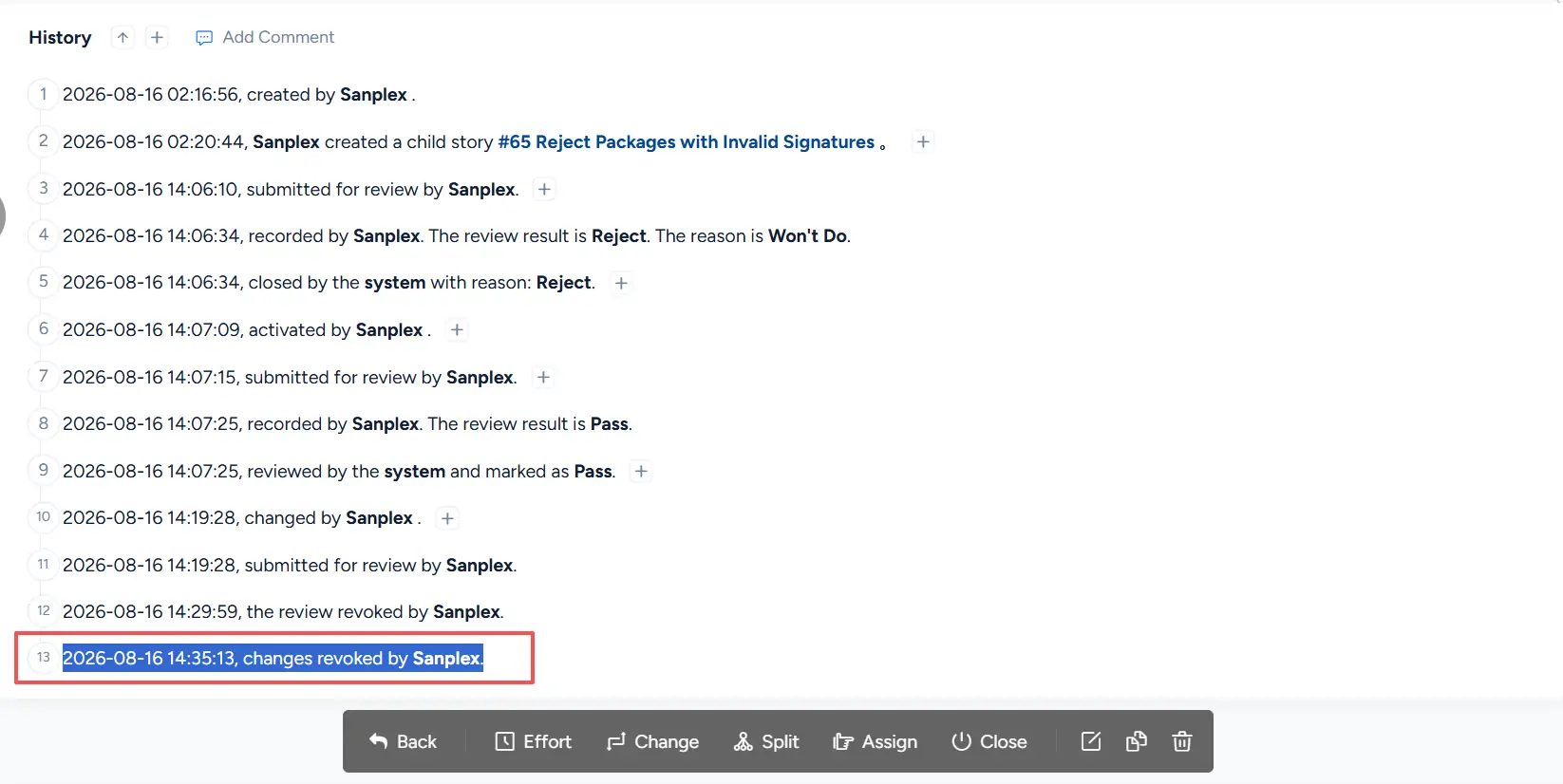
Review activities and results are recorded in the Story history, making the review process traceable.
IV. Multi-Reviewer Story Reviews
Sanplex allows multiple reviewers to participate in the same Story review. The final result is calculated according to the configured Review Rules and the review results submitted by the reviewers.
1. Configure Review Rules
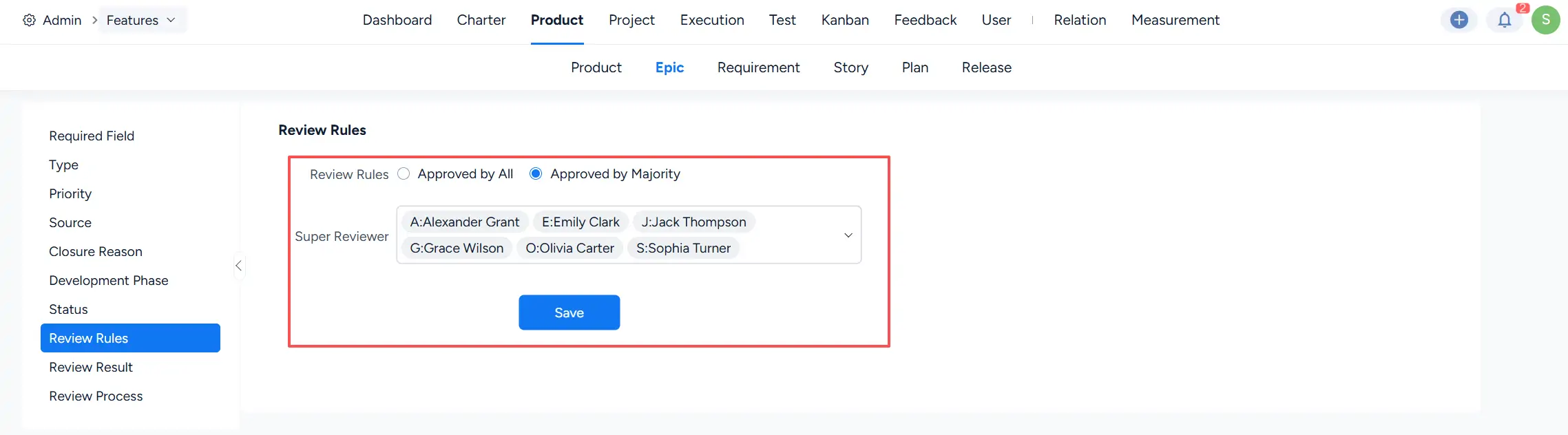
Under Admin > Features > Product > Epic / Feature / Story > Review Rules, two approval rules are available:
- Approved by All: the Story passes only when all required reviewers approve it.
- Approved by Majority: the Story passes when more than half of the reviewers approve it.
2. Multi-Reviewer Review When Creating Stories
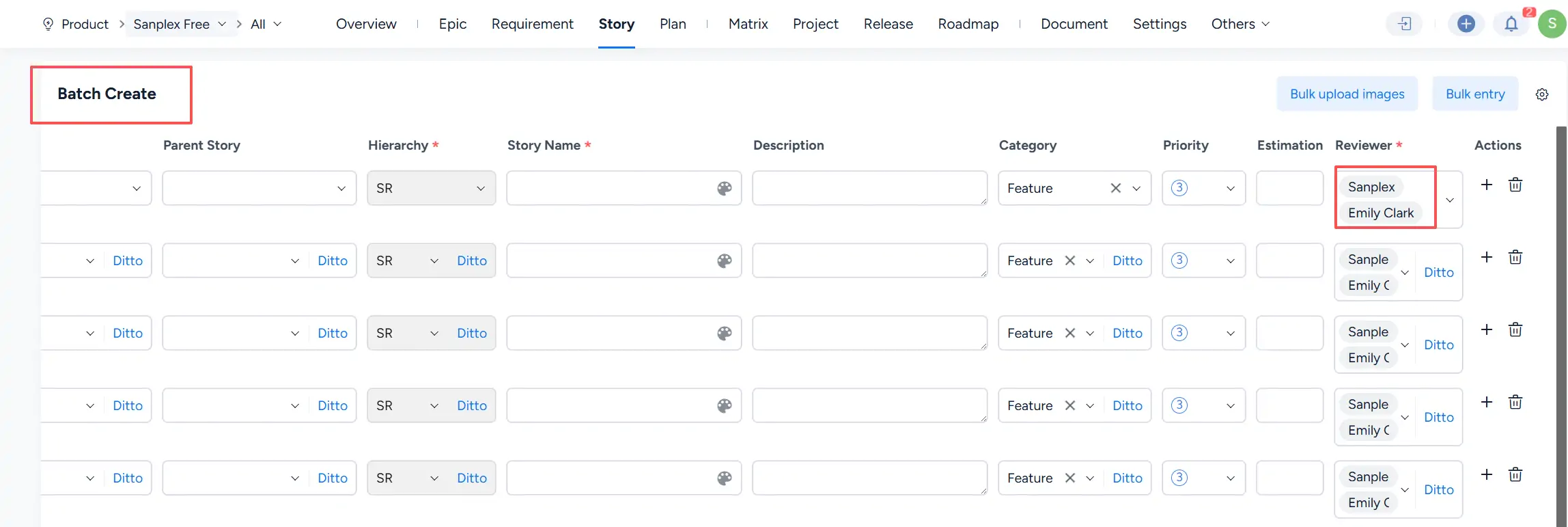
When creating a single Story, you can select multiple reviewers in the Reviewer field.
Multiple reviewers can also be specified when creating Stories in batch.
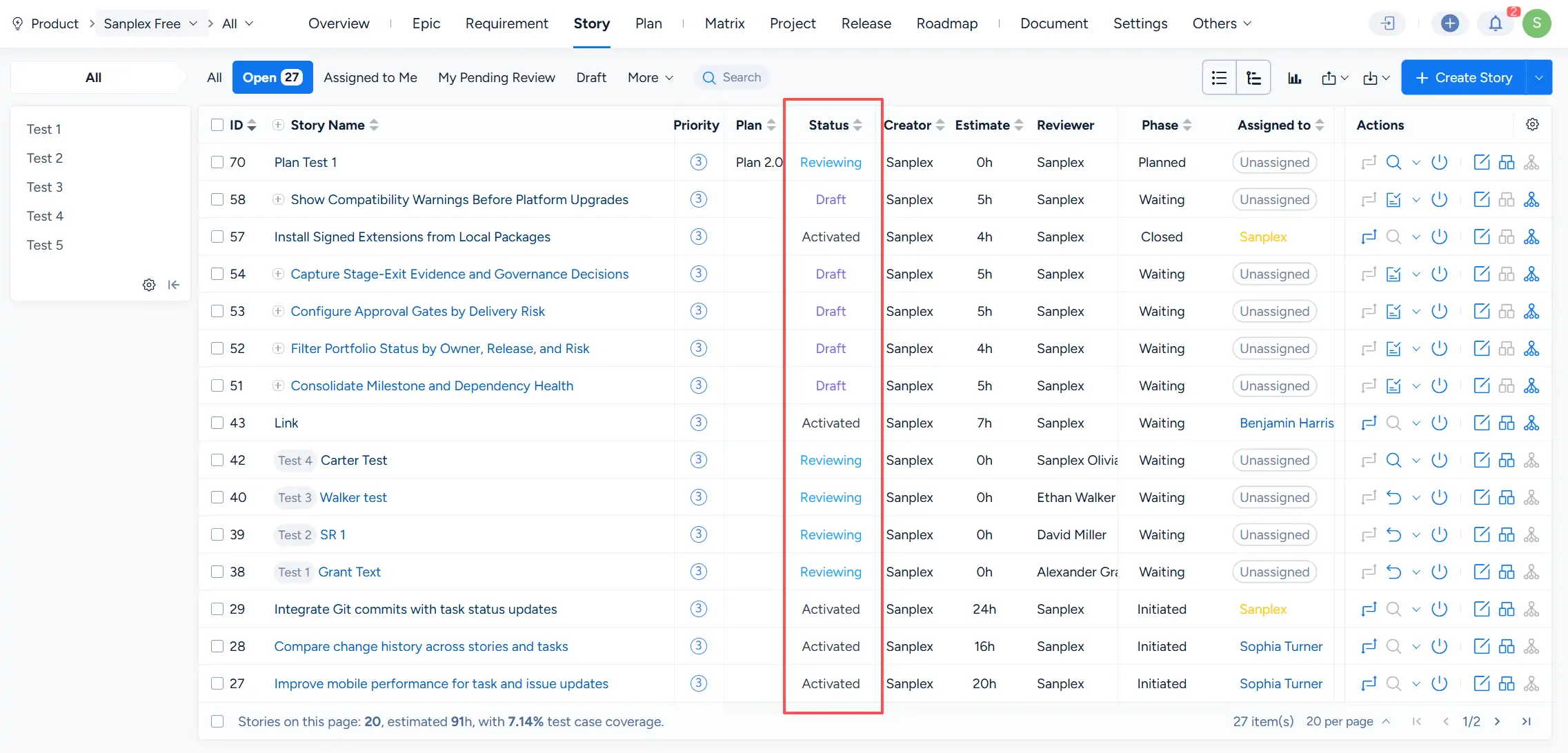
The review workflow follows the Story's current state:
- Click Save as Draft to save the Story in Draft status.
- Submit the Story for review to move it to Reviewing status.
- After the required reviewers complete their reviews, Sanplex calculates the result according to the configured review rule.
- If the Story passes review, its status becomes Activated.
- If the final result is Reject, the Story is closed.
- If the final result is To Be Clarified, the Story returns to Draft so that it can be revised and submitted again.
3. Multi-Reviewer Review When Changing a Story
Multiple reviewers can also be assigned when a Story is changed.
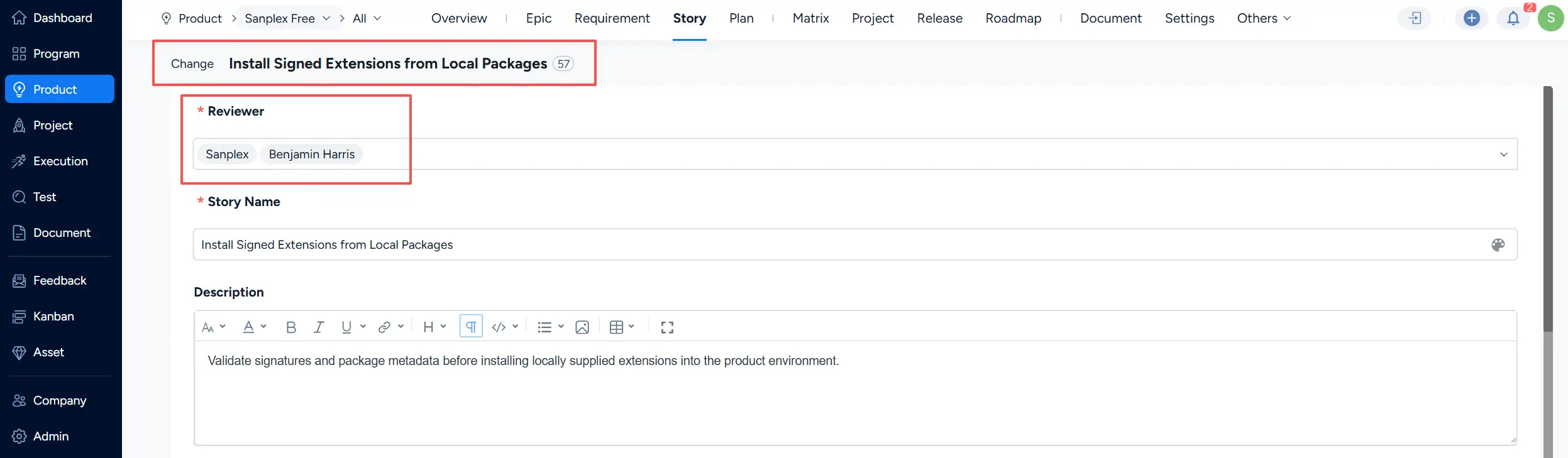
A Story change can be saved while it is being prepared, in which case the Story remains in Changing status. After the change is submitted for review, the status becomes Reviewing.
After the reviewers complete their reviews:
- If the change passes review, the Story returns to Activated status with the approved changes applied.
- If the final result is Revoke, the proposed change is revoked and the Story returns to its previous effective content and Activated status.
- If the final result is To Be Clarified, the Story returns to Changing status so that the change can be revised and submitted again.
V. Recall a Story Review
After a Story has been submitted for review, the review can be recalled when additional changes are needed before reviewers complete the process.
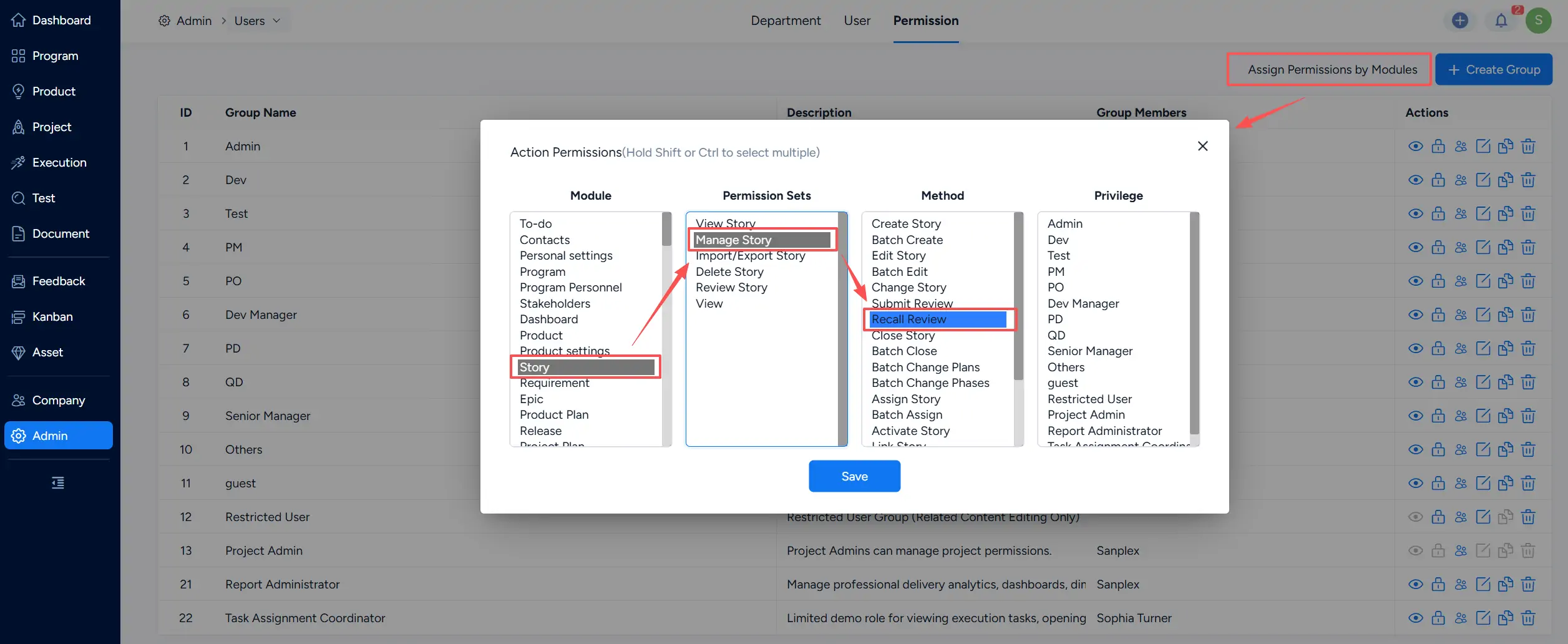
The Recall Review operation is controlled by permissions. To make this action available, configure the corresponding permission under Admin > Users > Permission.
For example, under the Story module, select the appropriate permission set and enable the Recall Review method for the required privilege groups.
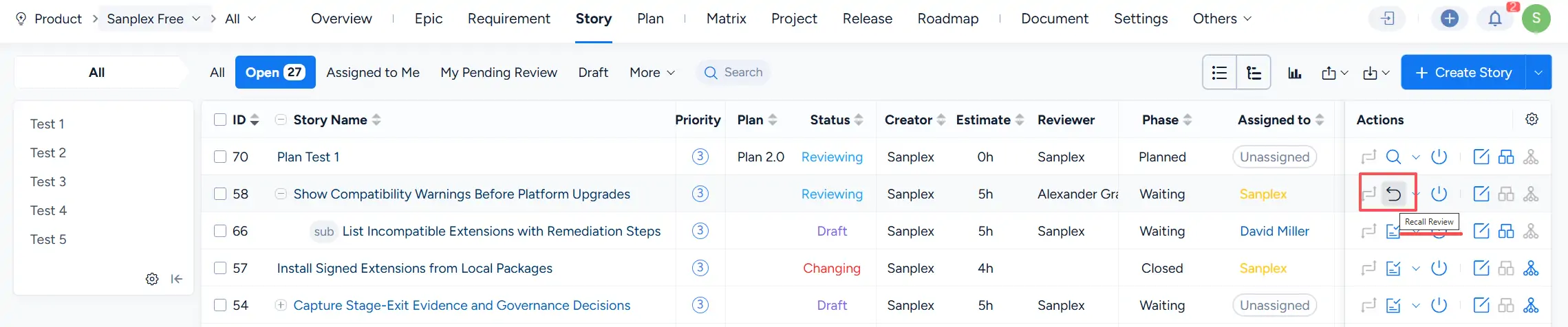
When a Story is in Reviewing status and the user has the required permission, the Recall Review action is available in the action column.
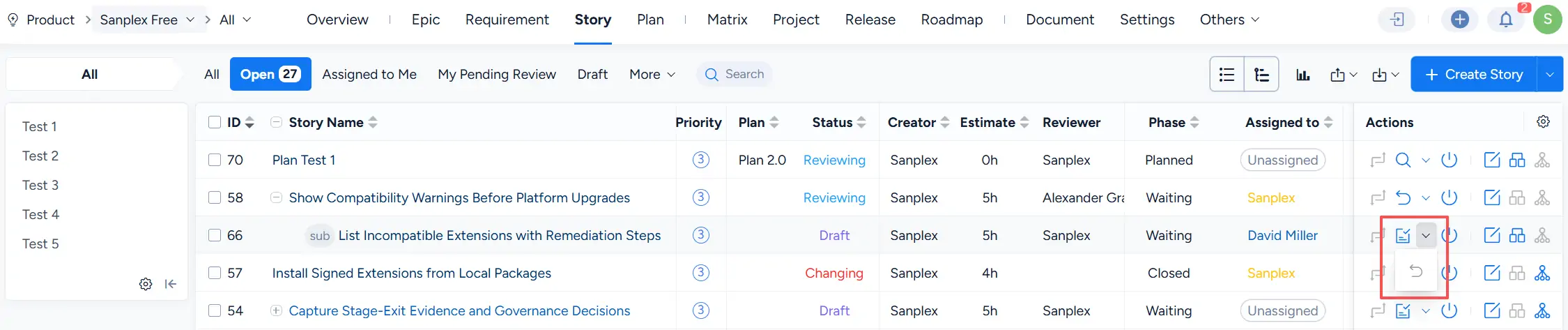
After the review is recalled, the available review actions are updated according to the Story's current state. The Story can then be revised and submitted for review again when ready.
The Story history records review recalls and subsequent review or change activities, providing a chronological record of the review process.