Catalog
Feature Overview
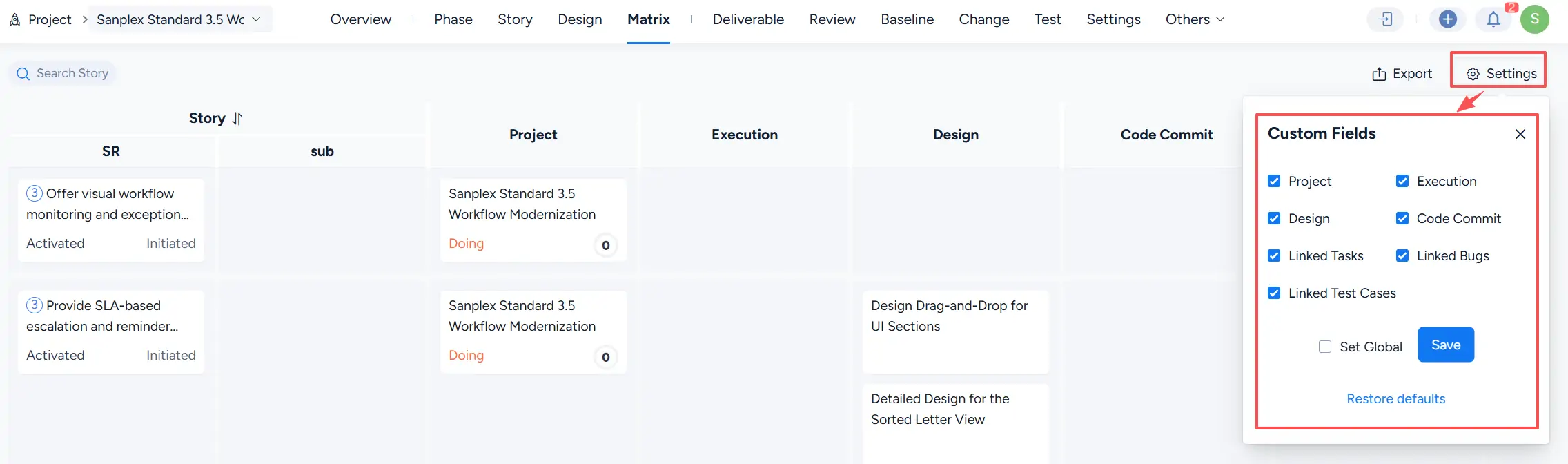
The Project Matrix provides a visual view of relationships among requirements and related project items. It helps teams track requirement progress and maintain traceability throughout the project lifecycle.
The matrix connects requirements with related objects, including projects, executions, design documents, code commits, tasks, bugs, and test cases, allowing team members to review requirement-related information in one place.
Use Cases
After requirements are planned and linked to project activities, teams can use the Project Matrix to track requirement relationships throughout the development process.
With the Project Matrix, teams can achieve:
- Horizontal traceability: Requirements can be broken down into different levels, and the matrix displays relationships among related requirements.
- Vertical traceability: Requirement-related objects can be tracked through associated items, including design documents, tasks, test cases, bugs, and code commits.
Click Matrix under the project to view requirement-related items, including:
- Projects
- Execution items
- Design documents
- Code commits
- Linked tasks
- Linked bugs
- Linked test cases
1. View object details
Click the blue title of a related item to open its details page.
2. Search matrix data
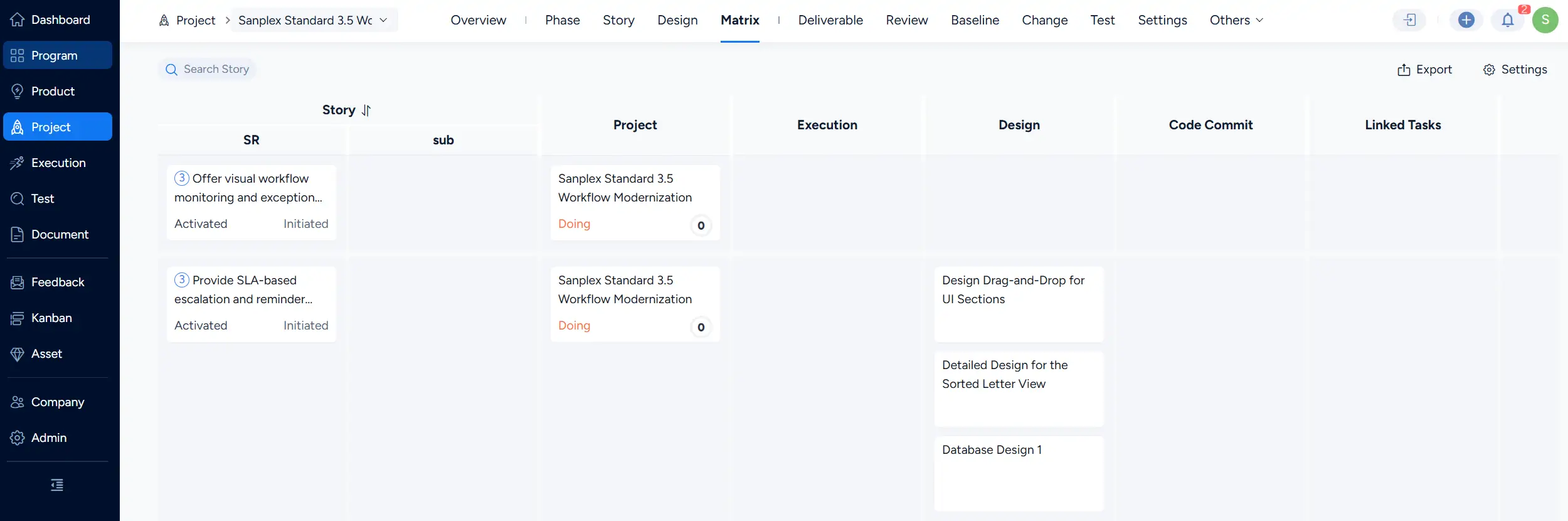
The Project Matrix provides a search function to help users quickly locate specific requirements.
Click Search Story and enter search conditions to find related requirement information.
3. Export matrix data
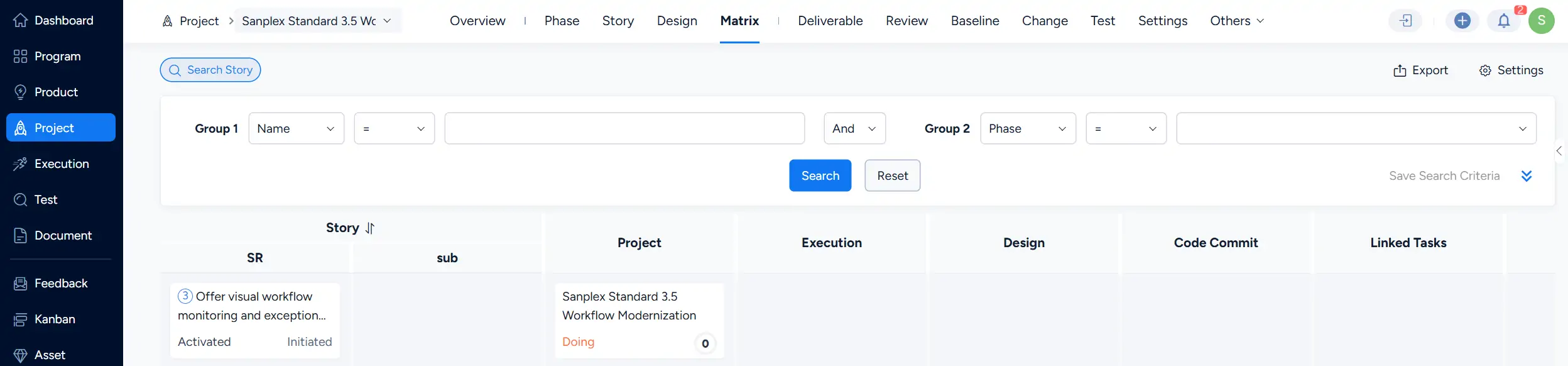
The Project Matrix supports exporting data in XLSX format.
Click Export to open the export dialog.

In the export dialog, configure the file name, file type, and encoding, then click Export to generate the matrix file.
4. Customize matrix fields
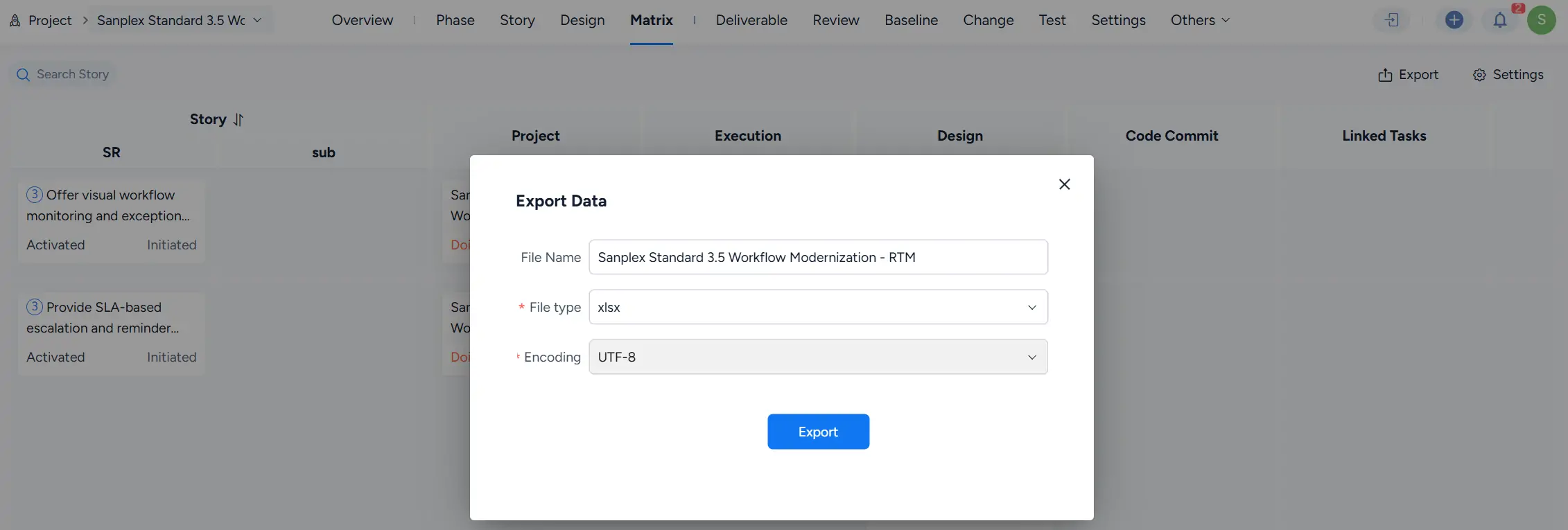
The Project Matrix supports custom traceability columns.
Click Settings to open the Custom Fields panel. Select or clear fields to customize the columns displayed in the matrix.
Click Save to apply the configuration.
Click Restore defaults to restore the default field settings.