

Catalog
Sanplex provides a “+” button in the upper-right corner of the interface for quickly creating commonly used items from a single entry point.
Depending on your permissions, enabled modules, and the current workspace, the available options may include items such as To-do, Log, Bug, Requirement, Task, Test Case, Document, Execution, Project, Product, Program, Space, and Kanban.
Notes:
- If a specific option is not displayed, contact your administrator to confirm whether you have the required permission or whether the corresponding feature is enabled.
- The available options may vary depending on the current interface and enabled modules.
- If installed plugins support this feature, their related actions may also appear in the menu.
Create a To-do with Quick Add
Click the “+” button in the upper-right corner and select To-do. In the Add To-do window, enter the required information and configure other details as needed.
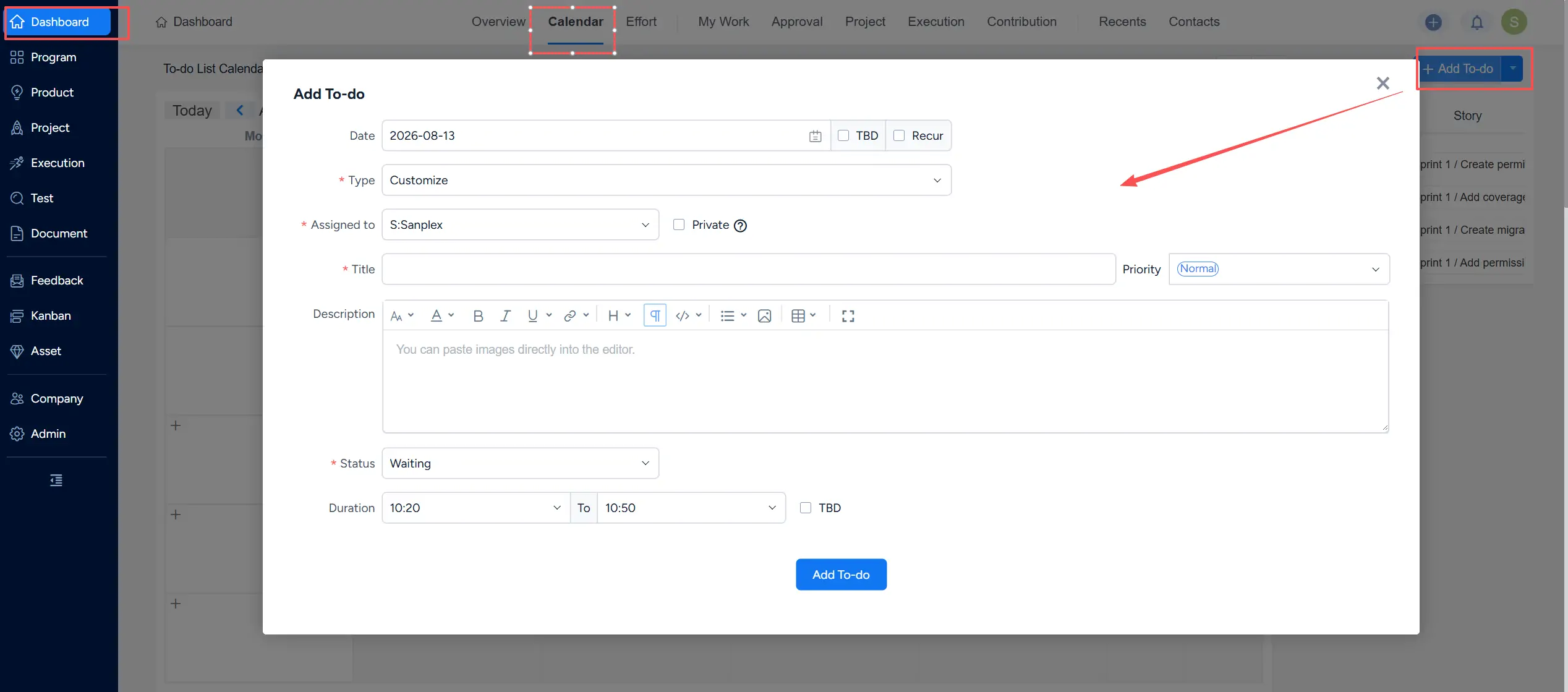
Click Add To-do to create the item. The new To-do can then be viewed and managed from the Calendar section of Dashboard.



