Dashboard
1. Introduction of Sanplex features
1.1. Core Management Framework
1.1.1 Program
1.1.2 Project
1.1.3 Product
1.1.4 Execution
1.1.5 Management Models
1.2. Dashboard
1.2.1 Getting Started with Tutorials
1.2.2 Quick Add
1.2.3 Notification Center
1.2.4 Effort Tracking
1.2.5 Dashboard - Project and Execution
1.2.6 Dashboard - My Work, Contribution, and Recents
1.2.7 Dashboard - Approval
1.2.8 Contacts
1.3. Program
1.3.1 Program List
1.3.2 Program Kanban
1.3.3 Create Program
1.3.4 Create Sub-Programs
1.3.5 Project Charter Management
1.4. Product
1.4.1 Create Product
1.4.2 Manage Modules
1.4.3 Multi-Branch and Multi-Platform Management
1.4.4 Manage Plans
1.4.5 Manage Requirements
1.4.6 Requirement Reviews
1.4.7 Requirement Status and Phase
1.4.8 Create Releases
1.4.9 Track Progress
1.4.10 Business Requirements and Multi-Level Requirements
1.5. Project
1.5.1 Scrum Project
1.5.2. Waterfall Project
1.5.2.1 Manage Project Phases
1.5.2.2 Project Design
1.5.2.3 Project Matrix
1.5.2.4 Project Reports and Earned Value Management
1.5.2.5 Project Baselines
1.5.2.6 Project Change
1.5.3. Kanban Project
1.5.3.1 Set Up Kanban Projects
1.5.3.2 Configure Kanban Boards
1.5.3.3 Use Kanban Boards
1.5.4 Hybrid Agile Project
1.5.5 Hybrid Waterfall Project
1.5.6. Project Settings
1.5.6.1 Project Setup
1.5.6.2 Project Executions
1.5.6.3 Project Requirements
1.5.6.4 Project Builds
1.5.6.5 Project Tests
1.6. Admin Settings
1.6.1 Confluence Data Import
1.7. Workflow

Getting Started with Tutorials

2026-08-13 17:46:25
Sanplex Content
480
Last edited by Jing WANG on 2026-08-13 17:48:00
Share links
Summary: Learn how to use Sanplex Tutorials, choose between Get Started, Basic Tutorial, and Advance Tutorial, and complete interactive tasks to become familiar with core workflows and more comprehensive management processes.

Sanplex provides built-in Tutorials to help users learn the system through interactive guidance and hands-on tasks. The tutorials are organized into three categories: Get Started, Basic Tutorial, and Advance Tutorial.

You can choose the tutorial category that best fits your needs. By following the interactive guidance and completing tasks step by step, you can quickly become familiar with Sanplex's core features and workflows. You can also choose tutorials that match your organization's workflow and exit a tutorial at any time.

Open Tutorials

Using the tutorials under the full lifecycle management model as an example, click your avatar and select Tutorial.
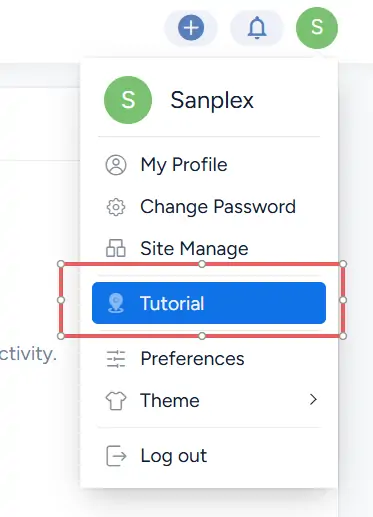
User menu showing the Tutorial option for opening Sanplex Tutorials.

On the Tutorials welcome screen, click Get Started to open the tutorial panel.
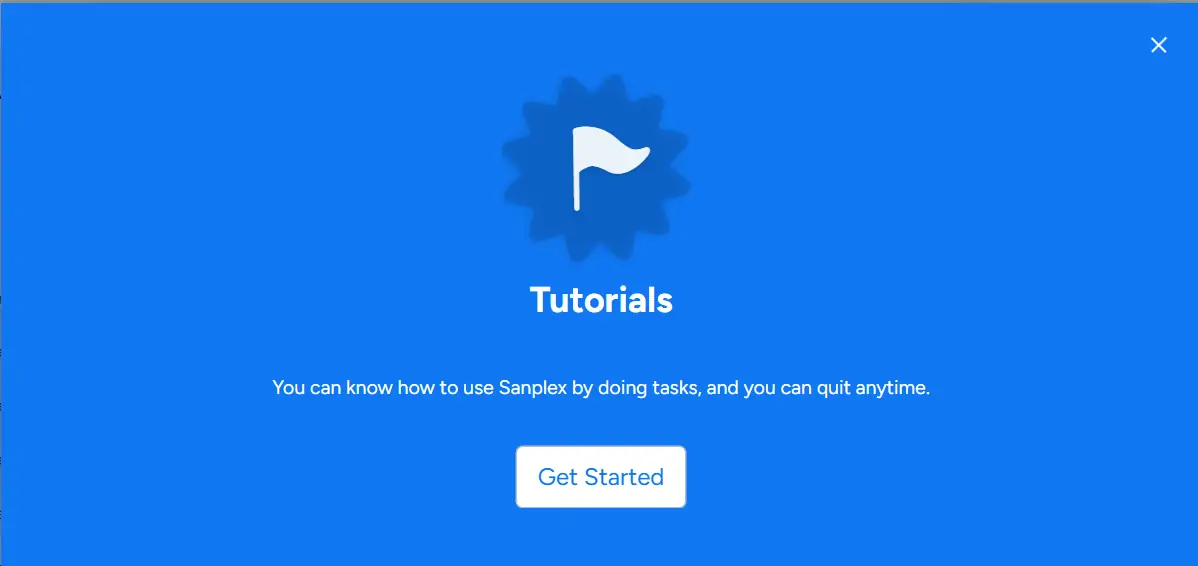
Sanplex Tutorials welcome screen with the Get Started button.

Get Started

In the tutorial panel, select Get Started to access guided tasks for common Sanplex operations. These tasks introduce key workflows such as creating and managing accounts, Programs, Products, Stories, Projects, Executions, and other frequently used objects.

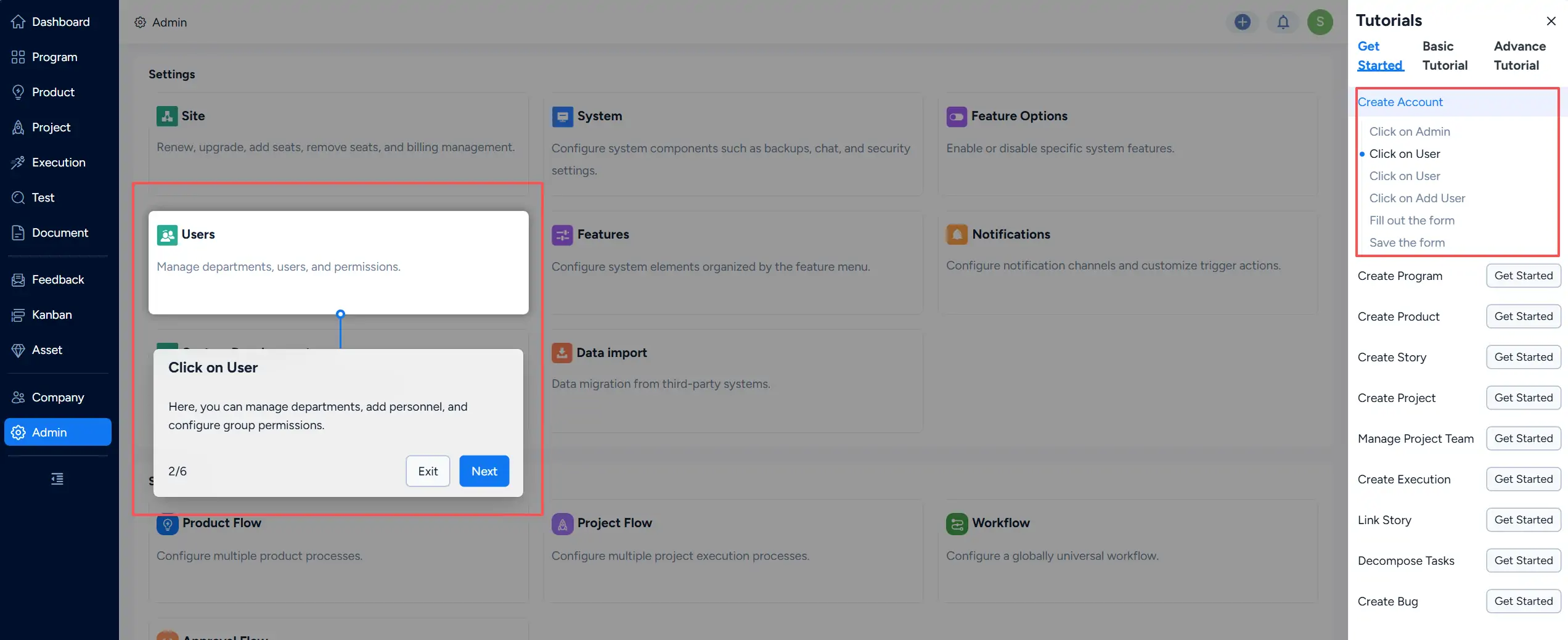
Select a task and click Get Started, then follow the on-screen instructions and interact with the corresponding areas of Sanplex to complete each step.
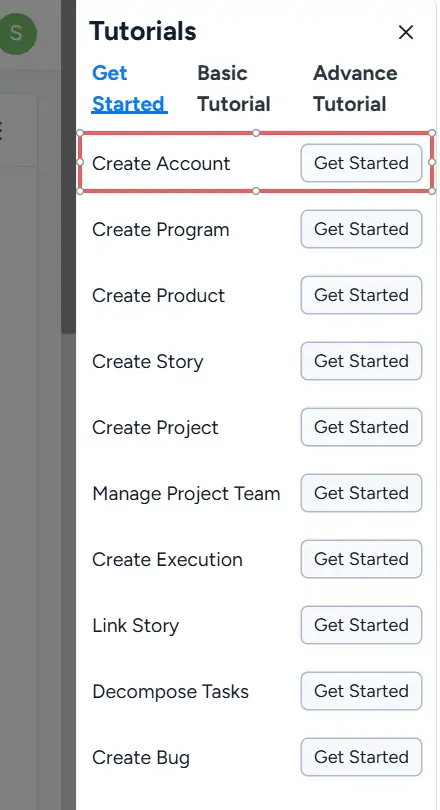
Get Started tutorial panel showing guided tasks for common Sanplex operations.

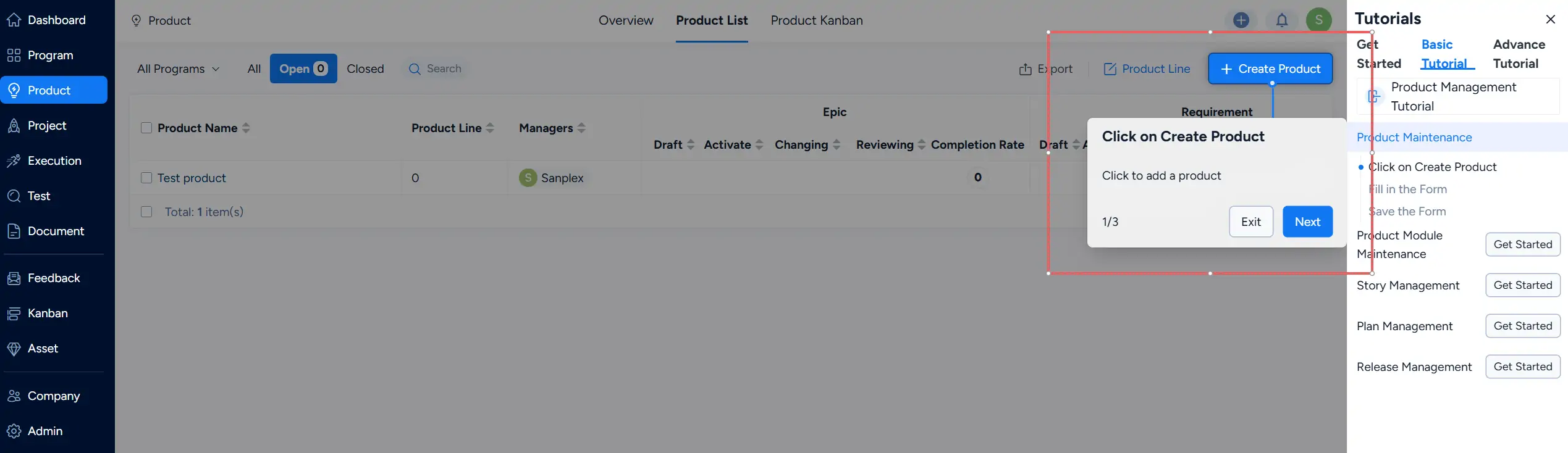
Interactive tutorial guidance showing step-by-step instructions for completing a Sanplex task.

Basic Tutorial

The Basic Tutorial category provides guided learning for core management workflows. It includes tutorials for areas such as account management, product management, Scrum, Waterfall, Kanban, task management, and test management.

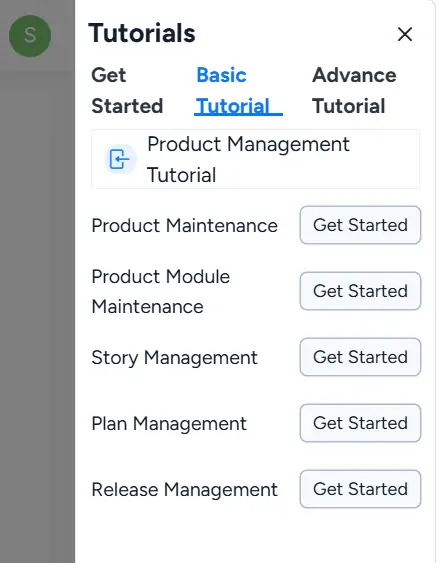
Select a tutorial to view the available learning tasks. Click Get Started for the task you want to learn, then follow the on-screen guidance to complete the workflow.
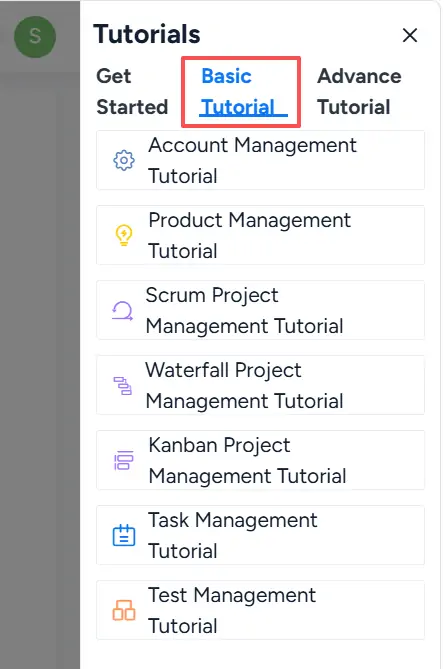
Basic Tutorial panel showing guided learning options for core Sanplex workflows.

Basic Tutorial showing available learning tasks within a selected management area.

Interactive guidance showing the steps for completing a Basic Tutorial task.

Advance Tutorial

The Advance Tutorial category covers broader workflows that span multiple areas of Sanplex. It is suitable for teams and organizations that need to understand more comprehensive management processes.

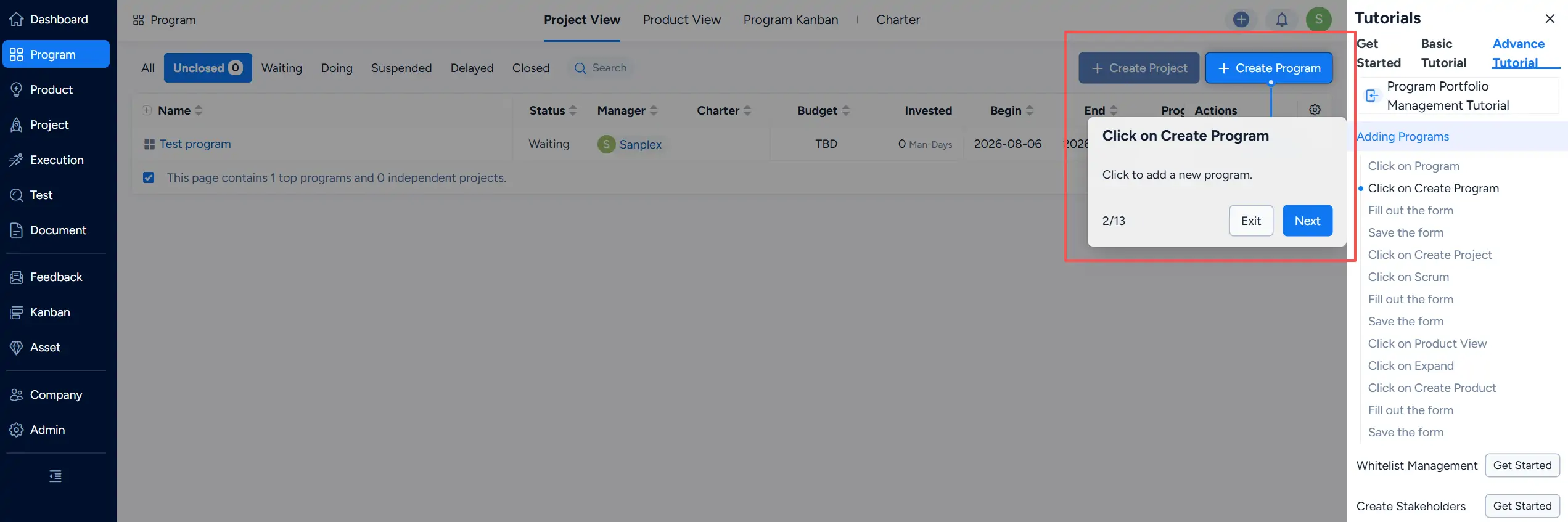
Available tutorials cover areas such as Program portfolio management, product management, different project management models, feedback management, and other end-to-end workflows. Select a tutorial and click Get Started for the workflow you want to learn, then follow the on-screen guidance to complete each step.
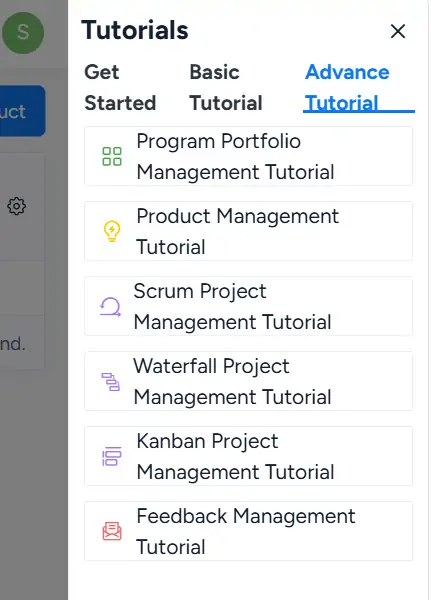
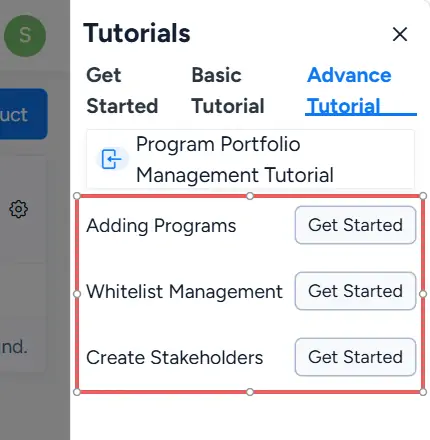
Advance Tutorial panel showing guided workflows across multiple Sanplex management areas.

Advance Tutorial showing available tasks within a selected end-to-end workflow.

Interactive guidance showing step-by-step instructions for an Advance Tutorial task.

Notes

  • Data generated while completing tutorial tasks is not saved.
  • You can click Exit in the step-by-step guidance window to leave the current task. You can also leave the tutorial during the guided process.
  • After closing Tutorials, you can reopen them at any time by clicking your avatar and selecting Tutorial.
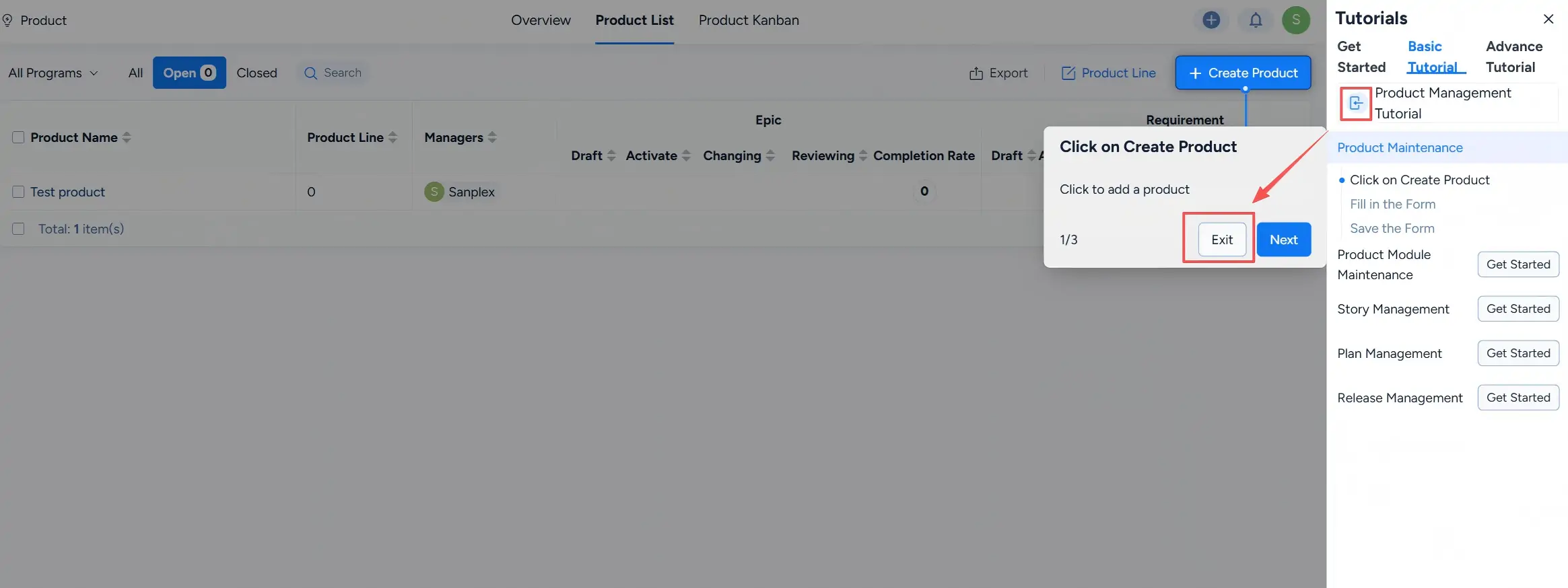
Tutorial guidance window showing the Exit option for leaving the current task.


Write a Comment
Comment will be posted after it is reviewed.