

Catalog
The Hybrid Agile project management model combines Scrum-based execution with Kanban management within the same project. In the current Sanplex interface, this management type is displayed as Agile +.
Teams can use Executions for sprint-based development and Kanban boards for continuous workflow management according to their delivery needs.
For example, a team can use Executions to deliver planned features in iterations and use Kanban boards to manage ongoing development, maintenance, or other continuous work.
I. Create a Hybrid Agile Project
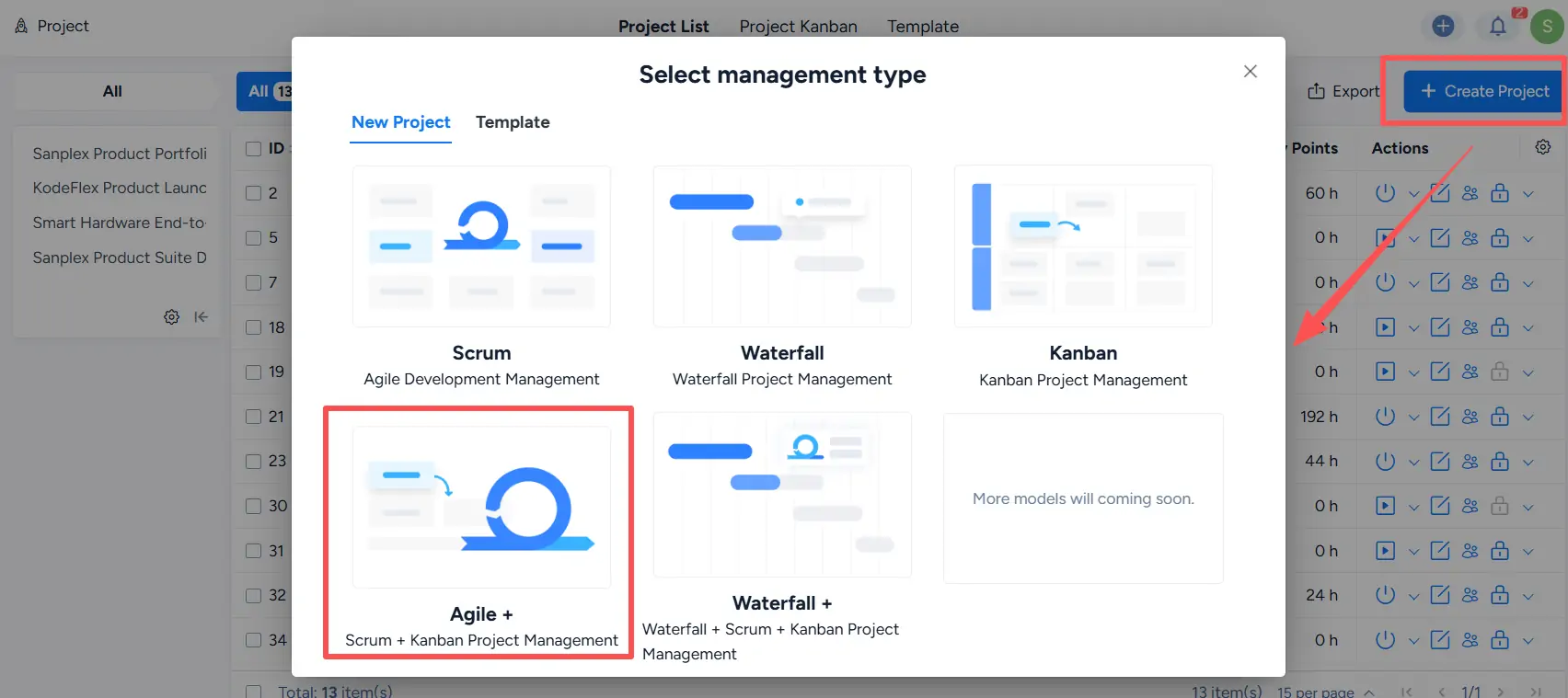
Go to Project > Create Project. On the Select management type page, select Agile +.
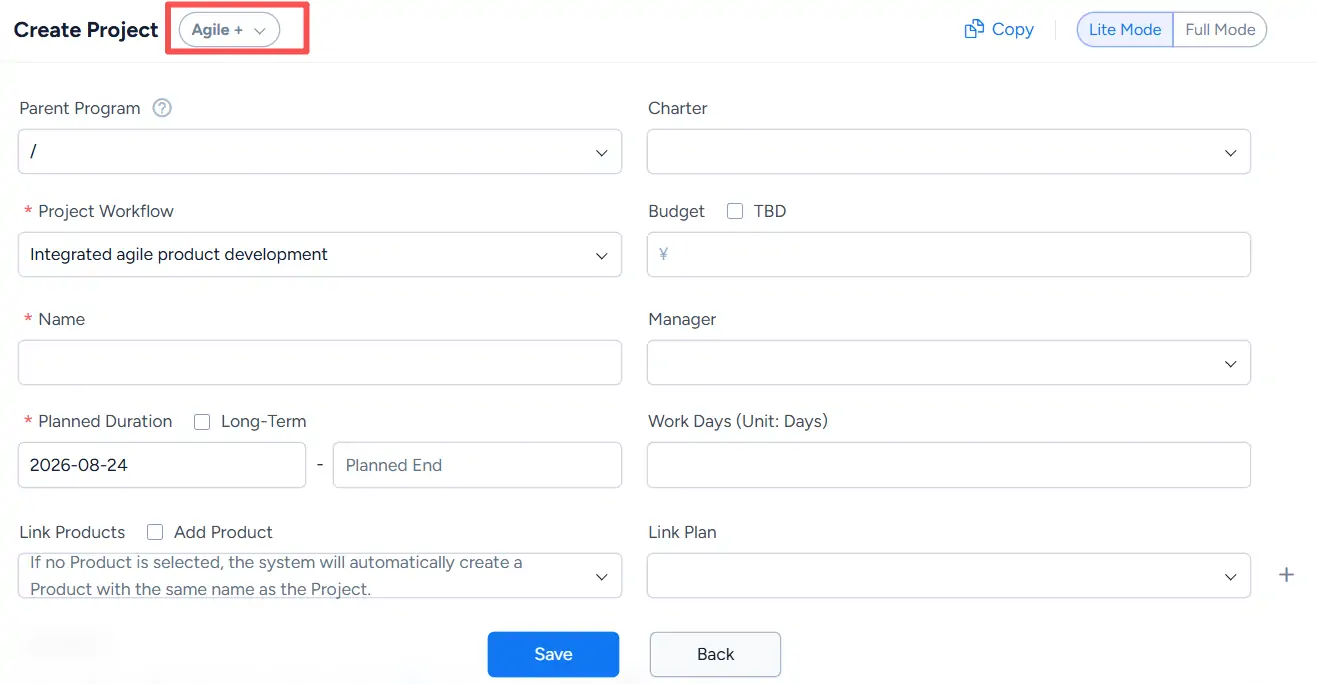
On the Create Project page, complete the required project information. The project type is shown as Agile +, and you can select the appropriate Project Workflow and configure other project settings as needed.
Click Save to create the project.
II. Create Executions and Kanban Boards
An Agile + project supports both Executions and Kanban boards.
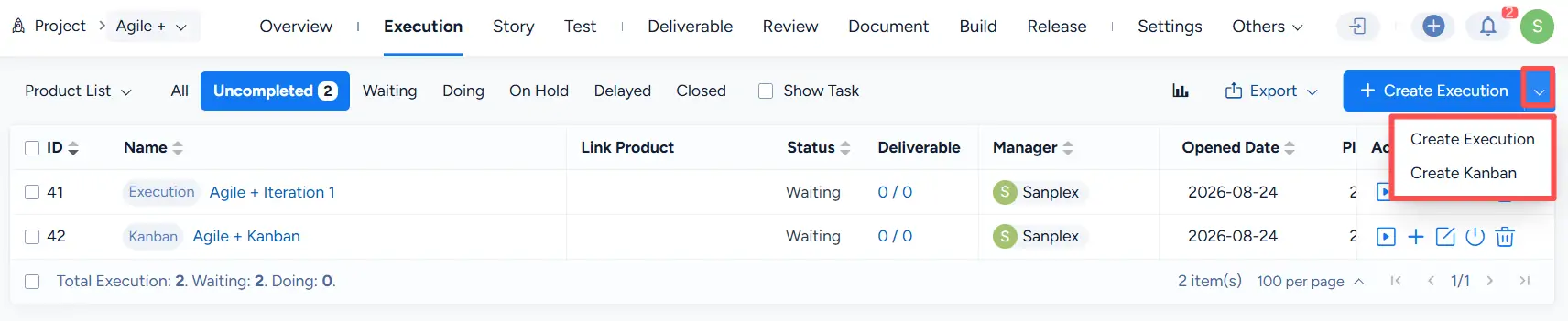
Go to the Execution tab of the project. Click the dropdown arrow next to Create Execution to choose:
- Create Execution
- Create Kanban
Use Create Execution for sprint-based work management and Create Kanban for Kanban-based workflow management.
You can also click Create Execution and select the required option from the Method field on the creation page:
- Execution
- Kanban
Complete the required information and click Save.
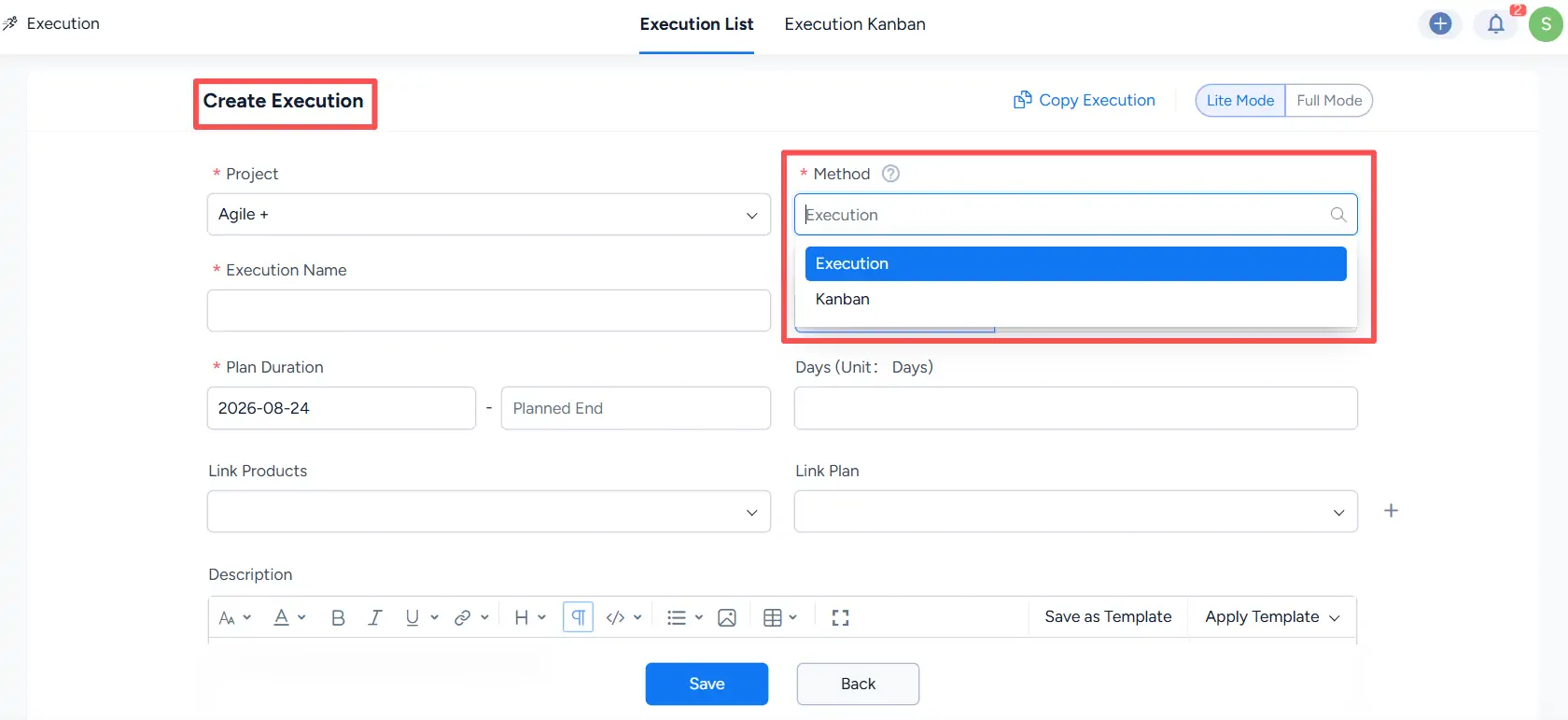
Note: The Method is selected when the item is created and determines whether it is managed as an Execution or a Kanban board.
III. Use Executions and Kanban Boards
Executions in an Agile + project follow the same sprint-based management workflow used in a Scrum project.
For details about creating and managing Scrum project executions, see:
Kanban boards in an Agile + project follow the same board management workflow used in a Kanban project.
For detailed instructions, see:


