Catalog
Overview
The AI Knowledge Library provides centralized management and presentation of organizational knowledge, making it easy to add, view, manage, and use knowledge. It helps improve AI output quality, work efficiency, and knowledge sharing.
Use Cases
- Knowledge Library Maintenance: Create, view, update, and delete Knowledge Library.
- Add Knowledge: Add new knowledge items to the library.
- View Knowledge: Browse knowledge items by type, title, and other attributes.
- Knowledge Management: Create, edit, delete, and manage knowledge items.
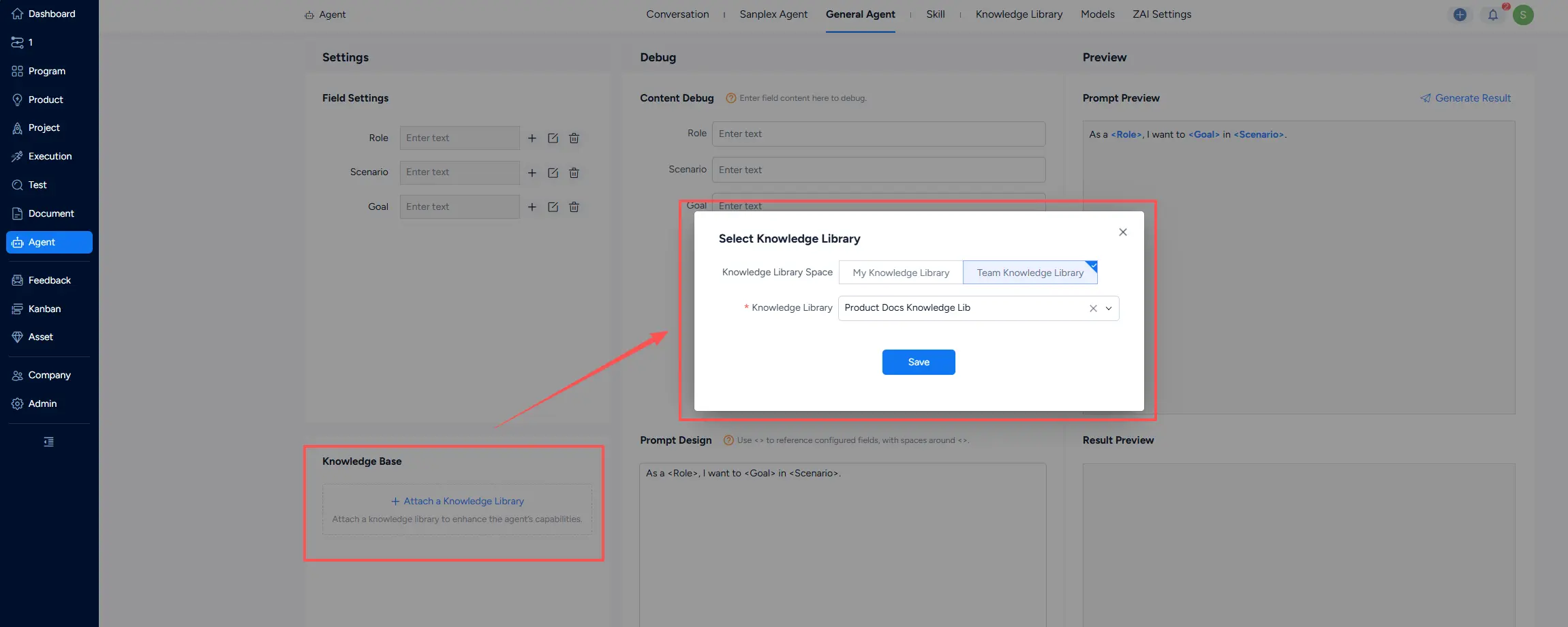
- Apply Knowledge Library in Agents: Call a knowledge library from Conversation, Sanplex Agent, and Generate Agent to improve AI output quality.
1. Knowledge Library Management
The Agent module adds knowledge library management with two types: My Knowledge Library and Team Knowledge Library. Management operations are the same for both. My Knowledge Library is private and available only to the creators. Team Knowledge Library is shared at the organization level and supports access-control settings. For example, when a Sanplex Agent has both a Team Knowledge Library and the current user's private My Knowledge Library attached, queries from other users automatically exclude content from the current user's My Knowledge Library.
- Creating a knowledge library
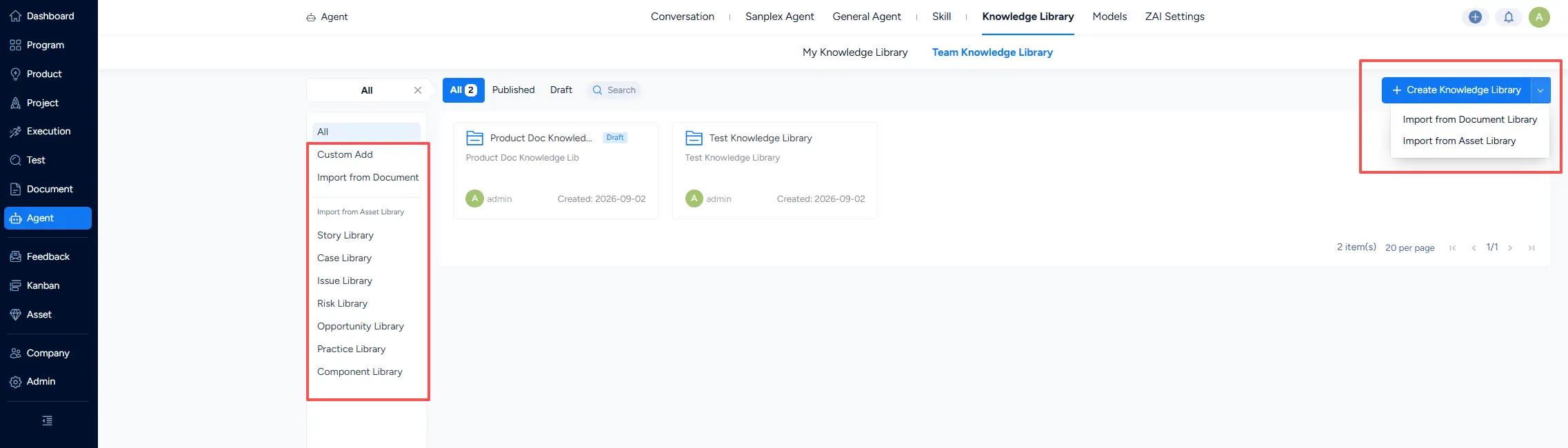
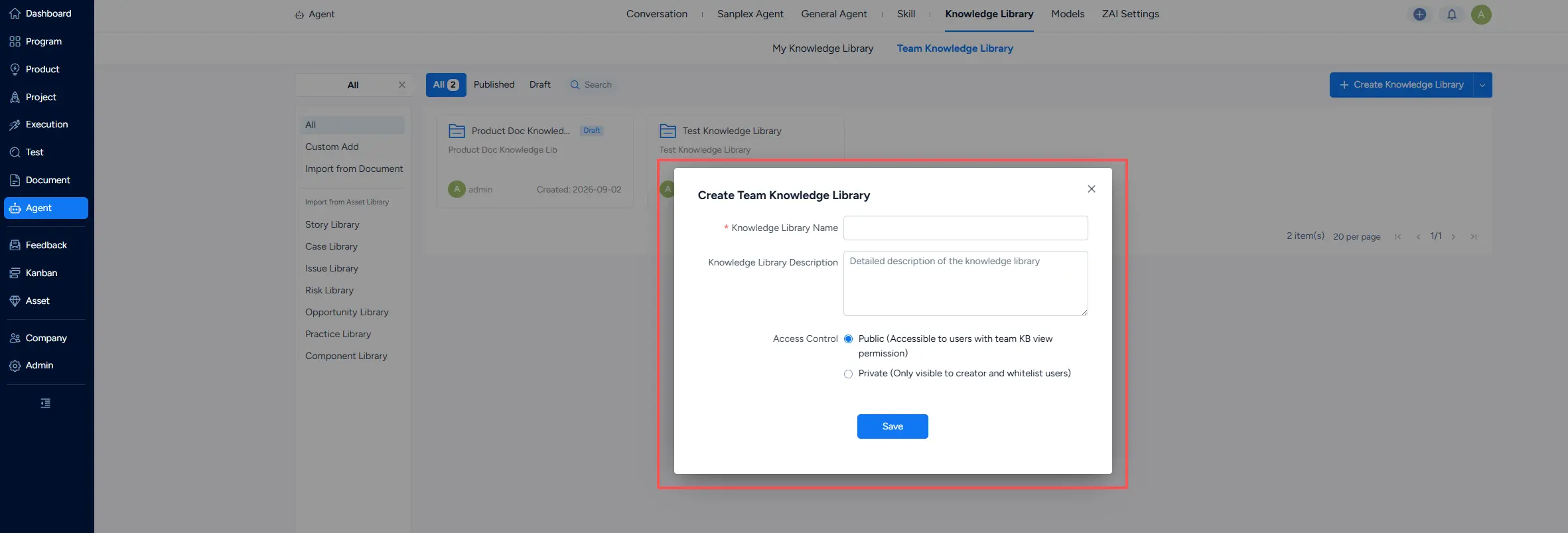
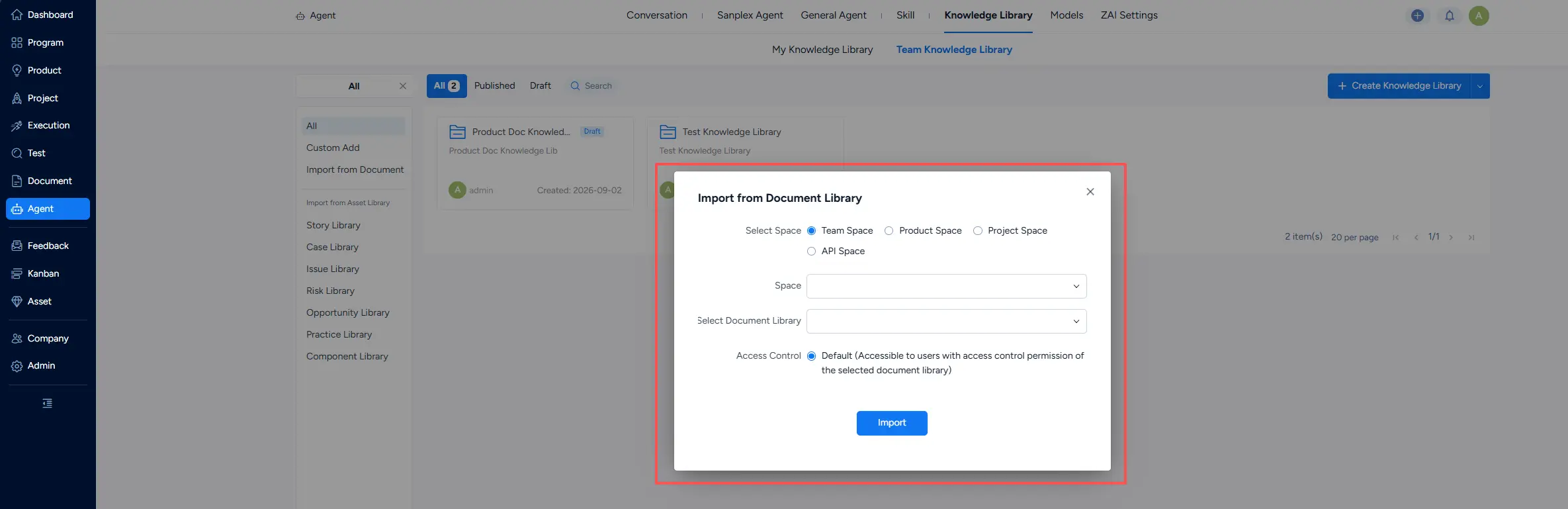
You can create a knowledge library directly or import one from an existing document library or asset library.
Note:
- Knowledge libraries created or imported under My Knowledge Library are private.
- Knowledge libraries created under Team Knowledge Library can be public or private. A whitelist can be set for the private libraries.
- Knowledge libraries imported from a document library inherit the document library's access permissions by default.
- Knowledge libraries imported from an asset library are public by default.
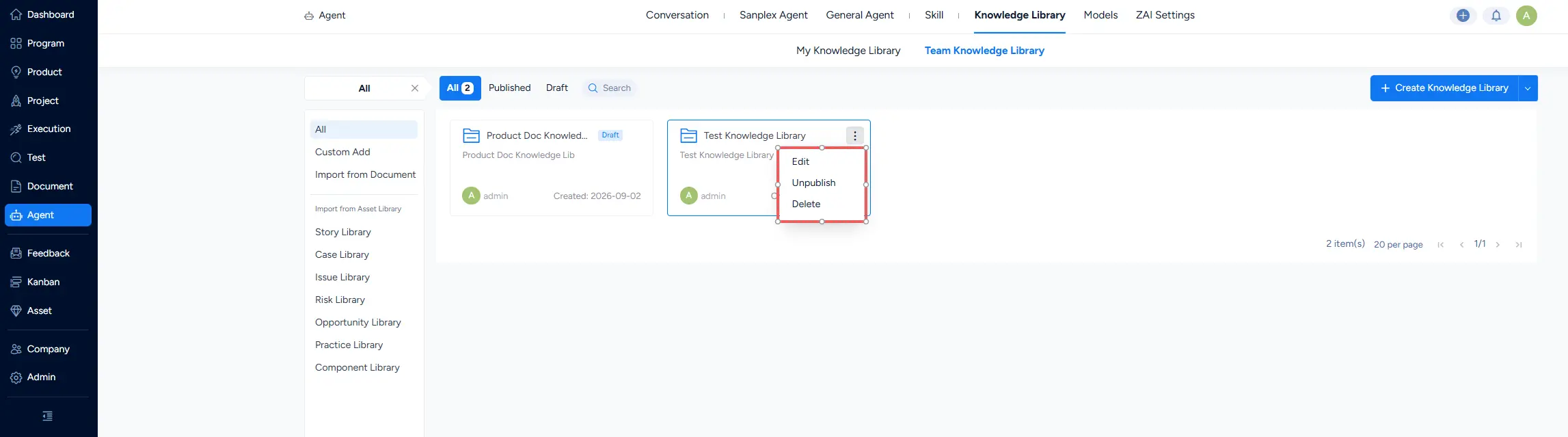
- Actions for Knowledge Library
After creating a knowledge library, you can edit, publish, or unpublish it. An unpublished knowledge library is marked Draft and cannot be used by Conversation, Sanplex Agent, or General Agent. Once published, it is available for use.
2. Knowledge Management
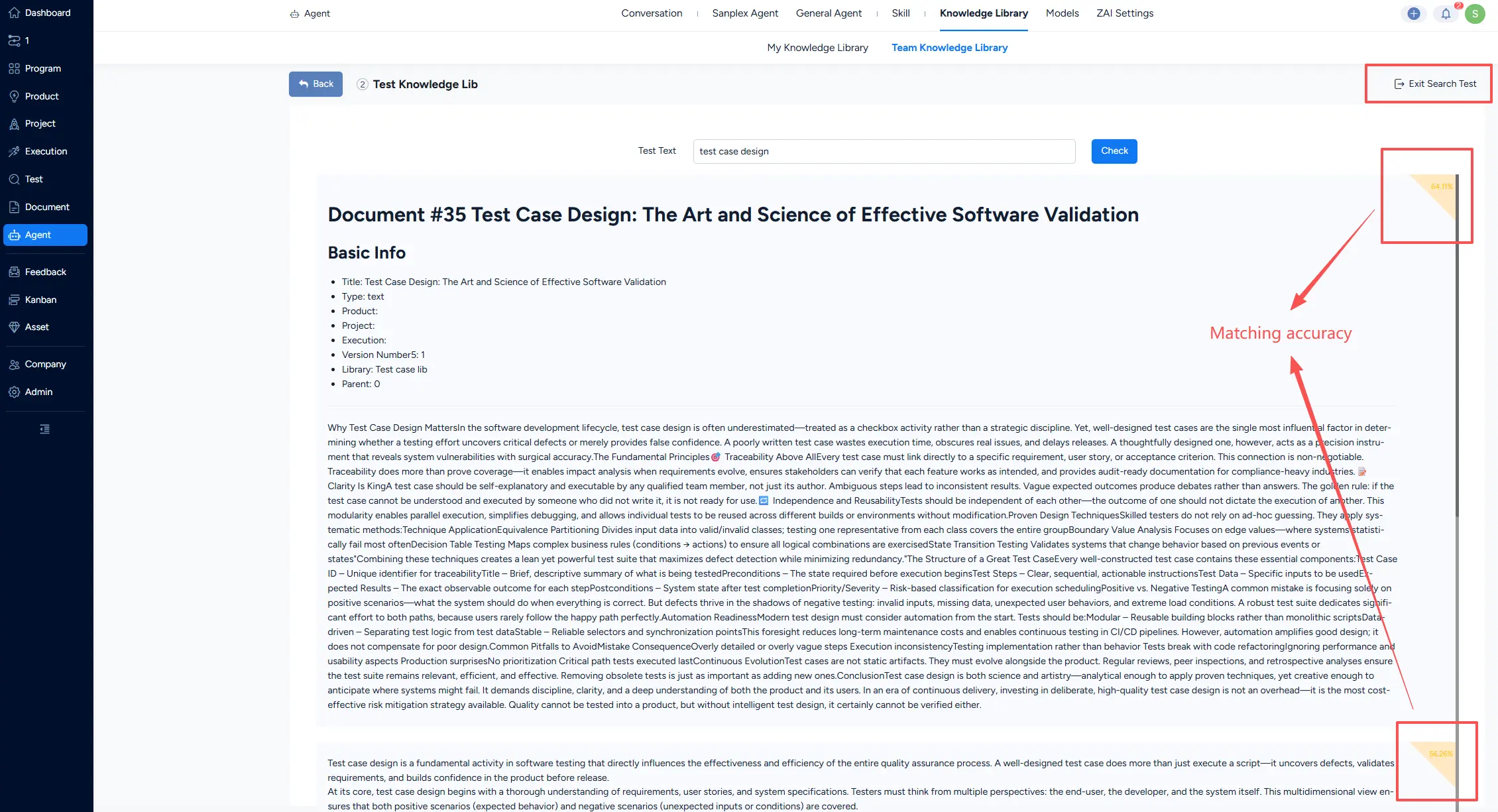
Knowledge can be maintained in a knowledge library in three main forms: Custom Text, Local File, and Imported System Objects. Imports retain a snapshot of the source data at import time. You can edit custom text, upload a replacement file, or refresh imported Sanplex data to update knowledge items. After all is set, you can run a search test to evaluate retrieval quality and match accuracy. Once published, the knowledge library can be attached to Conversation, Sanplex Agent, and General Agent to improve AI output quality.
- Adding knowledge items
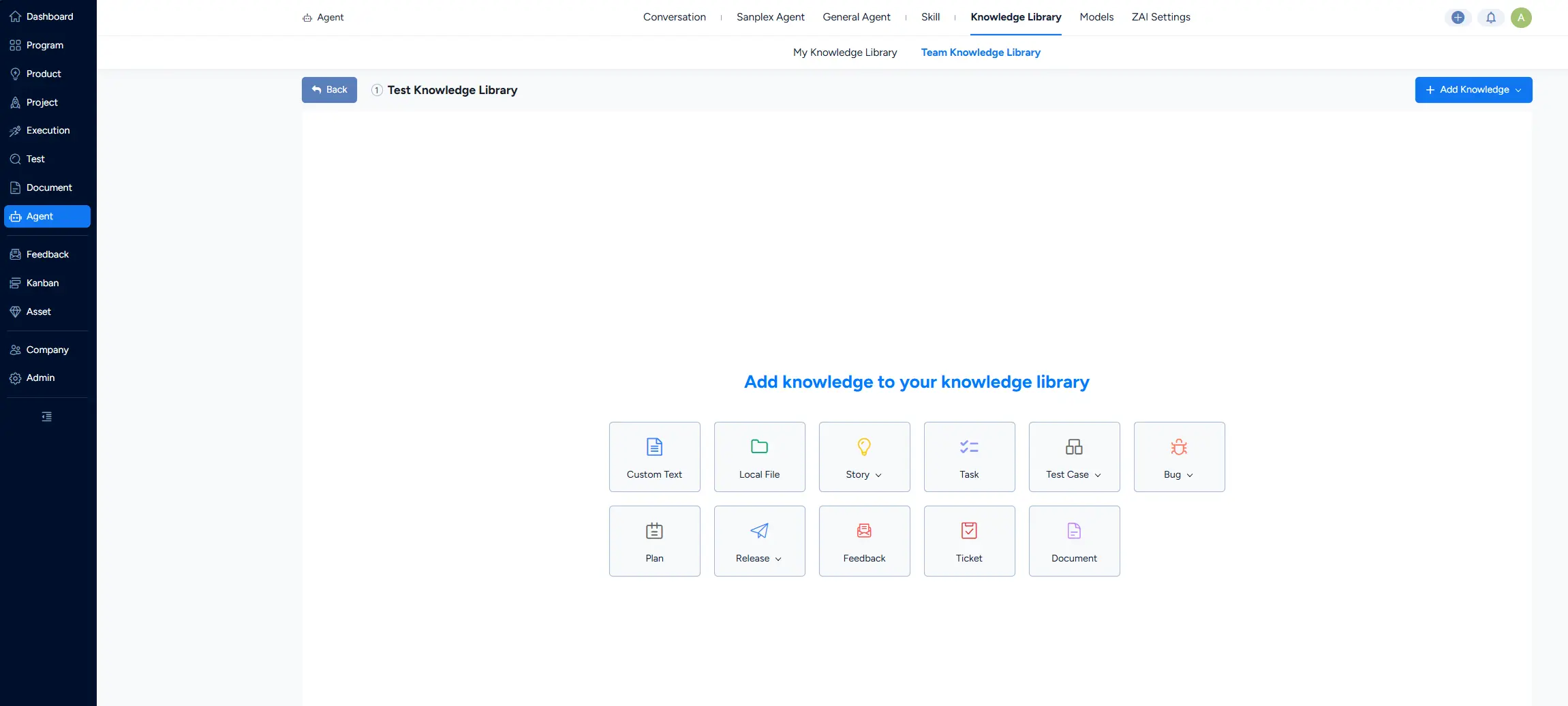
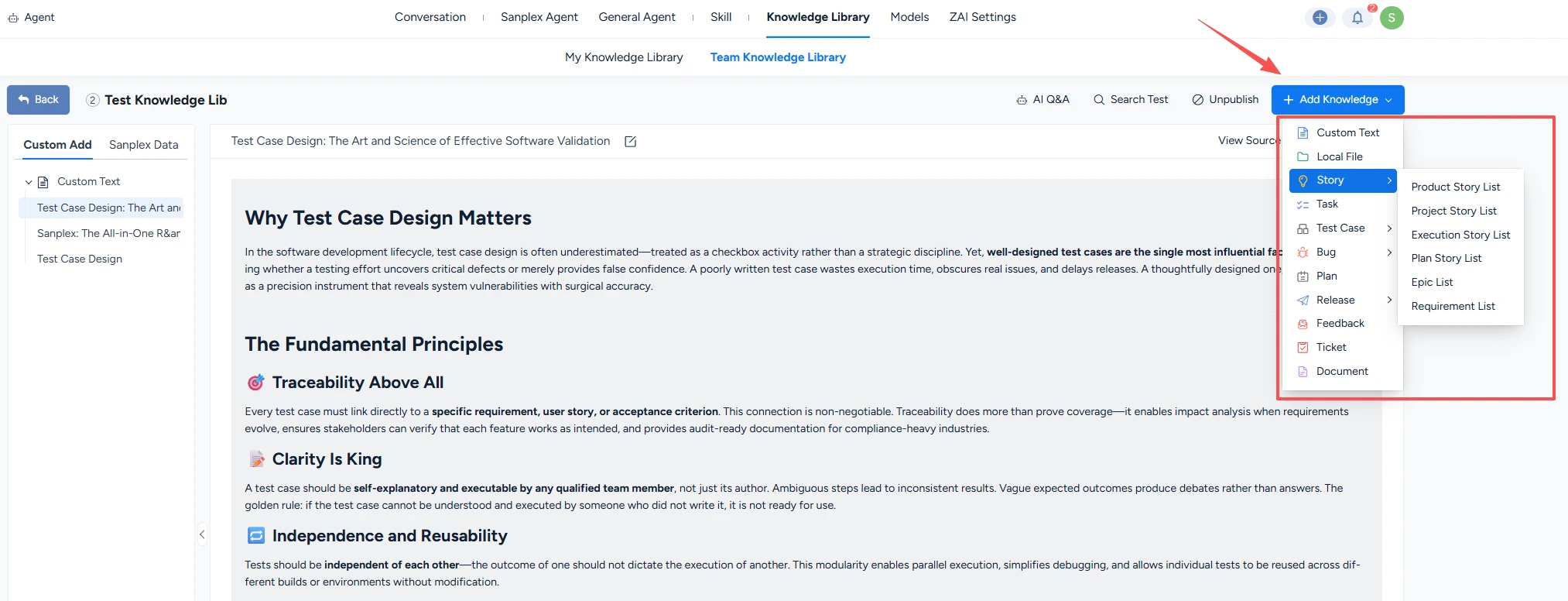
When a knowledge library is empty, its default page lets you choose a knowledge type to add. When it already contains knowledge items, use the Add Knowledge button in the upper-right corner.
- Custom Text
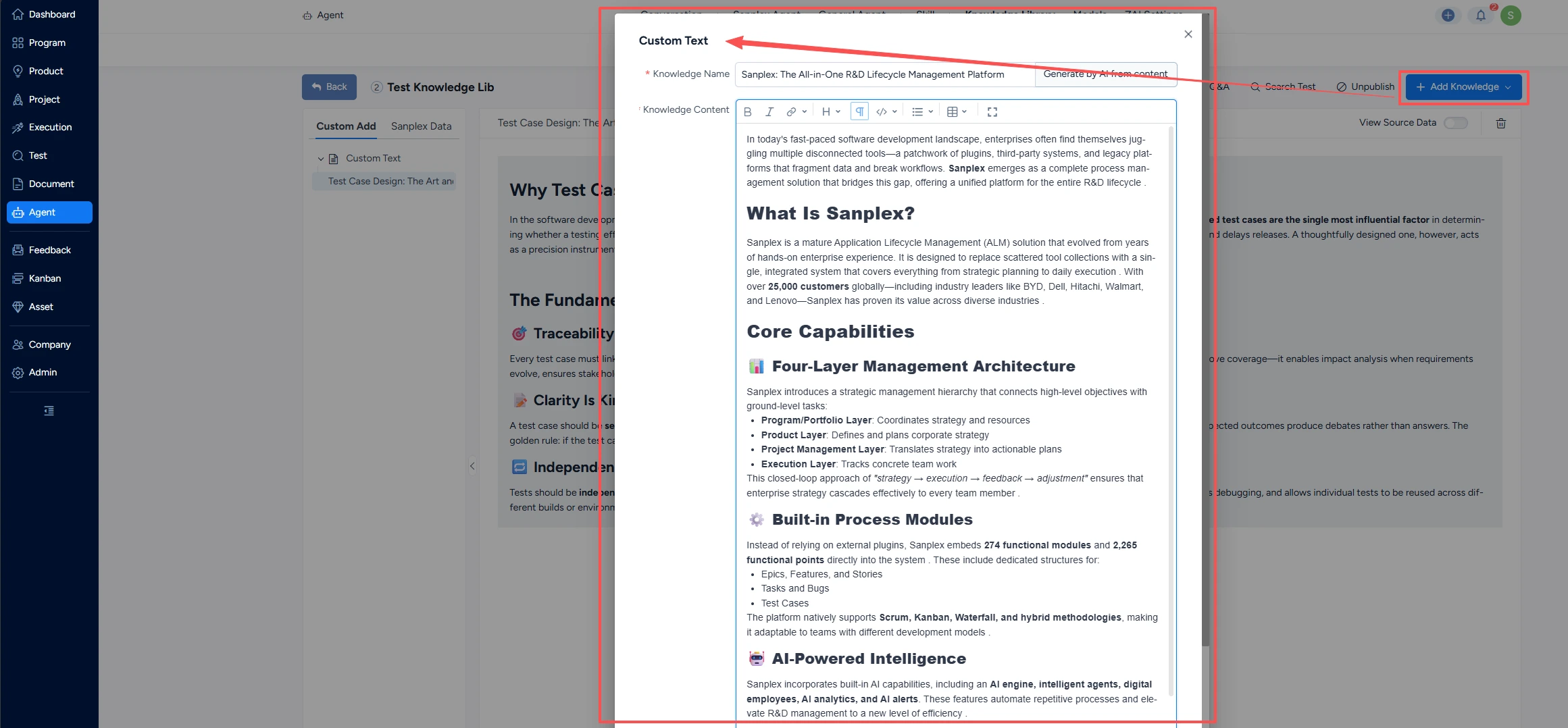
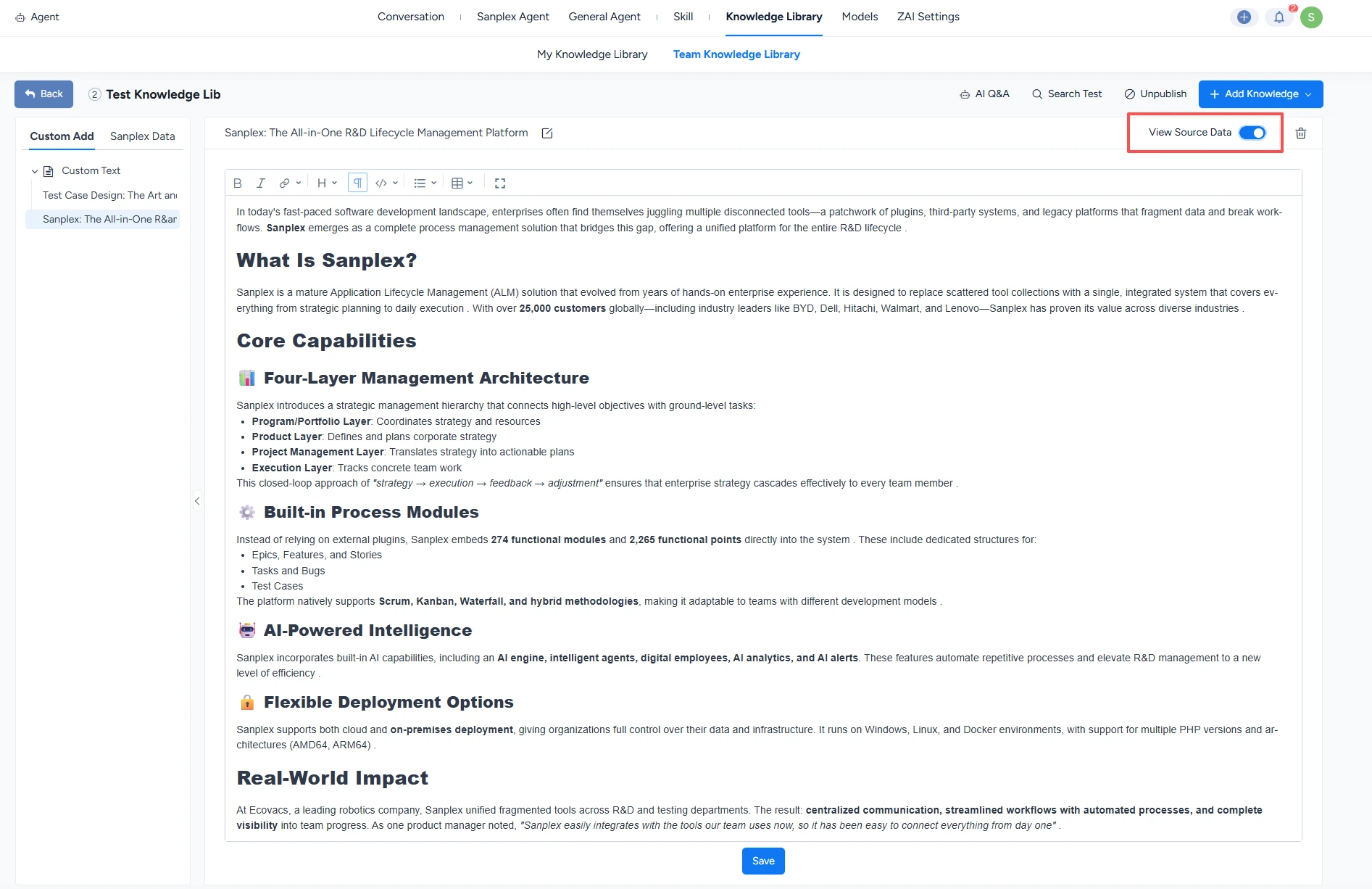
- Click Custom Text to add the custom text. Entering a Knowledge Name and Knowledge Content in the pop-out, and saving.
- The knowledge name can be generated by AI after the content is prepared. Click Generate by AI from content next to the name field.
- You can click View Source Data to view the original content.
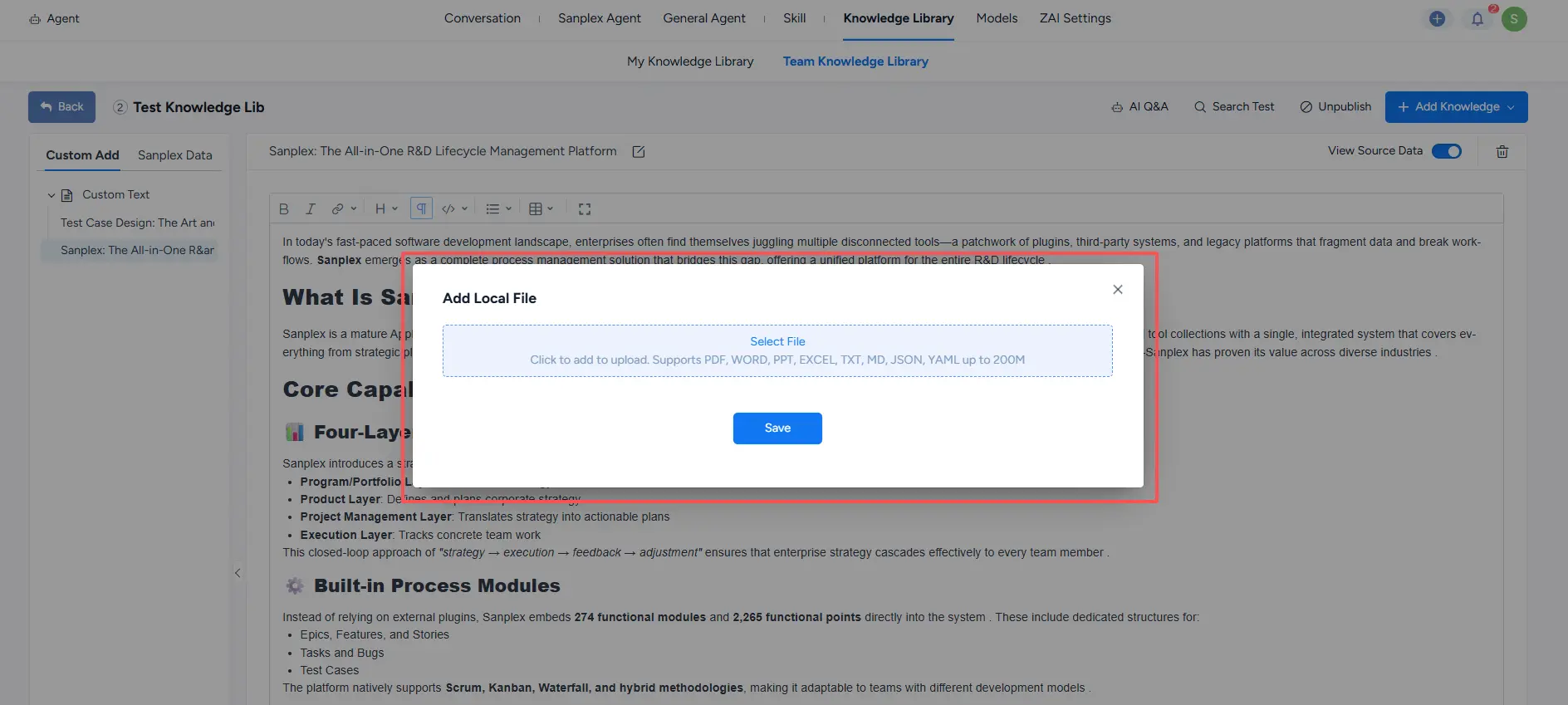
- Importing local files
Add local files to the knowledge library.
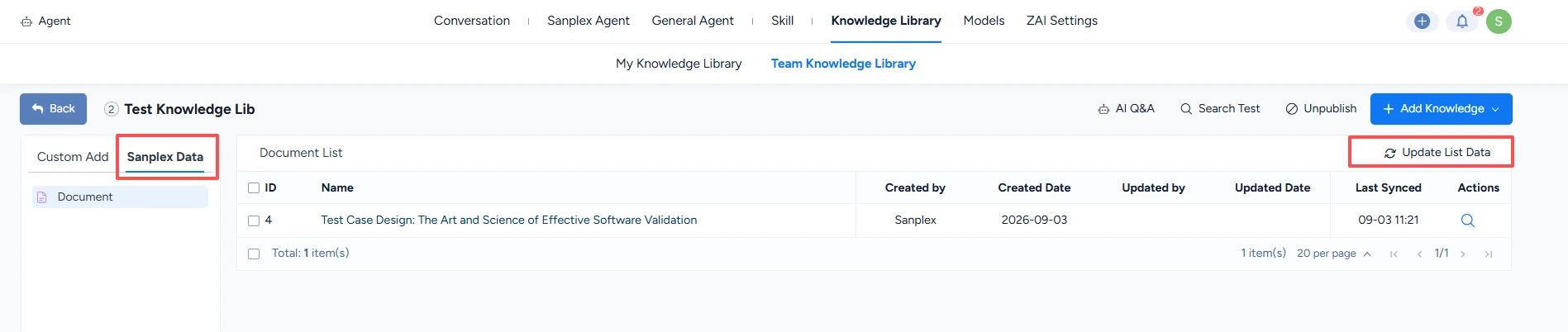
- Importing Sanplex data
Add Sanplex object data to the knowledge library. The imported data is a snapshot taken at import time. To refresh it, click Update List Data.
3. Knowledge Vectorization
Vectorization is the core processing stage of the AI Knowledge Library. It converts unstructured data into numerical vectors that machine-learning and deep-learning models can use. Vectorization enables:
- More efficient semantic understanding
- More accurate retrieval and recommendations
- More flexible knowledge representation and reasoning
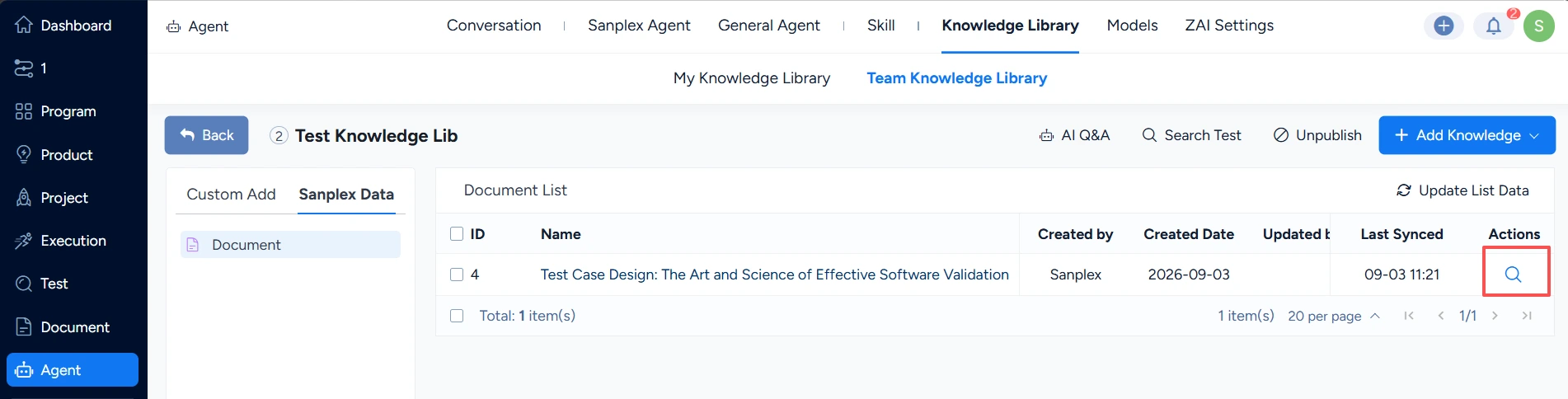
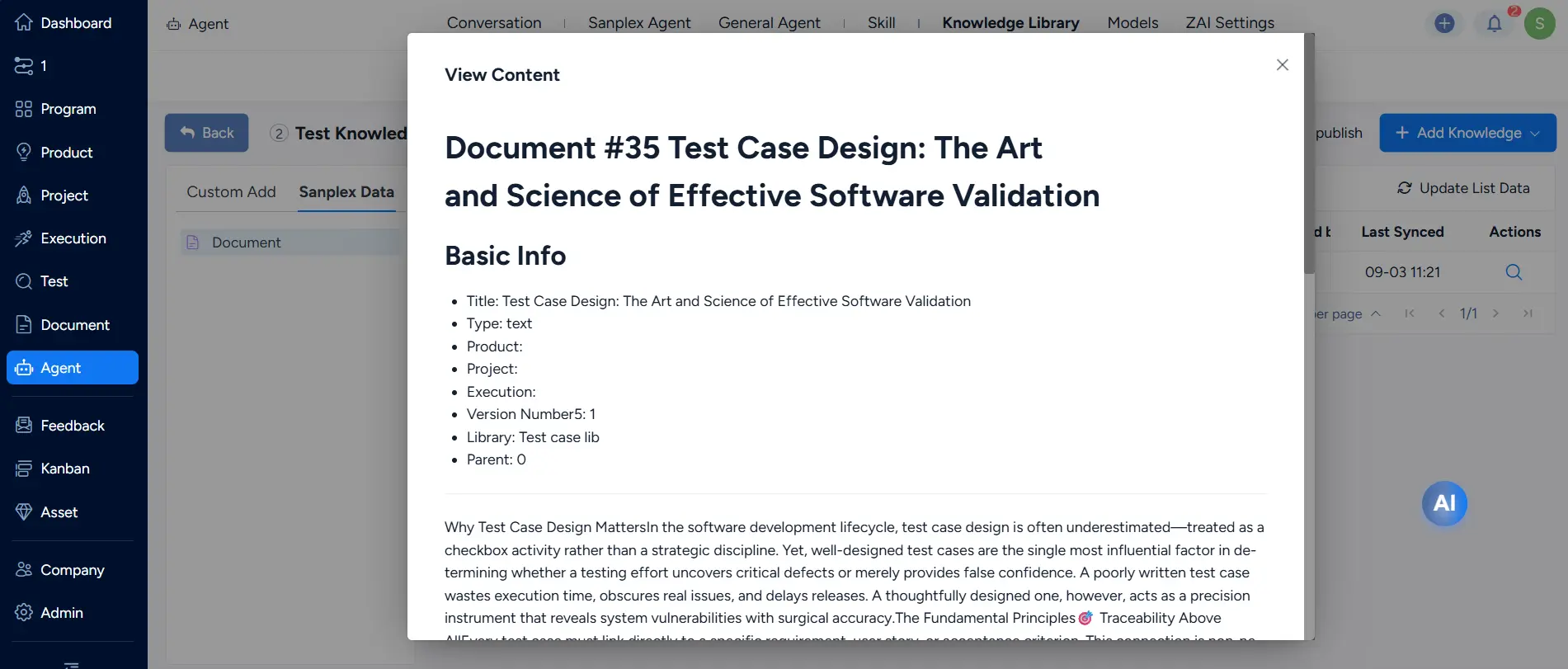
You can view vectorized segments for custom text and locally uploaded files. For imported Sanplex data, click the View Content icon on the right side of the list's action bar.
4. Knowledge Library Search Testing
After all is set, click Search Test in the upper-right corner to evaluate retrieval quality and matching accuracy.

5. Using the Knowledge Library
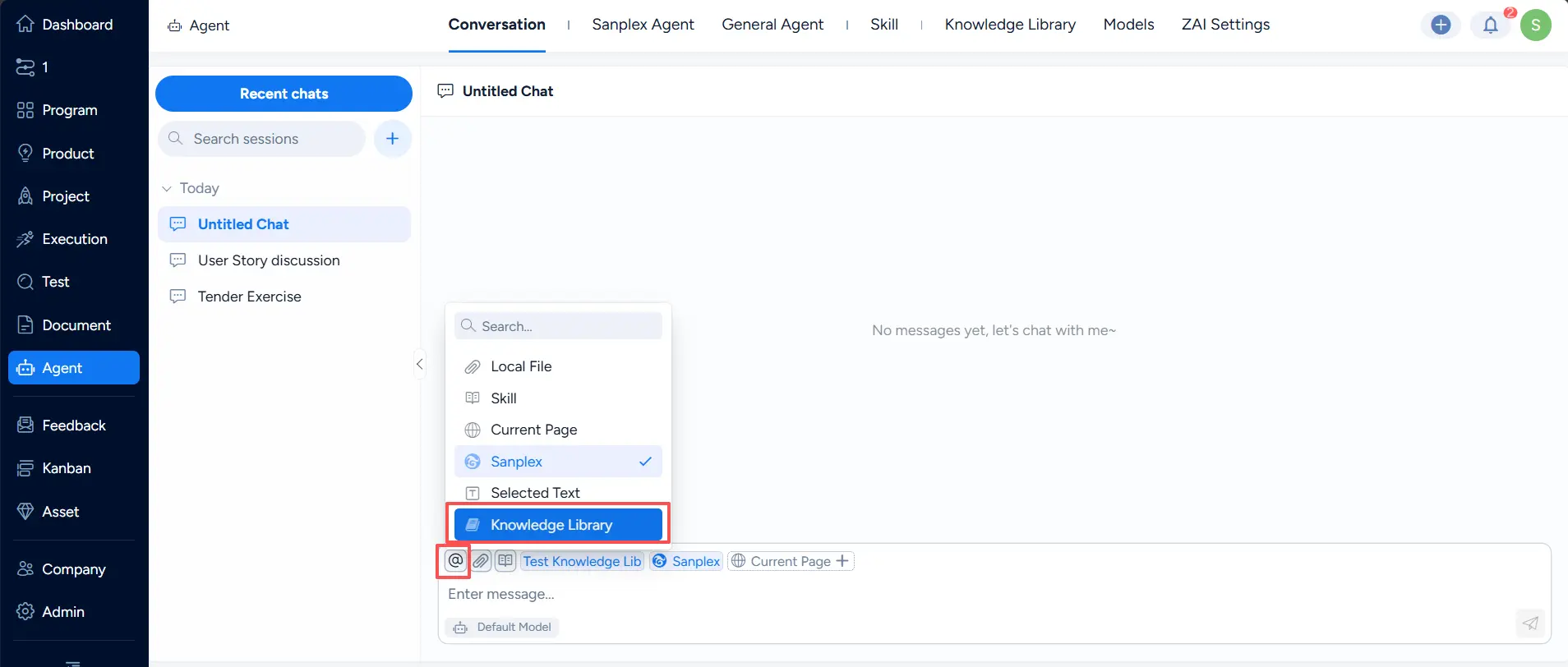
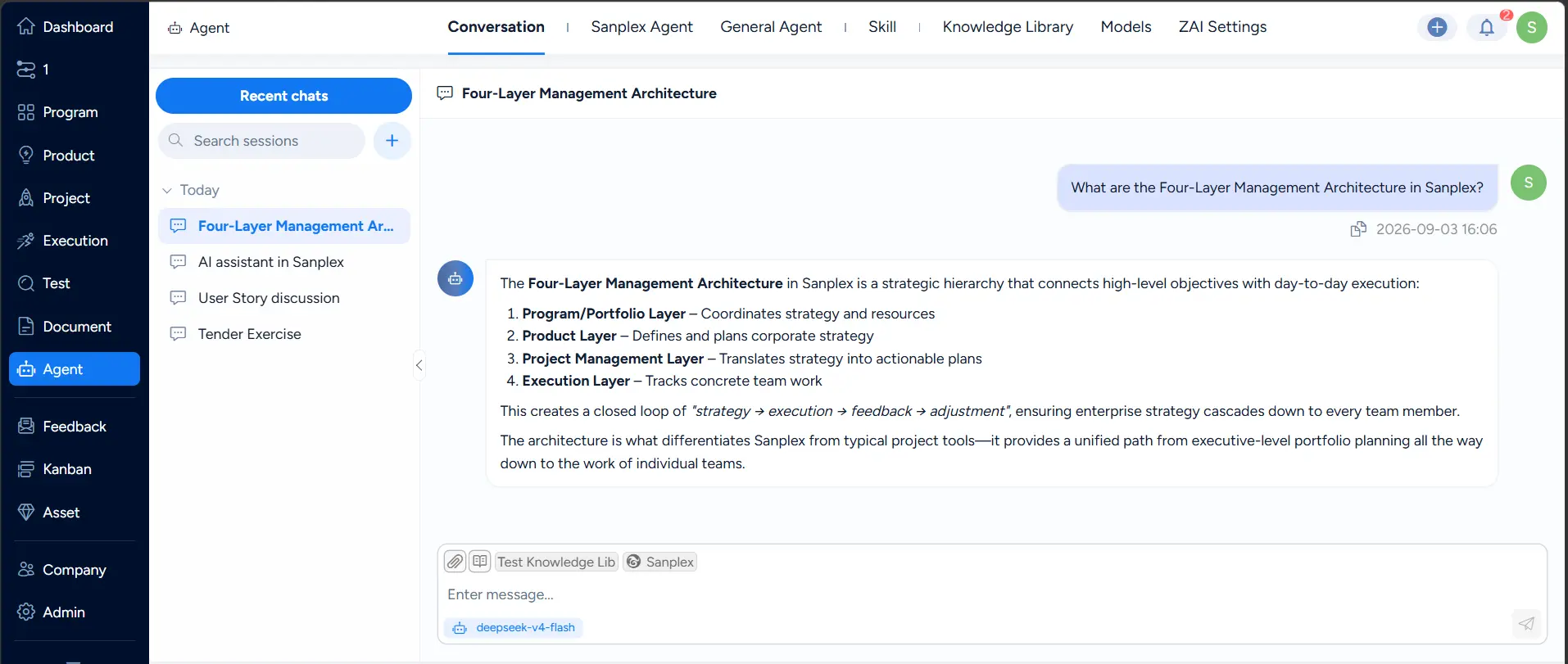
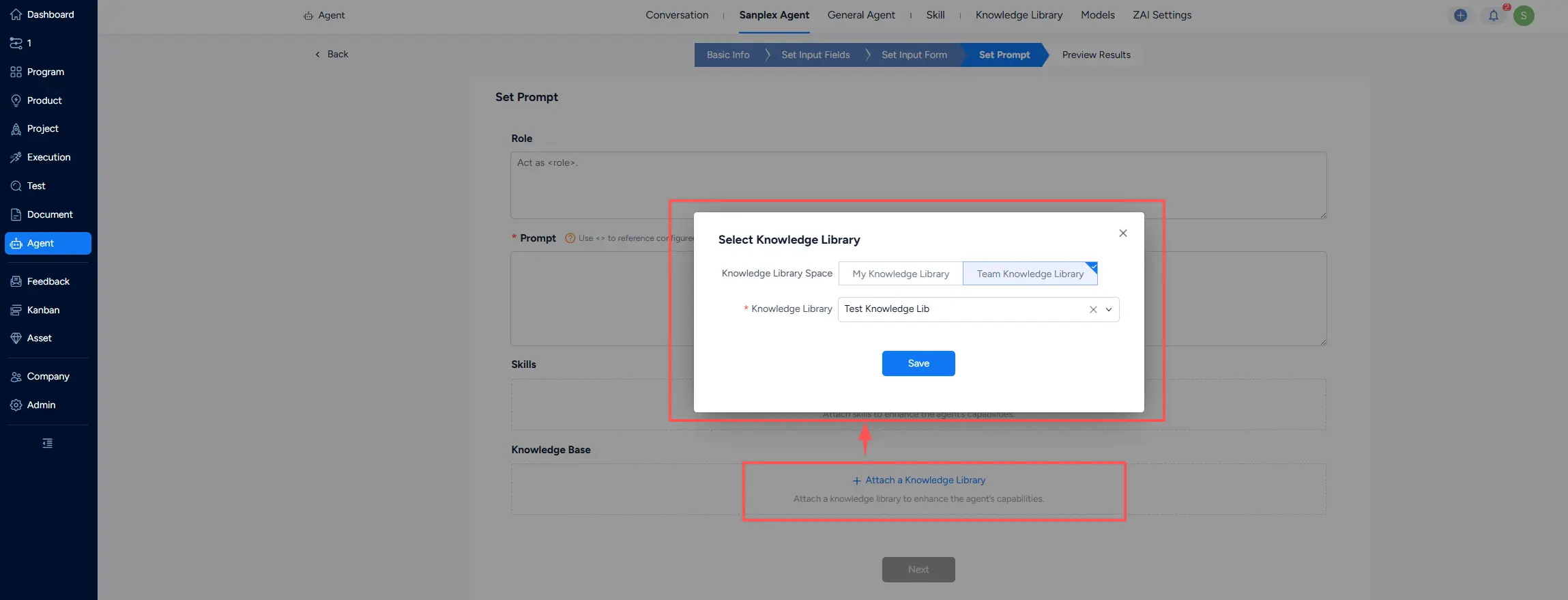
After publication, attach the knowledge library to Conversation, Sanplex Agent, or General Agent to improve AI output quality.
- Using a knowledge library in Conversation
- Using a knowledge library in Sanplex Agent
- Using a knowledge library in General Agent