Catalog
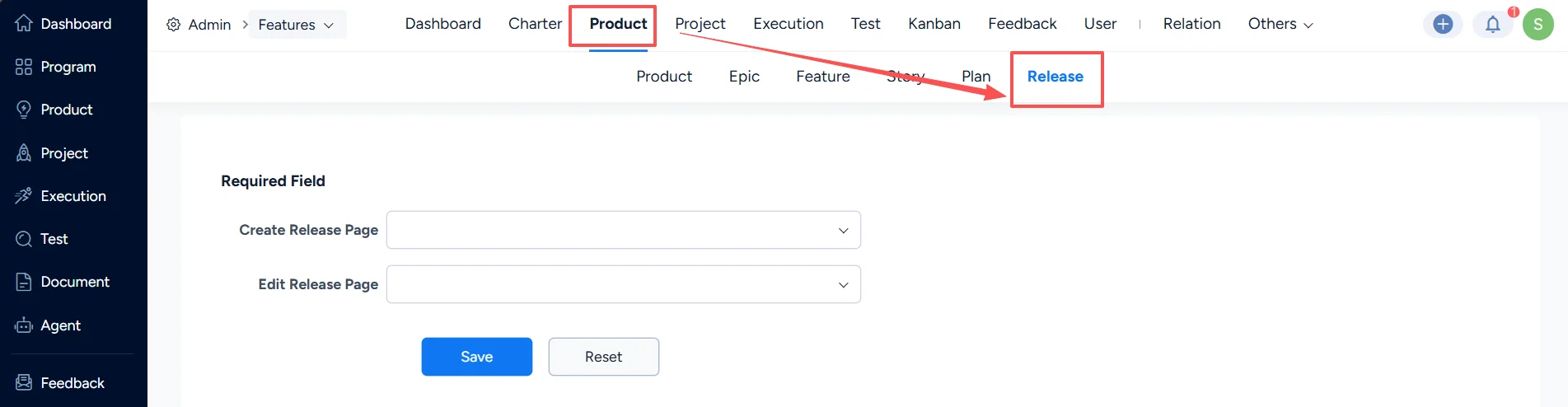
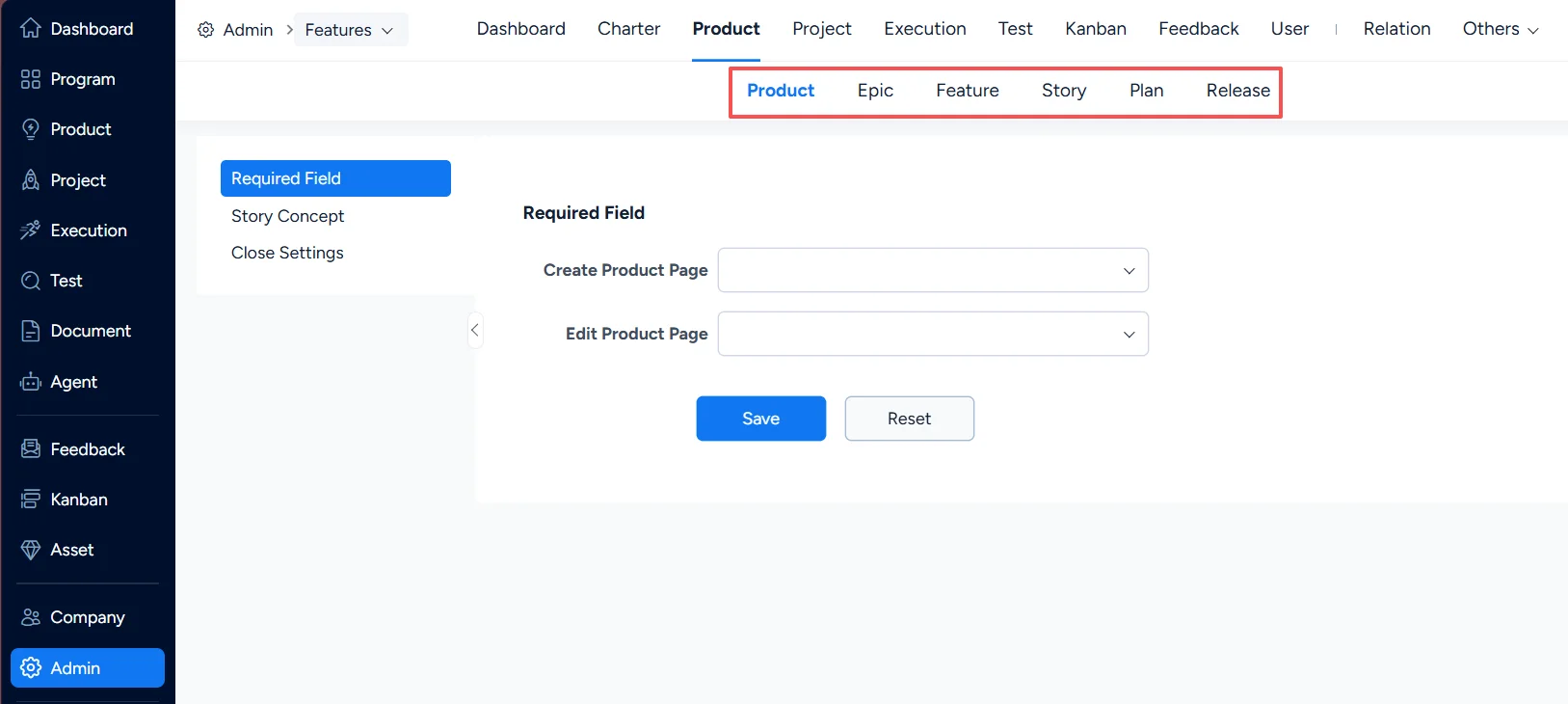
In Admin > Features > Product, you can configure elements for Product, Epic, Feature, Story, Plan, and Release.
I. Product Settings
1. Product – Story Concepts
Different organizations define “story” differently. Sanplex supports customizing story concepts.
You can select a concept combination based on your organization’s preferences and habits.
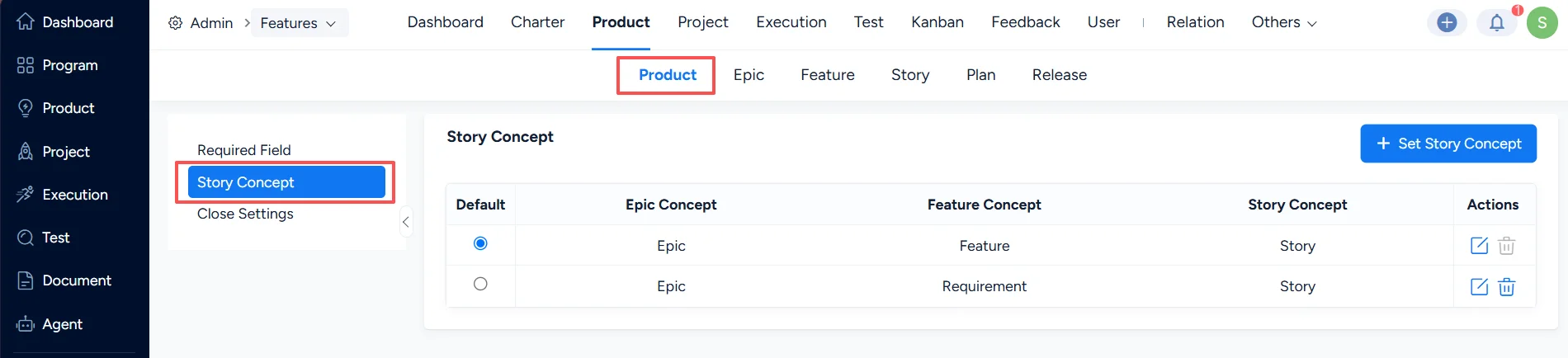
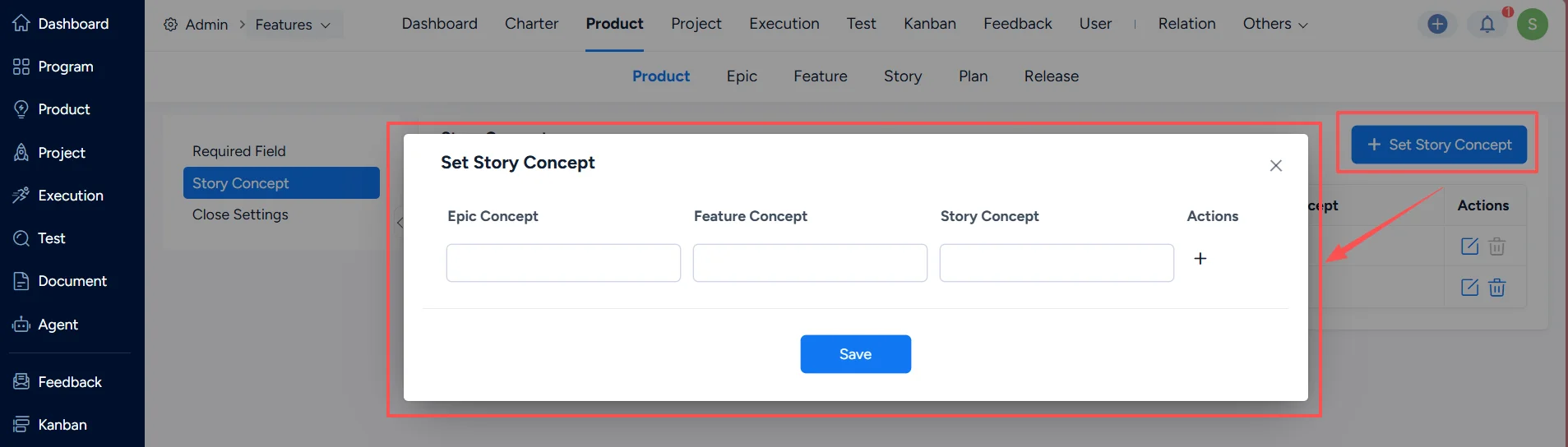
If the default concept does not meet your needs, you can redefine it. Click Set Story Concept, then enter the concepts in the input fields.
After saving, the default story naming displayed across Sanplex pages will follow the customized concepts defined here.
For individual users, this can also be configured in Preferences after logging in.
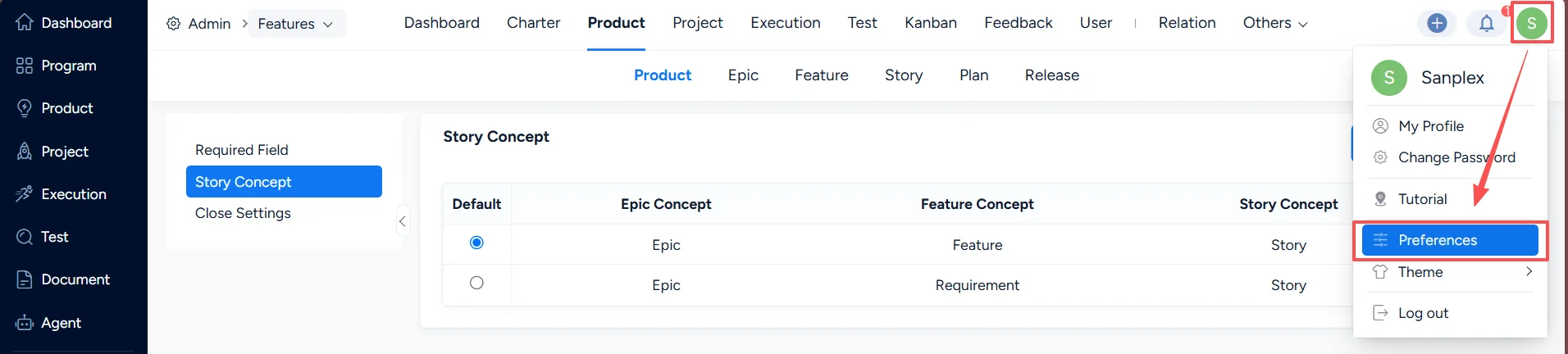
Users can select the concept that is easiest for them to understand. If not selected, the system default will be applied.
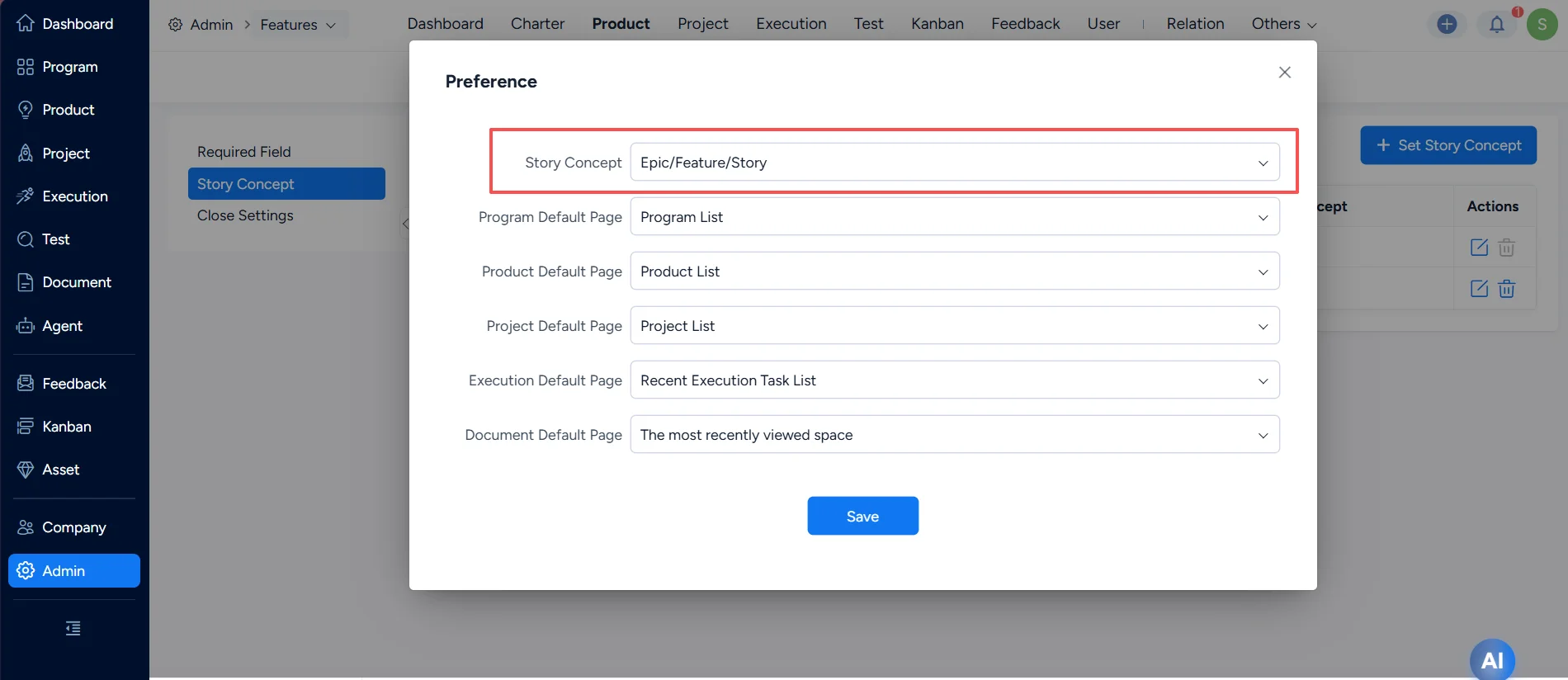
For example, select the concept: Business Requirement, Customer Requirement, Implementation Requirement.
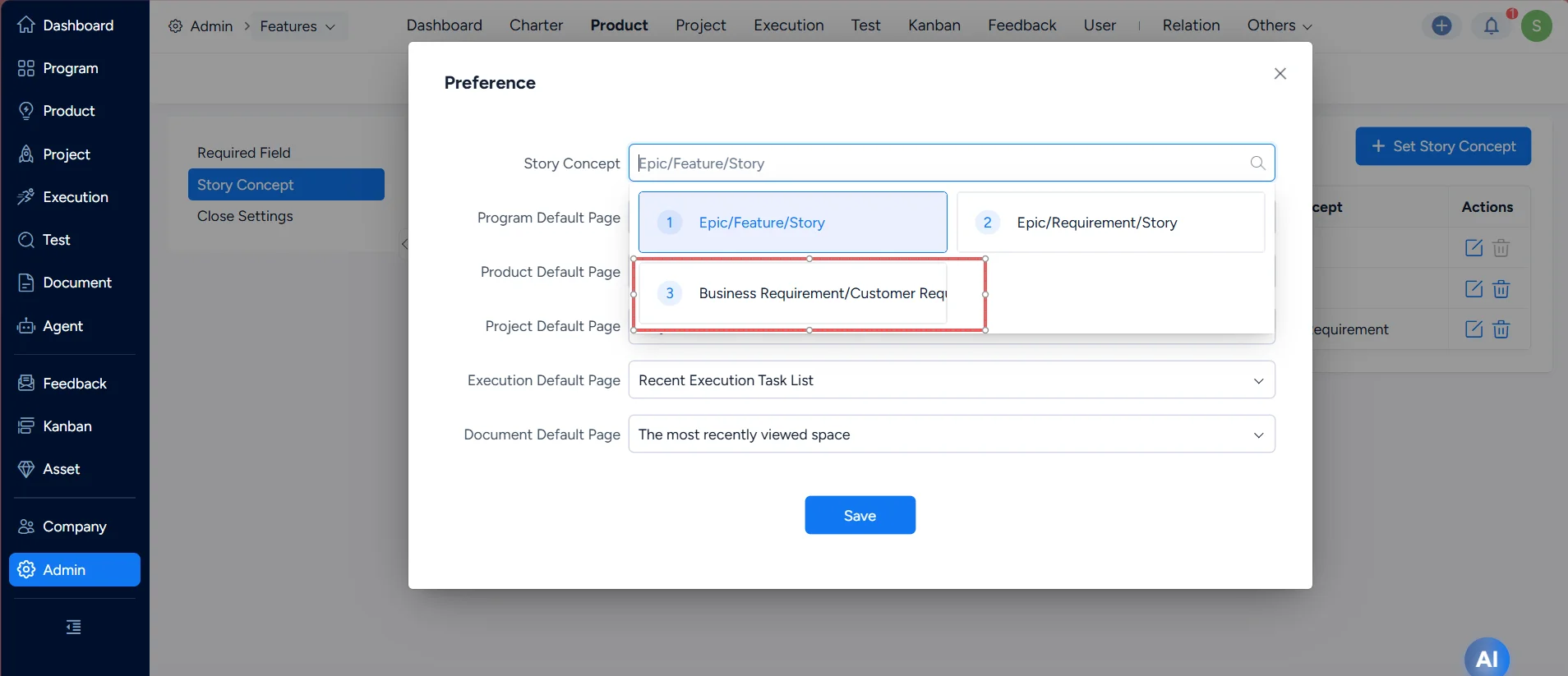
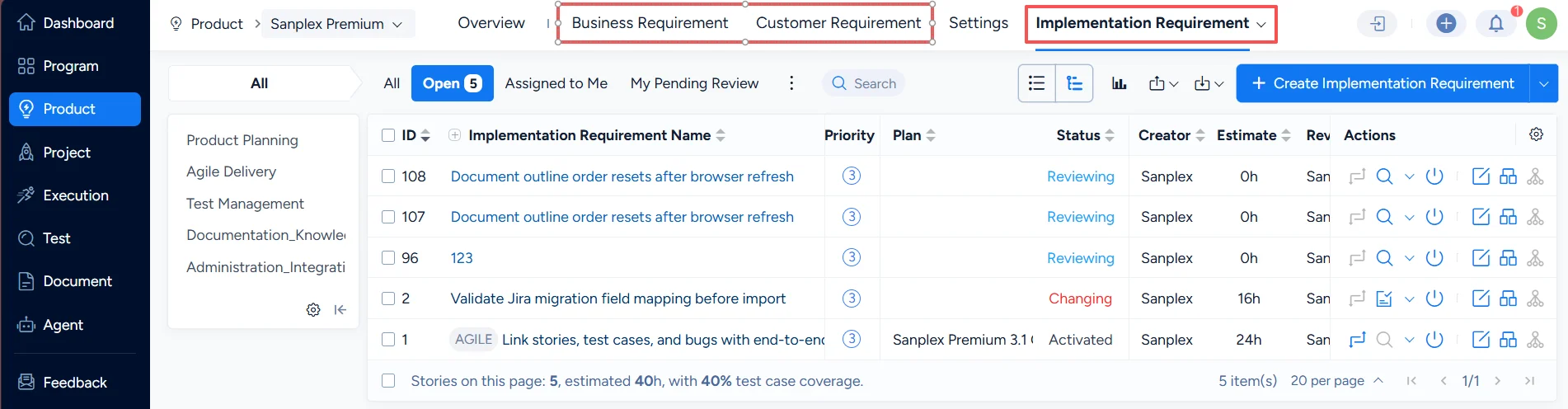
After the change is saved, you can see that the story concepts under the product have been updated.
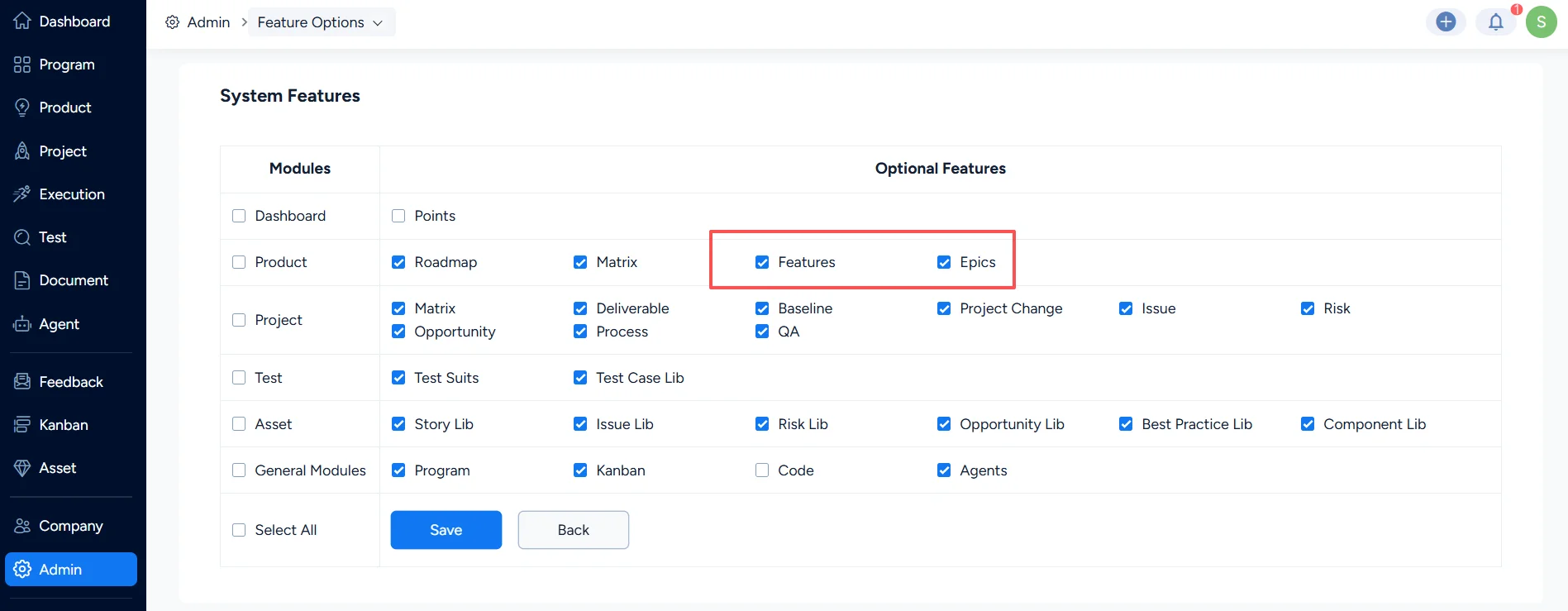
Note: If your organization’s story management is relatively simple, you can disable Features and Epics under Admin > Feature Options.
In Sanplex Free, Standard, and Premium versions, you can disable Epics, or disable Epics and Features together. Epics can only be enabled when Features are enabled.
2. Product – Required Fields
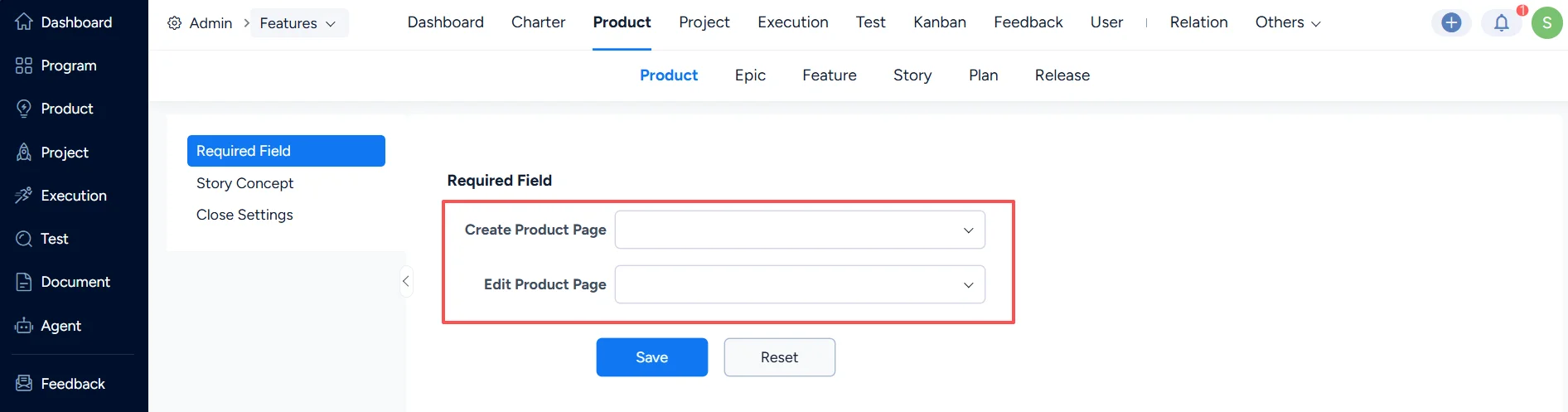
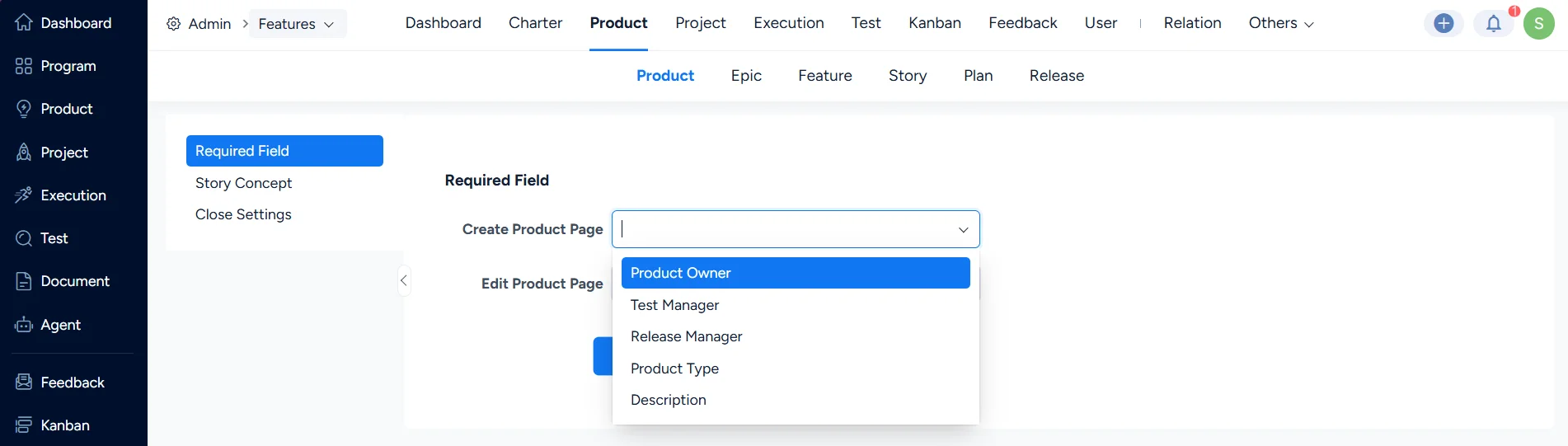
In Product Required Fields, you can configure required fields on the Create Product and Edit Product pages.
3. Product – Close Settings
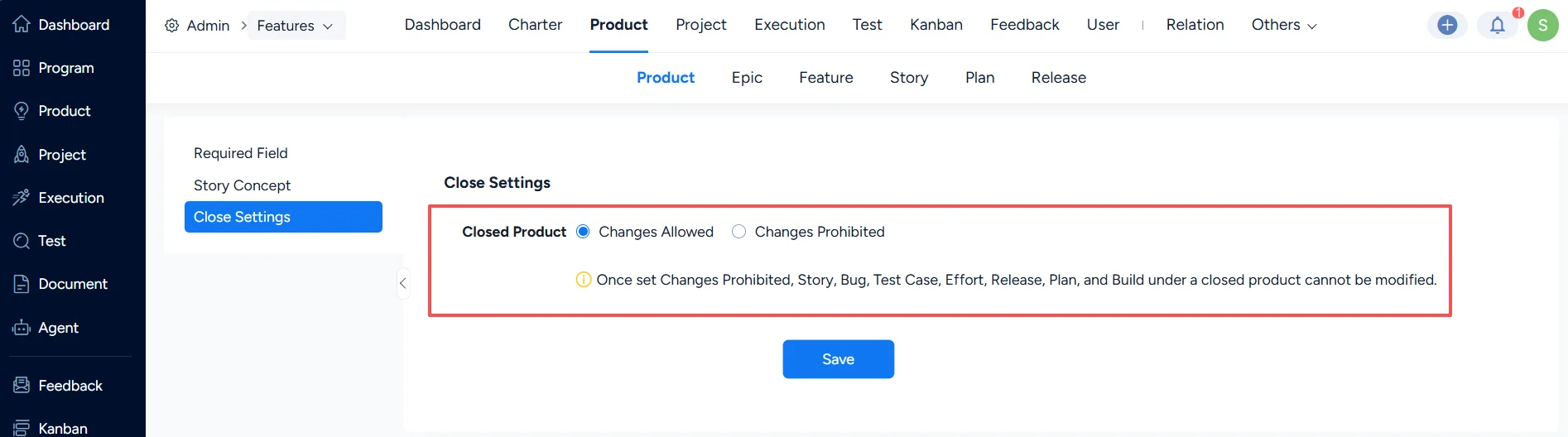
In Product Close Settings, you can configure whether a product in the Closed status is still allowed to be changed.
After you disable changes, the following items under a closed product cannot be modified: Epic, Feature, Story, Bugs, Test Cases, Efforts, Releases, Plans, and Versions.
II. Product Story Settings
The configuration items and logic for Epic, Feature, and Story are the same. The following uses Story as an example.
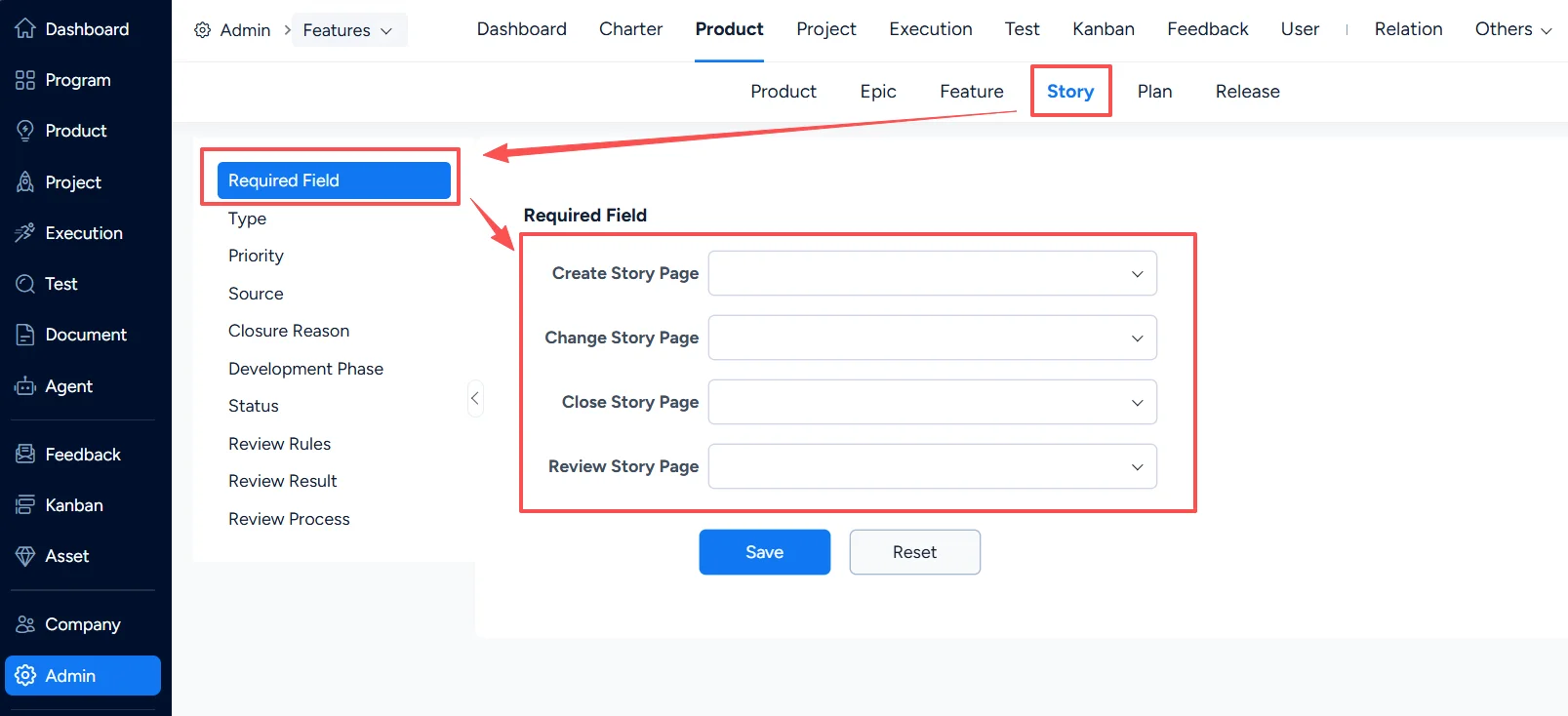
1. Story – Required Fields
In Product > Story > Required Field, configure required fields for stories on relevant action pages.
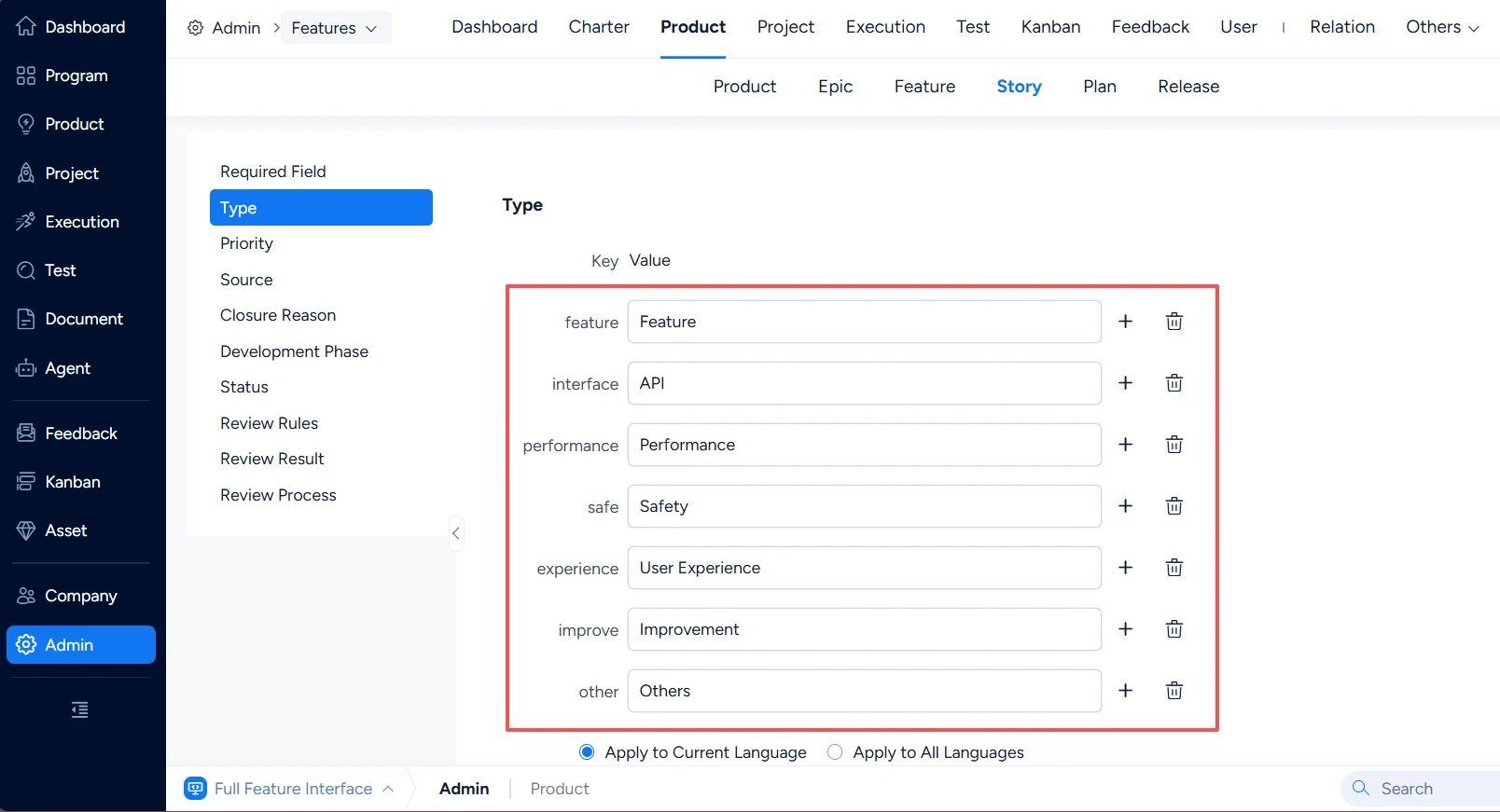
2. Story – Type
In Product > Story > Type, configure the keys and values for story types.
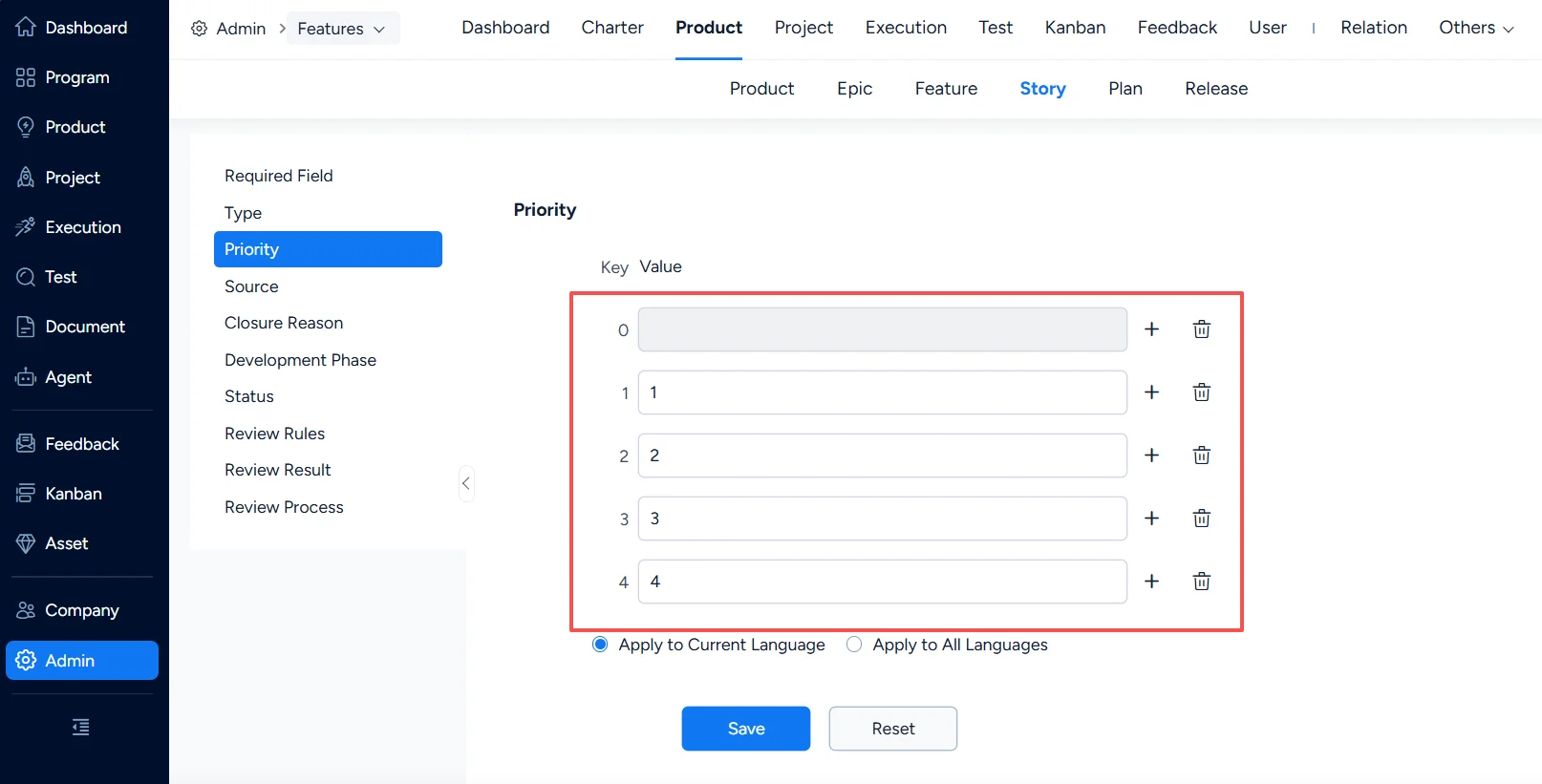
3. Story – Priority
In Product > Story > Priority, configure story priorities.
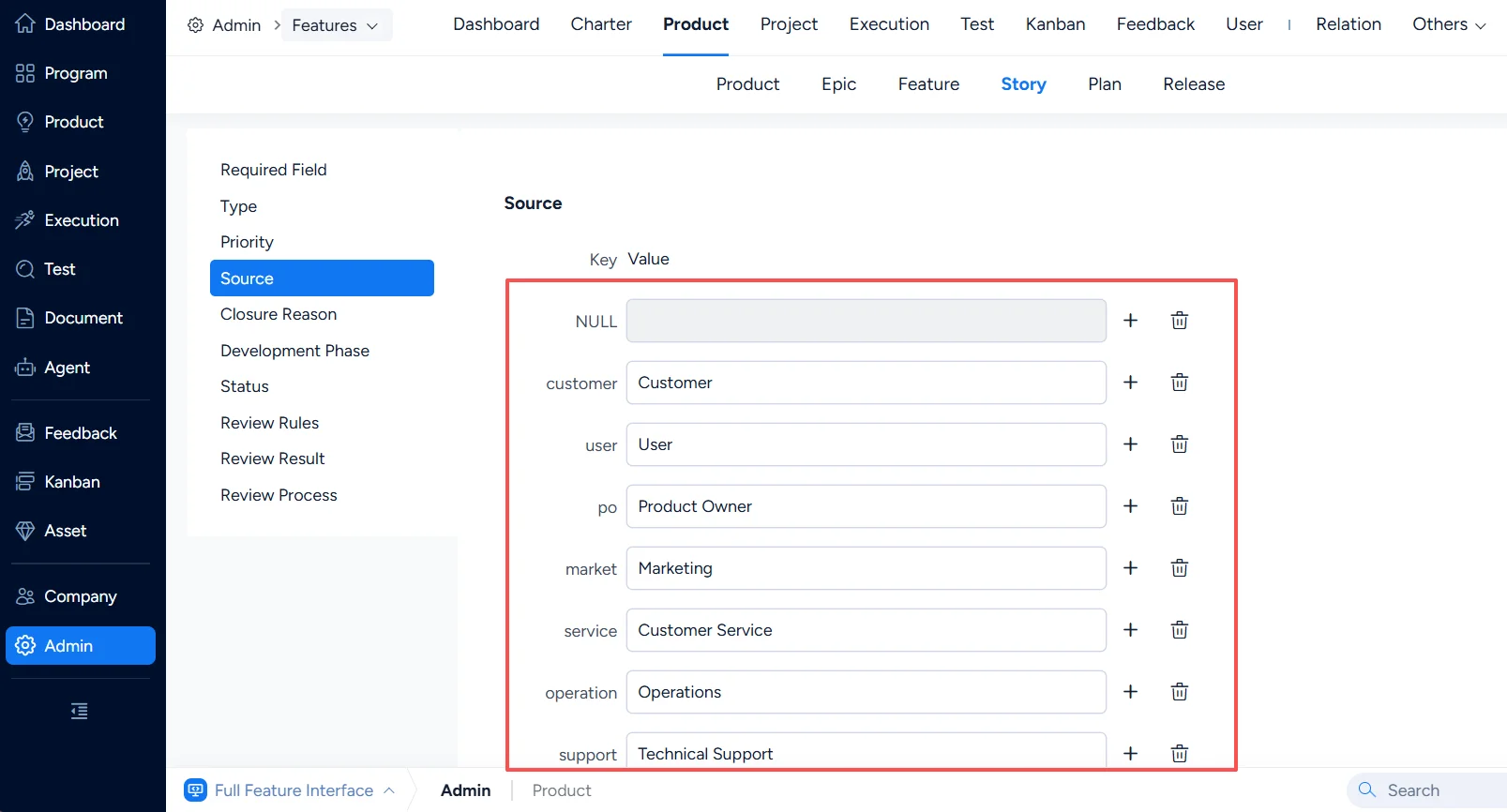
4. Story – Source
In Product > Story > Source, configure story sources.
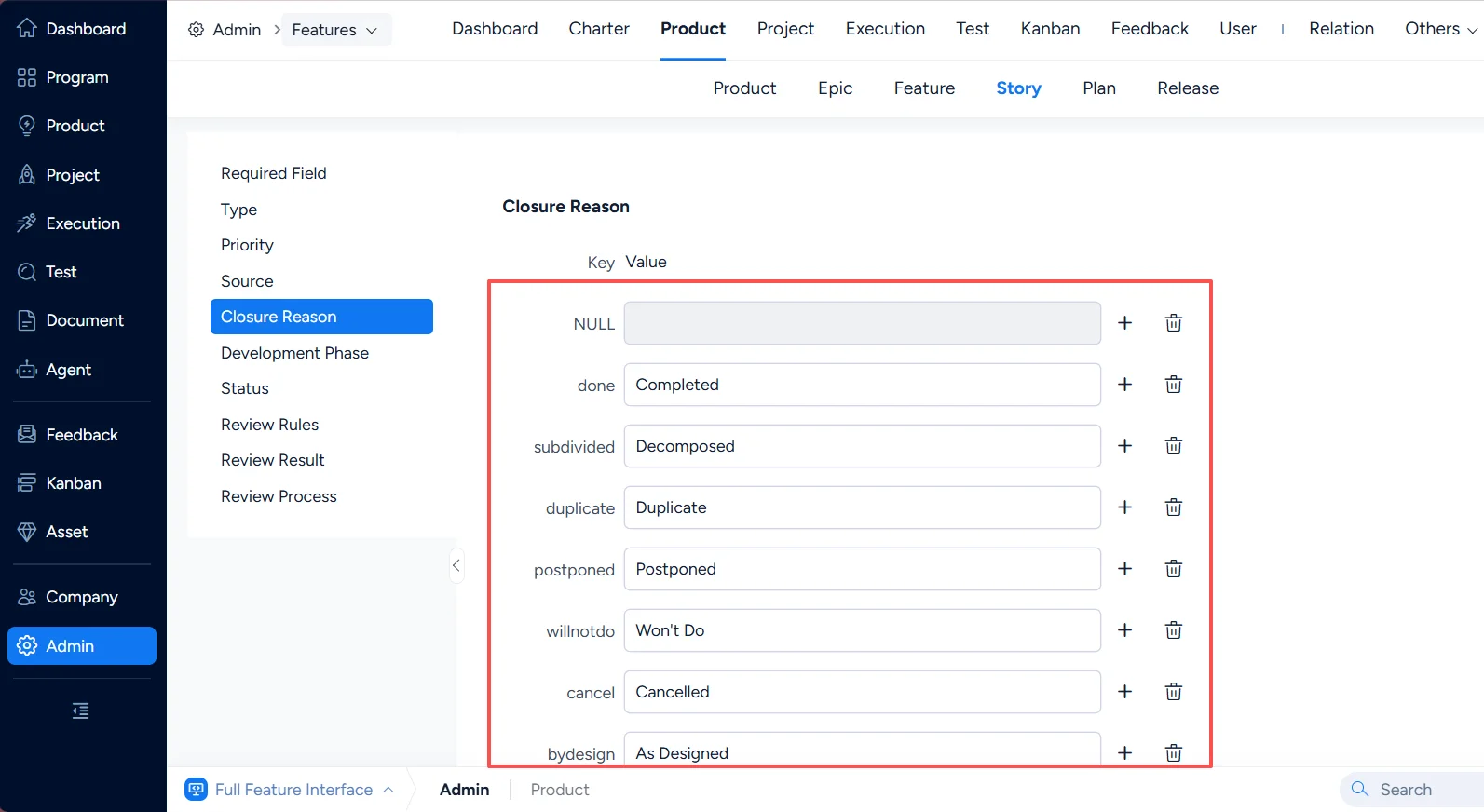
5. Story – Closure Reason
In Product > Story > Closure Reason, configure closure reasons for stories.
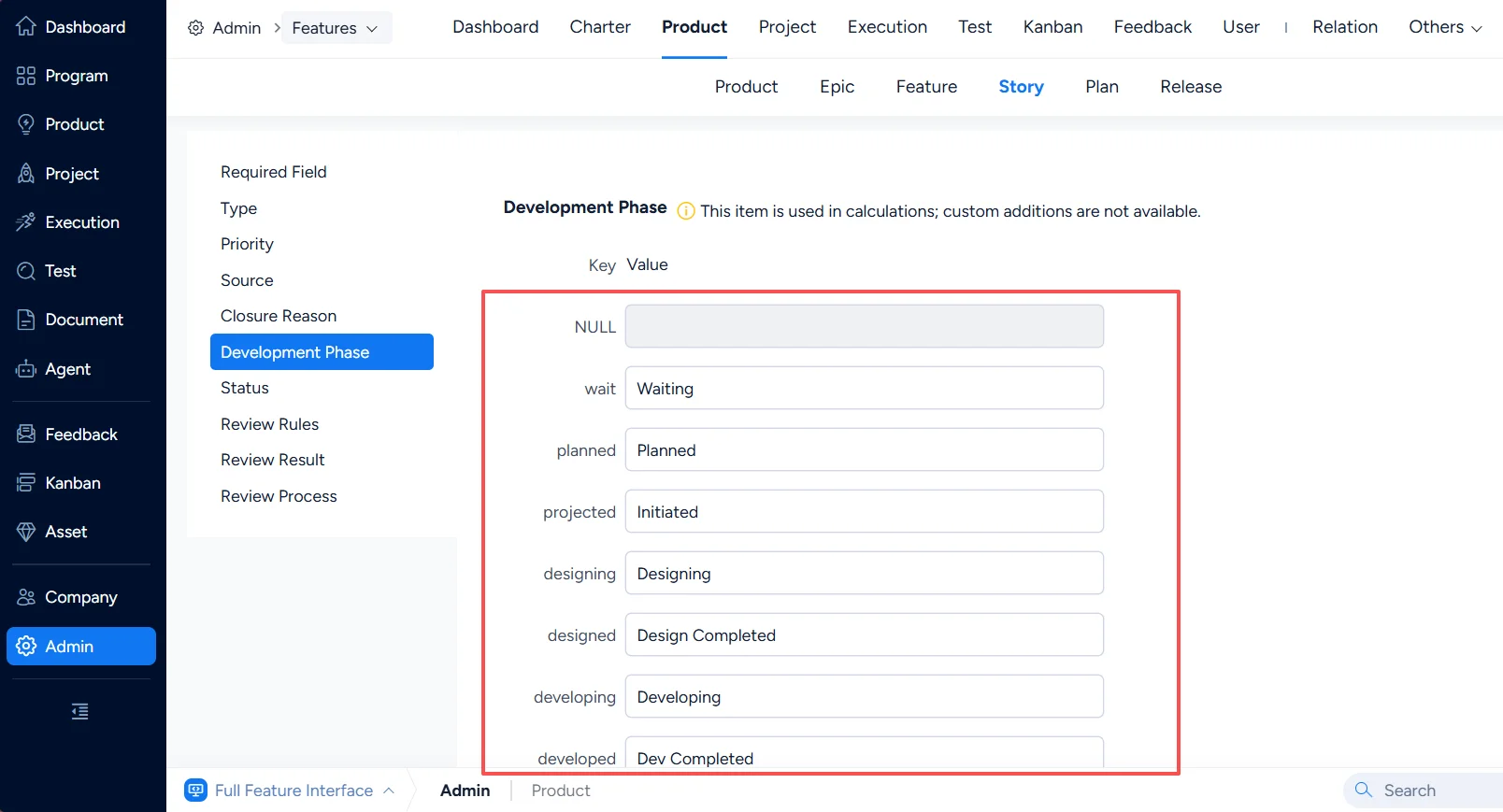
6. Story – Development Phase
In Product > Story > Development Phase, configure development phases for stories.
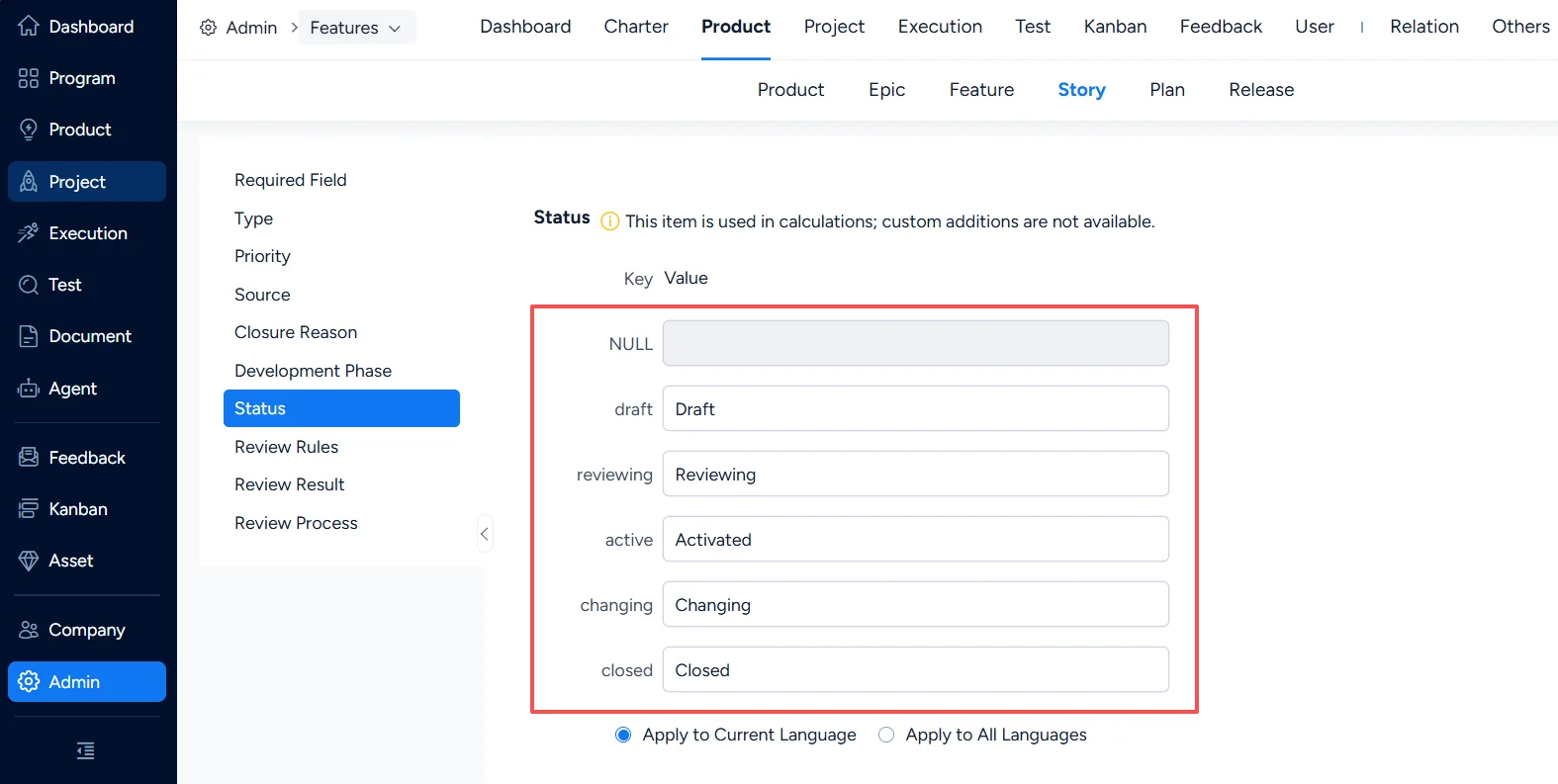
7. Story – Status
In Product > Story > Status, configure status values for stories.
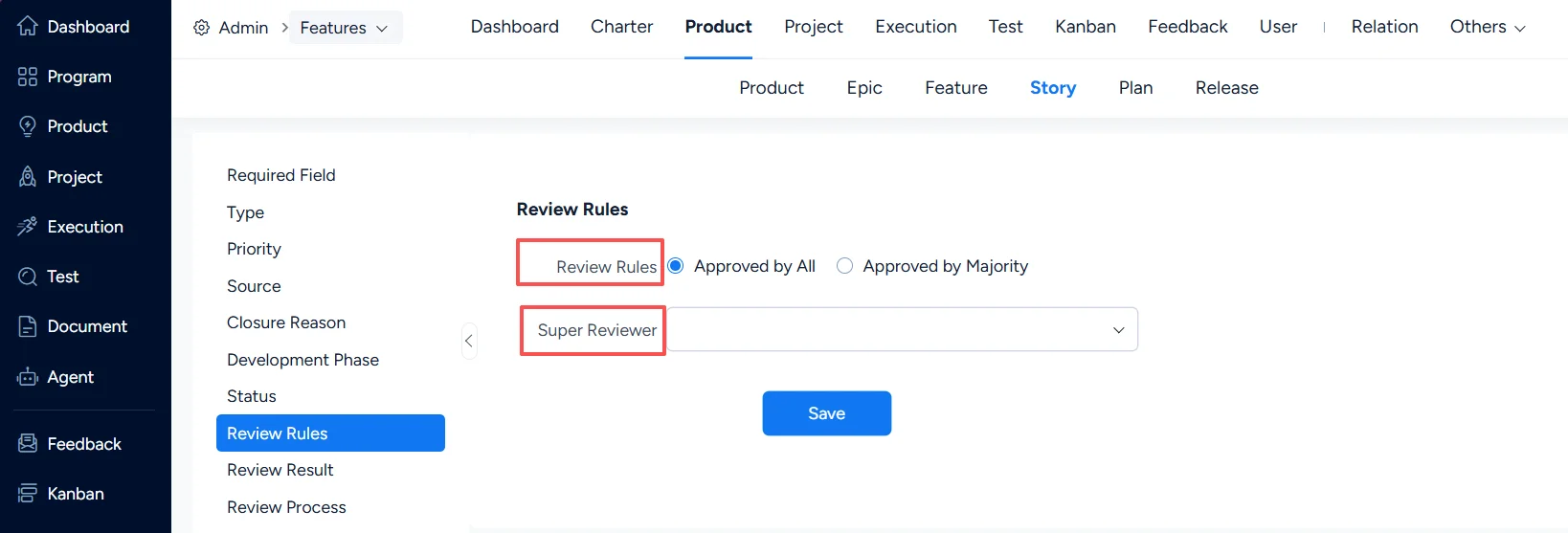
8. Story – Review Rules
In Product > Story > Review Rules, configure review rules and the Super Reviewer.
A super reviewer has veto authority and can review any stories in Pending Review status.
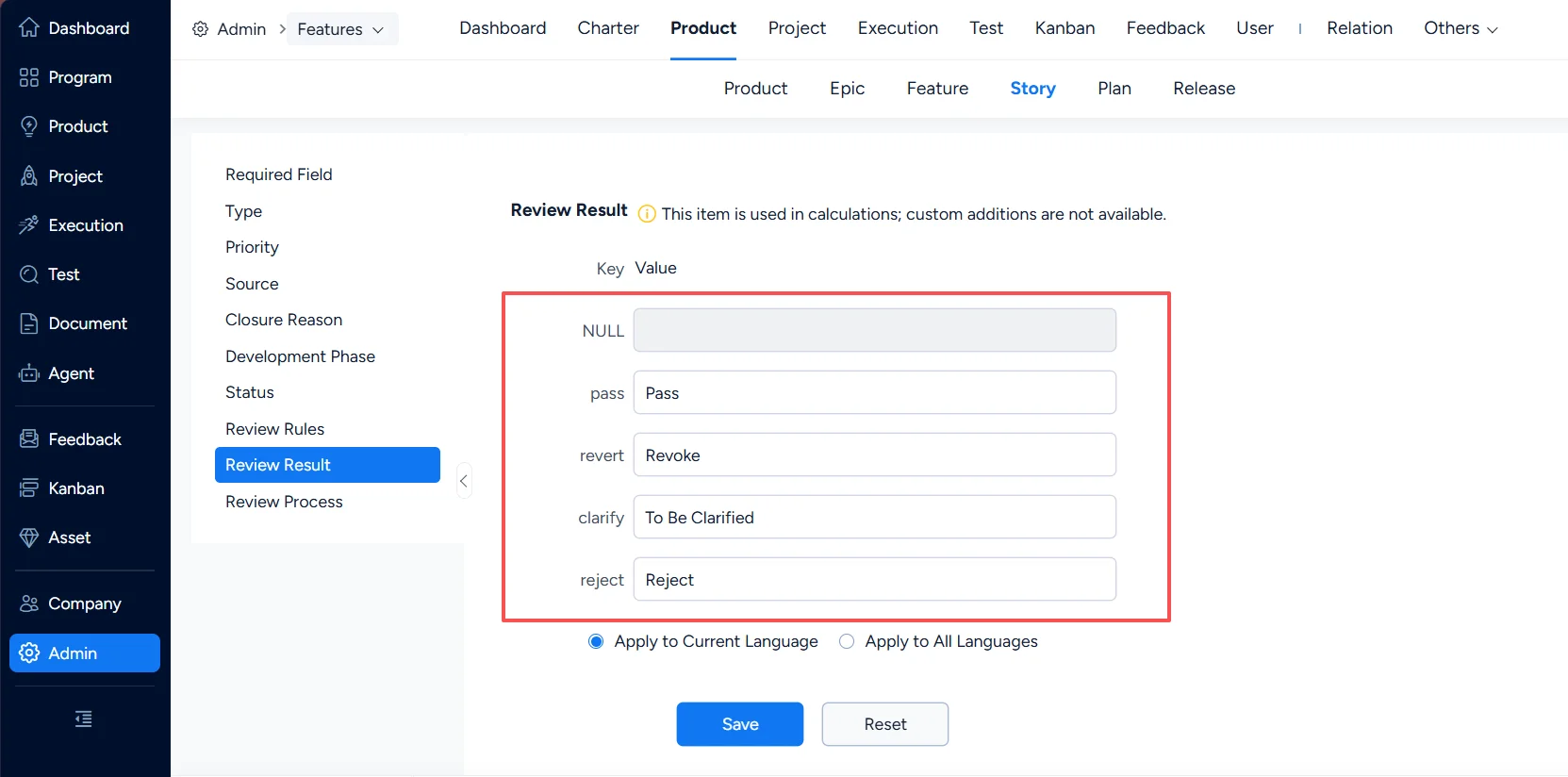
9. Story – Review Result
In Product > Story > Review Result, configure review result options.
10. Story – Review Process
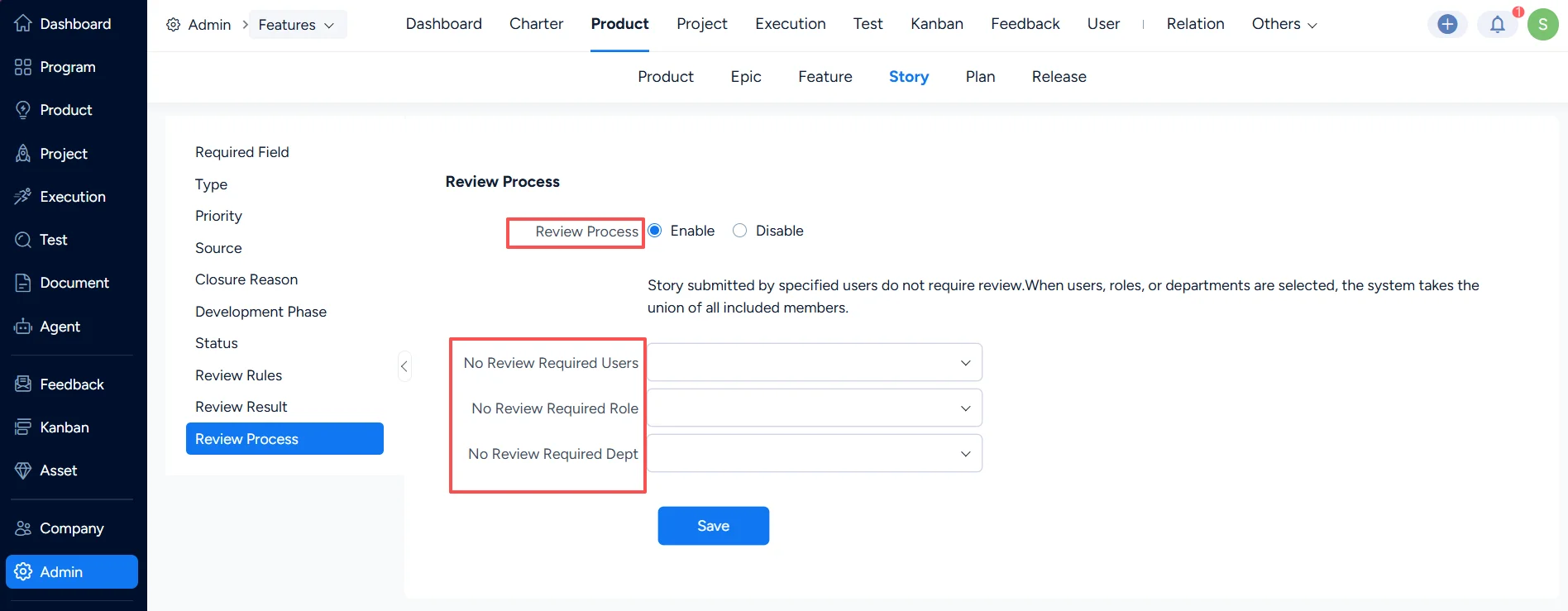
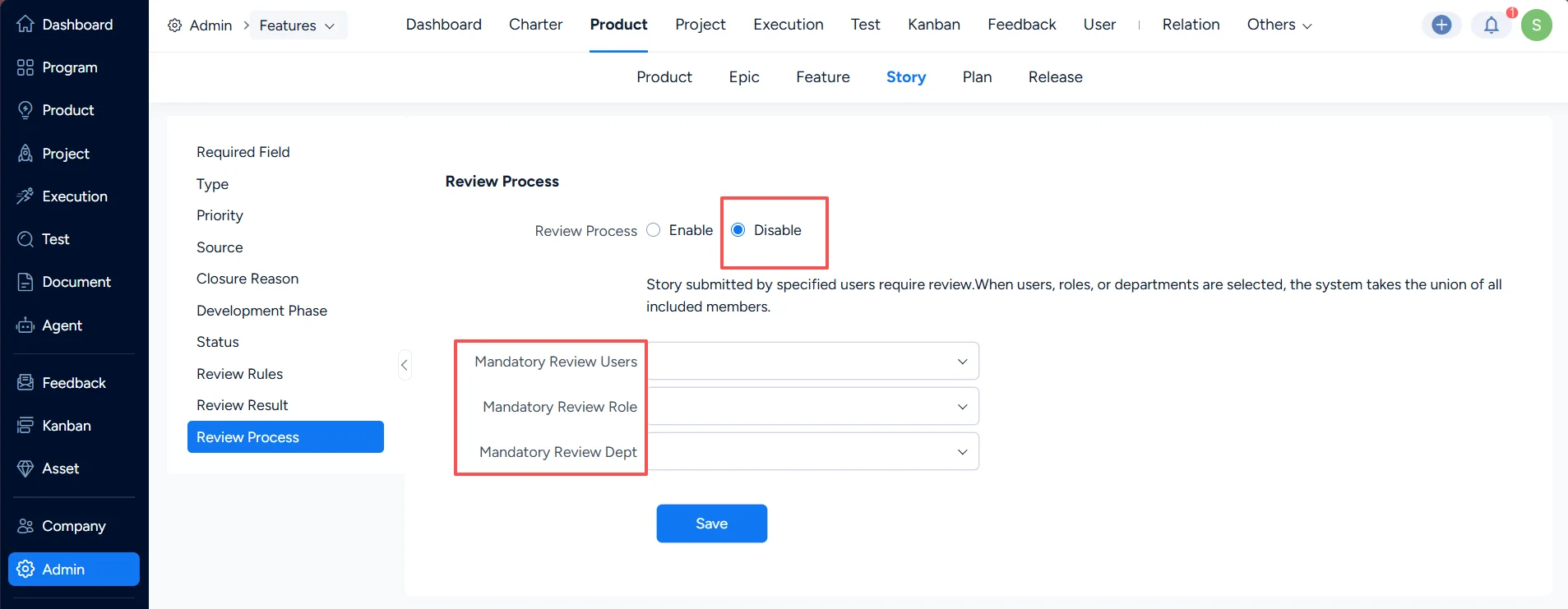
In Product > Story > Review Process, configure the review process for stories.
When the review process is enabled, you can set a whitelist of users/roles/departments that do not require review.
When the review process is disabled, you can set a whitelist of users/roles/departments that must be reviewed.
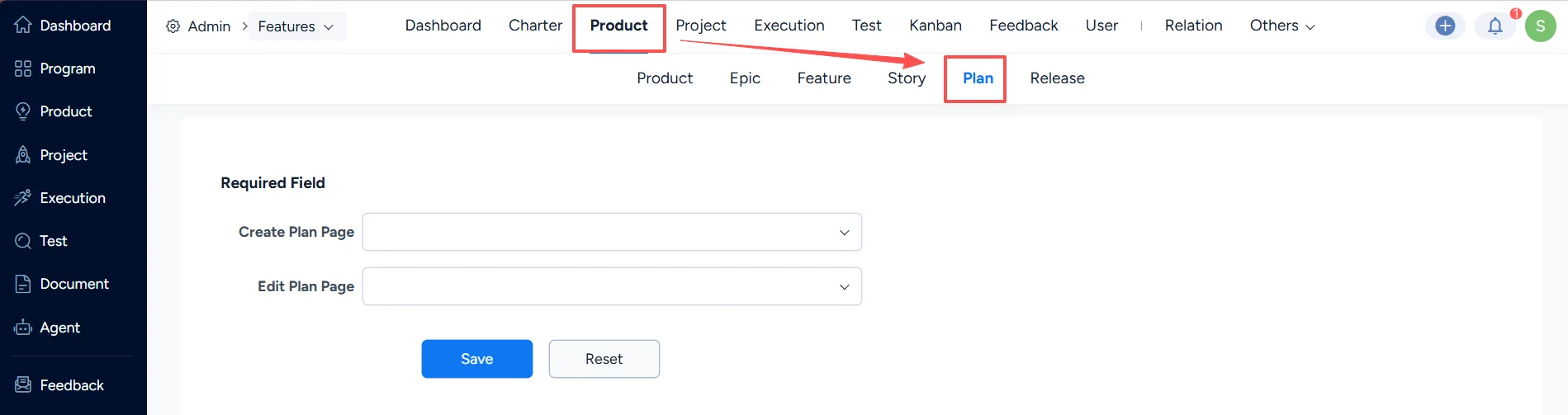
III. Product Plan Settings
In Product > Plan, configure required fields for creating and editing plans.
IV. Product Release Settings
In Product > Release, configure required fields for creating and editing releases.