Catalog
In Sanplex, a typical bug workflow is:
Report Bug → Confirm Bug → Resolve Bug → Verify and Close Bug
After a bug is reported, the development team can confirm and resolve it. Once the bug has been resolved, testers can verify the fix and close the bug.
I. Confirm Bugs
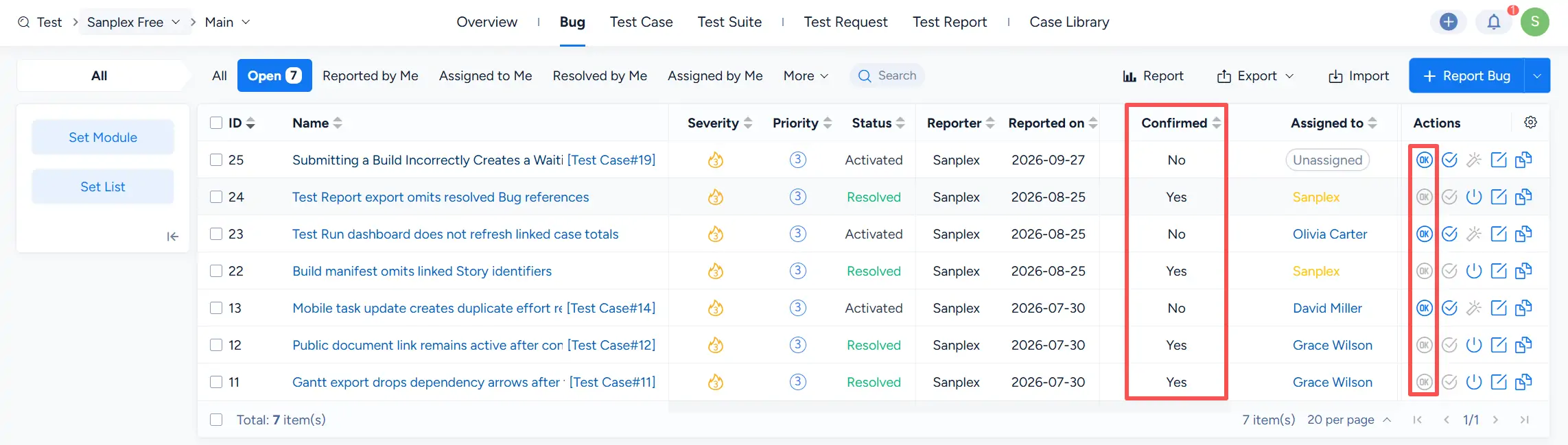
After a bug is reported, click Confirm to acknowledge the bug and mark it as confirmed.
The Confirmed column shows whether a bug has been confirmed. Bugs that have not yet been confirmed display No, while confirmed bugs display Yes.
II. Close Bugs
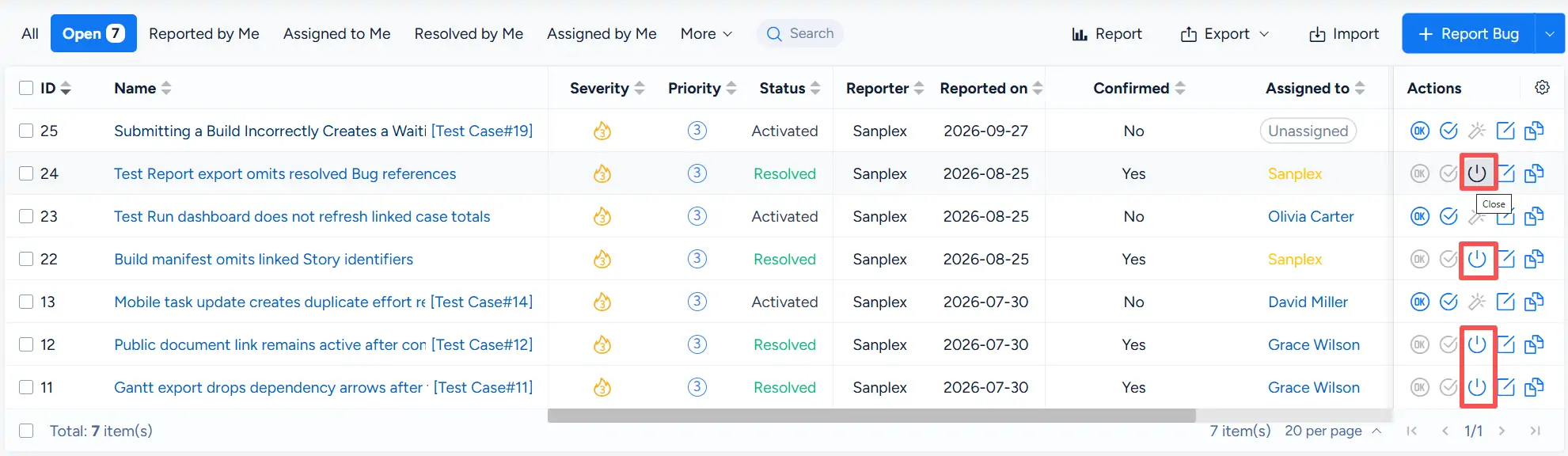
After a bug reaches the Resolved status, testers can verify the fix. If the verification is successful, click Close in the Actions column to close the bug.
A closed bug is displayed with the Closed status.
III. Activate Closed Bugs
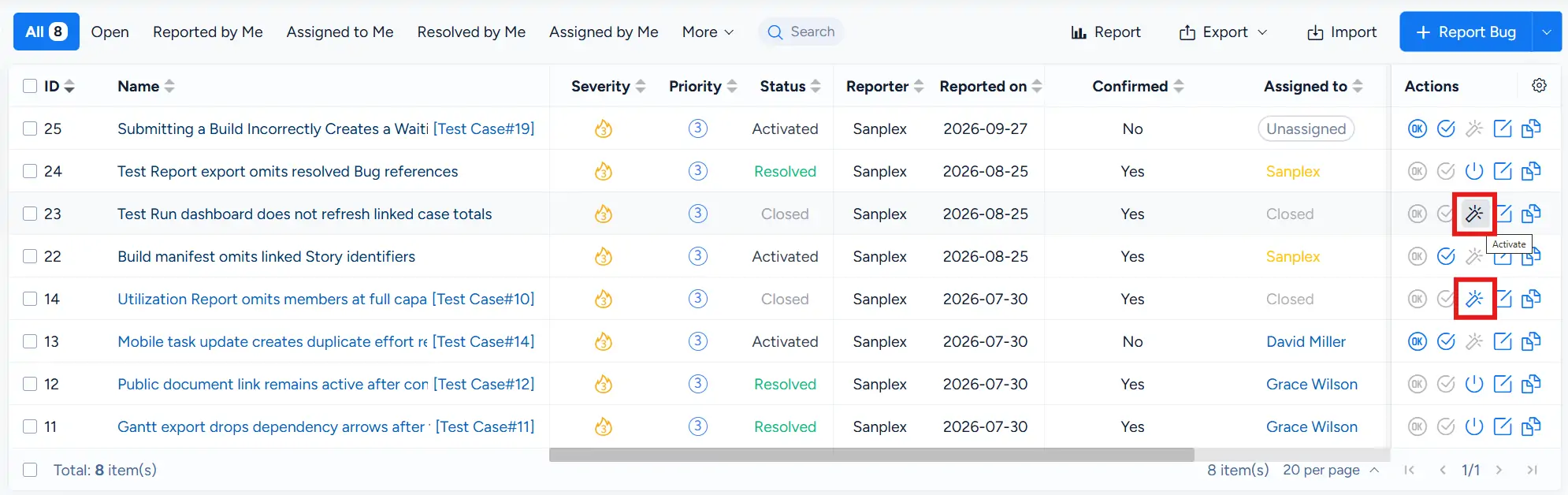
If a closed bug requires further processing, click Activate in the Actions column to reopen it for follow-up.
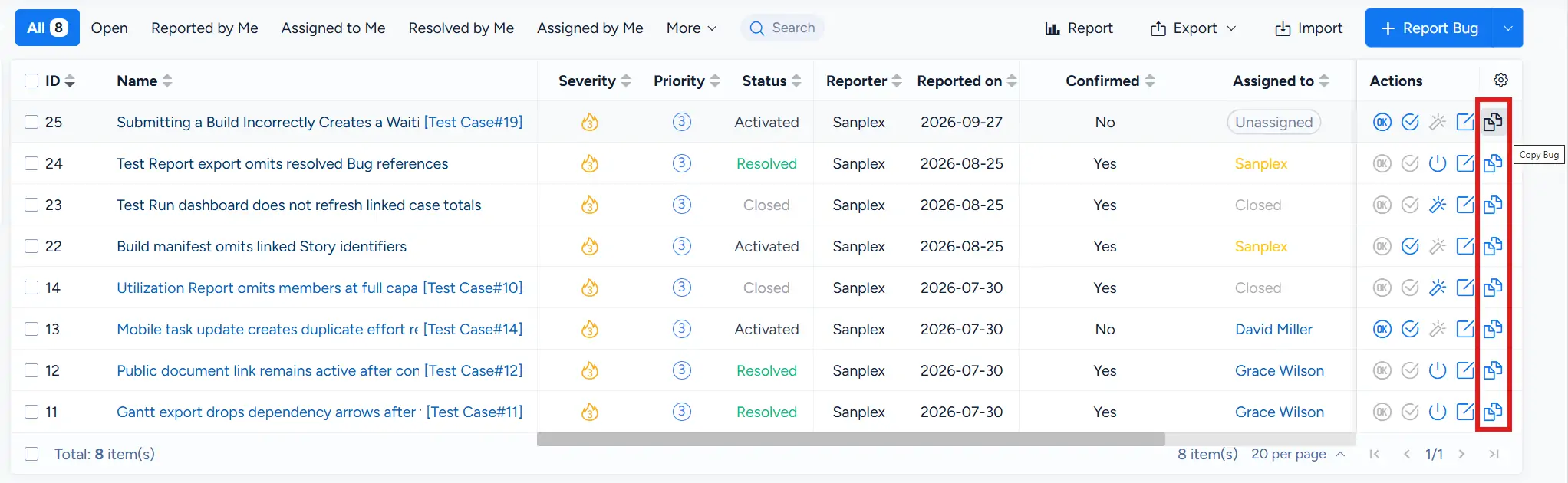
IV. Copy Bugs
Click Copy Bug in the Actions column to create a new bug based on an existing bug.
This is useful when you need to create a similar bug record while retaining information from the original item as a starting point.
V. Batch Edit Bugs
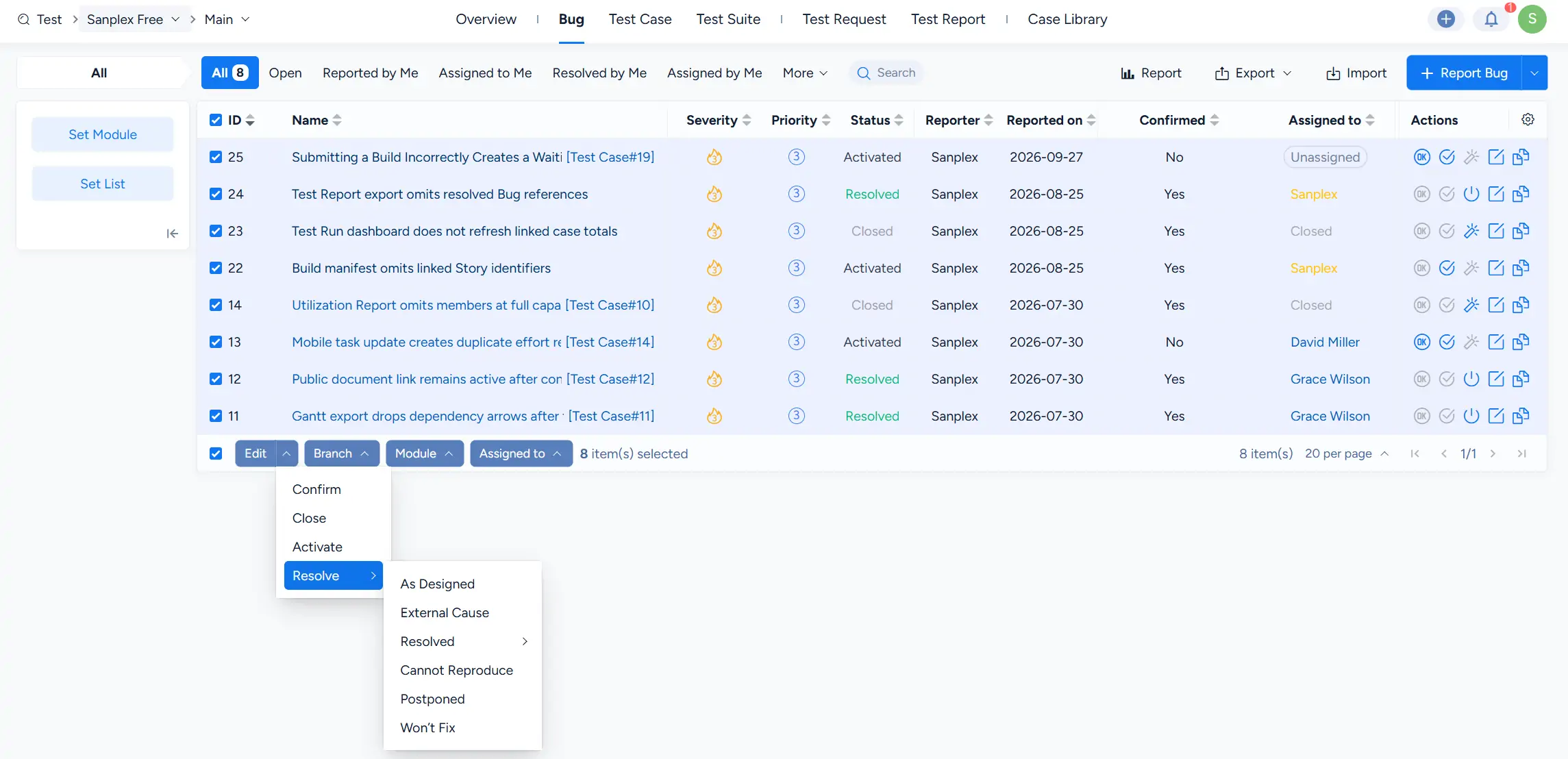
On the Bug list, select multiple bugs to access batch operations.
Sanplex provides batch controls for fields such as Branch, Module, and Assigned to. From the Edit menu, you can also perform workflow actions including:
- Confirm
- Close
- Activate
- Resolve
When selecting Resolve, you can choose the appropriate resolution from the available options.