

Catalog
After bugs are reported during testing, developers are responsible for confirming and resolving the bugs assigned to them.
A typical bug-handling workflow is:
Tester reports a bug → Developer confirms and resolves the bug → Tester verifies the fix and closes the bug
If verification fails, the bug can be reactivated for further investigation and resolution.
Developers should review assigned bugs promptly and record the appropriate resolution information in Sanplex.
I. Confirm Bugs
After a tester reports a bug, the developer can Confirm it to acknowledge the issue before resolving it.
The bug list shows whether each bug has been confirmed. You can confirm a bug directly from the Test > Bug list by clicking Confirm in the Actions column.

You can also open the bug details page and click Confirm in the action bar.
Once a bug is resolved, it is also treated as confirmed.
II. Resolve Bugs
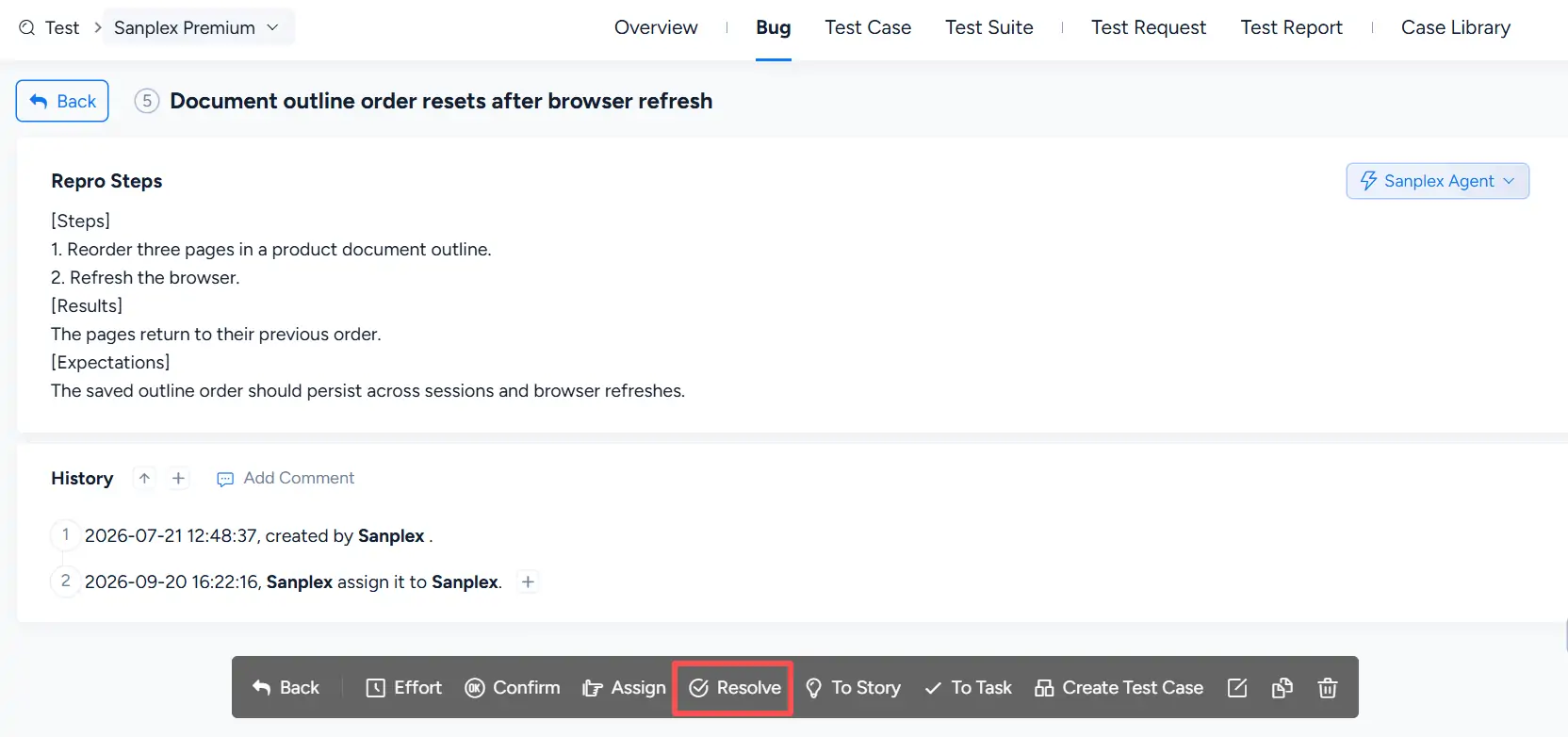
To resolve a bug, click Resolve in the Actions column of the Test > Bug list.

You can also open the bug details page and click Resolve in the action bar.
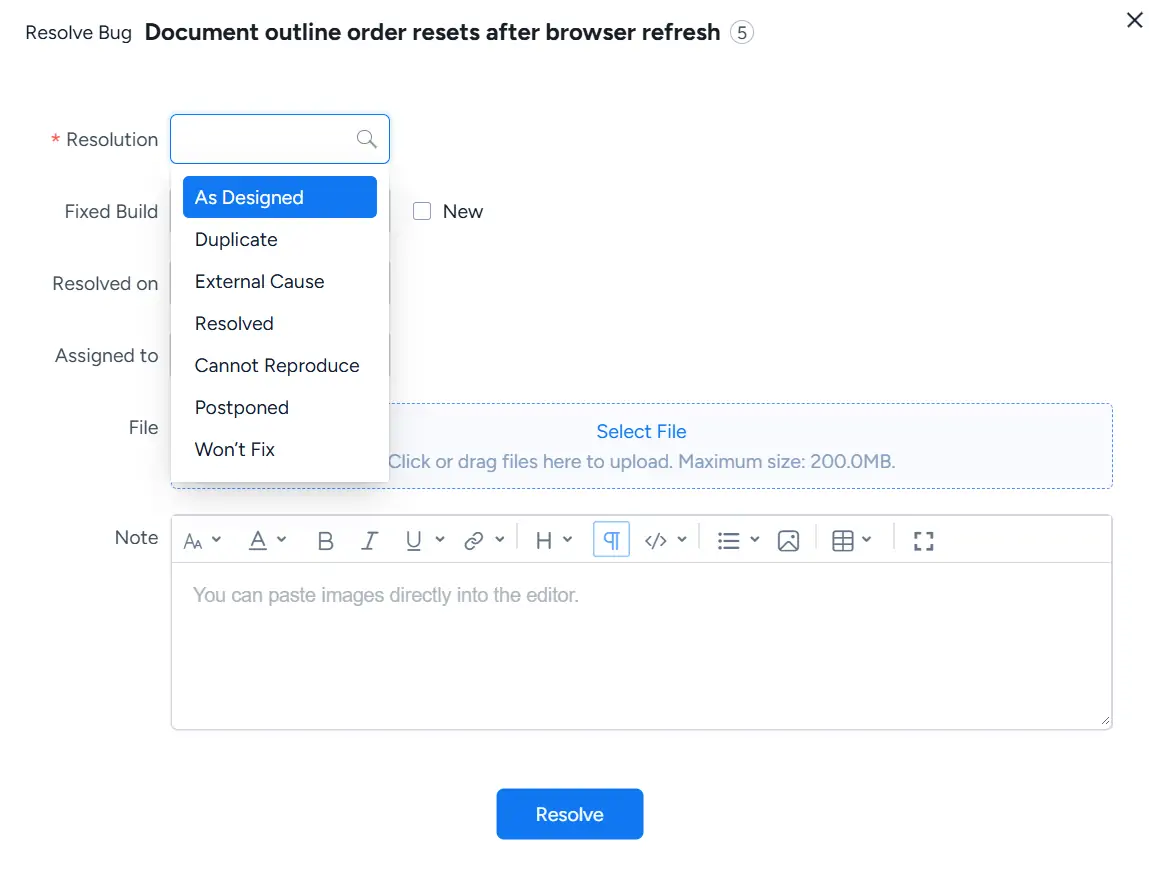
In the Resolve Bug dialog, select a Resolution and complete the relevant resolution information, such as Fixed Build, Resolved on, Assigned to, files, and notes.
After the resolution is submitted, Sanplex records the resolution information for subsequent verification and tracking.
III. Bug Resolution Options
1. Built-in Resolution Options
Sanplex provides the following built-in resolution options:
- As Designed: the behavior works as designed and no change is required.
- Duplicate: the same issue has already been reported in another bug.
- External Cause: the issue is caused by an external factor.
- Resolved: the issue has been resolved.
- Cannot Reproduce: the reported issue cannot be reproduced.
- Postponed: the issue is valid, but its resolution is deferred.
- Won’t Fix: the issue will not be fixed.
Select the resolution that best reflects how the bug has been handled.
2. Convert a Bug to a Story
Converting a bug to a Story is handled separately from bug resolution.
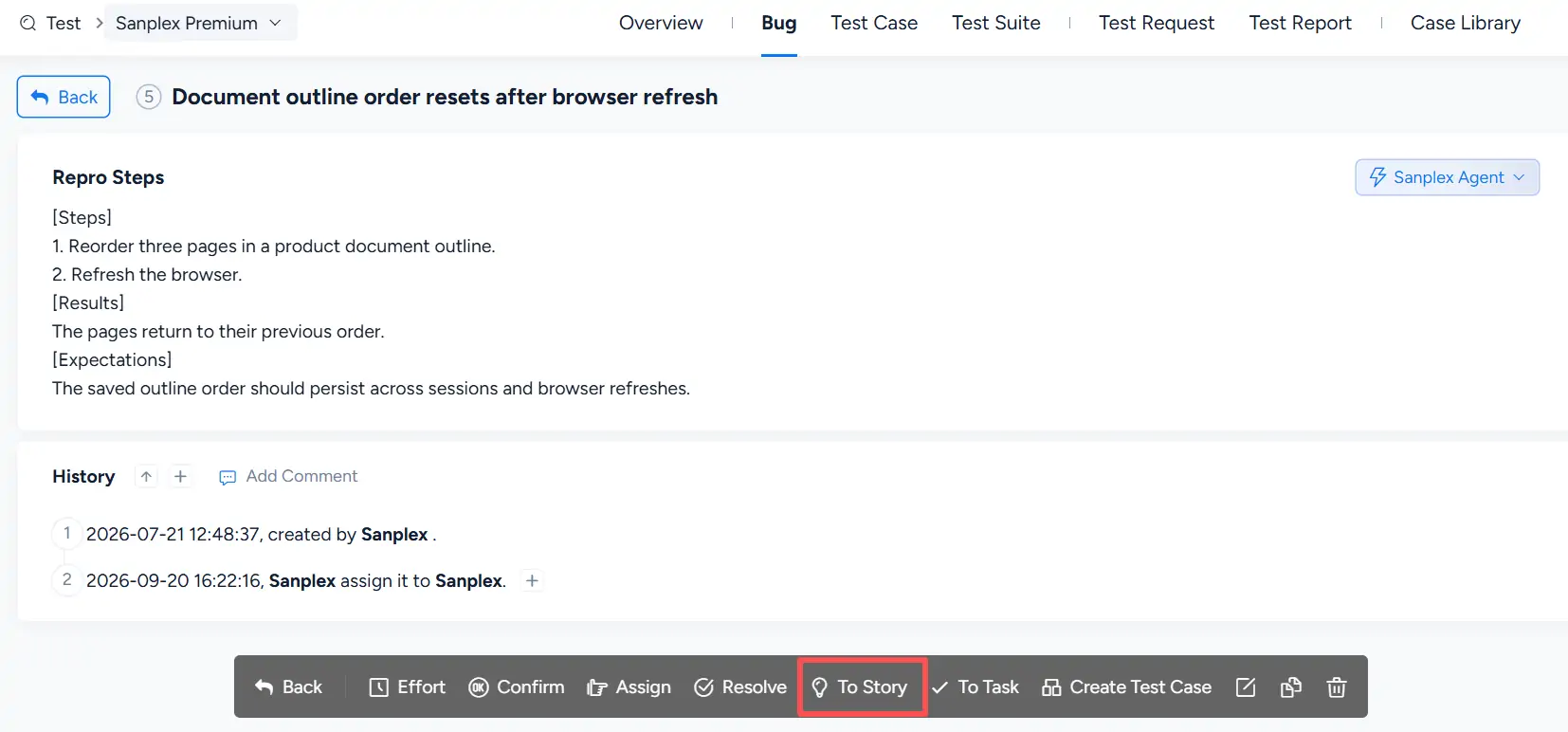
On the bug details page, click To Story in the action bar.
After conversion, the generated Story records its relationship to the original bug in History. For example, the history can show that the Story was converted from a specific Bug ID.
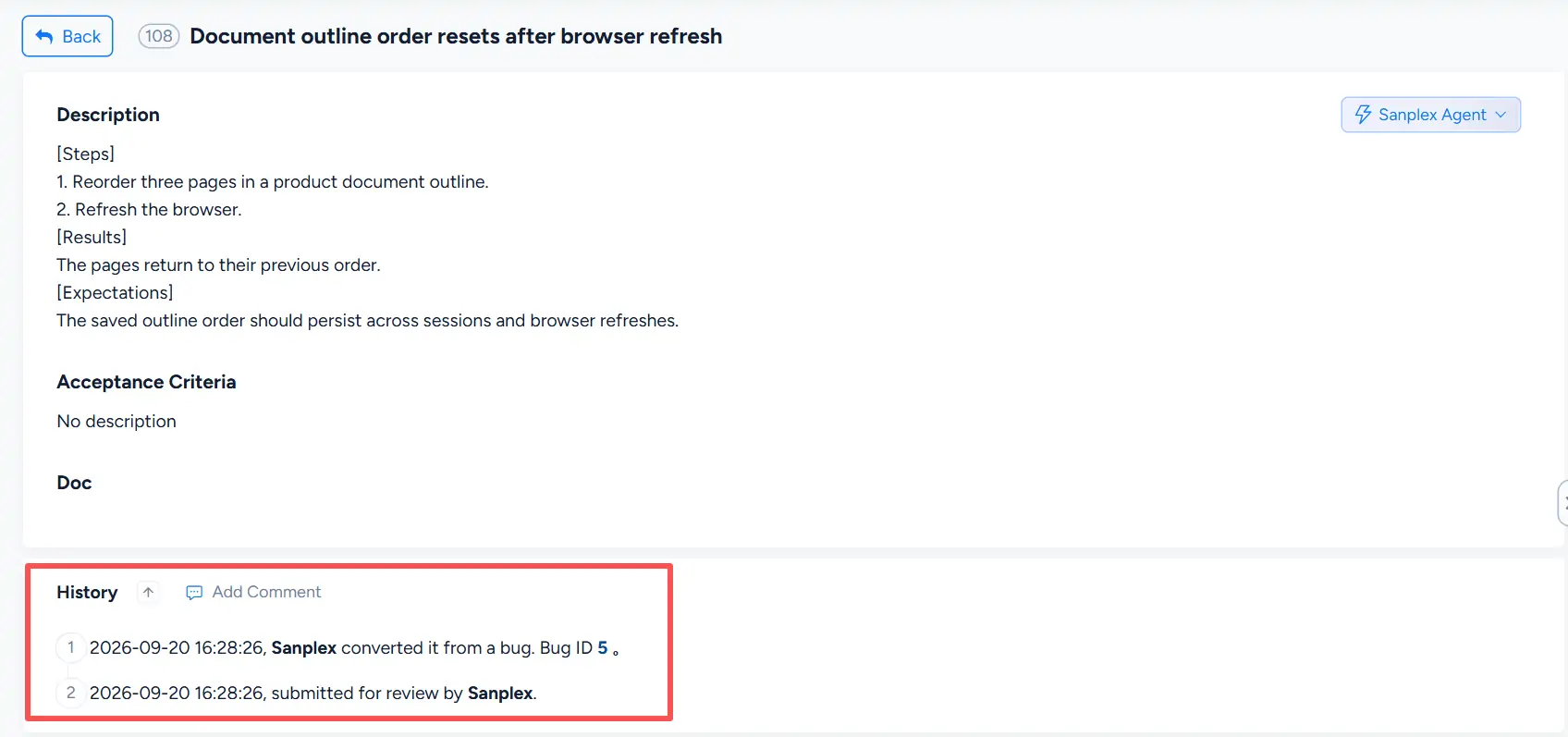
This keeps the original bug and the resulting Story traceable within Sanplex.


