Testing
1. Introduction of Sanplex features
1.1. Core Management Framework
1.1.1 Program
1.1.2 Project
1.1.3 Product
1.1.4 Execution
1.1.5 Management Models
1.2. Dashboard
1.2.1 Getting Started with Tutorials
1.2.2 Quick Add
1.2.3 Notification Center
1.2.4 Effort Tracking
1.2.5 Dashboard - Project and Execution
1.2.6 Dashboard - My Work, Contribution, and Recents
1.2.7 Dashboard - Approval
1.2.8 Contacts
1.3. Program
1.3.1 Program List
1.3.2 Program Kanban
1.3.3 Create Program
1.3.4 Create Sub-Programs
1.3.5 Project Charter Management
1.4. Product
1.4.1 Create Product
1.4.2 Manage Modules
1.4.3 Multi-Branch and Multi-Platform Management
1.4.4 Manage Plans
1.4.5 Manage Requirements
1.4.6 Requirement Reviews
1.4.7 Requirement Status and Phase
1.4.8 Create Releases
1.4.9 Track Progress
1.4.10 Business Requirements and Multi-Level Requirements
1.5. Project
1.5.1 Scrum Project
1.5.2. Waterfall Project
1.5.2.1 Manage Project Phases
1.5.2.2 Project Design
1.5.2.3 Project Matrix
1.5.2.4 Project Reports and Earned Value Management
1.5.2.5 Project Baselines
1.5.2.6 Project Change
1.5.3. Kanban Project
1.5.3.1 Set Up Kanban Projects
1.5.3.2 Configure Kanban Boards
1.5.3.3 Use Kanban Boards
1.5.4 Hybrid Agile Project
1.5.5 Hybrid Waterfall Project
1.5.6. Project Settings
1.5.6.1 Project Setup
1.5.6.2 Project Executions
1.5.6.3 Project Requirements
1.5.6.4 Project Builds
1.5.6.5 Project Tests
1.5.6.6 Project Docs
1.5.6.7 Project Releases
1.5.6.8 Project Reports
1.5.6.9 Project Risks
1.5.6.10 Project Issues
1.5.6.11 Project Opportunities
1.5.6.12 Project Deliverables
1.5.6.13 Project Reviews
1.5.6.14 Project Process
1.5.6.15 Deliverables
1.5.6.16 Quality Assurance
1.5.6.17 Project-specific Workflow Management
1.5.7 Project Templates
1.6. Execution
1.6.1 Product Planning and Task Breakdown
1.6.2 Task Assignment and Daily Tracking
1.6.3 Build Creation and Test Requests
1.6.4 Bug Confirmation and Resolution
1.6.5 Execution Kanban Boards
1.7. Admin Settings
1.7.1. System Settings
1.7.1.1 Mode
1.7.1.2 Backup
1.7.1.3 Trash
1.7.1.4 License
1.7.1.5 Security
1.7.1.6 Cron Job
1.7.1.7 Time Zone
1.7.1.8 Rebuild Index
1.7.1.9 LDAP
1.7.1.10 Table Engine
1.7.2 Feature Options
1.7.3. Permission Management and Access Control
1.7.4. Agent Configuration
1.8. Asset Library (Premium)
1.8.1 Asset Library Management (Premium)

Bug Submission and Reports

2026-09-28 00:30:05
Sanplex Content
381
Last edited by Jing WANG on 2026-09-28 09:26:01
Share links
Summary: Learn how to report bugs individually or in batches, enter bug information efficiently, export bug data with reusable templates, and generate visual reports based on Bug list search results for quality analysis.

Feature Overview

The Bug feature is an important part of software and hardware development and quality management. It helps teams identify, record, track, and resolve product issues throughout the development and testing process.

Sanplex allows teams to capture bug information such as reproduction details, affected version, severity, priority, project and execution context, and supporting files. Bugs can also be linked with test cases and other work items, helping teams maintain traceability throughout issue handling.

Typical Use Scenarios

  • Testing: When testers discover functional or performance issues while executing test cases, they can report bugs with sufficient reproduction information for follow-up.
  • Development: Developers can record issues or logic errors identified during implementation and assign them for resolution.
  • User-reported Issues: Issues reported by users can be recorded as bugs for triage and follow-up by the relevant team members.
  • Pre-release Validation: Before a release, teams can track and resolve bugs identified during validation to improve release quality.
  • Bug Analysis: Teams can analyze bug data by execution, module, severity, status, priority, assignee, and other dimensions to identify recurring quality issues.

Bug reporting is also an important part of the testing workflow. When an issue is discovered, testers can record it under Test > Bug and continue tracking it through confirmation, assignment, and resolution.

I. Submit a Bug

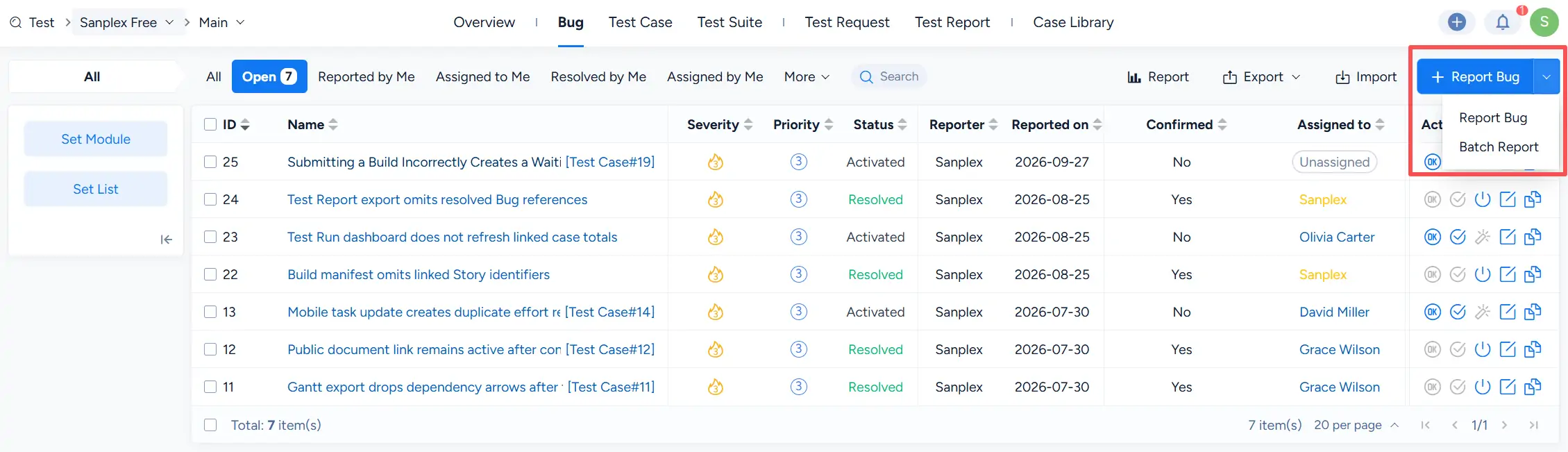
Under Test > Bug, click the dropdown next to Report Bug. You can choose:

  • Report Bug to submit a single bug.
  • Batch Report to submit multiple bugs.

Sanplex Bug list with the Report Bug dropdown expanded, showing Report Bug and Batch Report options.

For batch submission, select Batch Report, and then use Bulk entry to enter multiple bugs efficiently.
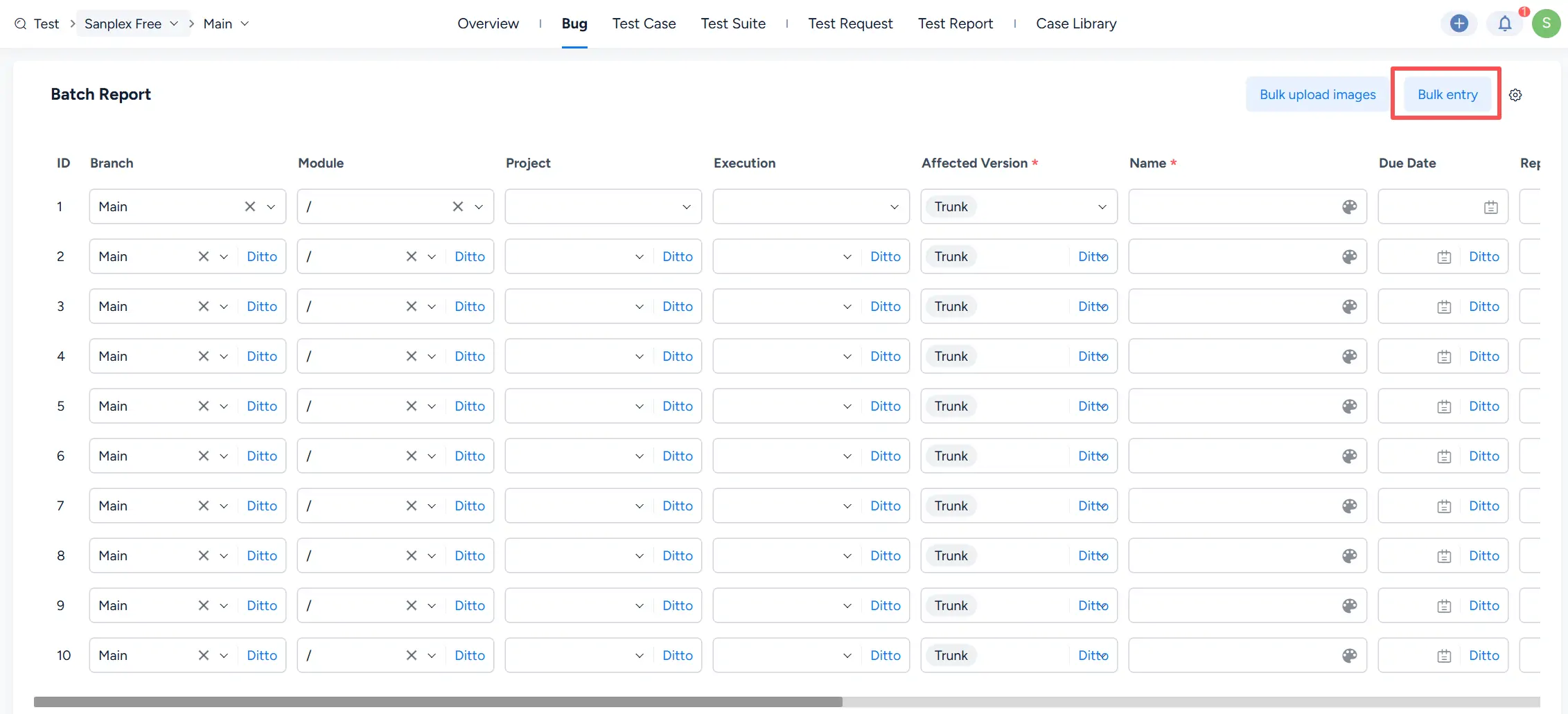
Sanplex Batch Report page with the Bulk entry button highlighted in the upper-right corner.

On the Batch Report page, each row represents a separate bug. Enter the relevant information for each bug, such as Branch, Module, Project, Execution, Affected Version, Name, and other available fields.

Where applicable, use Ditto to copy the value from the preceding row and speed up batch entry.
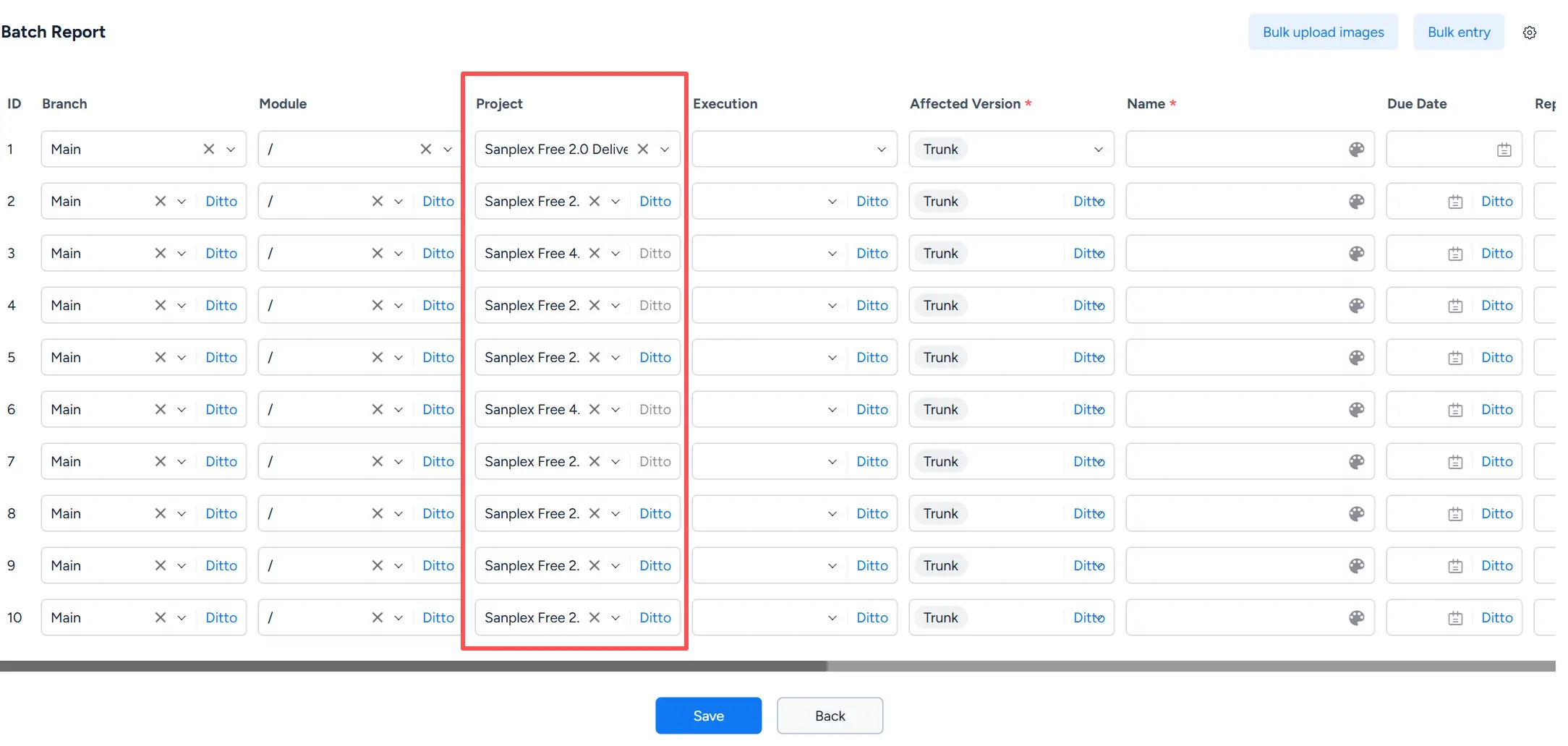
Batch Report page showing multiple bug rows with fields for Branch, Module, Project, Execution, Affected Version, Name, and other bug information.

II. Export Bugs

From the Bug list, click Export to open the Export Data dialog.

You can specify the File Name, File type, Encoding, Export Range, and export template before exporting the bug data.
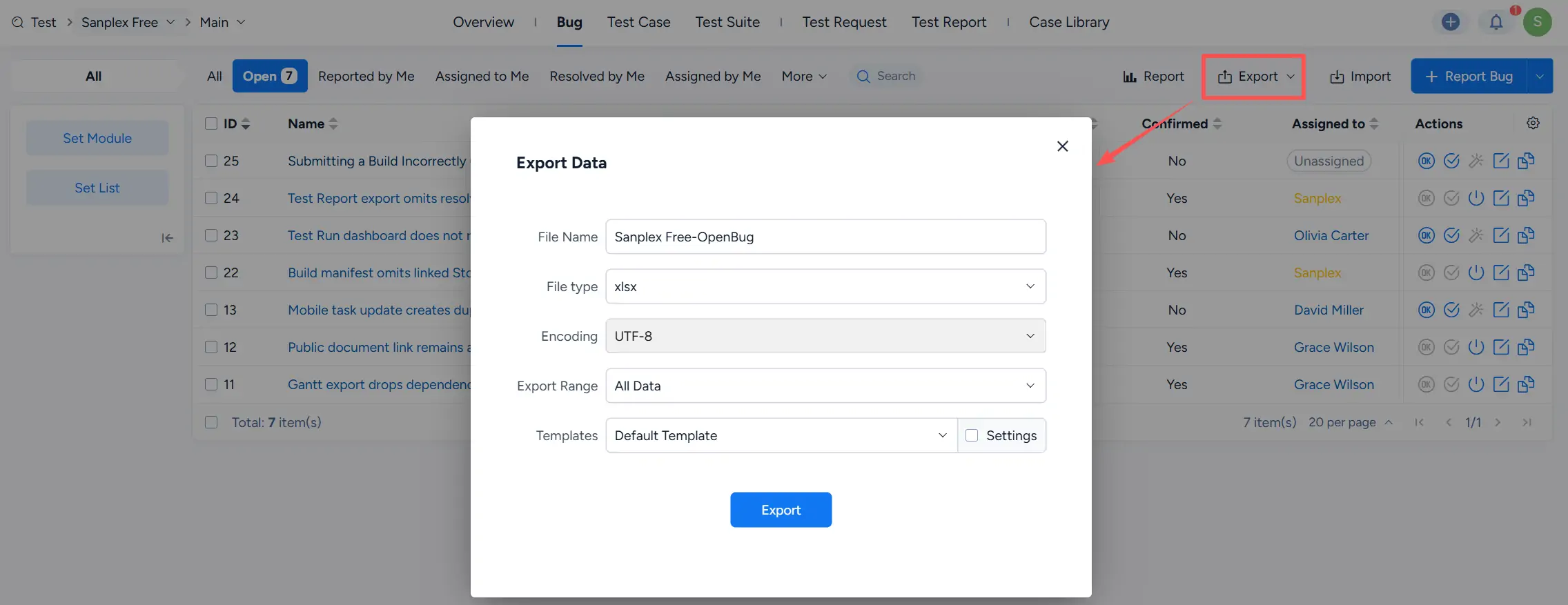
Export Data dialog for bugs showing File Name, File type, Encoding, Export Range, Templates, and the Export button.

To customize the exported content, enable Settings. You can select the fields to include, enter a Template Name, and save the configuration as a reusable export template.
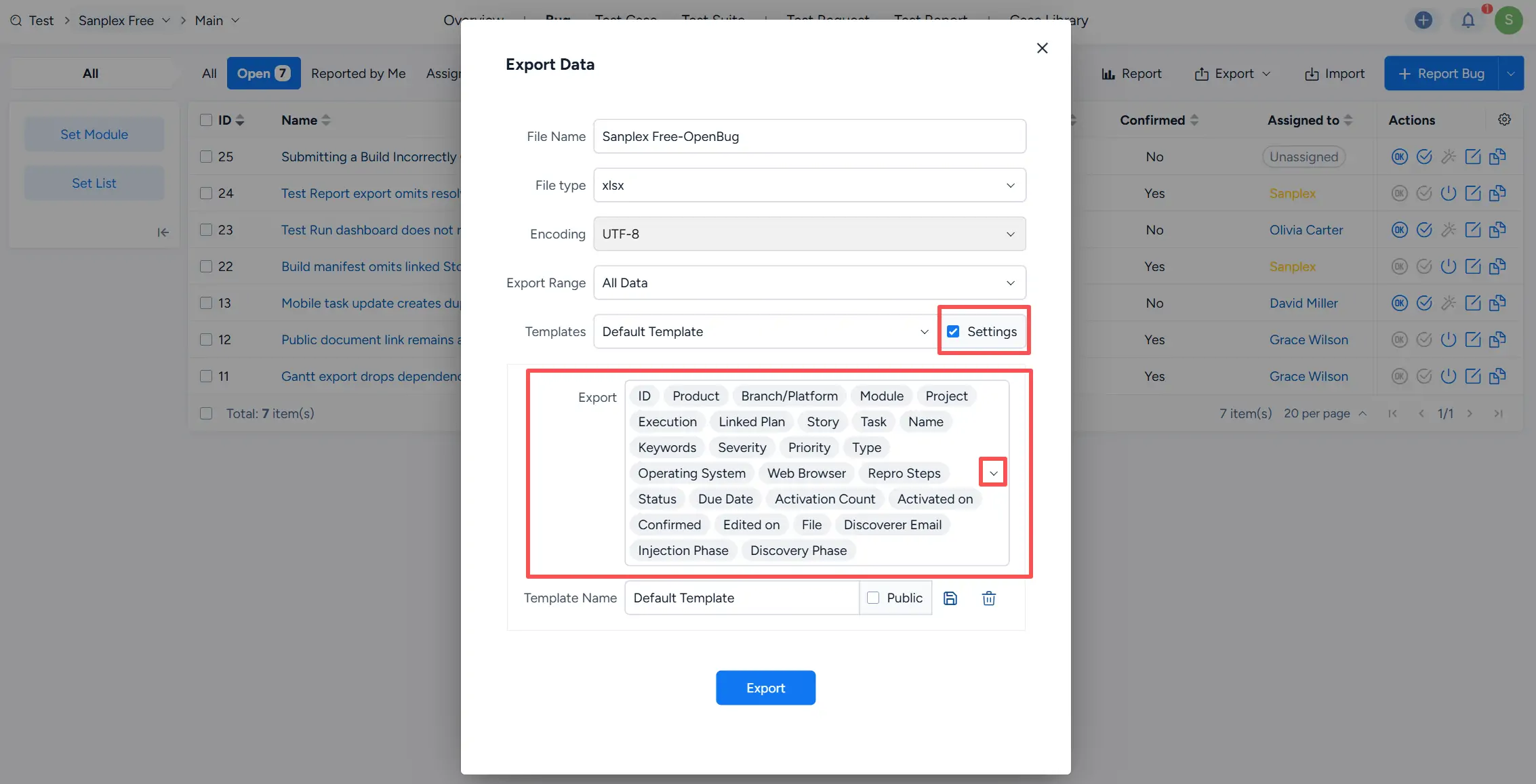
Export Data dialog with Settings enabled, showing selectable bug export fields and options for naming and saving an export template.

III. View Bug Reports

On the Bug list, click Report to open the bug reporting and analysis page.
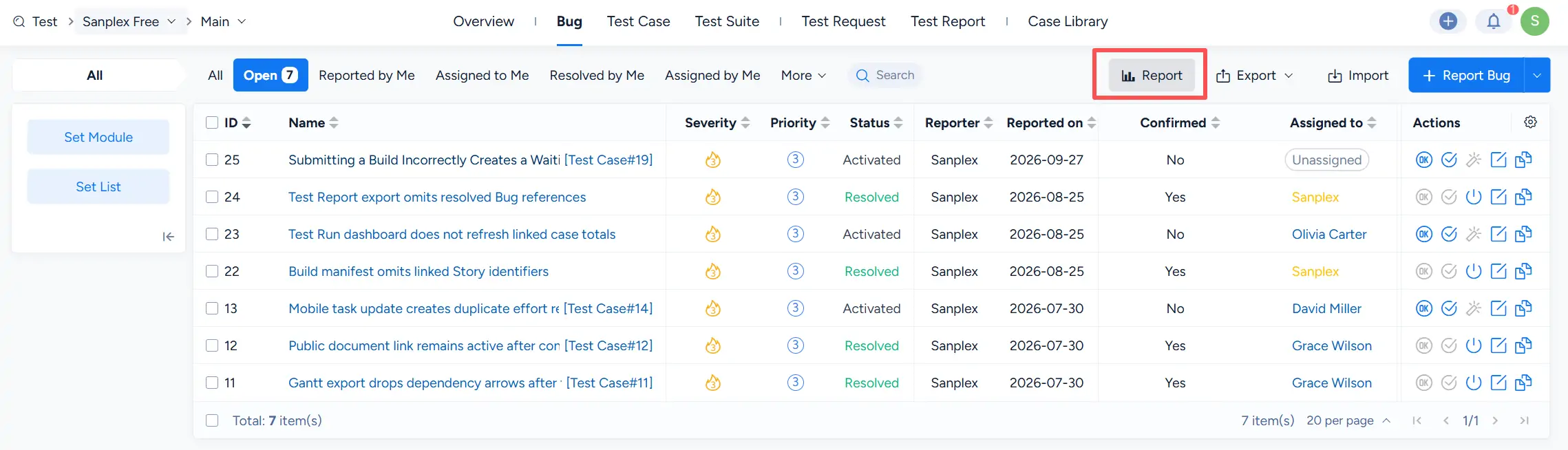
Sanplex Bug list with the Report button highlighted above the bug table.

On the Report page, select one or more report types from Select Report Type, and then click Create Report.

Available report dimensions include items such as:

  • Execution Bug Count
  • Bugs by Build
  • Bugs by Module
  • New Bugs per Day
  • Resolved Bugs Per Day
  • Closed Bugs Per Day
  • Bugs by Severity
  • Bugs by Resolution
  • Bugs by Status
  • Bugs by Priority
  • Bugs by Type
  • Bugs by Assignee

The report uses the search results from the Bug list as its data source. Apply the required search conditions on the list page before generating the report when you want to analyze a specific dataset.

Reports can be displayed as Pie, Bar, or Line charts, depending on the selected report type. The report page also provides an Export action.
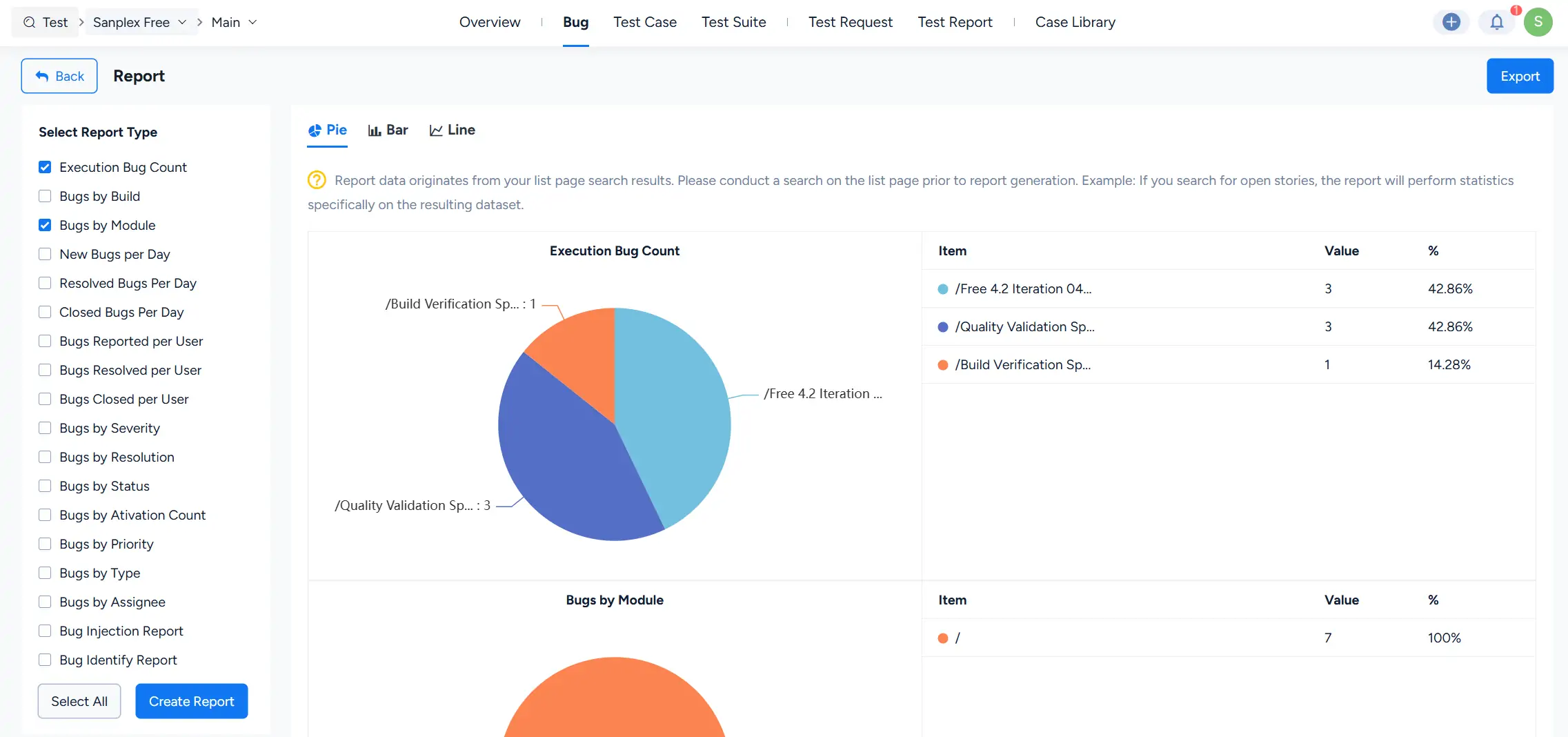
Sanplex Report page showing selected bug report types, Pie, Bar, and Line chart options, an Execution Bug Count pie chart, Bugs by Module statistics, and an Export button.

Write a Comment
Comment will be posted after it is reviewed.