
Dashboard
1. Introduction of Sanplex features
1.1. Core Management Framework
1.1.1 Program
1.1.2 Project
1.1.3 Product
1.1.4 Execution
1.1.5 Management Models
1.2. Dashboard
1.2.1 Getting Started with Tutorials
1.2.2 Quick Add
1.2.3 Notification Center
1.2.4 Effort Tracking
1.2.5 Dashboard - Project and Execution
1.2.6 Dashboard - My Work, Contribution, and Recents
1.2.7 Dashboard - Approval
1.2.8 Contacts
1.3. Program
1.3.1 Program List
1.3.2 Program Kanban
1.3.3 Create Program
1.3.4 Create Sub-Programs
1.3.5 Project Charter Management
1.4. Product
1.4.1 Create Product
1.4.2 Manage Modules
1.4.3 Multi-Branch and Multi-Platform Management
1.4.4 Manage Plans
1.4.5 Manage Requirements
1.4.6 Requirement Reviews
1.4.7 Requirement Status and Phase
1.4.8 Create Releases
1.4.9 Track Progress
1.4.10 Business Requirements and Multi-Level Requirements
1.5. Project
1.5.1 Scrum Project
1.5.2. Waterfall Project
1.5.2.1 Manage Project Phases
1.5.2.2 Project Design
1.5.2.3 Project Matrix
1.5.2.4 Project Reports and Earned Value Management
1.5.2.5 Project Baselines
1.5.2.6 Project Change
1.5.3. Kanban Project
1.5.3.1 Set Up Kanban Projects
1.5.3.2 Configure Kanban Boards
1.5.3.3 Use Kanban Boards
1.5.4 Hybrid Agile Project
1.5.5 Hybrid Waterfall Project
1.5.6. Project Settings
1.5.6.1 Project Setup
1.5.6.2 Project Executions
1.5.6.3 Project Requirements
1.5.6.4 Project Builds
1.5.6.5 Project Tests
1.6. Admin Settings
1.6.1 Confluence Data Import
1.7. Workflow

Effort Tracking

2026-08-13 22:54:58
Sanplex Content
330
Last edited by Jing WANG on 2026-08-13 22:57:42
Share links
Summary: Learn how to log, review, filter, and export effort records in Sanplex for personal work tracking, team visibility, and reporting.

Sanplex provides Effort tracking to help users record and review daily work. Users can switch between calendar and list views to browse effort records. In list view, records can be filtered by different time ranges and other available conditions. Effort records can also be exported for reporting and analysis.

1. Log Personal Effort

On the Dashboard, go to Effort and click Log Effort to record your work.
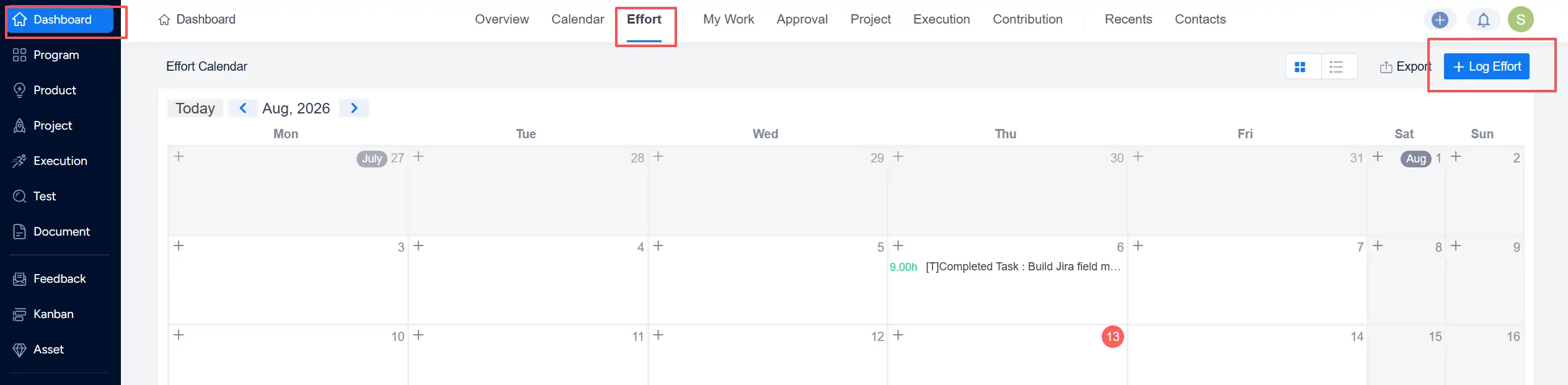
Dashboard Effort calendar showing the Log Effort button for recording personal work.

  • When logging effort, Sanplex can use available activity records to help users organize their daily work information and reduce repetitive manual input.
  • Work that is not covered by existing records can also be added manually.
  • Related work objects and Projects can be selected as needed when recording effort.

2. View Effort Records

Effort records can be viewed from different locations in Sanplex depending on whether you want to review personal work or team-level activity.

2.1 Switch to List View

On Dashboard → Effort, switch from the calendar to List View to review effort records in a table.
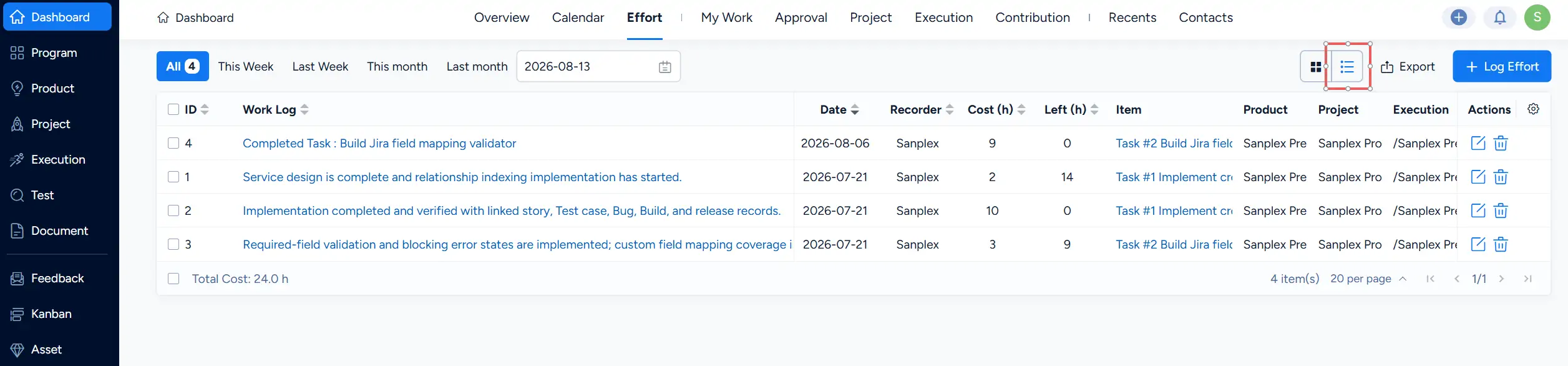
Dashboard Effort page in List View showing recorded work and related effort information.

2.2 View Personal Effort Records

In Dashboard → Effort, you can review your personal effort records and use the available time filters or date selection to narrow the results.
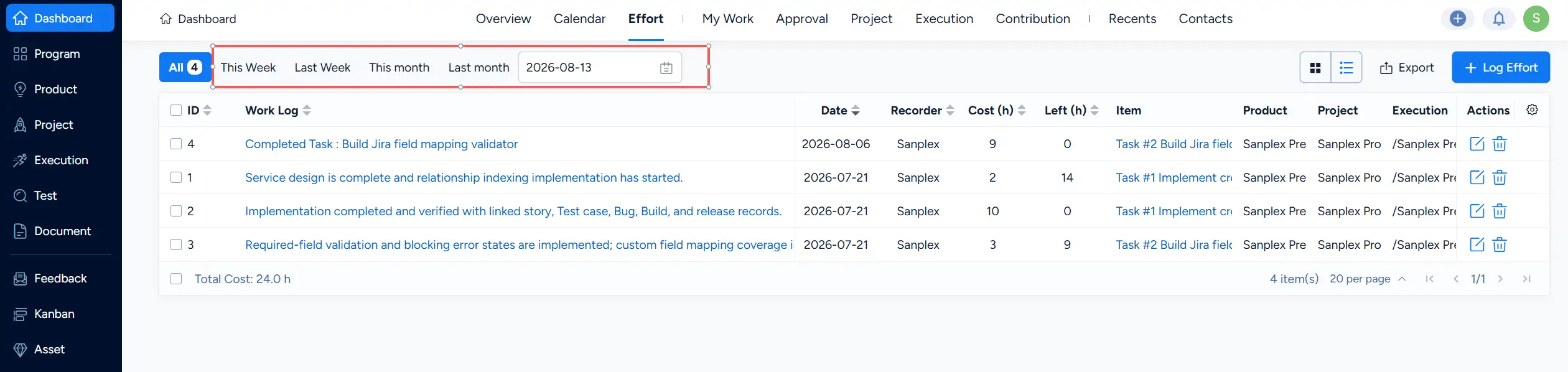
Dashboard Effort list showing personal effort records with time filters and date selection.

2.3 View Effort Records under an Execution

Under Execution → Effort, you can review effort records associated with the current Execution and use the available views and filters to examine team activity.
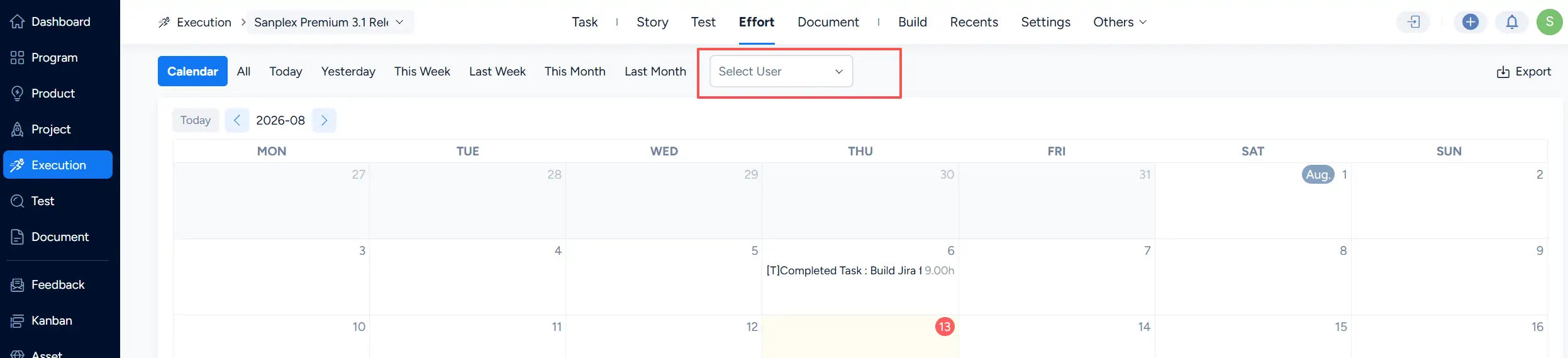
Execution Effort view showing team effort in a calendar with available filtering options.

2.4 View Effort Records in Company

Go to Company → Effort to review effort records across the organization. You can use the available filters to narrow the results by factors such as department, date range, Product, Project, Execution, or user.
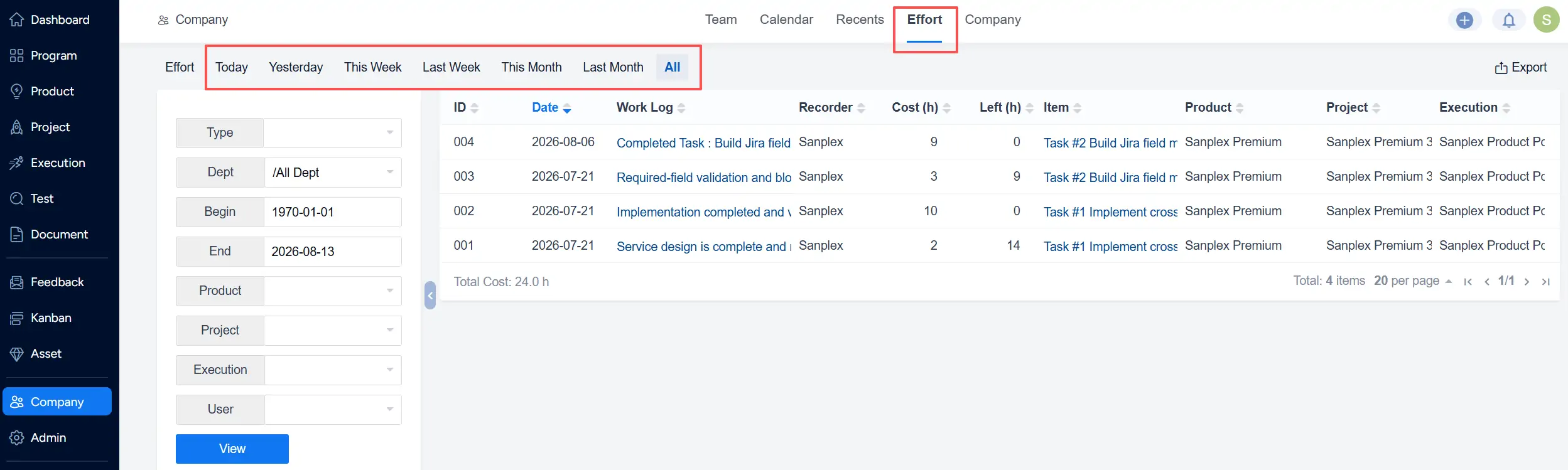
Company Effort view showing organization-wide effort records with filters for different work contexts.

3. Export Effort Records

Sanplex Standard supports exporting effort records to Excel for further reporting and analysis. Click Export from an Effort view to export the available records.
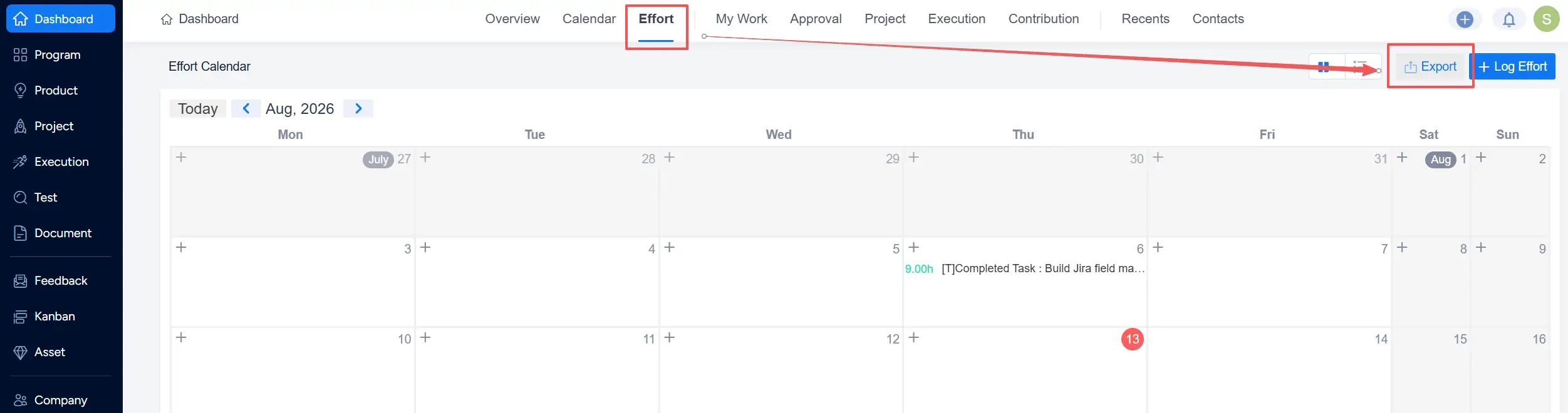
Dashboard Effort calendar showing the Export option for exporting effort records.

Write a Comment
Comment will be posted after it is reviewed.
