
Project
1. Introduction of Sanplex features
1.1. Core Management Framework
1.1.1 Program
1.1.2 Project
1.1.3 Product
1.1.4 Execution
1.1.5 Management Models
1.2. Dashboard
1.2.1 Getting Started with Tutorials
1.2.2 Quick Add
1.2.3 Notification Center
1.2.4 Effort Tracking
1.2.5 Dashboard - Project and Execution
1.2.6 Dashboard - My Work, Contribution, and Recents
1.2.7 Dashboard - Approval
1.2.8 Contacts
1.3. Program
1.3.1 Program List
1.3.2 Program Kanban
1.3.3 Create Program
1.3.4 Create Sub-Programs
1.3.5 Project Charter Management
1.4. Product
1.4.1 Create Product
1.4.2 Manage Modules
1.4.3 Multi-Branch and Multi-Platform Management
1.4.4 Manage Plans
1.4.5 Manage Requirements
1.4.6 Requirement Reviews
1.4.7 Requirement Status and Phase
1.4.8 Create Releases
1.4.9 Track Progress
1.4.10 Business Requirements and Multi-Level Requirements
1.5. Project
1.5.1 Scrum Project
1.5.2. Waterfall Project
1.5.2.1 Manage Project Phases
1.5.2.2 Project Design
1.5.2.3 Project Matrix
1.5.2.4 Project Reports and Earned Value Management
1.5.2.5 Project Baselines
1.5.2.6 Project Change
1.5.3. Kanban Project
1.5.3.1 Set Up Kanban Projects
1.5.3.2 Configure Kanban Boards
1.5.3.3 Use Kanban Boards
1.5.4 Hybrid Agile Project
1.5.5 Hybrid Waterfall Project
1.5.6. Project Settings
1.5.6.1 Project Setup
1.5.6.2 Project Executions
1.5.6.3 Project Requirements
1.5.6.4 Project Builds
1.5.6.5 Project Tests
1.6. Admin Settings
1.6.1 Confluence Data Import
1.7. Workflow

Hybrid Agile Project

2026-08-24 21:10:28
Sanplex Content
468
Last edited by Jing WANG on 2026-08-24 21:18:11
Share links
Summary: This section explains how to create a Hybrid Agile project and use both sprints and Kanban boards within the same project.

The Hybrid Agile project management model combines Scrum-based execution with Kanban management within the same project. In the current Sanplex interface, this management type is displayed as Agile +.

Teams can use Executions for sprint-based development and Kanban boards for continuous workflow management according to their delivery needs.

For example, a team can use Executions to deliver planned features in iterations and use Kanban boards to manage ongoing development, maintenance, or other continuous work.

I. Create a Hybrid Agile Project

Go to Project > Create Project. On the Select management type page, select Agile +.
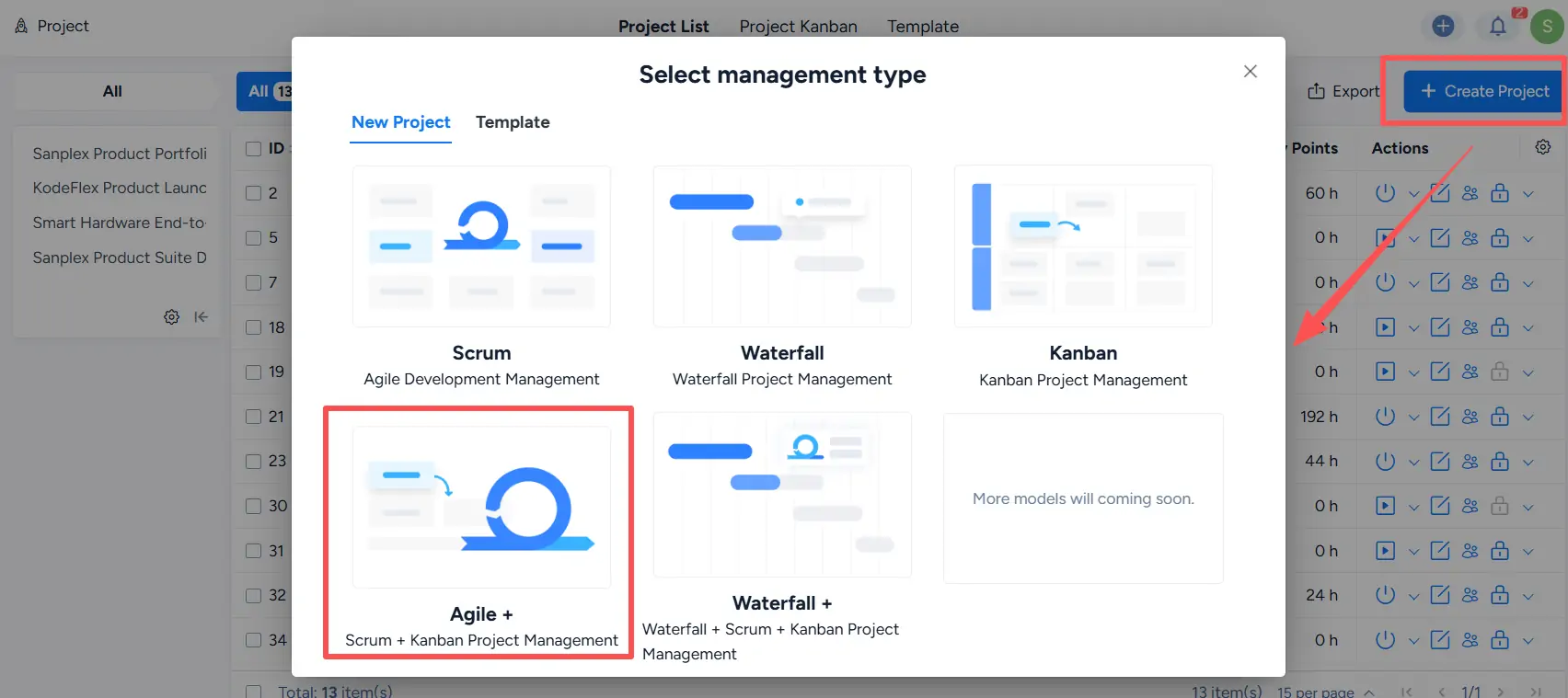
Select management type dialog with Agile + highlighted for Scrum and Kanban project management.

On the Create Project page, complete the required project information. The project type is shown as Agile +, and you can select the appropriate Project Workflow and configure other project settings as needed.

Click Save to create the project.
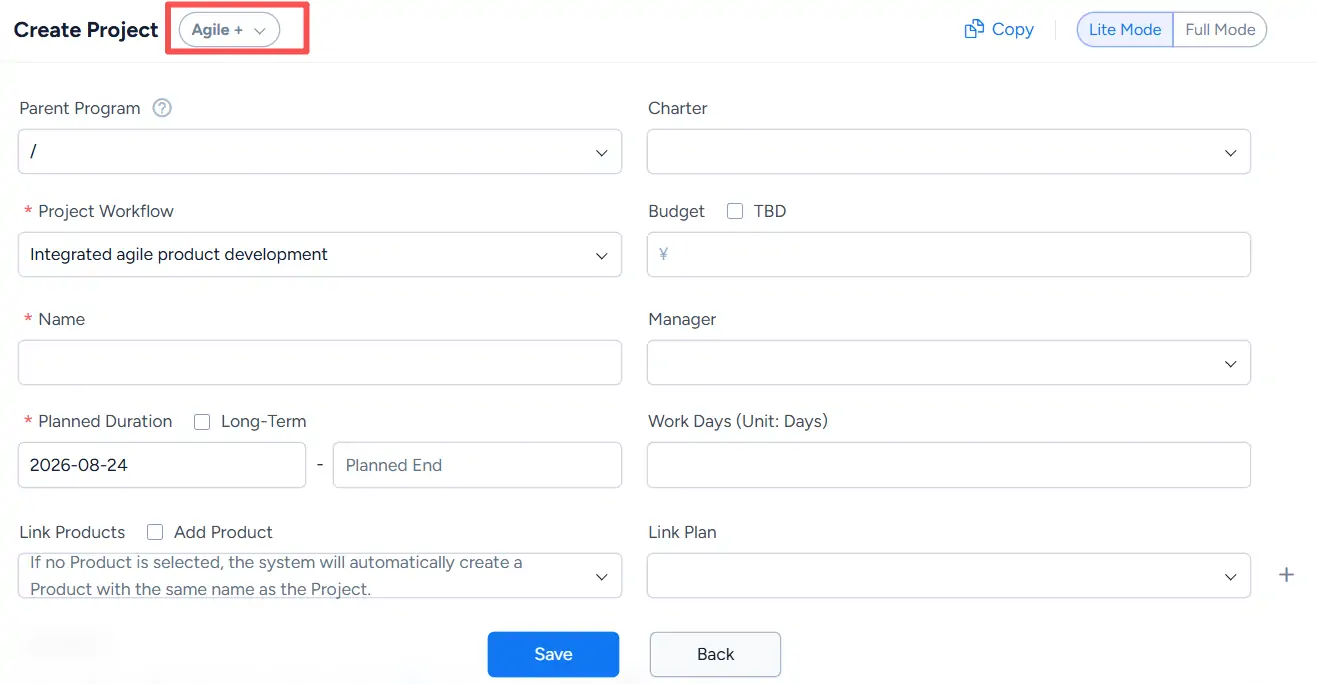
Create Project page for Agile + with project workflow, duration, product, plan, budget, and manager fields.

II. Create Executions and Kanban Boards

An Agile + project supports both Executions and Kanban boards.

Go to the Execution tab of the project. Click the dropdown arrow next to Create Execution to choose:

  • Create Execution
  • Create Kanban

Use Create Execution for sprint-based work management and Create Kanban for Kanban-based workflow management.
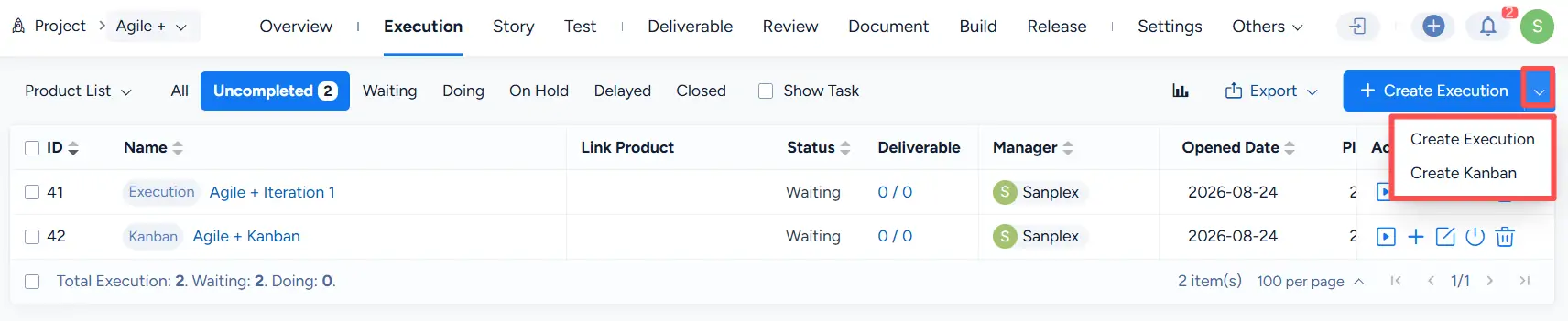
Agile + project Execution list with Create Execution and Create Kanban options in the creation menu.

You can also click Create Execution and select the required option from the Method field on the creation page:

  • Execution
  • Kanban

Complete the required information and click Save.
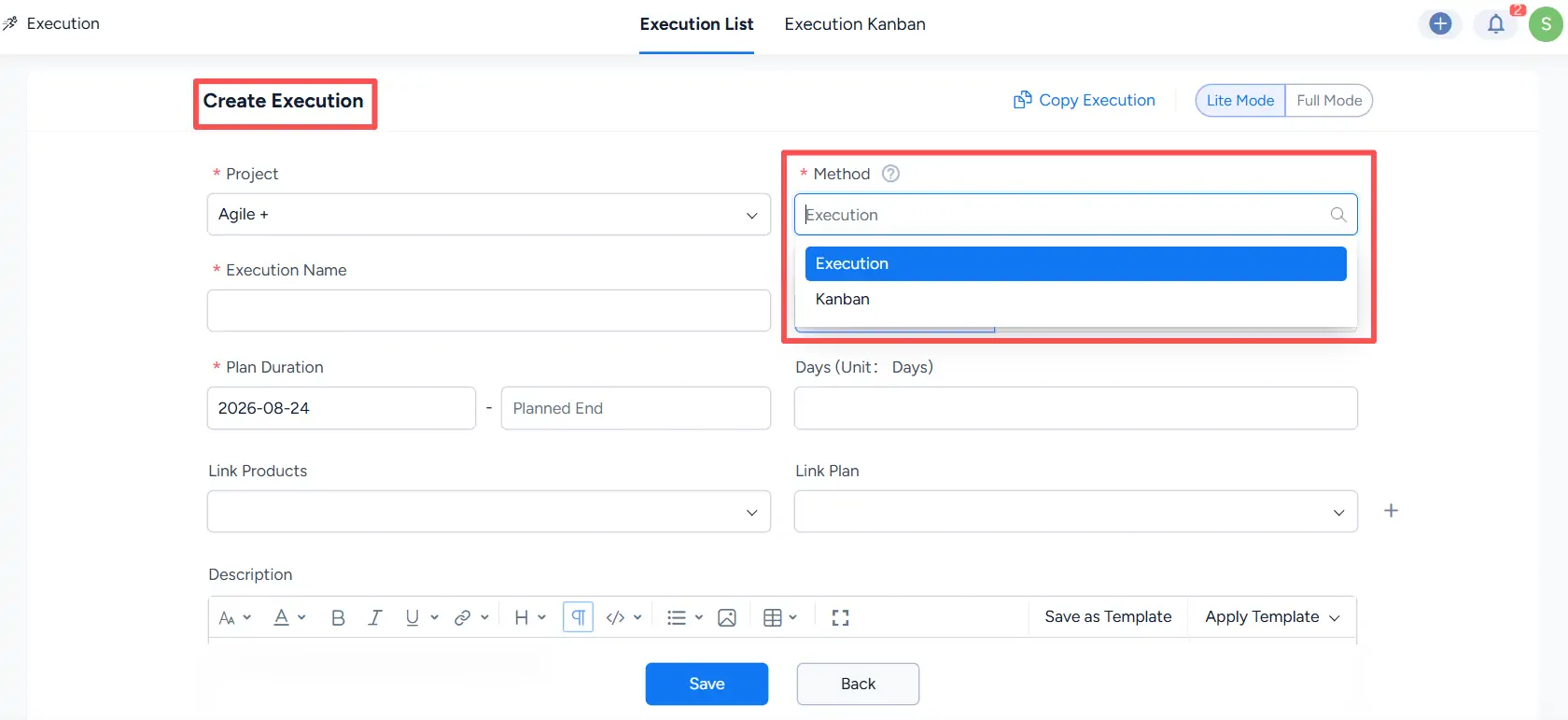
Create Execution page showing the Method dropdown with Execution and Kanban available for selection.

Note: The Method is selected when the item is created and determines whether it is managed as an Execution or a Kanban board.

III. Use Executions and Kanban Boards

Executions in an Agile + project follow the same sprint-based management workflow used in a Scrum project.

For details about creating and managing Scrum project executions, see:

Kanban boards in an Agile + project follow the same board management workflow used in a Kanban project.

For detailed instructions, see:

Write a Comment
Comment will be posted after it is reviewed.
