Catalog
A Kanban Space can be understood as a workspace for organizing related work. Within a space, you can create Kanban boards to display, track, and manage work items for a specific project, team, or work context.
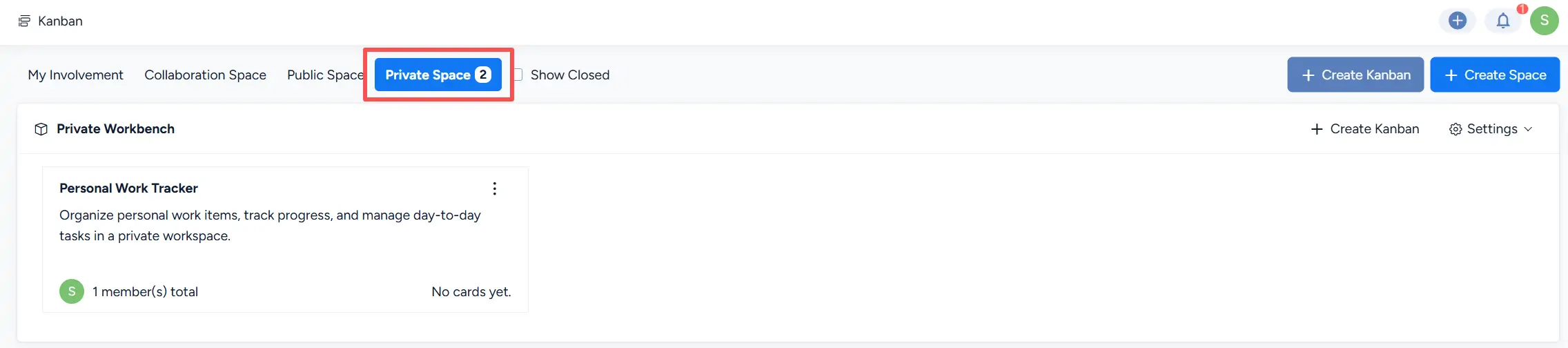
Sanplex provides three types of Kanban spaces: Collaboration Space, Public Space, and Private Space. Each space type supports a different access and collaboration model, allowing users to organize work according to their visibility and collaboration requirements.
-
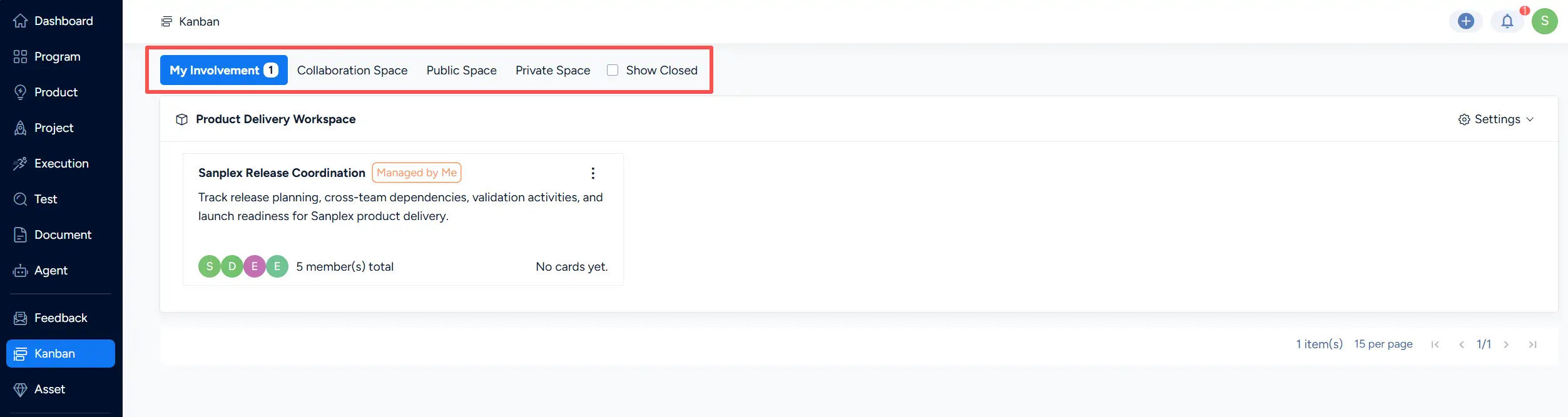
My Involvement
Displays the spaces and Kanban boards in which the current user is involved, such as spaces where the user is an owner, team member, or whitelist member. -
Collaboration Space, Public Space, and Private Space
Use these tabs to view spaces by type. -
Show Closed
Works with the selected space filter to control whether closed spaces are displayed. This option is cleared by default.
I. Assign Space Permissions
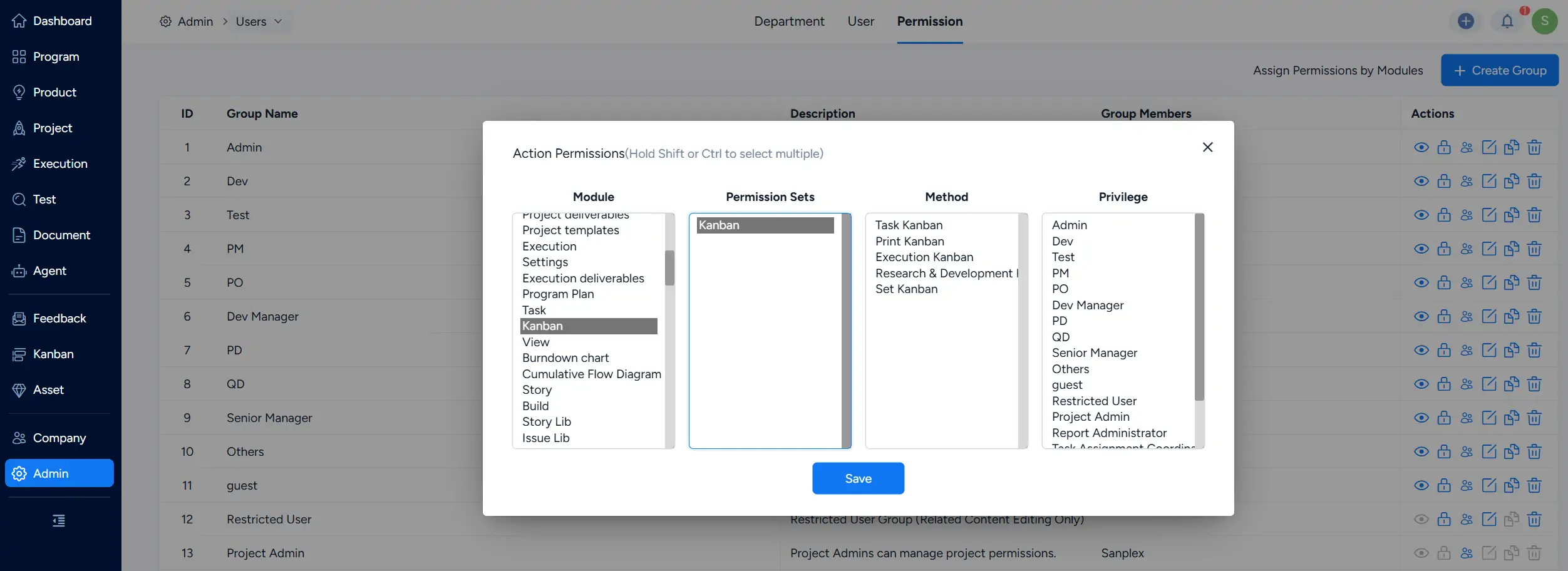
Before using General Kanban, go to Admin > Users > Permission and configure the required Kanban permissions for the relevant user groups.
Under the Kanban module, select the appropriate permission set and methods based on the responsibilities of each user group.
II. Create a Space
You can create a space as a Collaboration Space, Public Space, or Private Space, depending on your collaboration and visibility requirements.
Using a Collaboration Space as an example, go to the Kanban page and click Create Space.
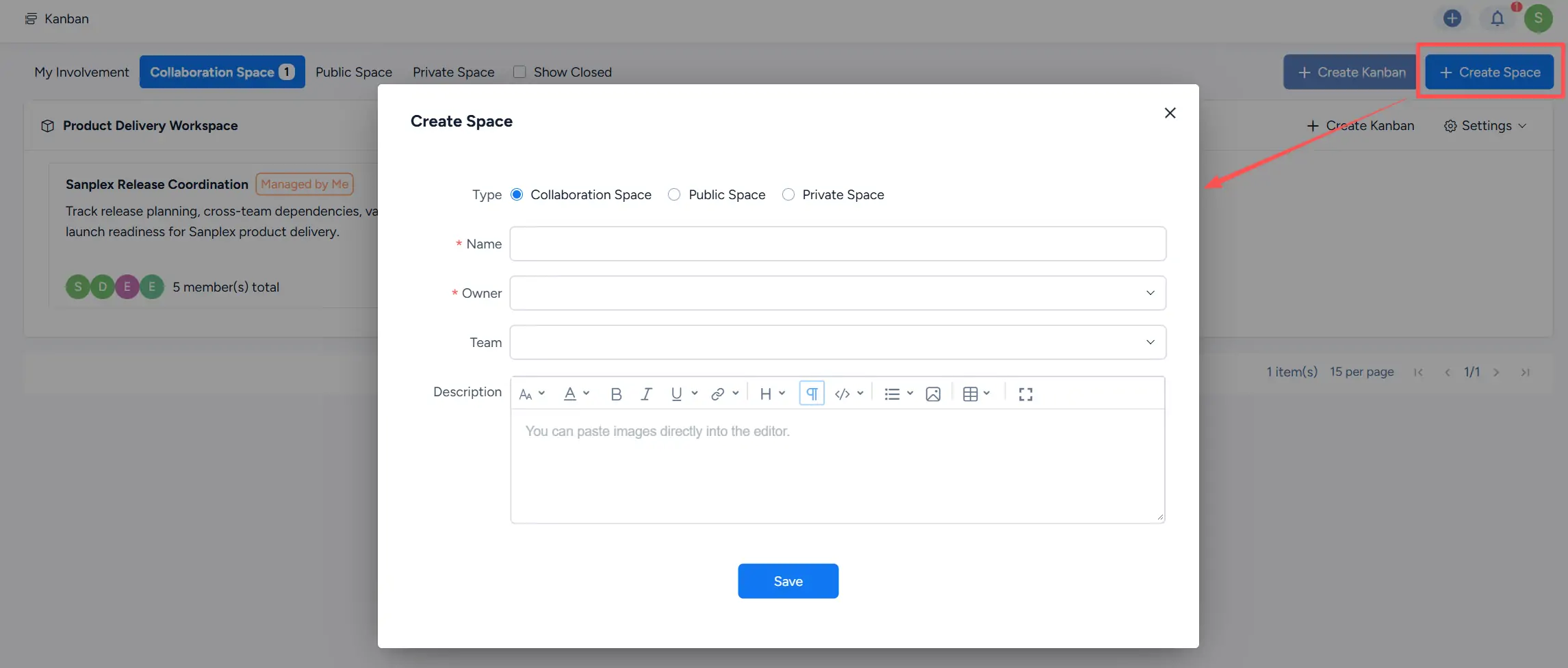
You can also create a Kanban space from the global action menu. Click the + button in the upper-right corner and select Space.
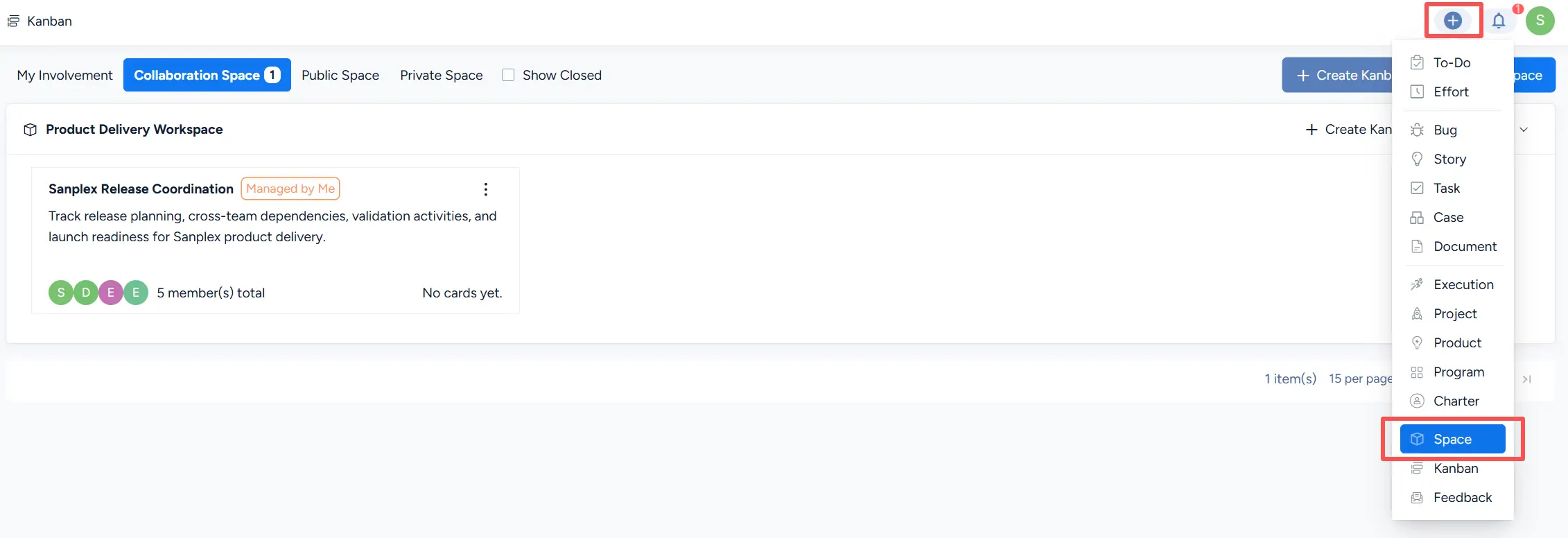
In the Create Space dialog, select the required space type and complete the available settings.
For a Collaboration Space or Public Space, specify the Name, Owner, Team, and Description. For a Private Space, specify the Name, Description, and, when needed, the Whitelist.
Click Save to create the space.
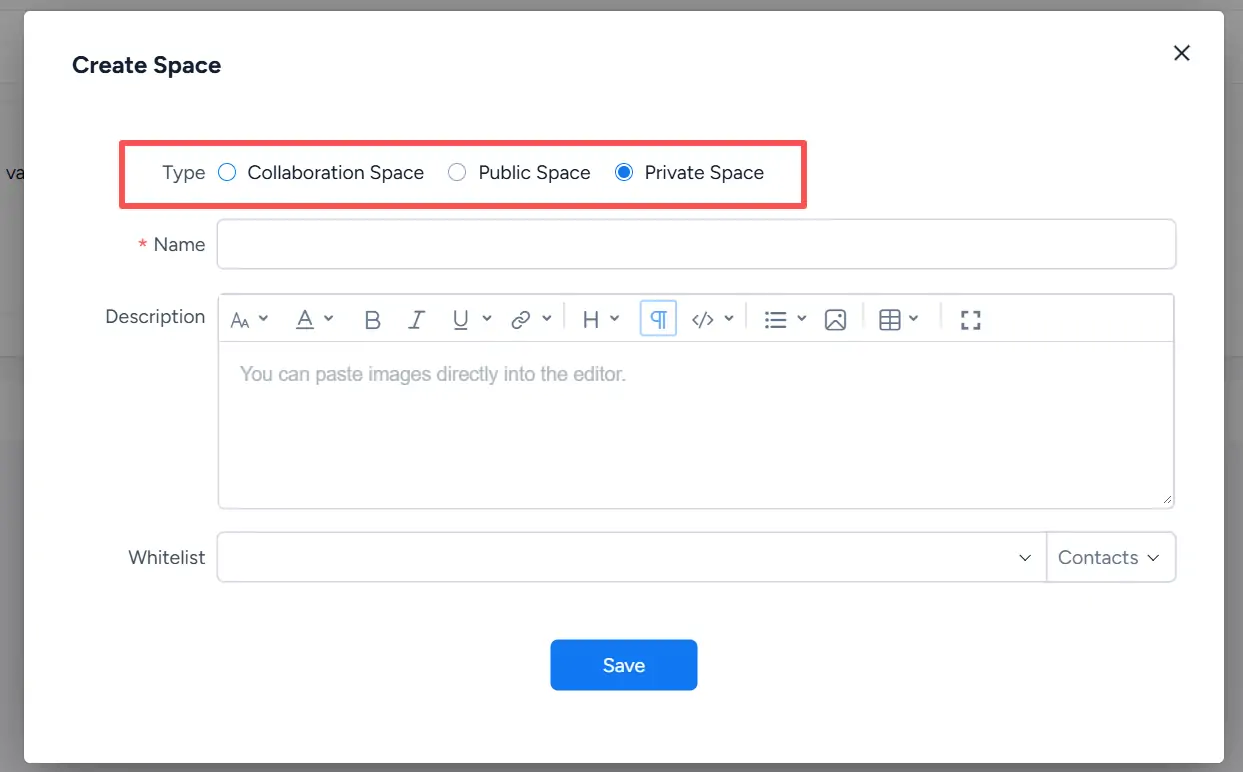
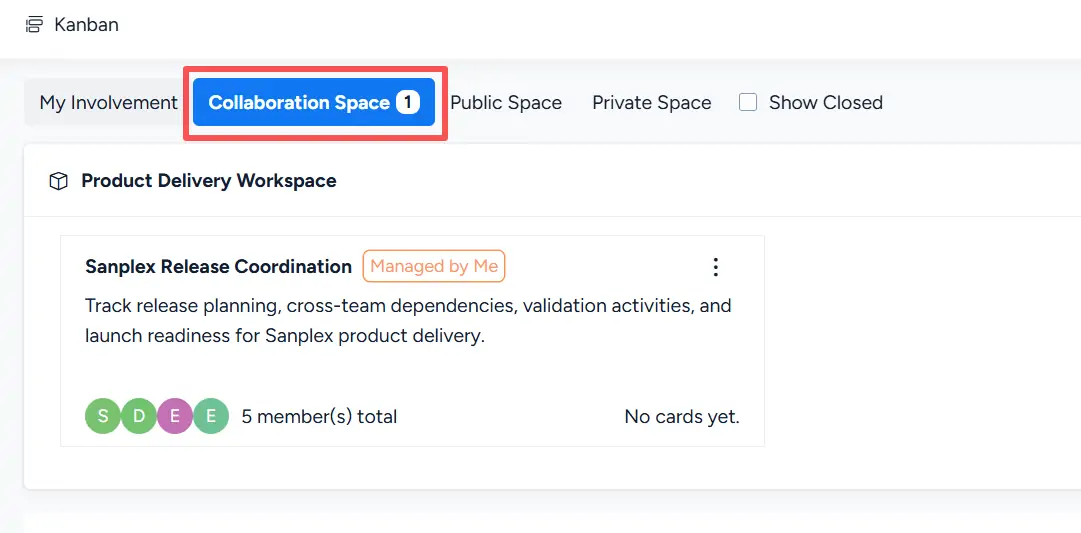
1. Collaboration Space
A Collaboration Space is designed for work shared within a defined team.
- Access is centered on the space Owner and Team members.
- Kanban boards created within the space support collaboration among the members assigned to that space.
- When configuring a Kanban board under a Collaboration Space, its owner and team are selected from the users associated with the space.
This model is suitable for coordinated work that should remain within a specific project or team.
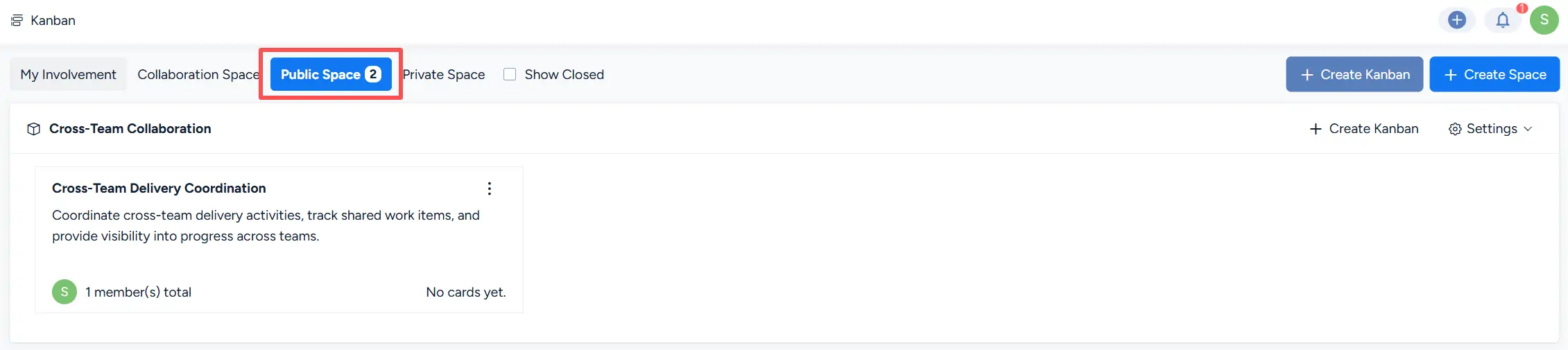
2. Public Space
A Public Space is suitable for work that benefits from broader visibility across the organization.
- The space Owner and Team manage the work within the space.
- Kanban boards under the space use members associated with that space for board ownership and team participation.
- Other users can view the Kanban boards in the Public Space, providing broader visibility into shared work and progress.
3. Private Space
A Private Space is intended for personal work that requires limited visibility.
The space owner manages the content of the space, while users added to the Whitelist can be granted view access.
This type of space is suitable for personal planning, private work tracking, or information that should be shared only with selected users.