

Catalog
Sanplex uses two fields, Status and Phase, to track the workflow and development progress of Requirements.
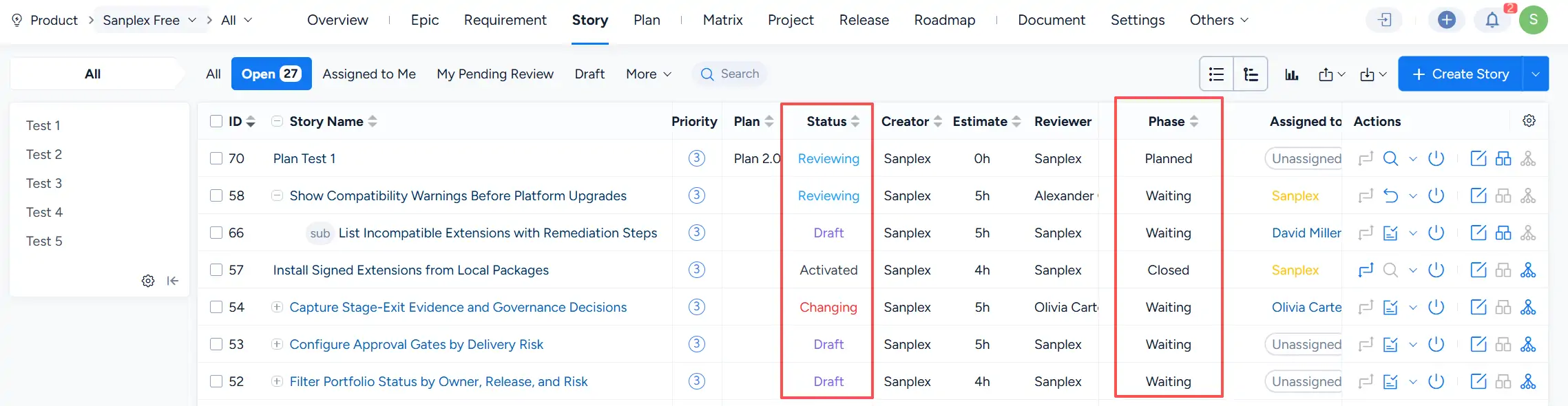
I. Requirement Status
The Status field tracks the current workflow state of a Requirement. The main statuses are Draft, Reviewing, Activated, Changing, and Closed.
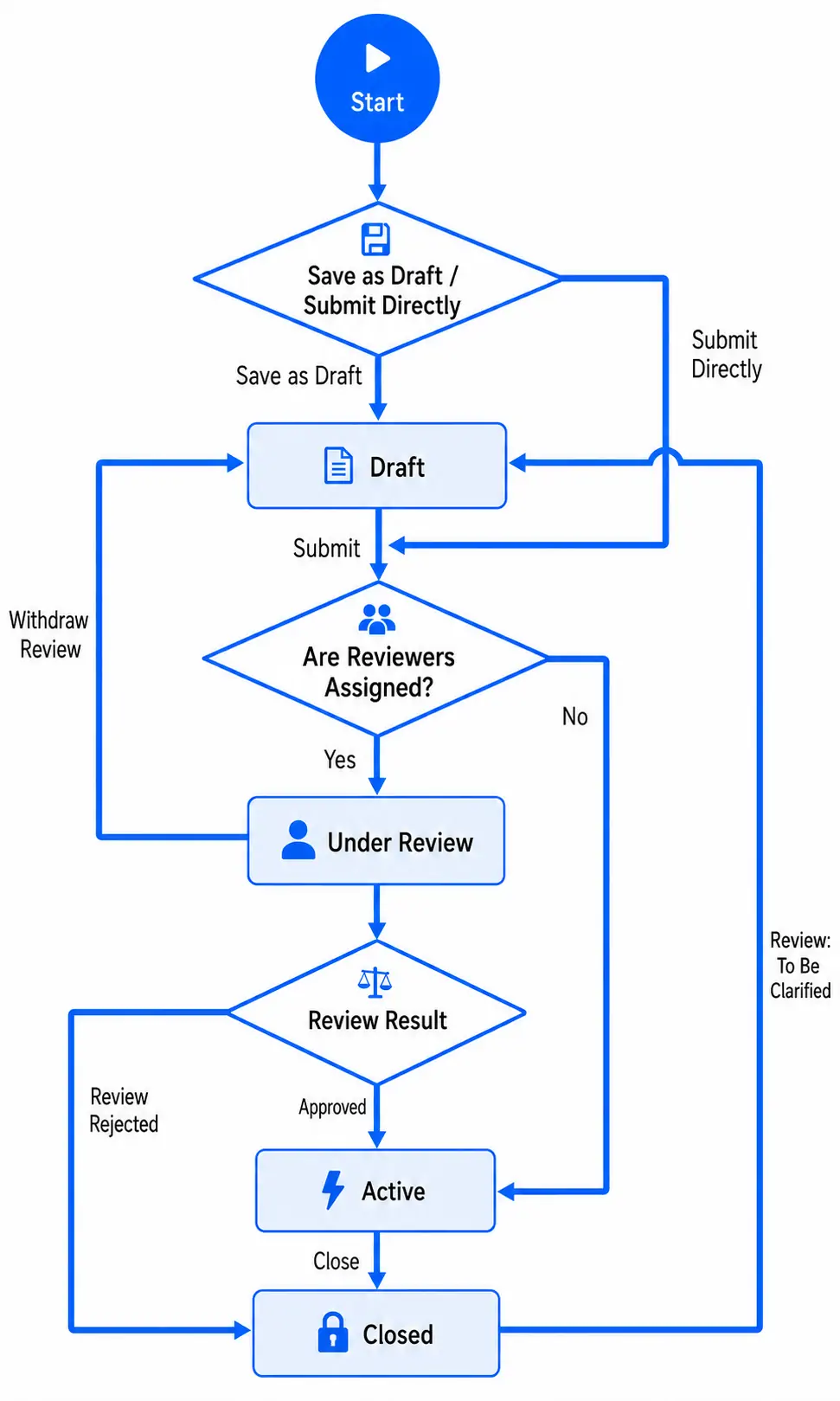
Depending on the current status, available workflow actions can include creating, submitting, reviewing, changing, closing, and activating a Requirement. The creation and review workflow is shown below.
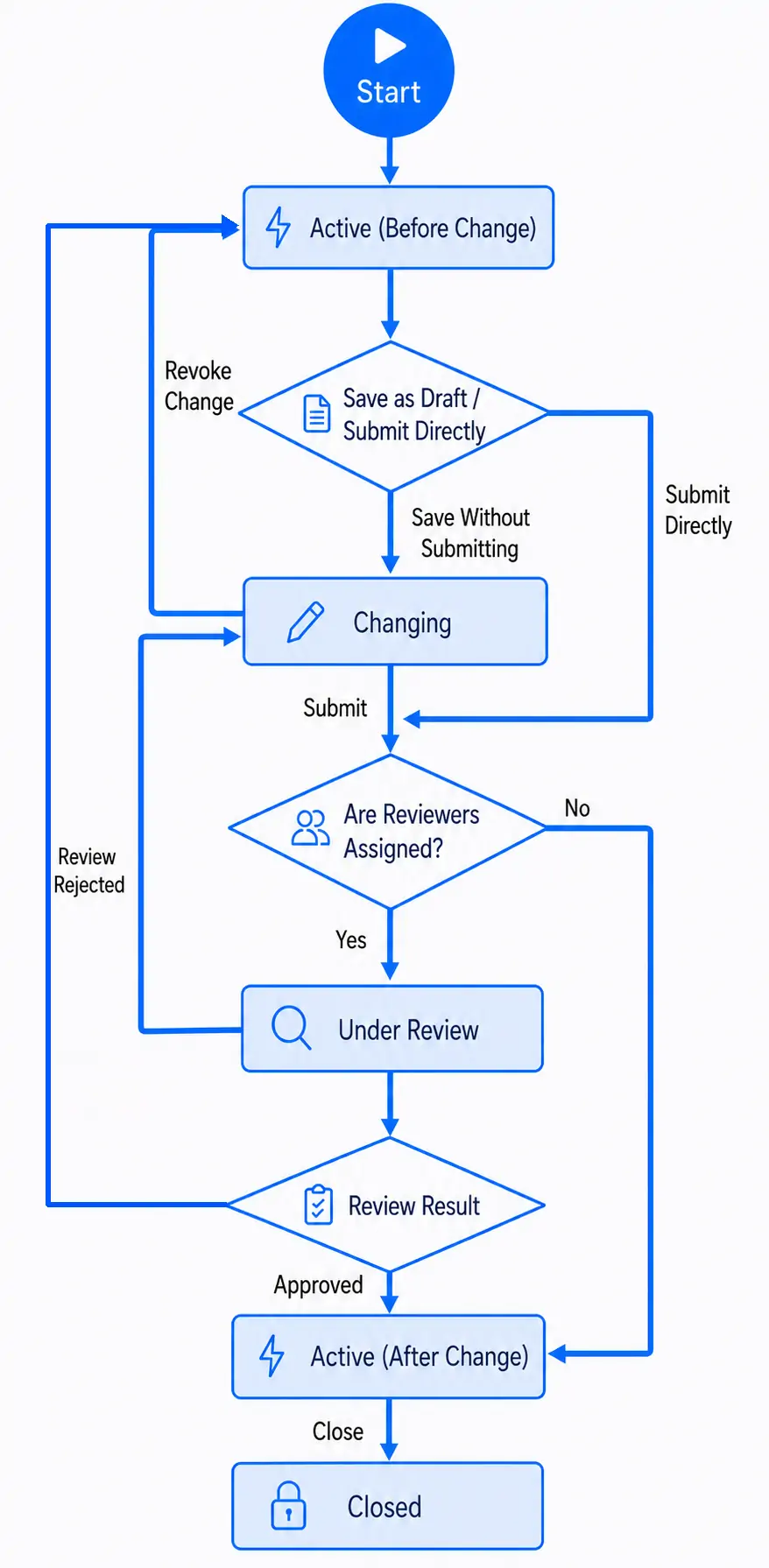
The change review workflow for an activated Requirement is shown below.
II. Requirement Phase
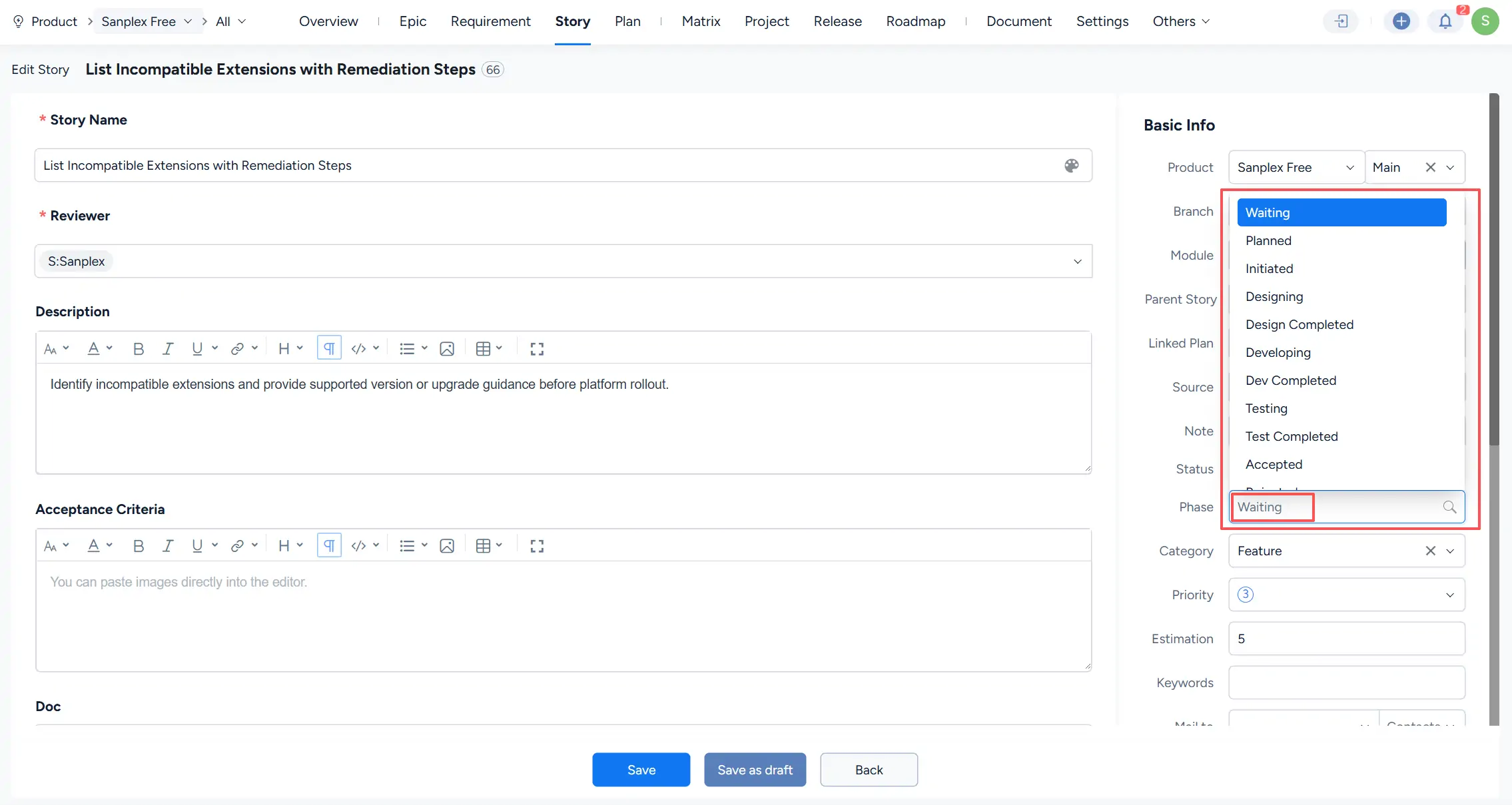
The Phase field describes the current development or delivery phase of a Requirement.
For Development Requirements, the Phase field includes development-related phases such as:
Waiting, Planned, Initiated, Designing, Design Completed, Developing, Dev Completed, Testing, Test Completed, Accepted
Additional phases may be applied as the Requirement progresses through acceptance, release, or closure.
For Business Requirements, User Requirements, and parent Development Requirements, the Phase reflects their overall progress based on the Requirement itself and its child Requirements.
1. How the Phase of a Development Requirement Changes
The Phase of a Development Requirement can be updated manually when applicable. However, Sanplex can also calculate the Phase automatically based on its links to Plans and Projects and the progress of related Tasks. When creating Tasks, assigning appropriate Task types such as Design, Development, and Testing enables Sanplex to determine the Requirement Phase according to the following rules:
- If a Development Requirement is not linked to a Project or Plan, its Phase is Waiting.
- If a Development Requirement is linked to a Plan but not yet linked to a Project, its Phase is Planned.
- If a Development Requirement is linked to a Project but no Task has started, its Phase is Initiated.
- If a Development Requirement is linked to a Project and related Tasks have been created:
- If at least one Design Task is in progress and all Development and Testing Tasks have not started, the Phase is Designing.
- If all Design Tasks are completed and all Development and Testing Tasks have not started, the Phase is Design Completed.
- If at least one Development Task is in progress and all Testing Tasks have not started, the Phase is Developing.
- If all Development Tasks are completed and all Testing Tasks have not started, the Phase is Dev Completed.
- If at least one Testing Task is in progress, the Phase is Testing.
- If all Testing Tasks are completed but some Development Tasks remain incomplete, the Phase remains Testing.
- If all Testing and Development Tasks are completed, the Phase is Test Completed.
- Acceptance is confirmed manually by the product manager. Based on the acceptance result, the Requirement proceeds to Accepted or Acceptance Failed.
- If a Development Requirement is linked to a Release under Product > Release and the Release status changes to Released, the Requirement Phase becomes Released.
- If a Development Requirement is manually closed, its Phase becomes Closed.
2. Phase Rules for Business Requirements, User Requirements, and Parent Development Requirements
The Phase of Business Requirements, User Requirements, and parent Development Requirements is calculated automatically based on the Requirement itself and the progress of its child Requirements:
- If the Requirement itself and all of its child Requirements are not linked to a Plan or Project, its Phase is Waiting.
- If the Requirement itself or any of its child Requirements is linked to a Plan, and neither the Requirement nor any child Requirement is linked to a Project, its Phase is Planned.
- If the Requirement itself or any of its child Requirements is linked to a Project, and no child Requirement has started a Task, its Phase is Initiated.
- If any child Requirement has started a Task, the Phase becomes Developing.
- If any child Requirement is linked to a Release or has been completed and closed, the Phase becomes In Delivery.
- If all child Requirements are linked to a Release or have been completed and closed, the Phase becomes Delivered.
- If the Business Requirement, User Requirement, or parent Development Requirement is manually closed, its Phase becomes Closed.


