

Catalog
With SMS notifications configured, specific actions performed in Sanplex can trigger SMS alerts to relevant users.
Note: SMS notifications are currently supported only via an SMS gateway. Direct integration with third-party SMS platforms is not supported at this time.
I. Configure SMS Notifications
Go to Admin > Notifications > SMS to configure SMS parameters.
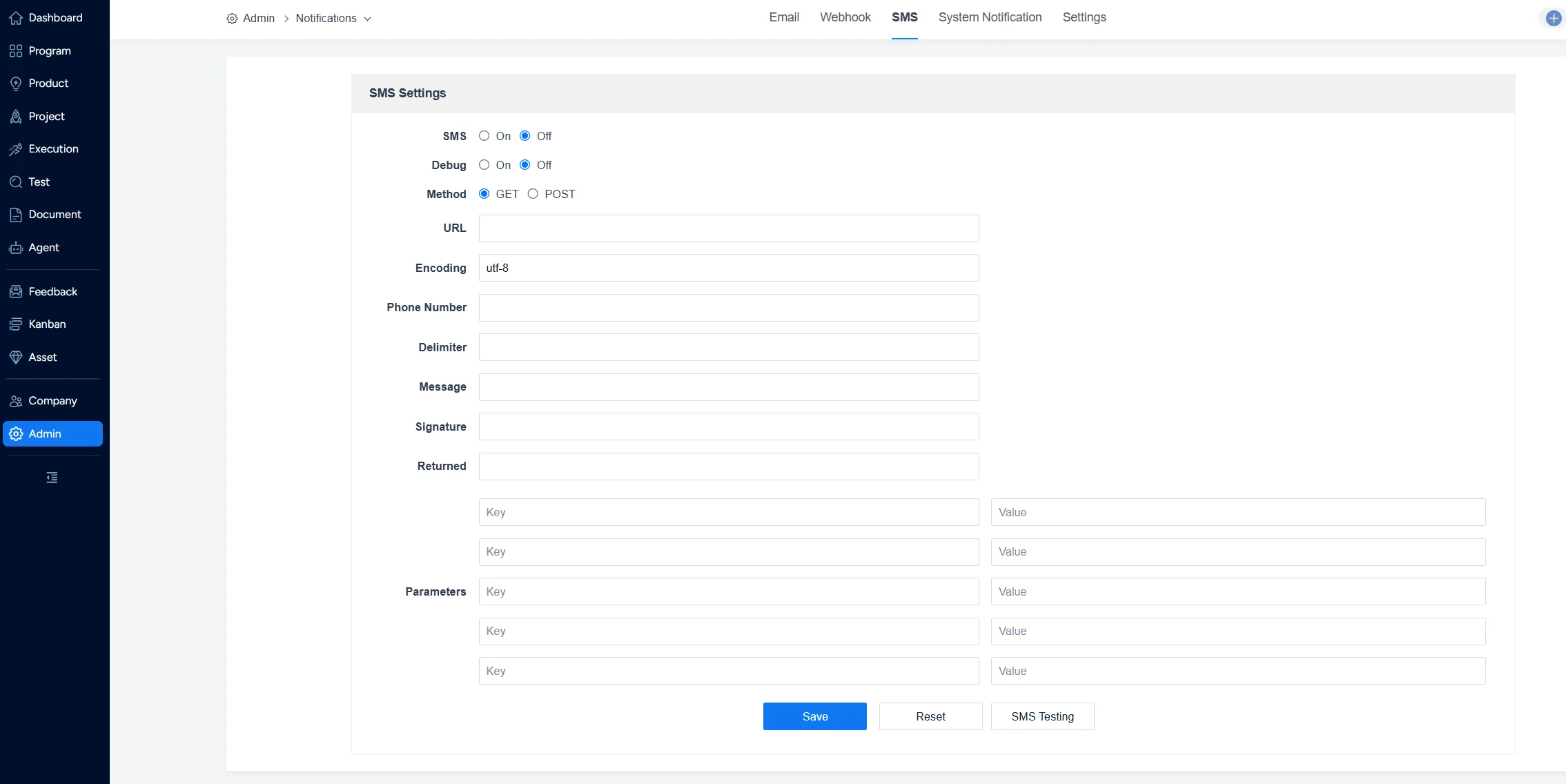
II. Notification Triggers
Under Notifications > Settings, you can define which actions will trigger SMS notifications.
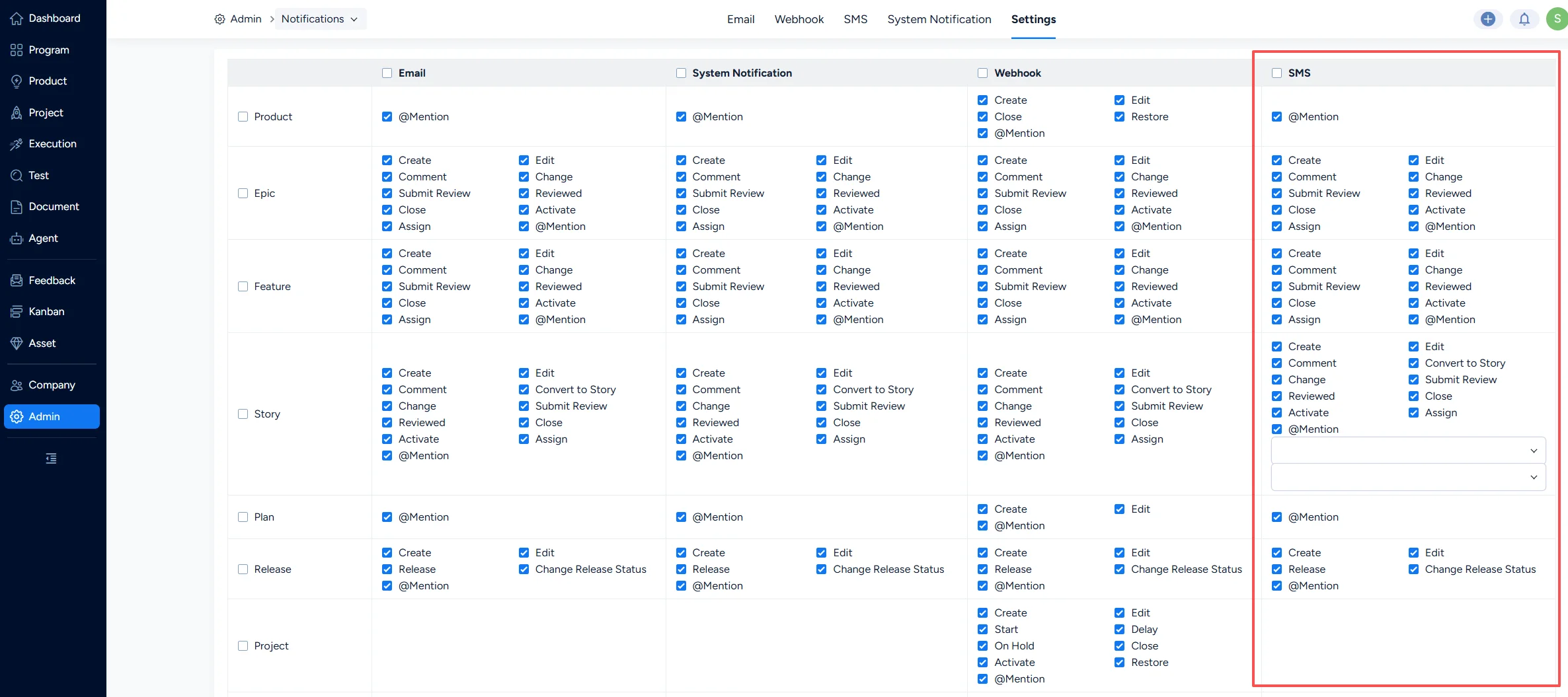
Sanplex’s default trigger actions include:
- Bug: When actions such as Create, Edit, Assign, Confirm Bug, Resolve, Activate, Close, or Import to Project occur, SMS notifications are sent to Assignee and CC.
- Story: When actions such as Create, Edit, Change, Activate, Review, Close, or changes to Plan, Branch, Stage, or Assignment occur, SMS notifications are sent to Assignee and CC.
- Task: When actions such as Create, Edit, Assign, Start, Finish, Activate, Close, Cancel, or Restart occur, SMS notifications are sent to Assignee and CC.
- Test Task: When Create or Edit occurs, SMS notifications are sent to Owner and CC.
- When a Story is linked to a project and then changed, SMS notifications are sent to all project members.
- After a Project Build is submitted for testing, SMS notifications are sent to the Test Owner.


