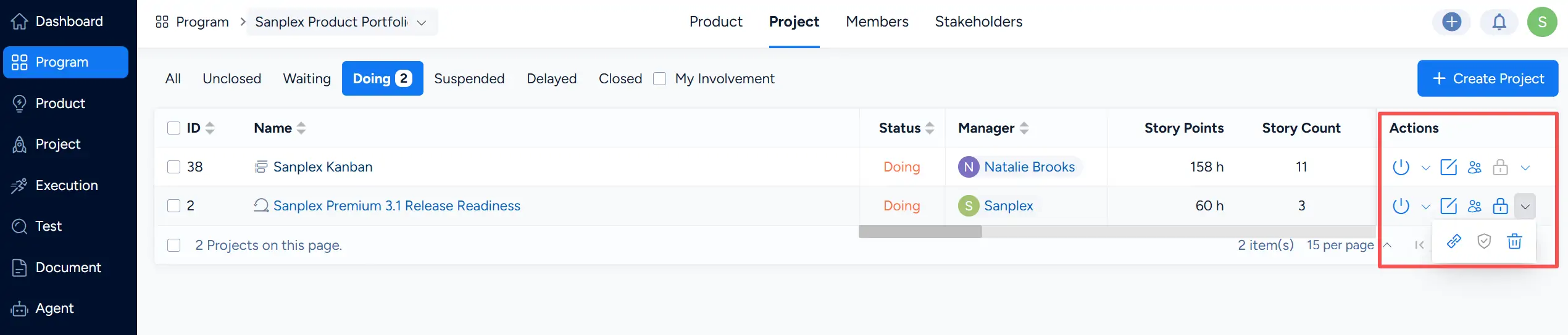
Program Managers can create projects within a selected program and manage the projects associated with that program.
Open a program and select the Project tab. The page displays the projects associated with the current program. Click Create Project in the upper-right corner to create a new project.

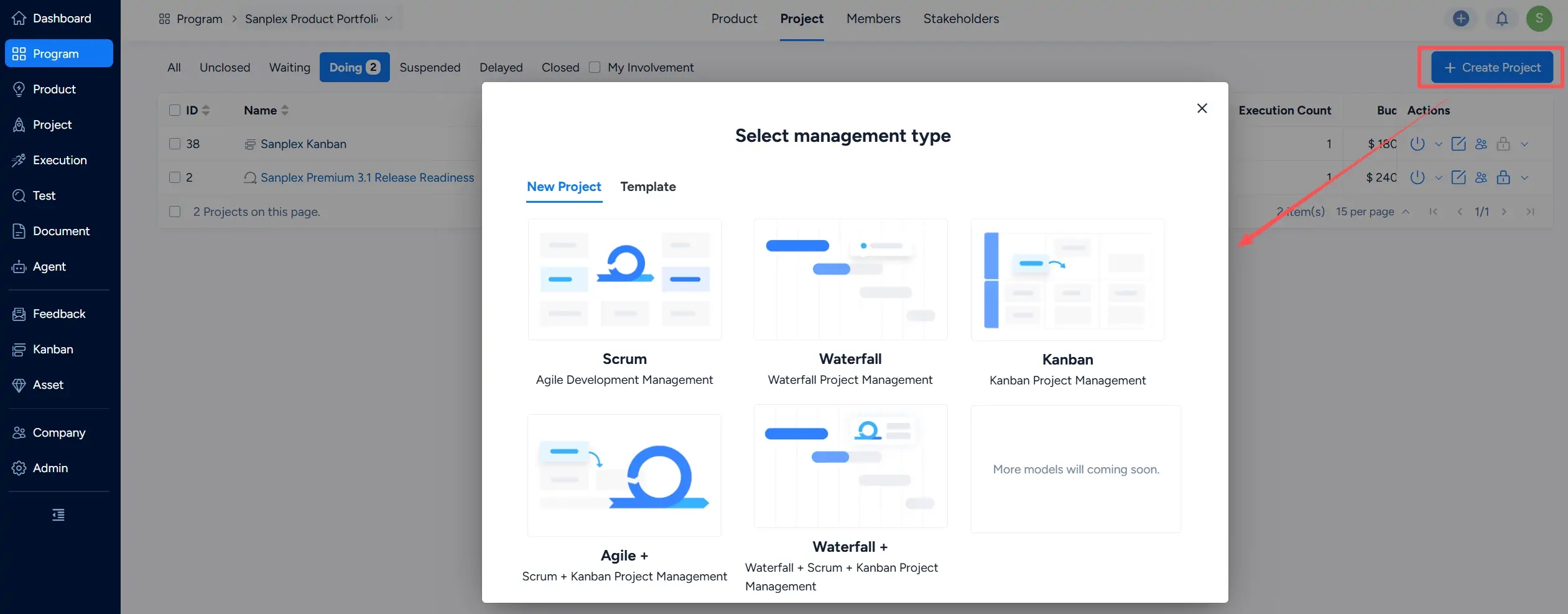
After clicking Create Project, select the project management type.
Sanplex provides the following management types:
- Scrum — Agile Development Management
- Waterfall — Waterfall Project Management
- Kanban — Kanban Project Management
- Agile + — Scrum + Kanban Project Management
- Waterfall + — Waterfall + Scrum + Kanban Project Management
You can also select the Template tab to create a project from an available project template.
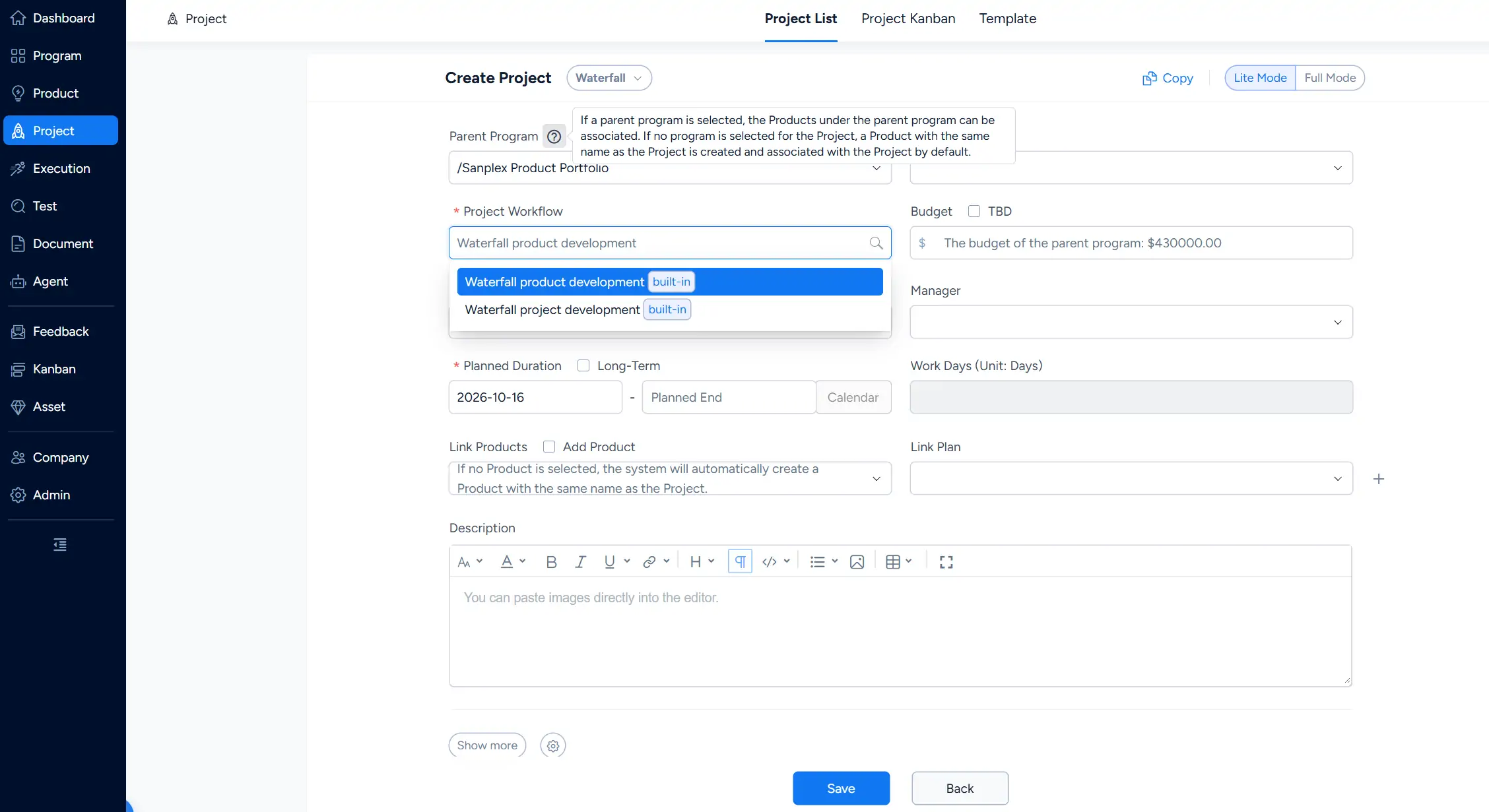
After selecting a management type, Sanplex opens the Create Project page.
The current program is automatically selected as the Parent Program. You can keep the selected parent program or clear the field to create an independent project.
Configure the project information as needed, including the Project Workflow, Charter, Budget, Manager, Planned Duration, Link Products, Link Plan, and Description.
The available Project Workflow options depend on the selected project management type. For example, a Waterfall project can use the available built-in Waterfall workflows.
When a parent program is selected, products under that program can be associated with the project. If no product is selected, Sanplex can automatically create a product with the same name as the project and associate it with the project.
Click Save after completing the project configuration.
After the project is created, it appears in the Project list for the selected program. The list provides project information such as status, manager, schedule, workload, budget, progress, and project workflow.
Use the available controls in the Actions column to manage the project according to its current status and configuration.