

Catalog
Program Managers can manage the stakeholders associated with a selected program from the Stakeholders tab.
Open a program and select Stakeholders to view the stakeholder list. From this page, you can add stakeholders to the program and manage existing stakeholder relationships.

I. Add a Stakeholder
On the Stakeholders page, click Add Stakeholder to add a stakeholder to the selected program.
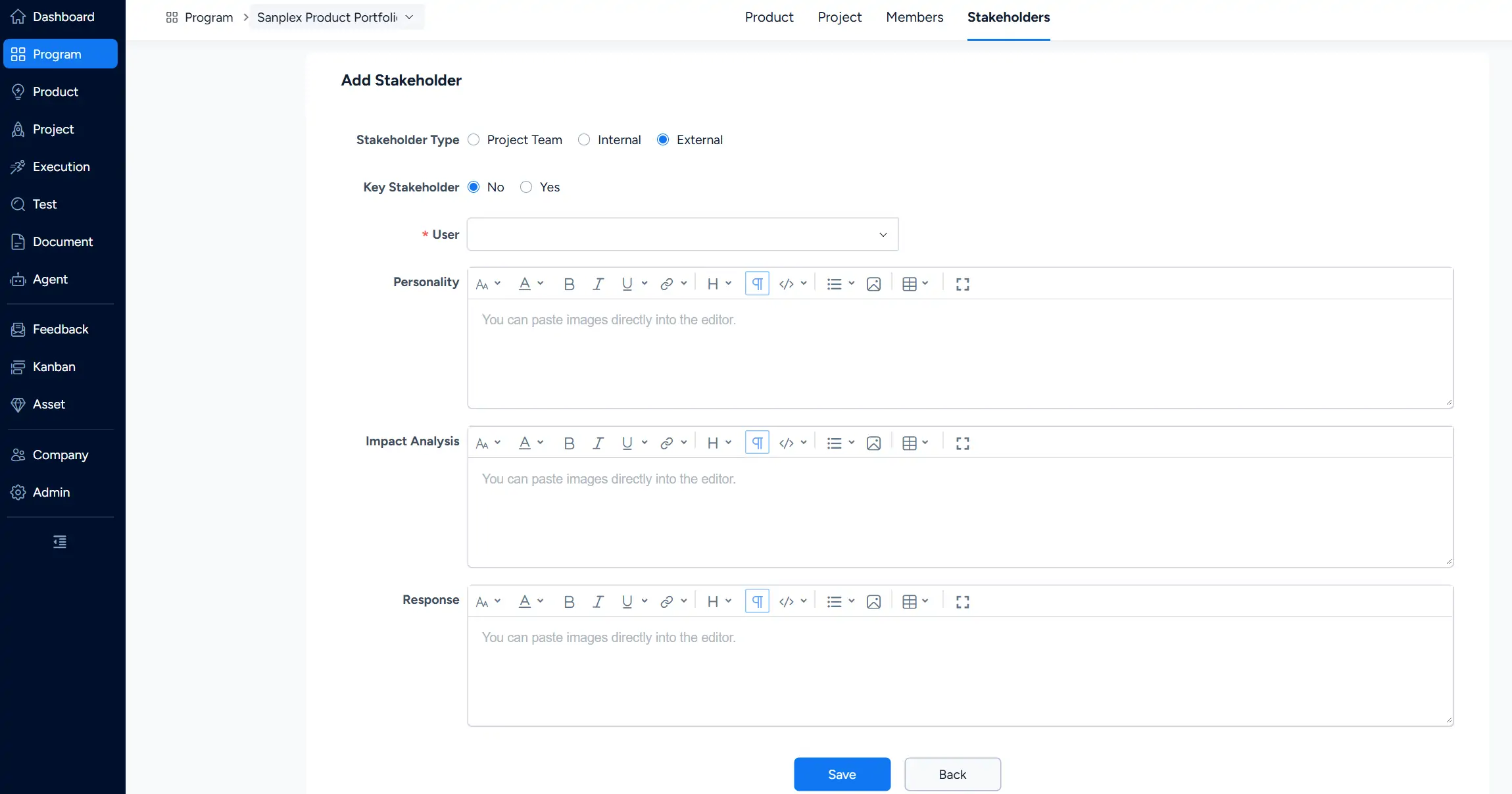
On the Add Stakeholder page, select the Stakeholder Type. Available types include:
- Project Team
- Internal
- External
You can also specify whether the user is a Key Stakeholder, select the User, and provide additional information such as Personality, Impact Analysis, and Response.
Click Save after completing the stakeholder information.
II. Manage Program Stakeholders
After the stakeholder is added, the user appears in the program stakeholder list. The list provides stakeholder information such as Name, Stakeholder Type, Role, and contact information.
To remove the relationship between a stakeholder and the current program, use Unlink Stakeholder in the Actions column.



