Catalog
Overview
Go to Admin > Project Flow > Deliverable Types to configure the deliverables expected at each stage of a project flow. Deliverable type configuration is central to organization-wide project flow governance. It helps an organization predetermine the deliverables that each stage should produce. By mapping deliverable types to specific process activities, administrators can define clear output standards for every stage and attach templates to them, keeping delivered content consistent and well governed.
As a project progresses, Sanplex automatically verifies at key checkpoints whether deliverables meet the defined standards. This forms a closed loop that connects processes, activities, deliverables, and quality assurance, giving projects stronger process and quality controls. Deliverable types also support quality reviews: peer-review workflows and review checklists can be defined for each type, making results reviewable and traceable while improving process transparency and quality control.
As the primary carriers of project outcomes, deliverable types help organizations establish a single set of delivery standards, reduce the risk of inconsistent outputs, and protect quality. Standardized deliverable management also captures and reuses organizational knowledge, helping teams make project management more systematic and improve process maturity.
Use cases
1. Standardizing project flows
Different project types, such as product development, customer delivery, and research and innovation, typically require different stage activities and outputs. Deliverable types let you define a concrete list of deliverables and templates for each flow. Teams then know what to produce and how it will be assessed, reducing missing or inconsistent outputs caused by differences in individual practice.
2. Managing process quality and reviews
Deliverable type configuration makes output requirements and review checkpoints explicit at every stage. At key milestones, Sanplex can automatically verify whether deliverables have been submitted and connect those checks to peer-review workflows to ensure results meet quality standards. This is especially important for engineering, design, testing, and other quality-critical work.
3. Process traceability and compliance audits
During audits, retrospectives, or process improvement initiatives, deliverable records provide evidence of how a project was executed. Sanplex captures submissions, reviews, and revisions so managers can trace project history, identify bottlenecks or quality issues, and support continuous improvement and compliance.
4. Supporting organizational maturity and systematic management
For organizations using frameworks such as CMMI, GJB, or ASPICE, deliverable type configuration is an important tool for making processes controllable and outcomes verifiable. Institutionalized deliverable management captures data at both the project and organizational levels, providing a solid foundation for process improvement, experience sharing, and knowledge management.
I. Create a deliverable type
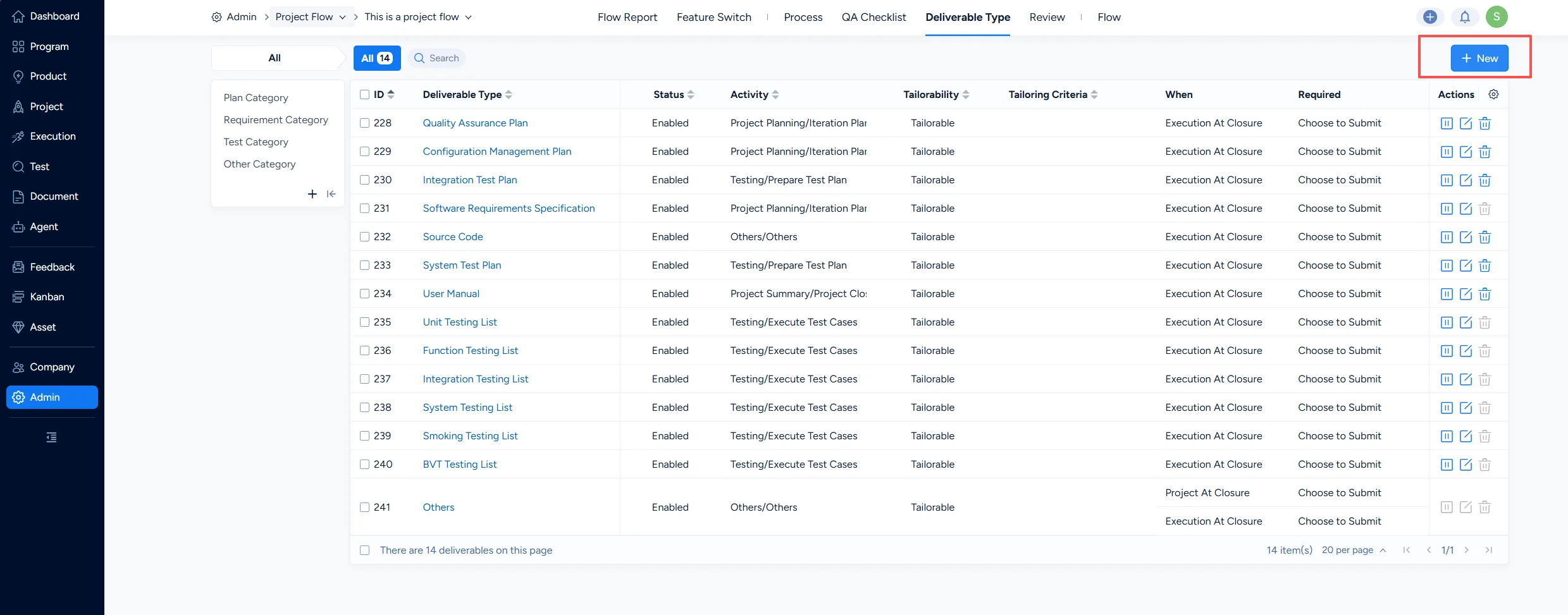
Under Deliverable Types > New, you can configure a new deliverable type.
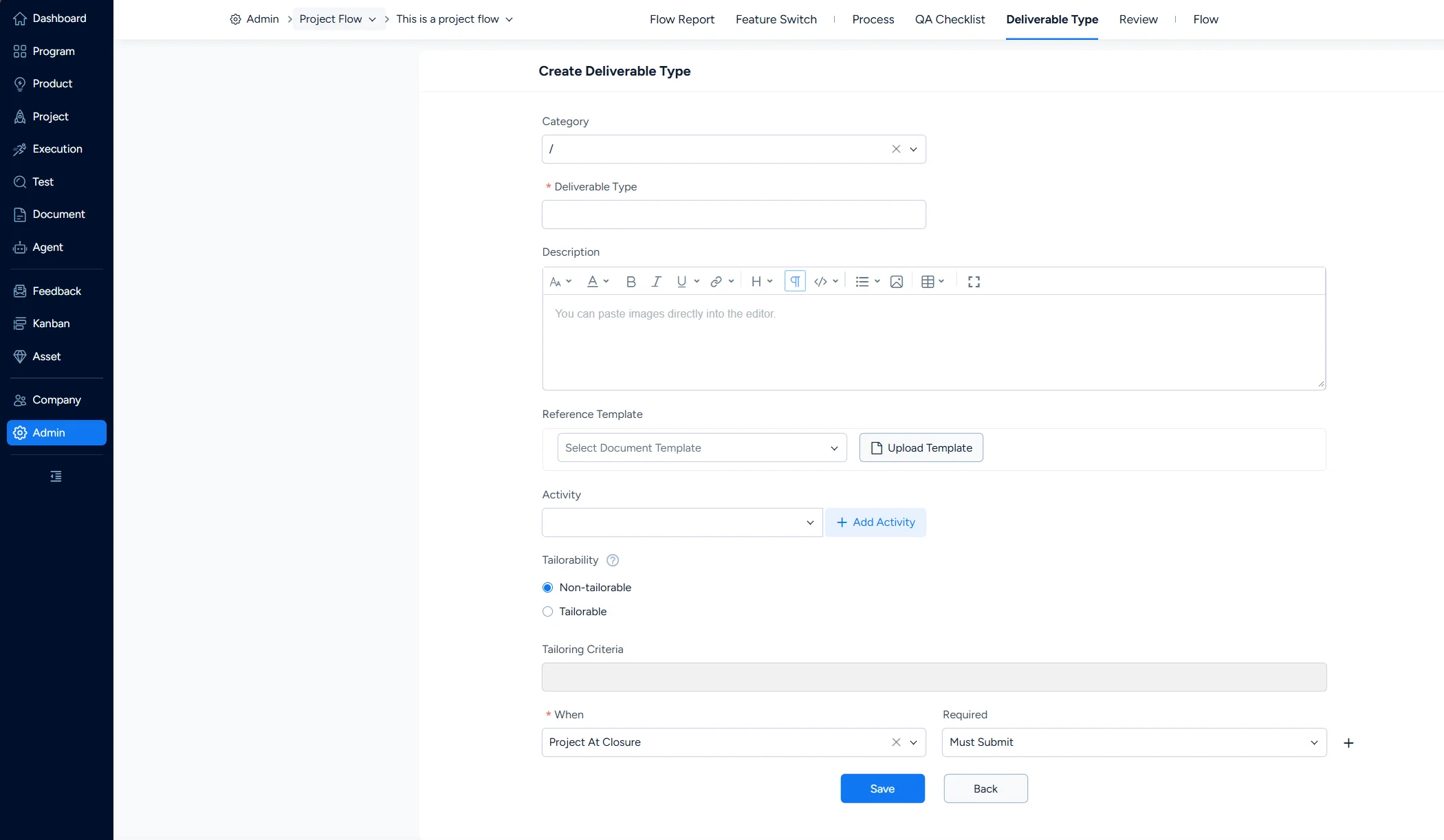
- On the Deliverable Types page, click New in the upper-right corner to open the creation page.
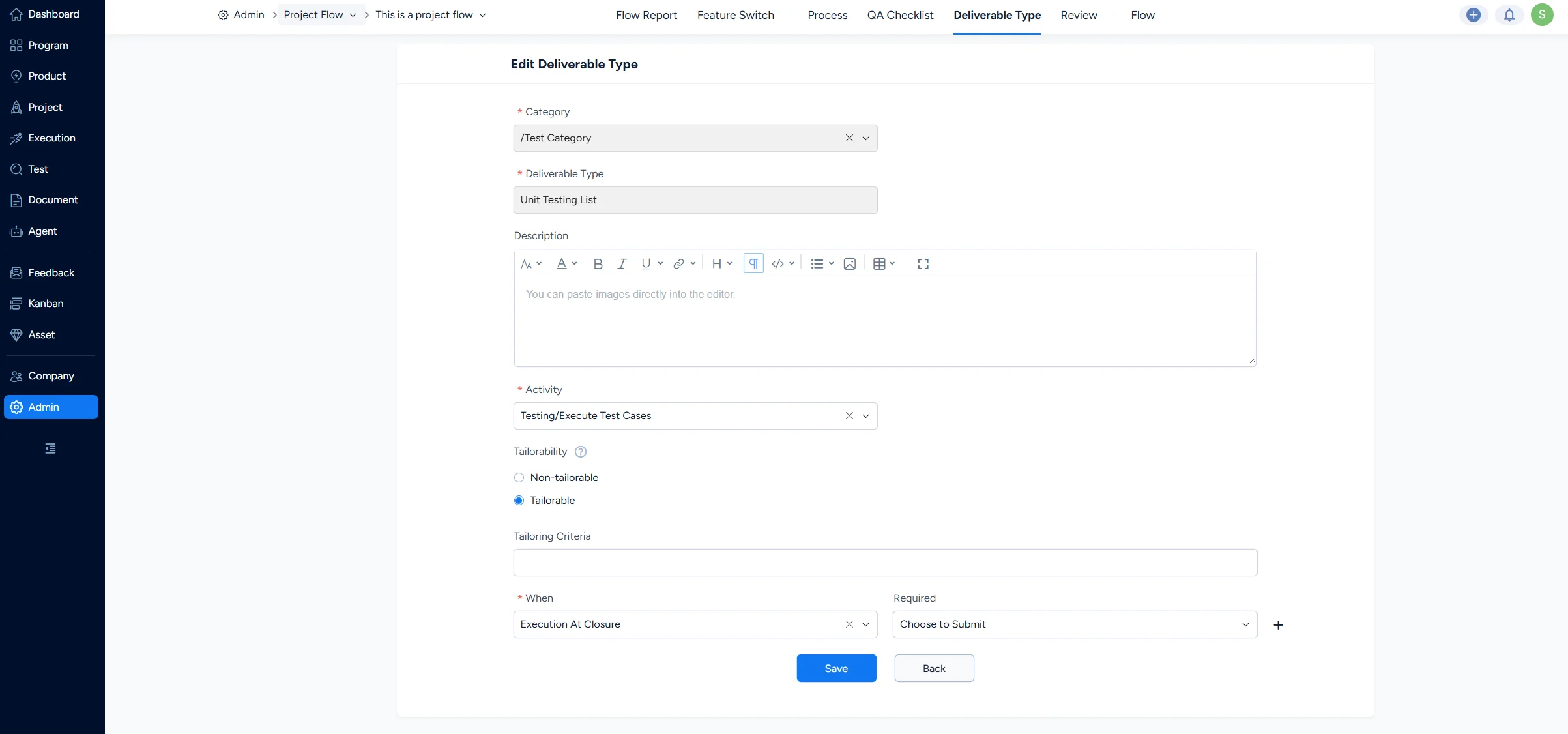
- Assign the type to a category. The category determines where the deliverable type belongs.
- Choose a built-in document template or upload a local file as the template. Project teams can then submit deliverables according to that template.
- Link the deliverable type to an activity. You can add an activity while configuring the type. The type inherits the activity's Tailorable setting, which you can adjust as needed.
- Configure submission requirements to control whether the deliverable must be submitted when a project or execution is closed. If no strict submission is required, select Optional.
- If a deliverable type is not linked to both a category and an activity, it is saved as Disabled and is not displayed on the front end. Once both links are configured, the type is saved as Enabled and can be displayed normally.
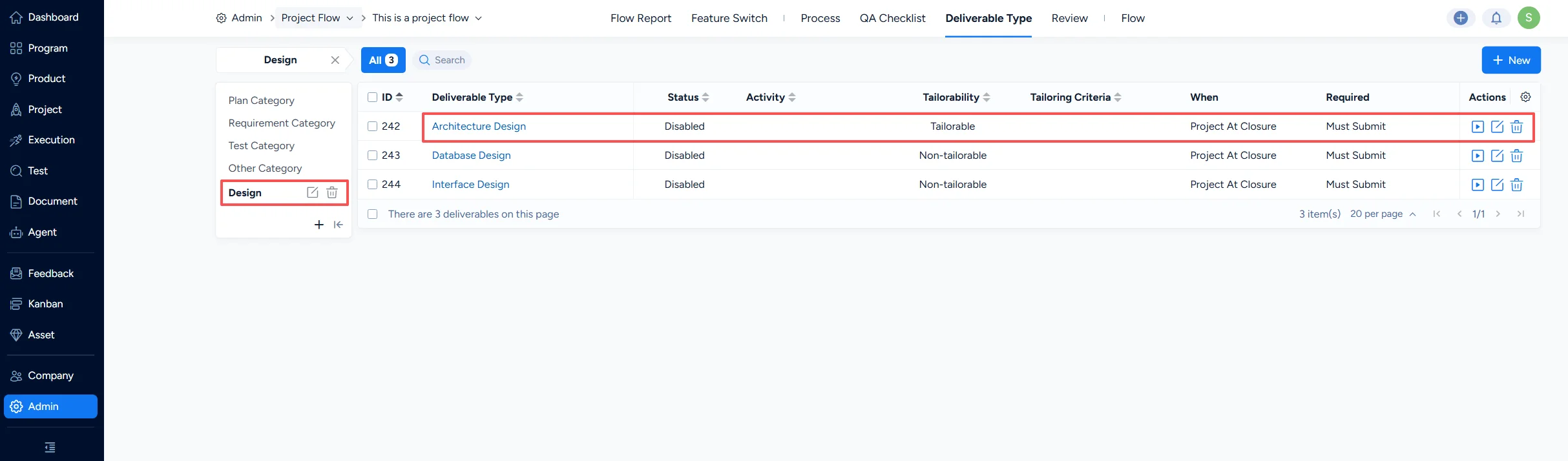
After you create a design deliverable type, it appears under Projects > Design. It works in the same way as built-in types such as High-Level Design, Detailed Design, Database Design, and Interface Design.
II. Enable or disable a deliverable type
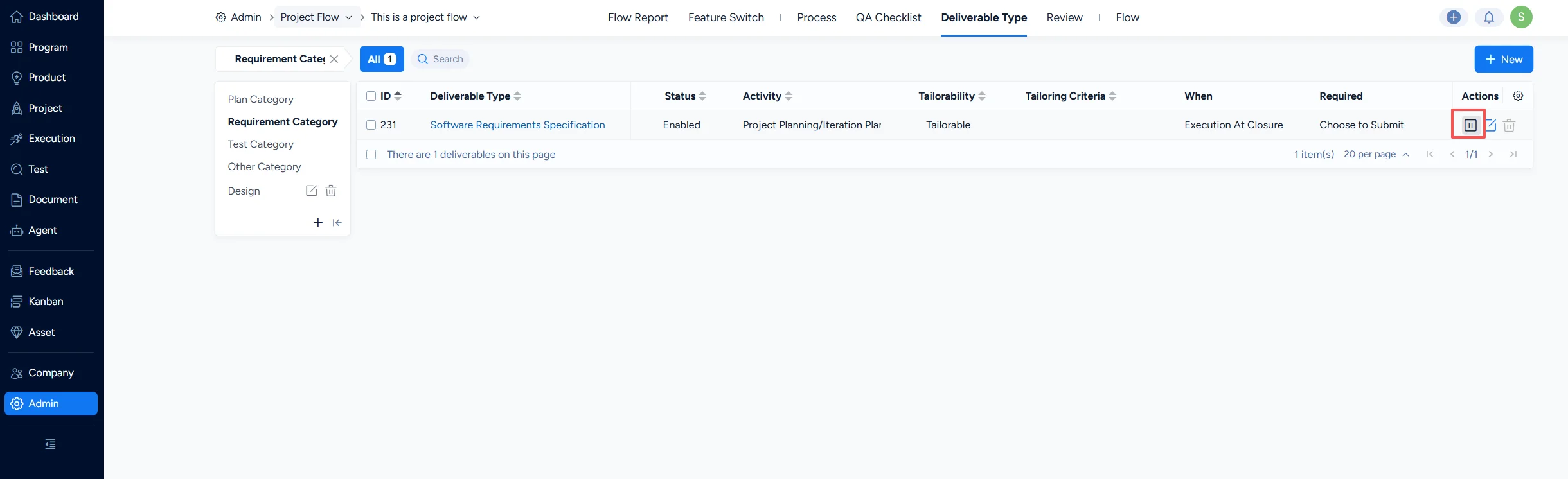
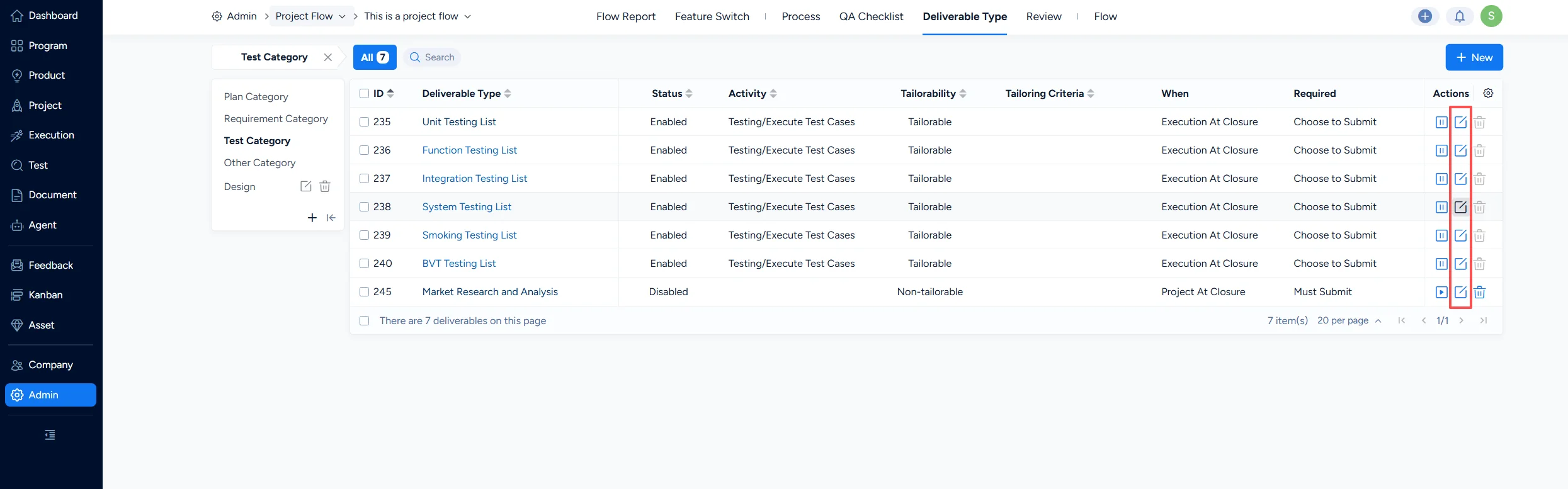
Under Deliverable Types > Actions, you can enable or disable a deliverable type.
To disable a deliverable type, click Disable in the Actions column of the Deliverable Types list. A disabled type is hidden from projects created from that project flow.
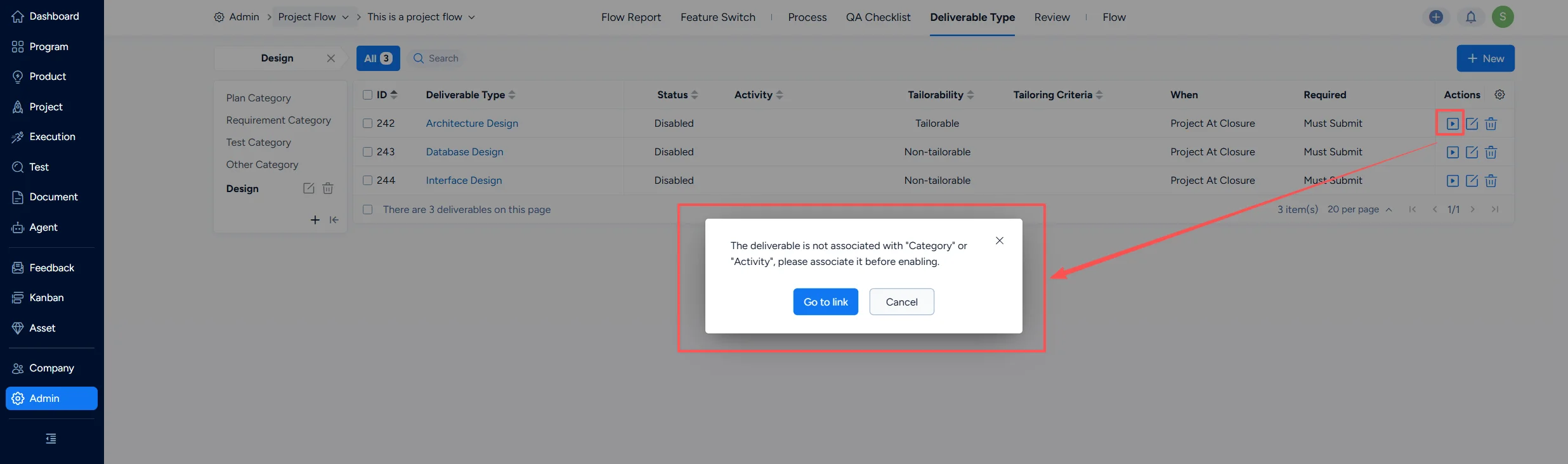
To enable a deliverable type, Sanplex first checks whether it is linked to both a category and an activity. If either link is missing, a prompt appears and you must complete the links before enabling the type. Once enabled, the type is displayed in projects created from that project flow.
III. View deliverable type details
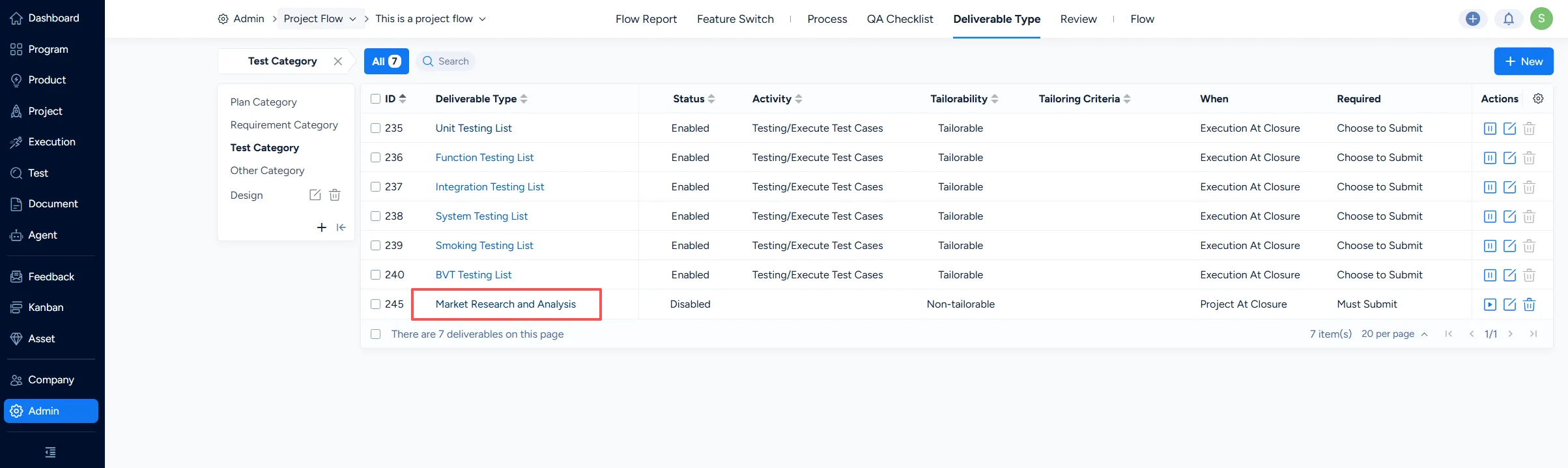
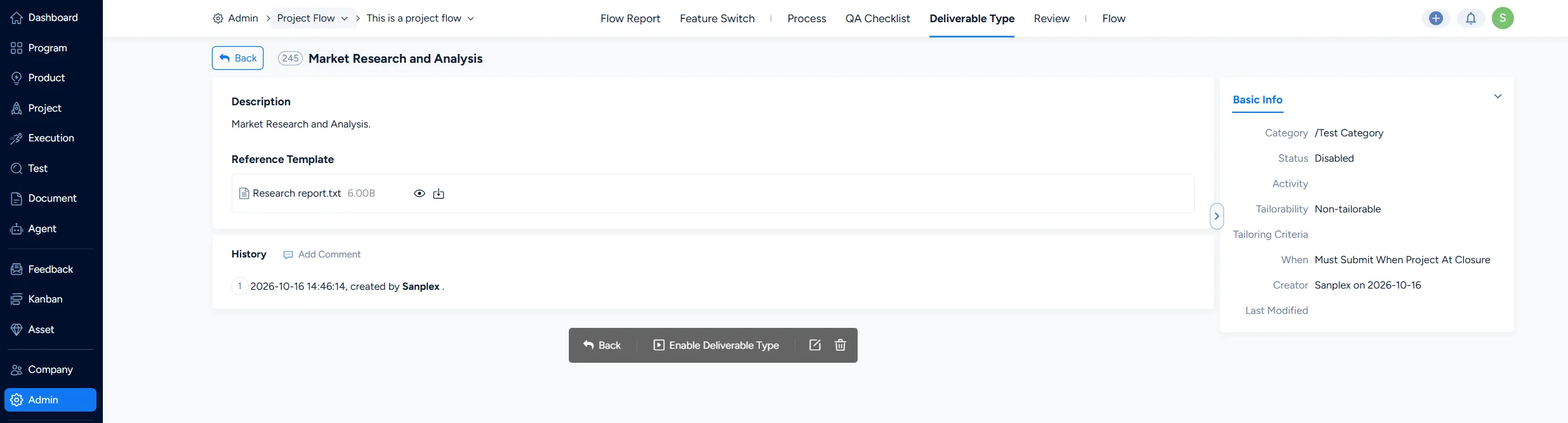
Under Deliverable Types, you can view the details of a deliverable type. Click the name of a deliverable type in the list to open its details page. The page displays the type's basic information and change history.
IV. Edit a deliverable type
Under Deliverable Types > Actions, you can edit a deliverable type. Click Edit in the Actions column of the Deliverable Types list to open the edit page for that type.
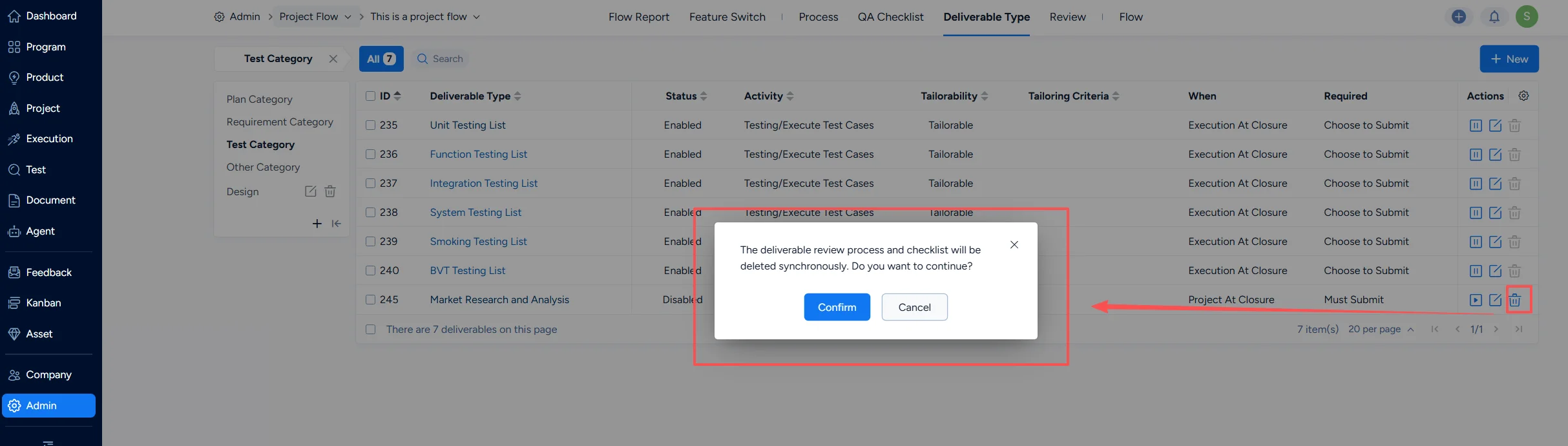
V. Delete a deliverable type
Under Deliverable Types > Actions, you can delete a deliverable type. Click Delete in the Actions column of the Deliverable Types list to delete the deliverable type. Deleted deliverable types are moved to the Recycle Bin.